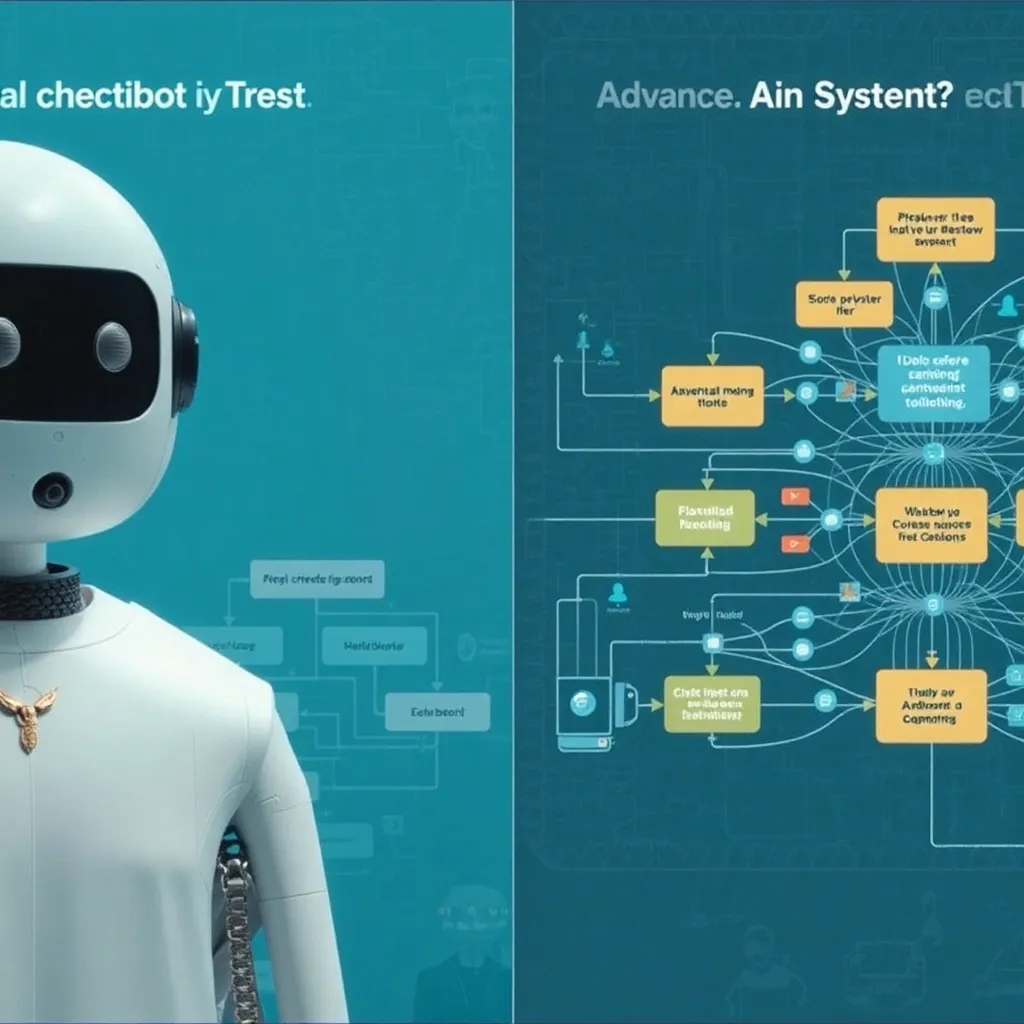
Daily Archives: May 6, 2025

Major Differences Between Chatbots and Agentic Applications and the job skills needed

What are the differences Between Chatbots and Agentic Applications ?

Autonomy and Decision-Making

Chatbots operate on predefined rules and scripts, responding to specific inputs with programmed outputs. They follow a rigid conversation flow and cannot deviate from their programming.

Agentic Applications possess autonomous decision-making capabilities, allowing them to determine the best course of action based on goals and context. They can initiate actions independently and adapt their approach to achieve objectives without explicit instructions for every scenario.

Scope of Functionality

Chatbots primarily facilitate conversation and information retrieval within narrow domains. Their purpose is conversation-centered and reactive to user queries.

Agentic Applications can perform complex tasks across systems, make decisions, and take actions on behalf of users. They can coordinate multiple tools and services to accomplish goals, acting more like digital assistants than simple conversational interfaces.

Learning and Adaptation

Chatbots typically have limited or no ability to learn from interactions. Updates require manual reprogramming rather than autonomous improvement.

Agentic Applications continuously learn from experiences and interactions, refining their responses and decision-making processes over time. They build knowledge models that evolve with use.

Task Completion

Chatbots guide users through processes but rarely complete tasks independently. They serve as intermediaries between users and systems.

Agentic Applications can complete entire workflows without human intervention, from understanding a request to executing multiple steps across different systems to achieve the desired outcome.

Context Understanding

Chatbots often struggle with maintaining context across conversation turns and typically process each input in isolation.

Agentic Applications maintain comprehensive context awareness, remembering past interactions and understanding how current requests relate to broader user goals and history.

Skills Needed to Develop Agentic AI System:

Developing agentic AI systems requires a combination of technical expertise, analytical thinking, and ethical foresight. Here’s a list of the key skills necessary:

1. Artificial Intelligence and Machine Learning

  • Proficiency in machine learning frameworks like TensorFlow, PyTorch, or Scikit-learn.
  • Knowledge of reinforcement learning, deep learning, and neural networks, which are critical for creating autonomous decision-making systems.
  • Understanding of supervised, unsupervised, and semi-supervised learning to train models effectively.

2. Natural Language Processing (NLP)

  • Expertise in NLP tools like spaCy, Hugging Face, and GPT-based models to enable the system to interpret, generate, and respond naturally to text or speech.
  • Skills in sentiment analysis, entity recognition, and language modeling.

3. Programming and Software Development

  • Strong programming skills in languages like Python, Java, or C++.
  • Understanding of software engineering principles, such as modularity, scalability, and debugging practices.
  • Knowledge of APIs and frameworks for integrating the agentic AI system with other platforms.

4. Data Engineering and Management

  • Skills in data collection, preprocessing, and cleaning to ensure that only high-quality datasets are used to train the AI system.
  • Proficiency in database systems (SQL, NoSQL) and data manipulation tools like Pandas, Hadoop, or Spark.

5. Systems Integration

  • Ability to build systems that interact with various software ecosystems, such as customer relationship management (CRM) systems, enterprise resource planning (ERP) solutions, and external APIs.
  • Knowledge of multi-agent system architectures for enabling collaborative AI environments.

6. Algorithm Design and Optimization

  • Understanding of how to construct algorithms for reasoning, problem-solving, and decision-making.
  • Skills in optimizing these algorithms for performance, accuracy, and efficiency.

7. Ethics and Bias Mitigation

  • The ability to identify and mitigate bias in AI systems to ensure fairness and ethical usage.
  • Familiarity with AI regulations and compliance guidelines.

8. User Experience (UX) Design

  • Designing intuitive, user-friendly interfaces for effective interaction between humans and agentic systems.
  • Testing UX with end-users to ensure satisfaction and ease of use.

9. Critical Thinking and Problem-Solving

  • The ability to anticipate challenges, edge cases, and unforeseen consequences in real-world environments.
  • Skills to debug and address unexpected failures or system behaviors.

10. Collaboration and Communication

  • Working effectively with interdisciplinary teams, including data scientists, engineers, and business leaders, to align AI technologies with company goals.

These diverse skills come together to enable the creation of agentic AI systems that can operate autonomously, learn from experience, and enhance efficiency across various domains.

Visualization Suggestion

To enhance understanding, let’s generate an image that depicts an interdisciplinary team working together to develop an agentic AI system.

Industries That Can Benefit Most from Agentic AI

Agentic AI systems—autonomous tools capable of decision-making and task execution—are revolutionizing industries by increasing efficiency, reducing operational costs, and improving user experiences. Let’s explore the key industries that stand to gain the most:

1. Customer Service

  • How It Benefits: Agentic AI can manage high volumes of customer interactions, answer complex queries, and handle issues autonomously, allowing human agents to focus on more complex tasks.
  • Example Use Case: Intelligent virtual assistants that resolve customer complaints or process returns without human intervention.

2. Healthcare

  • How It Benefits: Agentic AI can assist with diagnostics, patient monitoring, treatment recommendations, and even administrative tasks like appointment scheduling.
  • Example Use Case: AI systems that autonomously analyze patient health data, detect anomalies, and notify medical staff of critical conditions in real time.

3. Finance and Banking

  • How It Benefits: AI can manage fraud detection, portfolio management, customer support, and credit approvals. These systems learn to make data-driven decisions with speed and accuracy.
  • Example Use Case: AI financial advisors that autonomously optimize investment portfolios based on market trends.

4. E-commerce and Retail

  • How It Benefits: Personal shopping assistants, smart inventory management, and predictive analytics enable businesses to cater to customer preferences dynamically.
  • Example Use Case: AI agents that recommend products tailored to individual user preferences, optimizing the shopping experience.

5. Transportation and Logistics

  • How It Benefits: AI can optimize routing, manage fleet logistics, and even assist with autonomous driving solutions to ensure smooth operations.
  • Example Use Case: Delivery drones or self-driving vehicles that autonomously adapt to traffic patterns and optimize delivery times.

6. Education

  • How It Benefits: Personalized AI tutors can adapt to students’ learning styles and provide tailored lesson plans, supporting educators and enabling better outcomes for learners.
  • Example Use Case: Virtual AI tutors for language learning that adjust question complexity based on student performance.

7. Manufacturing

  • How It Benefits: Agentic AI can manage industrial processes, monitor machinery, and predict maintenance needs to minimize downtime.
  • Example Use Case: AI systems managing entire assembly lines autonomously, optimizing efficiency and reducing waste.

8. Human Resources

  • How It Benefits: AI can assist with recruitment, talent management, and employee training by analyzing data and automating repetitive processes.
  • Example Use Case: AI tools that autonomously screen resumes and conduct initial candidate assessments without bias.

9. Energy and Utilities

  • How It Benefits: Agentic AI systems can optimize energy distribution, predict outages, and improve efficiency in renewable energy management.
  • Example Use Case: AI systems monitoring and adjusting energy grids based on real-time demand and supply data.

10. Gaming and Entertainment

  • How It Benefits: AI agents can create adaptive experiences by tailoring gameplay or entertainment content to individual preferences.
  • Example Use Case: Non-player characters (NPCs) in video games that learn and adapt to user behavior for a more dynamic experience.

Visualization Suggestion

A visual representation could showcase various industries using AI, such as medical diagnostics, virtual assistants, and autonomous logistics systems, interacting with dynamic tools and displays in a futuristic, multi-industry workspace.

Skills Required for Building Chatbots

Building chatbots—from simple keyword-based systems to more advanced conversational agents—requires a mix of technical, design, and analytical skills. Here’s an overview of the core skills needed:

1. Programming Skills

  • Languages: Proficiency in programming languages like Python, Java, or JavaScript, which are commonly used for chatbot development.
  • Frameworks: Familiarity with chatbot frameworks and libraries, such as Rasa (Python), Botpress (JavaScript), or Dialogflow (Google).
  • API Integration: Ability to connect the chatbot to external services via APIs (e.g., for retrieving third-party data).

2. Natural Language Processing (NLP)

  • Text Understanding: Skills in using NLP techniques to enable bots to understand and process user inputs through libraries like NLTK, spaCy, or Hugging Face.
  • Intent Recognition: Knowledge of developing and training models to detect user intent and extract key entities.
  • Conversational Design: Understanding context and dialogue flow to enable bots to maintain the right tone and coherence.

3. Machine Learning

  • Training Models: Familiarity with supervised and unsupervised machine learning to improve the accuracy of chatbots.
  • AI Frameworks: Experience with machine learning platforms (e.g., TensorFlow, PyTorch) for models that enable bots to evolve and learn better responses over time.

4. UX/UI Design

  • User-Friendly Experience: Skills in designing intuitive and visually appealing interactions within messaging platforms or custom interfaces.
  • Conversation Design: Crafting smooth and natural dialogue flows that mimic human interaction while avoiding robotic behavior.

5. Deployment and System Integration

  • Cloud Platforms: Knowledge of cloud services (e.g., AWS, Google Cloud, Azure) for chatbot deployment.
  • CRM and Database Integration: Experience integrating the chatbot with databases, ticketing systems, or customer relationship management (CRM) tools.

6. Testing and Debugging

  • Testing Tools: Familiarity with tools to simulate user interactions and test multiple scenarios for bugs and performance bottlenecks.
  • Iterative Improvement: Skills in debugging NLP models and script errors through iterative testing cycles.

7. Understanding Human Communication

  • Language Proficiency: Strong understanding of language subtleties like slang, idioms, and colloquialisms to improve chatbot accuracy.
  • Empathy Mapping: Ability to predict and model user emotions to make the chatbot responses more personal and engaging.

8. Security and Privacy

  • Data Encryption: Skills in securing user data to comply with global data protection regulations like GDPR or CCPA.
  • Authentication: Implementing mechanisms (e.g., OAuth) to ensure sensitive conversations are protected.

Suggested Visualization

A visual representation could include someone coding in Python-based NLP libraries while testing chatbot interactions in a simulated chat window, accompanied by cloud and database icons to depict deployment and integration.

How can chatbot design be enhanced for better user experience?

Enhancing Chatbot Design for Better User Experience

Designing a chatbot isn’t just about functionality; it’s about crafting an experience that feels intuitive, responsive, and engaging for users. Here are some strategies to enhance chatbot design for a better user experience:


1. Focus on Conversational Flow

  • Clarity: Ensure the chatbot responses are concise and easy to understand without overwhelming the user.
  • Personalization: Use the user’s name and tailor responses based on their input, history, or preferences.
  • Context Retention: Maintain the context of the conversation so the chatbot can handle multi-turn dialogs more effectively.

2. Provide Clear Intent Recognition

  • Flexibility: Allow users to express their queries in various ways (e.g., differing phrasings, slang, or typos) while still accurately interpreting their intent.
  • Fallback Mechanism: If the chatbot doesn’t understand an input, guide the user with clarifying questions or present tailored options to move forward.

3. Offer Visual and Functional Enhancements

  • Buttons and Quick Replies: Incorporate options like predefined buttons, menus, or clickable links to make interactions more intuitive.
  • Visual Aids: Use visuals such as icons, GIFs, or even images to enrich the conversation and improve clarity.
  • Responsive Design: Ensure the chatbot adapts seamlessly to different devices and screen sizes for broad accessibility.

4. Human-Like Behavior

  • Natural Language: Leverage NLP (Natural Language Processing) to make the chatbot sound human-like, using empathetic and polite language.
  • Tone Adaptability: Match the chatbot’s tone and style to your brand persona (e.g., professional for finance, casual for retail).
  • Emotion Awareness: Add sentiment analysis to detect and respond appropriately to users’ emotional cues, improving engagement.

5. Transparent Hand-off to Humans

  • Ensure smooth transitions to human agents when the chatbot reaches its functional limits. Let the user know when their query is being escalated and provide updates during wait times.

6. Iterative Testing and Feedback Integration

  • Testing Scenarios: Continuously test the chatbot against different use cases and edge scenarios.
  • User Feedback: Allow users to rate the chatbot’s responses or provide feedback, then use that data to improve functionality and flow.

Suggested Visualization

A visual representation could show a user interacting with a chatbot interface showcasing quick-reply buttons, conversational flow, and human-like responses. It could include sentiment detection markers, such as emojis or feedback prompts appearing naturally in the interaction.
For our Cloud/DevOps/AI/ML/ Ge AI digital job tasks Courses, visit URL:
https://kqegdo.courses.store/


Agentic Applications and their Use in Customer Service

Agentic applications refer to AI systems that can act autonomously on behalf of users or businesses. These applications utilize artificial intelligence, machine learning, and natural language processing to perform tasks with minimal human intervention. In customer service, agentic applications are revolutionizing how businesses interact with their customers.

Understanding Agentic Applications

Agentic AI applications possess several key characteristics:

  • Autonomy: They can make decisions and take actions without constant human oversight
  • Goal-oriented behavior: They work toward specific objectives
  • Adaptability: They learn from interactions and improve over time
  • Communication skills: They can understand and generate human language

Applications in Customer Service

1. Intelligent Virtual Assistants

Agentic applications can serve as sophisticated virtual assistants that handle customer inquiries 24/7. Unlike simple chatbots, these assistants can understand complex requests, access relevant information across systems, and provide personalized solutions.

2. Proactive Customer Support

Agentic systems can monitor customer behavior patterns and anticipate issues before they arise. For example, if a customer repeatedly visits a troubleshooting page, the agent might initiate a conversation offering assistance.

3. Omnichannel Experience Management

These applications can maintain context across multiple communication channels, allowing customers to start a conversation on one platform and continue it on another without losing continuity.

4. Personalized Recommendations

By analyzing customer data and preferences, agentic applications can offer tailored product suggestions and solutions that address individual customer needs.

5. Sentiment Analysis and Response

Advanced agentic applications can detect customer emotions through text or voice analysis and adapt their responses accordingly, showing empathy when needed or escalating to human agents in sensitive situations.

Benefits for Businesses

  • Reduced operational costs through automation
  • Improved customer satisfaction with faster response times
  • Consistent service quality across all interactions
  • Scalability during peak demand periods
  • Data-driven insights for business improvement

For customer service departments looking to implement agentic applications, the key is starting with clearly defined use cases and gradually expanding capabilities as both customers and employees grow comfortable with the technology.

Her’s a deeper dive into how AI is transforming customer service:

1. AI-Powered Chatbots

  • Functionality: AI chatbots are designed to understand and respond to customer inquiries in real time. They can handle a wide range of tasks, from answering frequently asked questions to helping customers track orders or resolve billing issues.
  • Personalization: Using machine learning, chatbots can analyze customer data to tailor responses and recommendations based on individual preferences and behavior.
  • 24/7 Availability: Unlike human agents, AI chatbots can operate round the clock, ensuring customers receive immediate assistance without waiting times.

2. Sentiment Analysis and Emotional Intelligence

  • Understanding Tone and Emotion: AI systems can now analyze the tone and sentiment of customer messages, allowing them to respond more empathetically. For example, if a customer is frustrated, the AI can adjust its tone to be more reassuring and apologetic.
  • Escalation to Human Agents: When a customer’s issue is too complex or emotionally charged, AI systems can seamlessly escalate the issue to a human representative, ensuring a smooth transition.

3. Automation of Routine Tasks

  • Ticket Routing: AI can automatically categorize and route customer inquiries to the appropriate support agent based on the issue type, reducing response times and improving resolution rates.
  • Knowledge Base Integration: AI agents can quickly access and retrieve information from vast knowledge bases to provide accurate and up-to-date solutions to customer queries.

4. Predictive Support

  • Proactive Assistance: AI can anticipate customer needs by analyzing their behavior and previous interactions. For example, if a customer frequently asks about a specific product feature, the AI can proactively offer related resources or solutions.
  • Issue Prediction: By monitoring customer interactions and system data, AI can predict potential issues before they escalate, enabling businesses to address problems proactively.

5. Omnichannel Support

  • Seamless Integration: AI agents can operate across multiple platforms, such as Messenger, WhatsApp, email, and website chat, providing a consistent and cohesive experience for customers regardless of the channel they use.

6. Cost Efficiency and Scalability

  • Reduced Workload: AI handles a significant portion of routine inquiries, reducing the workload on human agents and allowing them to focus on more complex and sensitive issues.
  • Scalability: AI systems can handle thousands of simultaneous interactions without a drop in performance, making them ideal for businesses with large customer bases.

7. Continuous Improvement

  • Machine Learning: AI systems improve over time by learning from interactions and feedback. This ensures that responses become more accurate and relevant as the system processes more data.
  • Feedback Loop: Customers can provide feedback on their interactions with AI agents, which is then used to refine and improve the system.

Examples of AI in Customer Service:

  • Zendesk: Offers AI-powered chatbots that integrate with their customer service platform to provide automated support.
  • Salesforce Einstein: Uses AI to analyze customer data and provide personalized recommendations and predictions.
  • Intercom: Provides AI-driven chatbots that help businesses engage with customers in real time.

Challenges and Considerations:

  • Balancing Automation and Human Touch: While AI is excellent for routine tasks, human empathy and judgment are still essential for complex or sensitive issues.
  • Data Privacy and Security: Ensuring customer data is secure while being used by AI systems is a critical concern.
  • Ethical Considerations: Businesses must address ethical issues, such as transparency about AI usage and avoiding biases in decision-making processes.

The Future of AI in Customer Service:

As AI technology continues to evolve, we can expect even more sophisticated applications, such as advanced emotional intelligence, hyper-personalization, and predictive analytics. However, the human element will remain crucial, with AI serving as a tool to enhance, rather than replace, human customer service agents.

What are the challenges of implementing AI in customer service?

For AI to work well in customer service, it needs a lot of data to learn from. But what if the data is biased or incomplete? That could lead to the AI making unfair or incorrect decisions. Plus, collecting and processing all that data might be expensive and time-consuming. I wonder how companies handle that.

Then there’s the issue of understanding natural language. AI chatbots are supposed to understand what customers are asking, but sometimes they don’t get the context right. If a customer is upset or uses slang, the AI might not respond appropriately. This could make the customer experience worse instead of better. How do companies train their AI to handle different dialects and emotional cues?

Another thing is the lack of human empathy. While AI can be efficient, it doesn’t truly understand emotions. If a customer has a serious issue, an AI might not be able to provide the kind of support a human would. This could lead to customer dissatisfaction. Maybe companies need to find a balance between using AI for routine tasks and having humans handle more sensitive issues.

Privacy and security are also big concerns. Customer service often involves sensitive information like personal details and payment data. If the AI system isn’t secure, there’s a risk of data breaches. How do companies ensure that their AI systems are protected against cyber threats?

Scalability is another challenge. As a company grows, its customer service needs to grow too. Can AI systems handle an increasing number of inquiries without slowing down? If not, it might create delays and frustration for customers. I’m not sure how scalable current AI solutions are for customer service.

Maintaining a consistent brand voice is important too. If the AI’s responses don’t match the company’s tone and values, it could confuse customers and hurt the brand image. Training AI to maintain that consistency must be tricky.

Integration with existing systems is probably a hurdle as well. Many companies already have various software and tools in place. Making sure that AI integrates smoothly without causing disruptions could be complicated and require significant IT resources.

Lastly, there’s the matter of continuous improvement. AI needs to learn and improve over time to stay effective. Gathering feedback from customers and updating the AI regularly might be necessary, but I’m not sure how easy that process is.

Overall, while AI has a lot of potential in customer service, there are several challenges that need to be addressed, from data quality and understanding language to security, scalability, and maintaining brand consistency. I’m curious to know more about how companies are overcoming these challenges.

The challenges of implementing AI in customer service are multifaceted and require careful consideration to ensure effective and satisfactory customer interactions. Here are the key challenges:

  1. Data Quality and Bias: AI systems rely on vast amounts of data to function effectively. If the data is biased or incomplete, the AI may produce unfair or incorrect decisions. Ensuring high-quality, diverse data is crucial.
  2. Natural Language Understanding: AI chatbots must accurately interpret customer inquiries, including nuances like slang and emotional cues. Improving natural language processing is essential for appropriate responses.
  3. Lack of Human Empathy: While AI excels at efficiency, it lacks true emotional understanding. Human agents are often necessary for sensitive or complex issues to provide empathetic support.
  4. Privacy and Security: Handling sensitive customer data requires robust security measures to prevent breaches. Ensuring AI systems are secure is paramount.
  5. Scalability: As customer service demands grow, AI systems must scale efficiently without compromising performance. Ensuring scalability is vital for maintaining service quality.
  6. Brand Consistency: AI responses must align with the company’s brand voice and values. Training AI to maintain consistency is important for brand integrity.
  7. System Integration: AI must integrate seamlessly with existing software and tools. This often requires significant IT resources and careful planning.
  8. Continuous Improvement: Regular updates and feedback loops are necessary for AI to learn and improve, ensuring it remains effective over time.

Addressing these challenges involves a combination of advanced data management, sophisticated AI training, robust security measures, and strategic integration with human oversight. Companies must balance the efficiency of AI with the irreplaceable qualities of human interaction to create a harmonious and effective customer service experience.

How do agentic applications differ from traditional chatbots?

Agentic Applications vs. Traditional Chatbots

Agentic applications and traditional chatbots differ significantly in their capabilities, functionality, and overall approach to customer interactions:

Key Differences

1. Autonomy and Agency

  • Traditional Chatbots: Follow predefined scripts and decision trees. They can only respond based on exact keyword matching and predetermined paths.
  • Agentic Applications: Possess a degree of autonomy to make decisions, take initiative, and solve problems independently without explicit programming for every scenario.

2. Understanding Context

  • Traditional Chatbots: Often lose context between messages and struggle with multi-turn conversations.
  • Agentic Applications: Maintain conversation context and history, allowing for more natural, flowing interactions that feel cohesive.

3. Learning Capability

  • Traditional Chatbots: Static systems that don’t improve from interactions unless manually updated.
  • Agentic Applications: Employ machine learning to continuously improve from interactions, becoming more effective over time.

4. Task Execution

  • Traditional Chatbots: Primarily information providers that direct users to resources or human agents.
  • Agentic Applications: Can take actions on behalf of users—completing transactions, scheduling appointments, or accessing multiple systems to resolve issues.

5. Integration Capabilities

  • Traditional Chatbots: Limited integration with other business systems.
  • Agentic Applications: Deeply integrated with multiple systems (CRM, inventory, billing) to access and manipulate data as needed.

6. Reasoning Ability

  • Traditional Chatbots: Cannot reason about new situations or draw inferences.
  • Agentic Applications: Can use reasoning to handle novel situations and make logical connections between pieces of information.

Real-World Impact

The difference becomes clear in practical applications. When a customer asks about order status, a traditional chatbot might simply provide tracking information. An agentic application could detect a potential delivery issue, proactively suggest alternatives, and even reschedule delivery—all without human intervention.

Ethical Considerations When Implementing Agentic AI

Implementing agentic AI systems raises numerous ethical considerations that organizations must carefully address:

1. Transparency and Explainability

Agentic AI systems often function as “black boxes” where decision-making processes aren’t transparent. Users interacting with these systems have the right to understand how and why decisions are made, especially when those decisions impact their lives significantly.

2. Accountability and Responsibility

When AI agents act autonomously, questions arise about who bears responsibility for mistakes or harmful outcomes. Clear frameworks for accountability must be established between developers, deploying organizations, and end users.

3. Privacy and Data Protection

Agentic AI systems require vast amounts of data to function effectively. Organizations must ensure proper data governance, including consent mechanisms, anonymization techniques, and secure storage practices to protect user privacy.

4. Bias and Fairness

AI systems can perpetuate or amplify existing societal biases if trained on biased data. Implementing fairness metrics and diverse training datasets is crucial to prevent discriminatory outcomes across different demographic groups.

5. Human Oversight and Control

Even autonomous AI systems should include human oversight mechanisms. “Human in the loop” approaches ensure that critical decisions remain subject to human review and that humans can override AI decisions when necessary.

6. Appropriate Autonomy Boundaries

Organizations must carefully consider which decisions are appropriate for AI agents to make independently versus which require human involvement. Higher-stakes decisions typically warrant greater human oversight.

7. Disclosure of AI Identity

Users have the right to know when they’re interacting with AI versus humans. Clear disclosure practices prevent deception and maintain trust in human-AI interactions.

Agentic Applications vs. Traditional Chatbots

Agentic applications and traditional chatbots differ significantly in their capabilities, functionality, and overall approach to customer interactions:

Key Differences

1. Autonomy and Agency

  • Traditional Chatbots: Follow predefined scripts and decision trees. They can only respond based on exact keyword matching and predetermined paths.
  • Agentic Applications: Possess a degree of autonomy to make decisions, take initiative, and solve problems independently without explicit programming for every scenario.

2. Understanding Context

  • Traditional Chatbots: Often lose context between messages and struggle with multi-turn conversations.
  • Agentic Applications: Maintain conversation context and history, allowing for more natural, flowing interactions that feel cohesive.

3. Learning Capability

  • Traditional Chatbots: Static systems that don’t improve from interactions unless manually updated.
  • Agentic Applications: Employ machine learning to continuously improve from interactions, becoming more effective over time.

4. Task Execution

  • Traditional Chatbots: Primarily information providers that direct users to resources or human agents.
  • Agentic Applications: Can take actions on behalf of users—completing transactions, scheduling appointments, or accessing multiple systems to resolve issues.

5. Integration Capabilities

  • Traditional Chatbots: Limited integration with other business systems.
  • Agentic Applications: Deeply integrated with multiple systems (CRM, inventory, billing) to access and manipulate data as needed.

6. Reasoning Ability

  • Traditional Chatbots: Cannot reason about new situations or draw inferences.
  • Agentic Applications: Can use reasoning to handle novel situations and make logical connections between pieces of information.

Real-World Impact

The difference becomes clear in practical applications. When a customer asks about order status, a traditional chatbot might simply provide tracking information. An agentic application could detect a potential delivery issue, proactively suggest alternatives, and even reschedule delivery—all without human intervention.

Ethical Considerations When Implementing Agentic AI

Implementing agentic AI systems raises numerous ethical considerations that organizations must carefully address:

1. Transparency and Explainability

Agentic AI systems often function as “black boxes” where decision-making processes aren’t transparent. Users interacting with these systems have the right to understand how and why decisions are made, especially when those decisions impact their lives significantly.

2. Accountability and Responsibility

When AI agents act autonomously, questions arise about who bears responsibility for mistakes or harmful outcomes. Clear frameworks for accountability must be established between developers, deploying organizations, and end users.

3. Privacy and Data Protection

Agentic AI systems require vast amounts of data to function effectively. Organizations must ensure proper data governance, including consent mechanisms, anonymization techniques, and secure storage practices to protect user privacy.

4. Bias and Fairness

AI systems can perpetuate or amplify existing societal biases if trained on biased data. Implementing fairness metrics and diverse training datasets is crucial to prevent discriminatory outcomes across different demographic groups.

5. Human Oversight and Control

Even autonomous AI systems should include human oversight mechanisms. “Human in the loop” approaches ensure that critical decisions remain subject to human review and that humans can override AI decisions when necessary.

6. Appropriate Autonomy Boundaries

Organizations must carefully consider which decisions are appropriate for AI agents to make independently versus which require human involvement. Higher-stakes decisions typically warrant greater human oversight.

7. Disclosure of AI Identity

Users have the right to know when they’re interacting with AI versus humans. Clear disclosure practices prevent deception and maintain trust in human-AI interactions.

How should companies handle situations when agentic AI makes mistakes?

Managing Mistakes Made by Agentic AI

When agentic AI systems make mistakes, companies must be prepared with robust mitigation strategies. Here’s how organizations can effectively handle these situations:

Immediate Response Framework

1. Swift Identification and Acknowledgment

Companies should implement monitoring systems that quickly detect AI errors. Once identified, acknowledging the mistake transparently—rather than hiding or downplaying it—builds trust with users and stakeholders.

2. Remediation Protocols

Organizations need clear procedures for immediate harm reduction. This includes temporarily limiting the AI’s autonomy, providing affected users with appropriate compensation, and implementing corrections to prevent identical mistakes.

Long-term Strategies

3. Root Cause Analysis

Every AI error presents a learning opportunity. Companies should thoroughly investigate what went wrong, whether it was a data issue, algorithm limitation, or unforeseen edge case. Documentation of these analyses creates an institutional knowledge base.

4. Continuous Improvement

Mistakes should directly inform system improvements. This includes retraining models with additional data that covers the error case, refining algorithms, and implementing additional safeguards around similar scenarios.

5. Shared Responsibility Models

Companies need clearly defined responsibility structures that specify who is accountable for different aspects of AI operations and mistakes. This often involves a combination of technical teams, management, and oversight committees.

Ethical and Legal Considerations

6. Transparency with Stakeholders

When mistakes occur, companies should communicate clearly with users about what happened, why it happened, and what steps are being taken to prevent recurrence. This transparency builds trust and demonstrates accountability.

7. Regulatory Compliance

As AI regulations evolve, companies must ensure their error-handling protocols align with emerging legal frameworks regarding AI accountability, explanation requirements, and remediation standards.