Category Archives: Uncategorized

Cloud cum DevOps Coaching: I am glad; my students are getting offers with great hikes

Folks,

I am glad to share this;

My students have started attending calls with top notch companies.

And getting offers, without a single word or sentence faking in their resume.

Just they mentioned my coaching details and the POCs what they have presented, in their resume.

They are getting above 60% hikes as initial offer. The hiring managers are offering them second hike also after few months of their performance.

Infact, In every interview the Technical panel is honoring them and their Internship very well. This is the market response for my coaching/mentoring.

This is a great news for them and their hard work. I would like to share.

Visit for some of the students feedback:

Manage Review (urbanpro.com)

What is my Internship Programme ?

See the below blog for more details.

https://vskumar.blog/2020/10/26/aws-devops-part-time-internships-for-it-professionals-interviews/

What is a cloud screen operation and what is an activity in cloud infra ?

What is a cloud screen operation and what is an activity in cloud infra ?

Folks,

There are crores of people have been attending online/offline training on Cloud and DevOps globally.

But Do we know what is a screen operation ?

What is a project activity ?

What is the difference between these ?

In this below blog; I have given some elaboration on them to know the real differences. This can help the people who say they are experts on AWS Screen operations.

If they have experienced the interviews this can give clarity why the interviewers asked them some job oriented tasks related questions, but not the screen operations.

Now, Let us take AWS.

You want to create a VM which is EC2 service. You need to understand its screen operations to launch the default VM. Yes you know very well through numerous trainings you attended.

But when I come to my second question;

What is the use of this EC2 machine ?

What for I need to use ?

Where can I use in my infrastructure building activity ?

How to connect in  a network ?

How to share that machine access to different developers ?

If we have a 3-tier application how to build in  a cloud ?

How can I do internal networking ?

How can I do external networking from my account to other accounts ?

What are the best practices I can use to build the cost effective infrastructure ?

Finally, how to automate this

Offcourse, these are live activities on need to answer in an interview and perform those for right delivery.

But my next question is how to learn these gaps and move forward into the job roles ?

You need to learn the Infra domain knowledge. And build some kind of proof of concept [POC] projects through experienced mentors.

In this video the traditional IT roles are discussed along with their tasks. And how these roles are transformed into a Cloud Engineer to handle by single person who has extensive infra domain and Cloud services knowledge to build the various setup. Watch the below discussion video with an experienced IT professional:

https://www.facebook.com/watch/?v=441945976791243&t=0

This video has the Traditional Infrastructure building analysis. How to setup a new Infrastructure for an E-commerce in Traditional manner ? What are the Activities we might do ? When we plan for the same Infra building in a Cloud setup what are the high level activities ?:

For all the above solutions, please visit my consolidated blog and connect with my on linked [Name: Shanthi Kumar V] to chat with you first, to assess you for this coaching.

https://vskumar.blog/2020/10/08/cloud-cum-devops-coaching-your-investigation-and-actions/

AWS/DevOps: Part time Internships for IT Professionals – Interviews

Wish you good luck in your IT Career.

AWS: What is Opswork ?

Folks,

In this demo you can see the basic options of OpsWork.

How Chef can be used for configuration ?

What are the basic options without the usage of Chef ?

What is OpsWork stack ?

How the Stack can be configured for an Application deployment ?

You can see from the below video:

How to get hired from Home ?

Folks,

In 2020, many companies are operating their employees with work from home option.

Now, if you want to change the job, obviously you need to attend the interviews also from Home. There can be international jobs, you will have to apply.

So, how to plan ?

What are the TIPS to use during the calls ?

I have collected the below article for you to get ready. Just go through it and note down the points on TIPS to be adopted.

https://trynewjobs.automationempire.app/post/online-job-interview-tips-to-help-you-get-hiredfromhome

Good luck in your Career.

Pay Negotiation tips – what are the 7 Steps to Reach Your Earning Potential

Folks,  

As you all know the Cloud and DevOps Job market is booming up.

Let us say you are getting multiple offers for a role.

You need to plan for CTC Negotiations upfront.

Do you have the tips and tricks to play with recruiters to come up with the desired CTC Proposal ?

See this great article on “Pay Negotiation tips – 7 Steps to Reach Your Earning Potential”.  

https://trynewjobs.automationempire.app/post/pay-negotiation-tips-7-steps-to-reach-your-earning-potential

For IT professionals: Why do you need mentoring and coaching ?

For IT professionals: Why do you need mentoring and coaching ?

Folks,

I would like to share one of the best articles for your perusal.

I took the same path to coach and mentor the IT Professionals, since 2012 onwards.

The current coaching sessions are on the same roamap.

Please follow the below blog:

Visit for some of the students feedback:

Manage Review (urbanpro.com)

AWS POCs: Migrations from on Premises

Folks,

Are you intending to stick on to IT Cloud Profession ?

Are you from technical background and going to work in Cloud ?

Then see this.

There are presales-engineers also attended my courses.

These roles need to do many demos to the clients.

On live, there are many migration activities for a Cloud Engineer to do.

At the same time the presales teams also will be asked by the clients to demo a POC.

I am trying to present some of the scenarios through the below blog.

These are done by my course participant as POCs.

In this blog, you can see the on-premises migration activities demos.

[there are many like this, samples only shared].

The typical Migration activities in any Cloud:

A developer wanted his Vmware VM which has Jenkins server with jobs, need to be placed in AWS Cloud. Watch the below video for a demonstrated solution.

AWS: POCs using NAT GATEWAY

AWS: POCs using NAT GATEWAY:

Folks,

In this blog you can find different POCs done through NAT Gateway with Private subnet’s EC2s.

For NAT instance POCs, visit the below URL:

https://vskumar.blog/2020/09/26/aws-poc-how-to-setup-mysql-db-data-into-private-linux-ec2-with-nat-instance/

What are my Linkedin URLs ?

Folks,

Greetings.

Some of you might be watching my blogs and videos.

I have build a web page on linkedin, its URL is:

https://www.linkedin.com/company/shanthi-kumar-v/?viewAsMember=true

https://www.linkedin.com/showcase/building-cloud-cum-devops-architect-roles/videos/?viewAsMember=true

The following questions can be answered to you.

1. Through these content one can learn what they are lacking  ?

2. Do they really need this kind of competency building coaching  ?

3. And how they utilize this activity to market their scaled up profile into IT Global Market ?

I have created the posts and also uploaded the videos to justify on the above questions/doubts/clarifications.

AWS: POC on How to setup Nginx server and reverse proxy ?

AWS: POC on How to setup Nginx server and reverse proxy ?

Folks, As you might know in many productions systems they use NGINX server and its reverse proxy setup to direct the web links/pages to different server to get the and display.

In the below Video we have done a POC on setting up the NGINX server and a reverse proxy for future applications setup.

And also this one hour video also has the IAC demo for VPC.

AWS: POC on How to setup Nginx server and reverse proxy ?

Keep visiting this blog for future POCs on the same topic.

AWS/DevOps: Part time Internships for IT Professionals – Interviews

Note:
I am very glad to share with you, My students are getting exciting offers in the Cloud JOB Market with massive hikes and Joining bonuses which will be attached to their first pay check. This denotes well the value of this course in the IT Job market and their extensive efforts during the course. This is the evidence we have at present. Please note any single statement they have not mentioned in their profile beyond their POCs. Their resumes were honored well with their current proven skills. Please follow the below content.

Folks,

I have designed the internships for the working IT professionals to speed up their Learning process for interviews. These are the part time Internship programmes for external, global job Interviews and offers purpose. They are with weekly hours of sessions. You need to spend your self hours per day 2-3 hours on tasks completion. If you have this kind of contribution only you can send your application. Others, you will be rejected.

The interested people can approach as per the guidelines given on this website’s main page.

There will be evaluation call to assess your current technical competency status to gauge you for the coaching level.

Once you are selected the Terms and conditions will be revealed. If interested only you can join. Please note this is a paid one.

You will be able to use the POCs done by you in your profile through this programme along with your demoed videos, during the programme. These can help you to crack the interviews towards competent offers. And the relevant recruiters also can understand your well proven capabilities to pickup as a real profile professional.

What are the Tasks of Traditional roles and the Cloud ? In this video the traditional IT roles are discussed along with their tasks. And how these roles are transformed into a Cloud Engineer to handle by single person who has extensive infra domain and Cloud services knowledge to build the various setup. Watch the below discussion video:

From the below video you can also see the typical feasible POCs through Stage1 course for A Cloud Architect role building. Depends on your desire you can also pick up some technology related projects like; Big data, IOT, etc. after completion of the curriculum.

You can also see from the below video; “Stage1: What are the course delivery steps ?”:

You can observe the POCs identification steps/discussion as jump start of the coaching/course:

Visit for some of the students feedback:

Manage Review (urbanpro.com)

You can see the below blog on the recent students performance in the course and also in the IT Job Market:

https://vskumar.blog/2020/12/14/grab-massive-hike-offers-through-cloud-cum-devops-coaching-internship/

Note:

You also need to be aware on the below:

https://vskumar.blog/2020/10/18/layoffs-and-cloud-engineers-experiences/

https://vskumar.blog/2020/10/08/cloud-cum-devops-coaching-your-investigation-and-actions/

Your self assessment questions:

Folks, I have the below questions:

Why do you need an Internship being experienced IT Professional to handle Cloud projects ?

Are you going to learn a new technology on your own ?

Are you going to provide a live similar solution to the interviewer or to your client ?

Are you capable enough to identify the past traditional roles activities in each of the Cloud infra setup ?

Are you able to identify the series of infra tasks in a Cloud migration ?

Are you able to design the cloud infra steps with your peace meal trainings practices ?

If you are not able to answer yourself the above questions, please see this blog and the relevant videos for your answers.

For any further questions please follow the procedure  mentioned on the web page.

For freshers visit the below link:

https://vskumar.blog/2020/08/21/aws-devops-course-for-freshers-with-project-level-tasks/

Cloud management Practices: How to plan the Cloud Initiation ?

Folks,

I have done my EXIN Cloud professional certification in 2014. Soon after acquired the certification, I studied the Cloud needs and the costing, etc. Then I came up with a Consulting cum presales presentation video in my youtube channel: Shanthi Kumar V.

I do discuss with some of my course participants on those practices depends on their background. Mostly these practices need to be used by the 10+ years IT experienced folks, who configure themselves for Cloud Projects initiation with their project management and pre-sales practices.

In the below video I have done the same discussion in two sessions:

See my Youtube video also, which was made in 2014:

For my coaching offering, visit the below blogs:

https://vskumar.blog/2020/10/08/cloud-cum-devops-coaching-your-investigation-and-actions/

https://vskumar.blog/2020/10/26/aws-devops-part-time-internships-for-it-professionals-interviews/

https://vskumar.blog/2020/02/25/the-goals-for-cloud-and-devops-architects-by-coaching/

Layoffs and Cloud Engineers Experiences

Folks,

I talk to global IT Professionals on weekly basis.

Many Cloud/DevOps professionals they contact me for professional guidance.

I spoke to some of the Laid-off Cloud Engineers. Their experiences faced from the day one of Cloud/DevOps learning to till the next job trial, they spoke to me.

Some of them I have narrated into my videos, I am sharing those for my blogs/videos viewers: https://www.facebook.com/101806851617834/videos/1022506348212469

Folks, Please see the below video on what is a competency building in IT?

Visit the below blogs also for knowledge purpose:

https://vskumar.blog/2020/10/08/cloud-cum-devops-coaching-your-investigation-and-actions/

Also see the below video to know the market need and analysis of the activities:

(2) Watch | Facebook

AWS: For all Windows Server EC2 setup & Trouble shoot issues

AWS: For all Windows Server EC2 setup & Trouble shoot issues

Folks,

Keep revisiting this blog for the Windows server EC2 related Infra activities POCS/Tasks/Trouble shoot issues.

Visit the below blog for your part time internship:

https://vskumar.blog/2020/10/26/aws-devops-part-time-internships-for-it-professionals-interviews/

AWS: Certified Security Speciality Exam-Guide discussion

Folks,

In this blog; You can find the discussion on “AWS Certified Security Speciality Exam-Guide”. And also you can find different JDs discussion on this role. I will be posting periodically, when discuss with my participants.

If you are keen in learning through one on one Coaching visit for some more details the below blogs and its URLs:

https://vskumar.blog/2020/10/08/cloud-cum-devops-coaching-your-investigation-and-actions/

AWS Multiple Job Descriptions[JDs] & Discussions

AWS Multiple Job Descriptions[JDs] & Discussions:

With my course/coaching participants, I keep discussing the different Cloud cum DevOps roles by pulling the JDs from the job portals. This activity can create them to identify their skills gaps to fulfill from my coaching and to target the higher pay jobs.

In this blog periodically, I will upload the JDs of Cloud/DevOps roles discussion videos.

The interested people can keep visiting this blog in future.

A cloud admin role:

A

You can see the interview preparation POC discussion, for one of the Cloud Engineer’s role:

Visit the relevant blog on the above POCs complete solution:

https://vskumar.blog/2020/10/12/aws-a-live-interview-poc-setup-with-elb-vpc-peering-ebs-mount/

And if you really keen in learning and moving fast with one on one coaching, you should visit the below blog to make strategic decision with commitment after seeing the videos from the below blogS:

https://vskumar.blog/2020/10/26/aws-devops-part-time-internships-for-it-professionals-interviews/

https://vskumar.blog/2020/10/08/cloud-cum-devops-coaching-your-investigation-and-actions/

You can see the participants dedication from their serious demos and the periodical review calls with consistent progress.

Please note, I build the Cloud presales professionals also. The eligibility  to accept the candidate is: a) Should have MBA, b) Should have worked on IT presales activity, c) Should have learnt AWS/GCP. Minimum two cloud basic services knowledge is required to do the POCs. Then you will be screened on the above before accepting for an internship. Visit the below blogs also to see how the past candidates worked hard and performed exceptionally through this coaching.

Note these role people are the primary people among the technical people to be focused to the clients by the sales people in an IT company. Hence their competency is very valuable.

Cloud Projects: Why the Cloud Budgets are Increasing instead of Saving with Cloud ?

Folks,

In Cloud Projects, why the Cloud Budgets are Increasing instead of Savings with Cloud implementation ?

Why some of the client managers are scared with their current Cloud Consultants/employees ?

With reference to my Different calls made with many Infra managers, through several tech. news and research papers published by popular market research companies, I am sharing the following for your awareness.

One need to understand the below Cloud Initiation process steps also:

https://vskumar.blog/2020/10/21/cloud-management-practices-how-to-plan-the-cloud-initiation/

This is my telegram Group, which will have all latest videos: https://t.me/kumarclouddevopslive

Folks,

Lack of Cloud Engineer Skills-1.

I have made this video after having calls with many Cloud professionals globally.

Many of the Cloud Engineers are failing due to lack of the domain based skills.

Even recently in top notch tech news sites they have publised on how the Cloud projects are costing more inspite of saving the cost to the organizations.

In this Video, I have discussed on the traditonal roles and compared with the AWS Cloud setup tasks. So with that one can self assess the skills.

#cloud #aws #cloudcomputing #cloudsecurity #security #devops #lackofskills #jobskills

For your further study visit the following:

https://vskumar.blog/2020/10/08/cloud-cum-devops-coaching-your-investigation-and-actions/

https://vskumar.blog/2020/02/29/aws-follow-aws-saa-best-practices-for-interviews/

https://vskumar.blog/2020/10/05/aws-rds-poc-how-it-saves-dba-efforts/

If you want join for this coaching, you should watch the project review calls and the participants progress with consistent speed also:

https://vskumar.blog/2020/09/09/aws-devops-coaching-periodical-review-calls/

Some more issues related to Networks and Firewall:

I am glad to share my Student [Harshad Rajwade] offers/achievement. After Poonam, Ram, Harshad is the key student to prove it. Please read my linkedin comments:
https://www.linkedin.com/posts/vskumaritpractices_devops-cloud-automation-activity-6840459714829131776-__RQ

AWS ELB: What are the traditional Load Balancer activities for Trouble shoot/interviews?

AWS ELB: What are the traditional Load Balancer activities for Trouble shoot/interviews?

In this blog you can find the Load Balancer related discussions and its POCs videos through blogs also.

You can also visit the below blogs:

https://vskumar.blog/2020/10/12/aws-a-live-interview-poc-setup-with-elb-vpc-peering-ebs-mount/

https://vskumar.blog/2019/10/22/2-cloud-defectswhat-kind-of-defects-can-be-created-without-session-management-in-elb-cloud/

https://vskumar.blog/2019/03/13/14-aws-what-is-session-management-in-elb/

AWS: A live interview POC setup with ELB/VPC Peering/EBS Mount/S3/Webpage

Folks,

Many Clients are asking the candidates to setup the AWS Infra by giving a scenario based steps. One of our course participants applied for the role of a Pre-sales Engineer, with reference to his past experience.

We have followed the below process to come up with the required setup in two parts, from the client given document.

Part-I: Initially, we have analyzed the requirement and come up with detailed design steps. And tested them. The below video it shows the tested steps discussion and the final solution also. [ be patient for 1 hr]

Part-II: In the second stage; we have used the tested steps to create the AWS infra environment. This is done by the candidate who need to build this entire setup. The below video has the same demo [be patient for 2 hrs].

https://www.facebook.com/105445867924912/videos/382107766484446/

You can watch the below blog/videos to decide to join for a coaching:

https://vskumar.blog/2020/10/08/cloud-cum-devops-coaching-your-investigation-and-actions/

Maximizing ROI in Cloud/DevOps: The Benefits of Coaching for Professionals

Cloud Cum DevOps Coaching: Your Investigation and actions

When it comes to Cloud/DevOps, coaching can be a game-changer for professionals looking to maximize their ROI. In this article, we explore the numerous benefits of coaching in this field, from improving technical skills to enhancing communication and leadership abilities. We delve into the reasons why coaching is particularly valuable for those working in Cloud/DevOps, and offer practical advice on how to find a coach and what to look for in one. If you’re looking to take your career in Cloud/DevOps to the next level, this article is a must-read.

================== NOTE FOR PRO-ACTIVE PEOPLE ===>

=======================================================>

Folks,

Are you a Cloud/DevOps professional looking to stay ahead of the curve and maximize your ROI?

If so, you may want to consider a coaching program that can help you develop the necessary skills and expertise to excel in this field.

While watching training videos and completing online courses can be useful for gaining a basic understanding of Cloud infrastructure and DevOps processes, they often fall short when it comes to practical, real-world scenarios. To truly master these concepts, you need to work on actual projects and perform end-to-end tasks with guidance from an experienced coach.

In many Cloud/DevOps projects, you will be expected to develop and demonstrate your Infrastructure as Code (IAC) skills in review calls without the presence of a mentor. Regular evaluations and appraisals are also common, with non-performing profiles often let go to save project costs. With so much at stake, it’s essential to find a coaching program that can provide the support and guidance you need to succeed.

The following rules can help you choose the right coaching program:

  1. Look for a program that offers practical, hands-on experience in Cloud infrastructure and DevOps processes.
  2. Choose a program that provides end-to-end coaching and mentoring, covering all aspects of the project role.
  3. Verify the credibility of the coaching program and coach by checking their profiles on LinkedIn.

By following these rules, you can find a coaching program that can help you develop the skills and expertise you need to excel in the Cloud/DevOps field. Make sure to stay up-to-date on new additions and updates by revisiting the blog regularly and checking the provided links.

In conclusion, investing in a coaching program is a smart move for any Cloud/DevOps professional looking to maximize their ROI and stay ahead of the competition. With the right coaching, you can gain the practical skills and knowledge necessary to excel in this exciting and rapidly growing field.

NOTE: You need to keep revisiting this blog for any new additions. From the given links also they will be updated timely.

Cloud/DevOps Coaching: How to Architect your Clouds into Projects ?:

Cloud/DevOps Coaching: Your actions for right decision:

In the following video, you can learn about the tasks associated with traditional IT roles as well as those of a Cloud Engineer. The video explores the responsibilities typically assigned to traditional IT roles and how these tasks have evolved into the Cloud Engineer role. The Cloud Engineer is a single individual with a deep understanding of infrastructure domains and Cloud services, who can handle various setups. Check out the video discussion below:

Cloud/DevOps Coaching: Do you feel your ROI need to be accelerated ?:

You can watch the Course specimen from the below videos:

Visit for some of the students feedback:

Manage Review (urbanpro.com)

Watch the course review calls also with the participants:

https://vskumar.blog/2020/09/09/aws-devops-coaching-periodical-review-calls/

From the below blogs, some more information you will get:

https://vskumar.blog/2020/06/21/cloud-devops-coaching-the-outline-of-stage1-cloud-architect-coaching-2/

https://vskumar.blog/2020/07/16/1-aws-iac-how-many-ways-you-can-use-iac-for-automation/

https://vskumar.blog/2020/08/21/aws-devops-course-for-freshers-with-project-level-tasks/

https://vskumar.blog/2020/04/27/cloud-devops-how-the-itsm-professionals-can-be-reused/

https://vskumar.blog/2020/10/05/aws-rds-poc-how-it-saves-dba-efforts/

https://vskumar.blog/2020/03/16/mock-interview-a-typical-cloud-engineer-interview-for-a-jd/

https://vskumar.blog/2020/02/25/the-goals-for-cloud-and-devops-architects-by-coaching/

https://vskumar.blog/2020/02/15/do-you-want-to-become-cloud-cum-devops-architect-in-one-go/

https://vskumar.blog/2020/02/03/contact-for-aws-devops-sre-roles-mock-interview-prep-not-proxy-for-original-profile/

https://vskumar.blog/2020/01/24/cloud-what-it-roles-can-vanish-with-cloud-transition/

https://vskumar.blog/2020/06/21/cloud-devops-coaching-the-outline-of-stage1-cloud-architect-coaching-2/

https://vskumar.blog/2020/01/20/aws-devops-stage1-stage2-course-for-modern-tech-professional/

For DevOps POCS samples, visit:

https://vskumar.blog/2020/06/29/stage2-poc-activities-samples-for-aws-codecommit/

https://vskumar.blog/2020/07/14/stage2-poc-activities-samples-for-aws-codebuild/

AWS VPC S3-End Point: Trouble shoot for defects also

AWS VPC S3-End Point: Trouble shoot for defects also

Folks,

User requirement: The development team needs the S3 Access in private Linux EC2s. They need a separate VPC with S3 End point setup. IAM role need to be given to the developers to access S3 files from EC2 through AWS CLI.

Doing the typical VPC-S3 End point is a normal way. But we tried a different way. We documented the Infra design steps. By following them, we breaked those design steps and demonstrated how the defects can be created at different levels.

So one can learn how the defects can be flown around, in this steps journey. So that the live issues can be understood easily.

Please note; one more thing. The demo participant is from NON-IT, She learnt a lot during this course with weekly 20+ hours dedication. And once the manual infra demo is given, in few days she will come up with IAC scripts demo for the same setup. During the coaching I filter NON-IT People also for their dedication/hard work and prove and learn attitude to utilize my coaching well. Definitely such people are very valid resources for IT organizations. As long as the management understand these people capability, they are not the competitors and no need of doing fake in profiles. There are so many NON-IT dedicated and honest people ready to convince on the interviews comparing to the proxy guys.

You can watch the demo from the below video:

Some more videos from the same participant can be seen below:

AWS RDS POC: How it saves DBA Efforts ?

In this blog, I am trying to add the RDS related theory and POCs. You can revisit this blog for future POCs also.

As a pre-requisite to watch the RDS videos, you can also see the traditional setup of a DB without RDS from the below blog/POC video: AWS POC: How to setup MYSQL DB data into Private Linux EC2 with NAT Instance ? | Building Cloud cum DevOps Architects (vskumar.blog)

From the below video you can catch, What is RDS and how it saves DBA efforts ?

What are SQL-NOSQL-OLAP-OLTP ?

Watch the below video.

What are the RDS DB engines ?

Now you can see on What are the tasks to setup RDS ?

You can see the POC Demo for the above discussion.

For Special Coaching details, visit:

Maximizing ROI in Cloud/DevOps: The Benefits of Coaching for Professionals

AWS/DevOps Coaching: Periodical review calls

You can watch the below review calls had with different participants.

Following is the 1st review call with a participant on the customized curriculum:

2nd Call:

3rd Call:

4th Call:

5th Call:

6th Call:

7th Call:

You can see her course contents discussion in the beginning:

The above Participant’s course discussion can be seen in this Video.

You can see the mock interview for the same participant:

Following is the Feedback call had with a 10+ years IT professional:

Also visit the below blogs/videos to assess this coaching to come with a strong decision to join and grow with ROI:

Maximizing ROI in Cloud/DevOps: The Benefits of Coaching for Professionals

AWS VPC S3-End Point: Trouble shoot for defects also

AWS RDS POC: How it saves DBA Efforts ?

https://vskumar.blog/2020/09/26/aws-poc-how-to-setup-mysql-db-data-into-private-linux-ec2-with-nat-instance/

2. AWS IAC-YAML: How to work with CF for various infrastructures setup ?

Visit for some of the students feedback:

Manage Review (urbanpro.com)

AWS: Working with Boot Strapping tasks on EC2s

AWS: How to work with Boot strapping with EC2sIn every Linux machine, we need to run many updates before its usage. Many Sys Admin people they used to write a script and add into the .profile file in the traditional systems. In this video we have discussed on how to use these scripts with Linux EC2.

Watch the below video:

AWS DevOps Course for Freshers with Project level tasks:

This course is designed for the Freshers by a three Decades globally experienced IT professional after studying many consulting projects and the skill gap issues of different project teams.
They can show these course project tasks, done by them during the course, in their profile.
The participant will be able to attend the interview for an AWS-DevOps fresher position, along with the live screen test without a Proxy interview. Interview preparation coaching will be given.
During the job; they will be honored for their skills learnt from this course and self demonstration in the team to complete the project task before the schedule. This can add value for the candidate’s future appraisals and for their IT ladder growth.
Its Purely, A job oriented course for Freshers with Live similar project activities through IT experienced professional. You will be enforced to do the tasks in the session. The Coacher/trainer will not touch the screen for lab demo.
Note: All the tasks the student will do as a demo in the session. Before coming to the demo he/she need to practice through material given to them. This makes the participant highly self motivated with confidence on technical learning. It motivates them for the job activities also, during their job.

For the course details, watch the below video:

If somebody want to attend the Basic AWS Course, before understanding the AWS-DevOps course they can see the below video and come for a call to know the details on it.

NOTE: This play list contains the videos made on the list of AWS courses made for freshers. The freshers when they are in project, they need to understand the infrastructure requirements and their tasks. During the course they coached on these areas well. And also they will be enforced to do some project activities with a requirement. And they need to present it in a team. This can give very high confidence to them not only to perform well in the interviews and also on the live project activity comparatively with many proxy interviews managed freshers.

https://www.facebook.com/watch/347538165828643/309818167129036/

For some more details on the course, visit:

Maximizing ROI in Cloud/DevOps: The Benefits of Coaching for Professionals

You can see some of the learners sessions:

Cloud Architect:Learn AWS Migration strategy

Folks,

If you are a Cloud Architect on AWS Cloud Services you might need to see the below video:

How the migration strategy can be planned ?

How to migrate the VMs in Bulk ?

What is AWS Migration CAF ?

A detailed discussion with the live scenarios can be found. We made in 3 parts.

Part1:

Part2:

Part3:

Also visit the below relevant blog:

https://vskumar.blog/2020/08/01/aws-coaching-what-is-the-role-of-a-solution-architect-vs-aws-support-in-a-migration-project/

For Special Coaching details, visit:

Maximizing ROI in Cloud/DevOps: The Benefits of Coaching for Professionals

AWS Coaching: What is the role of a solution architect vs AWS support in a migration project ?

Folks, If you are on AWS learning, this is for you.

How the Legacy infra Migration into AWS works ?

There are series of activities need to be performed towards infra migration into AWS. This video can give some jumpstart to know in 1000 feet height. Also, If you want to know: The role of a solution architect vs AWS support in a migration visit this video:’ https://www.youtube.com/watch?v=0I5wUccYumY‘, To learn the series of activities what all will be ? how you need to plan and execute them in a Cloud project as Architect ?, to know them, you need to attend my Cloud Architect course and do some projects to be competent in the job market for higher CTC. For some more details Visit my site: https://vskumar.blog/ , Learning the projects activities is mandated before show casing you as a Cloud professional. Either you learn by self or get some support from mentors. Through coaching means your time will be saved and ASAP you will be in higher CTC with reference to the accelerated market demand and your ROI also will be greater.

Suggestions for the real hardworking Professionals:

Today’s investment of your Efforts is going to be your future’s guaranteed position in IT. Pinks slips should be 1000 miles away from you. The recruiters need to chase you always, on your availability of fixing the infra/Devops projects. This kind of courage and capability you need to build to sustain in the current modern technology implementation in IT.

Stage2: CodeBuild POC activities samples for AWS

Folks, Greetings!

In this blog, I would like to keep posting the relevant sample videos of Stage2 Course on CodeBuild of AWS.

There are different participants with different IT roles background, they attend my courses. Each participant might do differently the POCs and also their project reviews are totally different. You will see some of them here. Each video has a detailed description, that should give a clear picture on the series of the steps we follow during this AWS CodeBuild process. In the blog, I have continued from the CodeCommit phase onwards the POCs. You can also see the Stage2 Course contents discussion video in this blog.

You can see the basics of the DevOps process video links also in the video description.

In the below video, we have discussed on the POC review of CodeCommit in the 1st part and 2nd part there was introduction on the AWS CodeBuild.

You can see the below video on how the Cloud cum DevOps Architect coaching has been designed:

If you want to know the Stage2 Course details, you can see the below video:

FAQs on SDLC AND AGILE MODEL For Delivery and Programme management professionals

Please watch the below video:

Please follow below my blogs:

Agile: How Agile is different from other Development models ?

How the Project SDLC Model conversion can be done – from Traditional [V-Model] to Agile ?

Did you check the Agile entry criteria before your initiation ?

Management Practice-1: Some helpful tips for new Scrum masters under Servant leadership role

Continuous test automation planning during Agile iterations

There are FAQs I have writtent for freshers interviews:
https://vskumar.blog/2017/09/04/sdlc-agile-interview-questions-for-freshers-1/
https://vskumar.blog/2017/09/28/sdlc-agile-interview-questions-for-freshers-2/
https://vskumar.blog/2017/10/14/sdlc-agile-interview-questions-for-freshers-3/
https://vskumar.blog/2017/10/05/sdlc-agile-interview-questions-for-freshers-4/
https://vskumar.blog/2017/10/15/sdlc-agile-interview-questions-for-freshers-5/
https://vskumar.blog/2017/10/19/sdlc-agile-interview-questions-for-freshers-6/
https://vskumar.blog/2017/10/26/sdlc-agile-interview-questions-for-freshers-7/
https://vskumar.blog/2017/11/02/sdlc-agile-interview-questions-for-freshers-8/

This video explains on how to invent and design a reusable code during Agile Sprint planning to save the cycle time. Given with an example of E-commerce site design by identifying its repeatable steps from the user operations.

Hope these will certainly give you a good solution for planning your project delivery in Agile.
I also coach the Delivery Managers, if needed please contact. On the above blogs web page my details are there.

Stage2: CodeCommit POC activities samples for AWS

Folks, Greetings!

In this blog, I would like to keep posting the relevant sample videos of Stage2 Course on CodeCommit of AWS. The visitors can visit this page periodically.

There are different participants with different IT roles background, they attend my courses. Each participant might do differently the POCs and also their project reviews are totally different. You will see some of them here. Each video has a detailed description, that should give a clear picture on the series of the steps we follow during this Code repo process. You can see the basics of the DevOps process video links also in the video description.

Using AWS repositories, code migration can be done. And developers can be given access. In the below video, it is demoed on how to restrict the Developers for repositories access through IAM policies.

You can see the below video on how the Cloud cum DevOps Architect coaching has been designed:

If you want to know the Stage2 Course details, you can see the below video:

1. OpenShift: Become a Platform Architect.

Become a Platform Architect through special Coaching.

For this role (openshift platform architect), 60% of the JDs have implementation with Openshift skills as mandatory.

So if you are keen in sticking to this demanding role please connect and let us have a discussion around it. Connect me in social.

The course outline is discussed in the below video:

A Live project solution is discussed to plan a project and submit for the client on the given requirement:

Also, note that – to attend/understand/pickup this coaching, you should be a working IT professional on AWS Cloud/DevOps activities.

Good luck.

Visit the below blogs/videos also:

https://vskumar.blog/2020/02/03/contact-for-aws-devops-sre-roles-mock-interview-prep-not-proxy-for-original-profile/

4. Azure: What is digital estate for CAF ?

What is digital estate for CAF ?

Every Cloud Services vendor designed a Cloud Adoption Framework [CAF]. Through this framework, one can plan/design/implement the Cloud Migration successfully, when they do the right identification for Digital estate assets. For CAF blog/video please look into the links given in the bottom of this blog.

In this video I have discussed on its importance and the various measurements how can we apply to consider them for migration and architecture of the software for Stakeholders.

If you are a certified Azure Cloud Architect Expert, you should be aware of this framework and its activities/tasks.

For my other Azure blogs/videos visit:

https://vskumar.blog/2020/03/23/azure-what-is-cloud-adoption-framework/

https://vskumar.blog/2020/03/23/2-azure-how-to-adopt-migrate-activity-and-its-tasks-with-best-practices/

https://vskumar.blog/2020/03/23/3-azure-what-are-motivations-in-caf-and-how-the-stakeholder-use-them-for-sign-off/

3. Azure: What are Motivations in CAF and how the stakeholder use them for sign-off ?

What are Motivations in CAF and how the stakeholder use them for sign-off ?

Every Cloud Services vendor designed a Cloud Adoption Framework [CAF]. Through this framework, one can plan/design/implement the Cloud Migration successfully.

The stakeholders use the CAF motivational factors to evaluate the cloud projects and sign-off. Hence the Cloud Architect need to understand them in detail.

In this video I have discussed the different factors of Motivations.

If you are a certified Azure Cloud Architect Expert, you should be aware of this framework and its activities/tasks.

2. Azure: How to adopt Migrate Activity and its tasks with best practices ?

How to adopt Migrate Activity and its tasks with best practices ?:

Every Cloud Services vendor designed a Cloud Adoption Framework [CAF]. Through this framework, one can plan/design/implement the Cloud Migration successfully.

In this video I have discussed the high level activities of Azure Migrate activity.

If you are a certified Azure Cloud Architect Expert, you should be aware of this framework and its activities/tasks.

1. Azure: What is Cloud Adoption Framework ?

Every Cloud Services vendor designed a Cloud Adoption Framework [CAF]. Through this framework, one can plan/design/implement the Cloud transition successfully.

In this video I have discussed the high level activities of Azure CAF.

If you are a certified Azure Cloud Architect Expert, you should be aware of this framework and its activities/tasks.

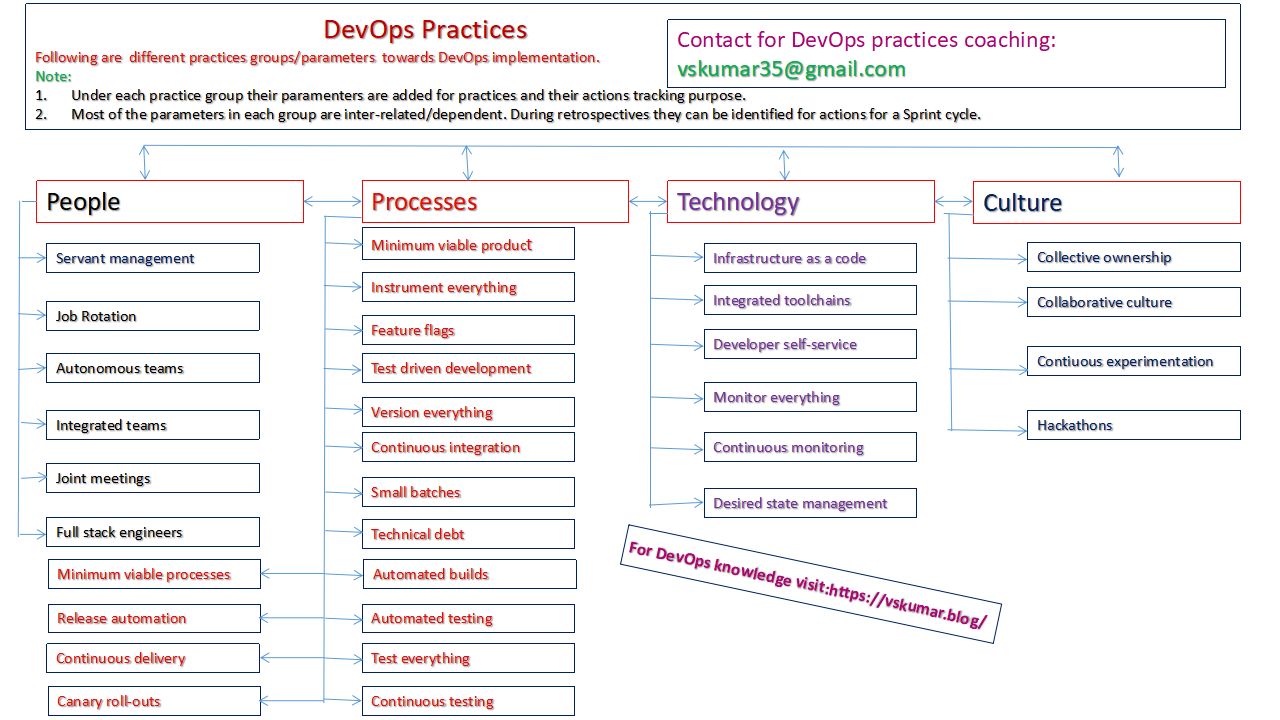
A quick review on DevOps Practices for DevOps Engineers/Practitioners

Watch this video.

DevOps Patterns
devops-process
  1. DevOps is a terminology used to refer to a set of principles and practices to emphasize the collaboration and communication of Information Technology [IT] professionals in a software project organization, while automating the process of software delivery and infrastructure using Continuous Delivery Integration[CDI] methods.
  2. The DevOps is also connecting the teams of Development and Operations together to work collaboratively to deliver the Software to the customers in an iterative development model by adopting Continuous Delivery Integration [CDI] concepts. The software delivery happens  in small pieces at different delivery intervals. Sometimes these intervals can be accelerated depends on the customer demand.
  3. The DevOps is a new practice globally adopted by many companies and its importance and implementation is accelerating by maintaining constant speed.  So every IT professional need to learn the concepts of DevOps and its Continuous Delivery Integration [CDI] methods. To know the typical DevOps activities by role just watch the video: https://youtu.be/vpgi5zZd6bs, it is pasted below in videos.
  4. Even a college graduate or freshers also need to have this knowledge or practices to work closely with their new project teams in a company. If a fresher attends this course he/she can get into the project shoes faster to cope up with the  experienced teams.
  5. Another way; The DevOps is an extension practice of Agile and continuous delivery. To merge into this career; the IT professionals  need to learn the Agile concepts, Software configuration management, Release management, deployment management and  different DevOps principles and practices to implement the CDI patterns. The relevant tools for these practices integration. There are various tool vendors in the market. Also open source tools are very famous. Using these tools the DevOps practices can be integrated to maintain the speed for CDI.
  6. There  are tools related with version control and CDI automation. One need to learn the process steps related to these areas by attending a course. Then the tools can be understood easily.  If one understands these CDI automation practices and later on learning the tools process is very easy by self also depends on their work environment.
  7. As mentioned in the above; Every IT company or IT services company need to adopt the DevOps practices for their customers competent service delivery in global IT industry. When these companies adopt these practices, their resources also need to be with thorough knowledge of DevOps practices to serve to the customers. The companies can get more benefit by having these knowledged resources. At the same time the new joinees in any company either experienced or fresher professional if they have this knowledge, their CTC in view of perks will be offered more or with competent offer they may be invited to join in that company.
  8. Let us know if you need  DevOps training  from  the IT industry experienced people; which includes the above practice areas to boost you in the IT industry.

Training will be given by 3 decades of Global IT experienced  professional(s):

https://www.linkedin.com/in/vskumaritpractices

For DevOps roles and activities watch my video:

Folks, I also run the DevOps Practices Group: https://www.facebook.com/groups/1911594275816833/?ref=bookmarks

There are many Learning units I am creating with basics. If you are not yet a member, please apply to utilize them. Read and follow the rules before you click your mouse.

For contact/course details please visit:

https://vskumarblogs.wordpress.com/2016/12/23/devops-training-on-principles-and-best-practices/

Advertising3

AWS: What is AWS IAM Role and how it works ?

How to create IAM Role, Group, users and access through the user ?
The above video shows: What is AWS IAM Role and how it works ?
This video has the eloborated discussion on IAM Roles/groups/users/permissions/policies/configuration, etc.
What is IAM and which is not IAM also can be seen.
How the existing user ids can be used from on-premises to AWS ?
Where the Active directory role comes ?

Note:
I hope you have seen my AWS Coaching specimen on the URL: https://www.facebook.com/vskumarcloud/videos/

Due to lacks of certified professionals are available globally in the market, to differentiate them on their needs/selection, most of the clients are asking on the real experience gained or aware of it on the candidate what he/she has ?

In my coaching I concentrate to gain the real Cloud Architecture implementation experience by the participant rather than pushing the course to them. Verify the videos.

Contact for your real Cloud experiences learning and gaining with me and crack the interviews to get offers in AWS Roles globally or even you can transition to the role in the same company after facing the client interview.
Please connect me on FB and have a discussion on your background and the needs/goals. I am looking for the serious learners.

Agile: How Agile is different from other Development models ?

In this Video you will see:

  1. How Agile is different from other Development models ?
  2. What are the business benefits we can get by using Agile model ?
  3. What is the duration of SDLC delivery cycles in the past and in Agile ?
  4. What are the iterations in Agile and how they function ?
  5. What is Agile Sprint planning ?
  6. What is Test Drive Development [TDD] in Agile/Sprint ?
  7. How the test automation can be implemented ?
  8. How the Parallel work is planned with different roles in Agile ?
  9. How the team collaboration is made in Agile ?
  10. How the testing process is applied in Agile model ?
  11. How A Test Analyst need to work with the Agile team ?
  12. What is informal review process in Agile ?
  13. What are the tasks during informal review process in Agile ?

For further knowledge you can watch my other videos from the below links:

  1. Agile: What are Agile manifesto Principles & How they can be used for SW ?
    https://www.facebook.com/328906801086961/videos/617149372179077/
  2. Agile: What are the phases of Agile Project ?
    https://www.facebook.com/328906801086961/videos/183496779674097/
  3. Agile: What is Disciplined Agile Delivery[DAD] ?
    https://www.facebook.com/328906801086961/videos/184822556096397/
  4. Agile: What is Model Storming ?
    https://www.facebook.com/328906801086961/videos/493982721500147/
  5. Agile: What is Scrum Framework and its roles ?
    https://www.facebook.com/328906801086961/videos/878197645967794/

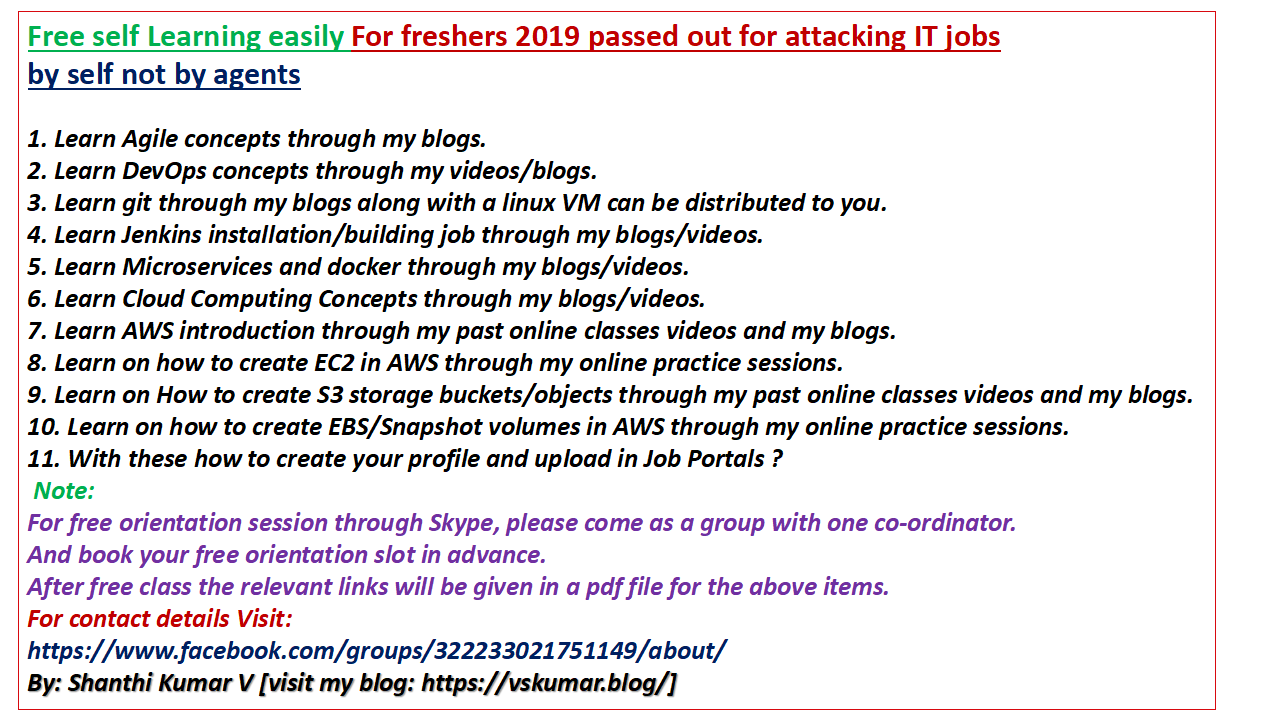
Free learning for College passed [this year] out freshers

If you are a College passed out student in this year/latest academic year, you can join the below group:

https://www.facebook.com/groups/817762795246646/?ref=bookmarks

You will be learning the attached imaged contents by self.

These courses are designed as per the current IT industry needs.

Some times there will be free mentoring sessions.

Please read and follow the rules to Join.

2 days Tmmi Level2 training for Test Engineers

If you want to build the Test engineers to follow the TMMi process, you can organize a training through me. Please visit the attached video on the 2 days Level2 course details.

AWS: POC – MySql-Server on public EC2 [Linux] with a table/data creation/deletion

How to do MySql-Server setup on AWS public [linux] EC2 with a table/data creation/deletion ?

If you are a DBA and want to use EC2 VM for MySql-virtual server, this might be the right Exercise/video to look into it as POC for client interviews also.

Even if you are a developer or test engineer or devops engineer; need to create such environment for some of the tasks like; a) Dev environment, b) Test environment, c) During deployment you need to create this kind of environment – if you need to do manually without an IAC code.

Note:
I hope you have seen my AWS Coaching specimen on the URL: https://www.facebook.com/vskumarcloud/videos/

Due to lacks of certified professionals are available globally in the market, to differentiate them on their needs/selection, most of the clients are asking on the real experience gained or aware of it on the candidate what he/she has ?

In my coaching I concentrate to gain the real Cloud Architecture implementation experience by the participant rather than pushing the course to them. Verify the videos.

Contact for your real Cloud experiences learning and gaining with me and crack the interviews to get offers in AWS Roles globally or even you can transition to the role in the same company after facing the client interview.
Please connect me on FB and have a discussion on your background and the needs/goals. I am looking for the serious learners.

AWS security rules – Trouble shoot

You might face the following issues, when you configure EC2 as web server/page:

  1. Web page is displaying error.
  2. Not able to ping the EC2 server even though you have created as Public instance and has public ip.

So, what are the reasons ? Look into this trouble shoot video for some solutions…

AWS: How to Build cost efficient/fault tolerant/scalable AWS platform ?

1. Cloud architect: How to build your Infrastructure planning practice [watch many scenario based videos] ?

Note:
I hope you have seen my AWS Coaching specimen on the URL: https://www.facebook.com/vskumarcloud/videos/

Due to lacks of certified professionals are available globally in the market, to differentiate them on their needs/selection, most of the clients are asking on the real experience gained or aware of it on the candidate what he/she has ?

In my coaching I concentrate to gain the real Cloud Architecture implementation experience by the participant rather than pushing the course to them. Verify the videos.

Contact for your real Cloud experiences learning and gaining with me and crack the interviews to get offers in AWS Roles globally or even you can transition to the role in the same company after facing the client interview.
Please connect me on FB and have a discussion on your background and the needs/goals. I am looking for the serious learners.

AWS: How to configure AWS CLI on windows 10?

How to configure AWS CLI on windows 10 ?:

To know the solution, you can watch the below video.

Note:
I hope you have seen my AWS Coaching specimen on the URL: https://www.facebook.com/vskumarcloud/videos/

Due to lacks of certified professionals are available globally in the market, to differentiate them on their needs/selection, most of the clients are asking on the real experience gained or aware of it on the candidate what he/she has ?

In my coaching I concentrate to gain the real Cloud Architecture implementation experience by the participant rather than pushing the course to them. Verify the videos.

Contact for your real Cloud experiences learning and gaining with me and crack the interviews to get offers in AWS Roles globally or even you can transition to the role in the same company after facing the client interview.
Please connect me on FB and have a discussion on your background and the needs/goals. I am looking for the serious learners.

AWS: How to Build cost efficient/fault tolerant/scalable AWS platform ?

How to Build costefficient/fault tolerant/scalable AWS platform ?

This discussion is based on the “AWS Solutions Architect – Associate Exam Guide” discussion series-1. You can find the below analysis through this discussion video with a Built Solutions Architect:

Part-I: AWS-SAA-ExamGuide-discussion-cost-efficient-fault-tolerant-scalable

How to design available setup in AWS ?

Watch this video and if you are really/seriously looking for this kind of mentorship, you can connect me on FB and linkedin to know you better and have a scheduled call. Good luck.

Note:
I hope you have seen my AWS Coaching specimen on the URL: https://www.facebook.com/vskumarcloud/videos/

Due to lacks of certified professionals are available globally in the market, to differentiate them on their needs/selection, most of the clients are asking on the real experience gained or aware of it on the candidate what he/she has ?

In my coaching I concentrate to gain the real Cloud Architecture implementation experience by the participant rather than pushing the course to them. Verify the videos.

Contact for your real Cloud experiences learning and gaining with me and crack the interviews to get offers in AWS Roles globally or even you can transition to the role in the same company after facing the client interview.
Please connect me on FB and have a discussion on your background and the needs/goals. I am looking for the serious learners.

Cloud Architect Consulting – Coaching for independent consultants

Are you working as Cloud Architect or dealing with them ? Then read/check the below content for different issues with the role.

  1. Are you frustrated with light knowledged people for Cloud Architect Consulting ?
  2. Are they not capable to understand the legacy infra methods towards Cloud migration ?
  3. Are you keen in getting competent Cloud Architect Consulting  skills ?
  4. Do you want to build as Competent Cloud Architect by self or for your company ?
  5. Are you not able to do a Gap analysis from TRADITIONAL infra to AWS services and always backouts are happening and your management is upset for budget ?
  6. Did you study/observe the reasons for all the above ?
  7. Why the pink slips became common for Cloud solution architects ?
  8. Are you keen in converting the role into Cloud Technical Account Manager [TAM], for end to end Cloud projects delivery ?

If you are an independent Cloud consultant and working with multiple clients for migrations planning, designing this might give value addition for excelling your services.

For some of the high level points analysis, watch this consultation video and further information/coaching please connect me in FB and Linkedin [https://www.linkedin.com/in/vskumaritpractices/] to gain rapid speed in your AWS consulting work.

This is one on one coaching with the discussed TOC in the course video. Finally you will come up with a complete roadmap for a client what you need to follow as per the standards.

Before coming to me, please let you understand the real Cloud architect role description as Gartner published in the past, visit the discussion done from the below video:
https://www.facebook.com/vskumarcloud/videos/831779460496153/

To avail this coaching:

A) you should be certified and has been working on AWS solutions atleast for 2 years.

B) You should have PM experience also.

Note: You might have achieved number of AWS certifications. But with that knowledge, globally many people are not able to perform the Cloud Architect roles with the customers due to lack of infra knowledge/process/methodology. And within 3 months they are being served pink slips. So, you need to look around what you need to learn further in this competency acceleration world to become strong Cloud Architect. Remember; nobody can guide you in your job to sustain there during its execution. You need to look for alternate plans to upgrade the knowledge by special coaching. Then only you can quote for higher billing as an independent Cloud Architect solutions consultant. Hope this gives clarity for your strategic planning.

Note:
I hope you have seen my AWS Coaching specimen on the URL: https://www.facebook.com/vskumarcloud/videos/

Due to lacks of certified professionals are available globally in the market, to differentiate them on their needs/selection, most of the clients are asking on the real experience gained or aware of it on the candidate what he/she has ?

In my coaching I concentrate to gain the real Cloud Architecture implementation experience by the participant rather than pushing the course to them. Verify the videos.

Contact for your real Cloud experiences learning and gaining with me and crack the interviews to get offers in AWS Roles globally or even you can transition to the role in the same company after facing the client interview.
Please connect me on FB and have a discussion on your background and the needs/goals. I am looking for the serious learners.

AWS Basic services FAQs discussion for your interviews

Following are the FAQs discussed on Basic AWS services towards Cloud Engineer interviews.

FAQs-working IT-people

Note:
I hope you have seen my AWS Coaching specimen on the URL: https://www.facebook.com/vskumarcloud/videos/

Due to lacks of certified professionals are available globally in the market, to differentiate them on their needs/selection, most of the clients are asking on the real experience gained or aware of it on the candidate what he/she has ?

In my coaching I concentrate to gain the real Cloud Architecture implementation experience by the participant rather than pushing the course to them. Verify the videos.

Contact for your real Cloud experiences learning and gaining with me and crack the interviews to get offers in AWS Roles globally or even you can transition to the role in the same company after facing the client interview.
Please connect me on FB and have a discussion on your background and the needs/goals. I am looking for the serious learners.

For more details on course samples, visit the following blogs/videos/Feedback also.

What are the skills required for a Cloud Architect ? [From Gartner report – 2017]

https://www.facebook.com/vskumarcloud/videos/831779460496153/

Visit the recent student feedback on this course:

It was from one of the working IT Professionals interview on my course. He has 9.5 yrs sysadmin experience. He answered the below questions:

1. What did you expect from my course before joining ?

2. How did you feel on the material ?

3. How did you feel on explanation ?

4. How did you feel on the chapter wise questions practice ?

5. Did you get any job experience feeling from my course ?

6. If your current company put you on AWS tasks also, what is your confidence level ?

7. Finally, what is your target for your exam prep ?

8. How are you going to RE-use material ?

9. How are you going to RE-use Lab sessions ?

In some of my Youtube videos you can find his attended sessions also!!

You can see from the below Facebook page also:

This is available on my youtube channel also:

Analyze AWS Solutions Architect – Associate Exam Guide series-1:
You can find the analysis through this discussion video with a Built Solutions Architect:

https://www.facebook.com/vskumarcloud/videos/1001423933379551/

Another student discussion on “Course on AWS Certified DevOps Engineer – Professional“, after attending AWS-SAA course.

Following are the samples of my previous classes with 10+ yrs experienced Sys-admin IT Professionals:

https://vskumar.blog/2018/12/20/8-aws-saa-what-is-pre-signed-url-and-cross-region-replications-a-scenario-based-online-class-theorydiscussion-video/

https://vskumar.blog/2018/12/10/6-aws-saa-exam-sample-questions-practice-and-discussion-video/

https://vskumar.blog/2018/11/17/1-aws-saatry-out-faqs-for-aws-saa-exam-prep/

https://vskumar.blog/2018/12/20/8-aws-saa-what-is-pre-signed-url-and-cross-region-replications-a-scenario-based-online-class-theorydiscussion-video/

https://vskumar.blog/2018/12/23/9-aws-saa-what-is-the-initial-step-for-vpc-design-theorydiscussion-video/

https://vskumar.blog/2018/12/14/7-aws-saa-sample-questions-for-s3-and-glacier-with-answers-discussion-video/

https://vskumar.blog/2018/12/10/6-aws-saa-exam-sample-questions-practice-and-discussion-video/

https://vskumar.blog/2018/11/17/1-aws-saatry-out-faqs-for-aws-saa-exam-prep/

https://vskumar.blog/2018/12/23/9-aws-saa-what-is-the-initial-step-for-vpc-design-theorydiscussion-video/

12. AWS-SAA: What are the S3 Bucket and Object operations – Practice

https://vskumar.blog/2018/12/14/7-aws-saa-sample-questions-for-s3-and-glacier-with-answers-discussion-video/

You can also visit my youtube channel: Shanthi Kumar V

How to plan on “moving your DB backups to AWS S3-Glacier [cold storage]” ?

https://www.facebook.com/vskumarcloud/videos/552407698568828/?t=86

Part time Freelance IT training sales and marketing experienced people are required

Folks,

Greetings!

I am looking for part time Freelance IT training sales and marketing experienced people on commission based. Ping me on FB [https://www.facebook.com/shanthikumar.vemulapalli]with your details, we will chat offline to know your capabilities.

You need to apply to this job from the below FB Link:

https://www.facebook.com/job_opening/297628078289686/?source=post

Role/responsibilities:

1. You need to consider for your marketing and sales “the AWS and DevOps certification courses [as per the AWS prescribed syllabus] ” to gather the international working IT professionals.

2. You will be provided the course samples from the past classes, past students feedback and the TOC details with course fee.

3. Your responsibility is to form a batch and run it for classes successfully.

4. Your commission will be paid as and when the installment is paid by the student. 

5. One of your critical responsibilities is; you need to make sure the student continue on the course till its end.

6. You need to keep marketing the courses and enroll the students.

7. There will be monthly 2-3 batches at different time intervals. So you don’t need to worry on your earnings. It should be more than the regular job as long you do your activity perfectly till end of the course.

Your eligibility:

  1. You should have done this kind of job for IT trainings marketing and sales atleast for last 4 years.
  2. You should have mobilized the batches for your past employers or clients.
  3. I am looking for the fair and honest guys.

Note:

I have been doing myself  the end to end process for AWS, DevOps and ISTQB coaching since years. The reason of opting for you is to have a dedicated role. The more you are active the senior IT professionals are very attracted by my course. They get more ROI after attending this course rather than a typical tools trainings.  Unfortunately, due to lack of time to follow up with them, I lost many students. Hence I have made this role as mandated to hire some capable person. If you have expertise in it, please contact me ASAP with your profile.

Please look for my details on my linkedin:  https://www.linkedin.com/in/vskumaritpractices/

Please connect me on linkedin before chatting on FB.

Marketing & Slales people.png

If you want to about me, watch this video:

About me

If you want to know about my Coaching , for which you will bring the IT Professionals:

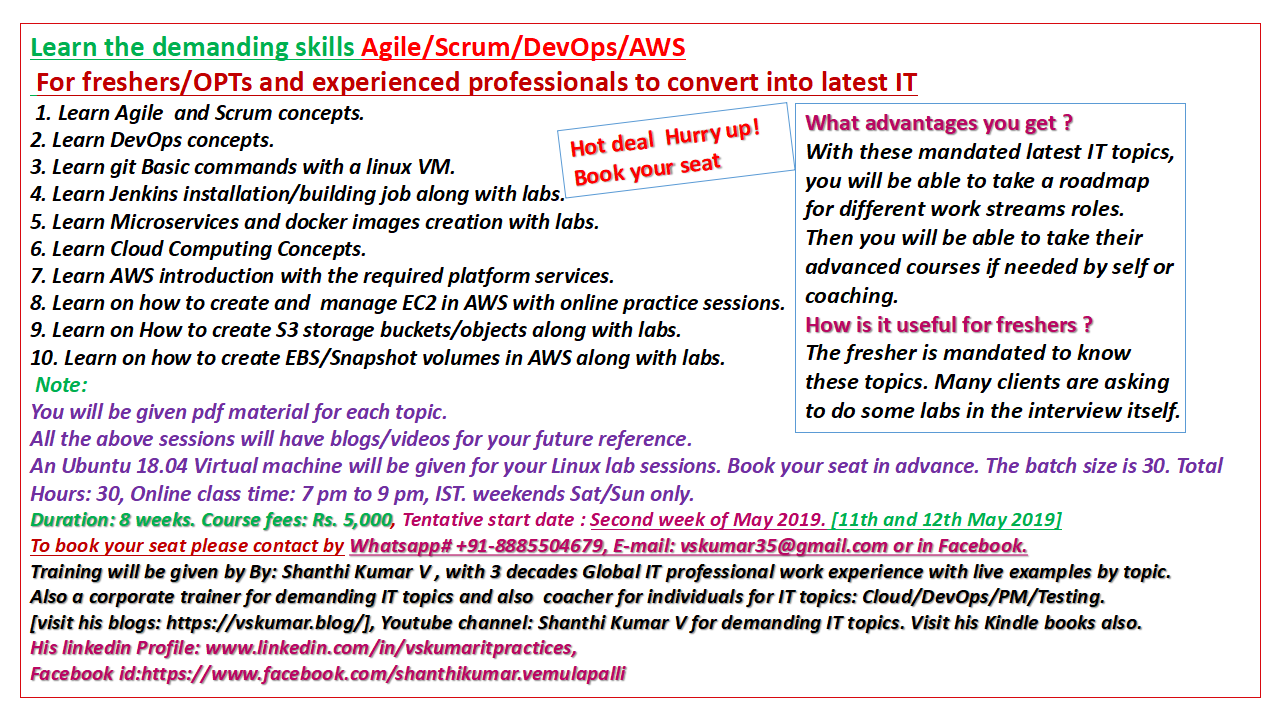
For freshers/OPTs: For Agile/DevOps/AWS training contact for schedules

For course:

  1. This is for OPTs and the Indian colleges fresh graduates who came/passed out in 2019.

  2. who are self driven and try for jobs with the given skills learning without getting into somebody shoes, come and get trained. You wouldn’t see the labs as demos. You will be practicing the labs as per the coacher guidelines with his watching. So that you will gain the technical competency with self confidence.

  3. A new batch is planned in a cost effective way. Contact in the given FB links from the blog. Good luck in your job search and in IT profession.

  4. Also, visit the below blogs for  AWS Basic course and the AWS-DevOps: https://vskumar.blog/2019/05/04/for-freshers-opts-for-agile-devops-aws-training-contact-for-schedules/
  5. https://vskumar.blog/2020/08/21/aws-devops-course-for-freshers-with-project-level-tasks/
  6. If you are keen in doing a fast track course to attack the job market instead of learning by self for months together and  getting struck to move forward, you can opt for #4 and #5.  Read the videos descriptions also. The contact details are given on this web page logo.

For specimen sessions you can watch the below videos:

  1. Agile: What are Agile manifesto Principles & How they can be used for SW ?
    https://www.facebook.com/328906801086961/videos/617149372179077/
  2. Agile: What are the phases of Agile Project ?
    https://www.facebook.com/328906801086961/videos/183496779674097/
  3. Agile: What is Disciplined Agile Delivery[DAD] ?
    https://www.facebook.com/328906801086961/videos/184822556096397/
  4. Agile: What is Model Storming ?
    https://www.facebook.com/328906801086961/videos/493982721500147/
  5. Agile: What is Scrum Framework and its roles ?
    https://www.facebook.com/328906801086961/videos/878197645967794/

Free-orientation-for Freshers-2019

Join in the below group to follow the above guidelines:

https://www.facebook.com/groups/817762795246646/

This group is meant only for freshers/OPTs coaching on the topics mentioned in the group Logo. You can forward to your circles who all came out from college for latest passed out year. They need to provide evidences as they are from latest batch only. The FB ID need to have photo with profile details. With these specs only they are allowed in this group.

For course: This is for OPTs and the Indian college graduate who came/passed out in 2019. who are self driven and try for jobs with the given skills learning without getting into somebody shoes, come and get trained. A new batch is planned in a cost effective way. Contact in the given FB links from the blog. Good luck in your job search and in IT profession.

https://www.linkedin.com/jobs/aws-jobs/

You can also see the Basic AWS and DevOps course details from the below blog/videos:

https://vskumar.blog/2020/08/21/aws-devops-course-for-freshers-with-project-level-tasks/

DevOps: What is the feedback analysis?

What is the feedback analysis? When it can be done?

As per the agile principles the stakeholder collaboration is an ongoing activity. At any time the stakeholder can give informal or formal feedback for any software items or in any approach followed by agile teams.

In agile model many times informal feedback can happen during the discussion. At the same time the scheduled reviews also can happen. During the review the feedback can be given by the reviewers.

Even a test result can come into a feedback category. All these feedback items need to be analyzed for delivering a working software by the teams as per the principles. 

Sometimes the feedback analysis outcome can come into process improvements areas for the next iteration and these should be considered for Retrospective items.

Hence the feedback analysis is a mandated activity at every task completion stage in  Agile project.


Do you want to know the difference between AWS Solution Architect Associate?

The DevOps Engineer Professional certification what Amazon conduct ?

Why do you need AWS Architect solutions experience to do this certification ?

Contact for AWS DevOps Engineer – Professional certification. Very few people globally covering the complete syllabus like I have explained from the AWS Exam guide. If interested please ping me in FB with your profile URL. Please note I coach only the global working IT Professionals. Hence Profile URL is mandated to know your background.

=== You can see the following content also ====>

Why DevOps and What are its phases and Activities ?

Why DevOps and What are its phases and Activities ?
From this Discussion video, you can learn the below items:
Before Devops:
1. What were the typical issues with IT operations ?
2. How was it; the performance of IT operations ?
3. What was the typical traditional IT operation with roles?
With DevOps:
4. Where it started the DevOps movement ?
5. Why the DevOps became part of Agile?
6. What are the Practices and Culture in DevOps ?
7. How the Agile SDLC with DevOps can be seen under its practices ?
8. How we can see; before DevOps and after DevOps the people and organizations ?
9. How the DevOps imporved the organization Culture ?
10. What are the business benefits with DevOps ?
11. What the industry reports say with DevOps movement ?
12. What are the phases of DevOps Loop ?
13. What are the activities of each DevOps phase ?
14. How the automated installations and deployments can be implemented with DevOps ?

Contact for AWS Certified DevOps Engineer Professional Exam coaching.

Visit the above page for some more DevOps videos.

To know the DevOps  Practices and Patterns in a discussion  I got the below video link:

<—– FINAL NOTE FOR YOU ——-> 

Please note this is going to be methodical coaching with lot of process related scenarios for each sub-topics as per the AWS Certification course contents. Hence we have our USP to differentiate with many others on this coaching. We consider very limited/selective people. Hence sharing you linkedin profile is mandatory. You can connect me there.  Before coming please watch all the videos on this webpage and also on youtube channel [Shanthi Kumar V]. We take care of each IT working professional for their career growth well in this competent world to beat the fake profiles well during the job/client interviews. This is the unique services provided by us well in this IT training/coaching industry. We want the existing IT Professionals to continue their ladder climbing.

————————————————————->

Ping me on FB  msg:

https://www.facebook.com/shanthikumar.vemulapalli

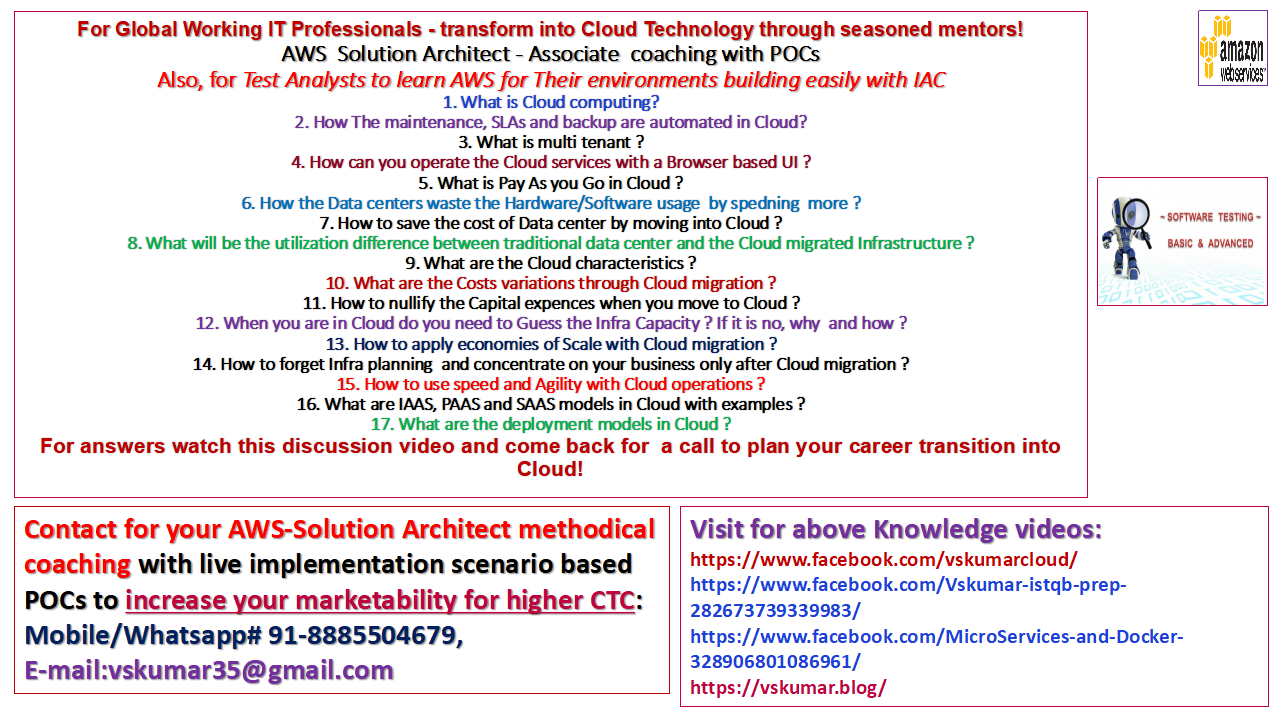
AWS-SAA-coaching for Test Analysts

In the below video I have explained on the activities and tasks of DevOps roles. I have explained in it why that task should be done by that role. How the Developers, Test engineers, DevOps Engineers, Users and Ops Engineers are connected to work together as a team, as per Agile manifesto. One can get clear idea on DevOps implementation. To automate these tasks DevOps tools are very much required. Hence now the DevOps market is running behind the tools.

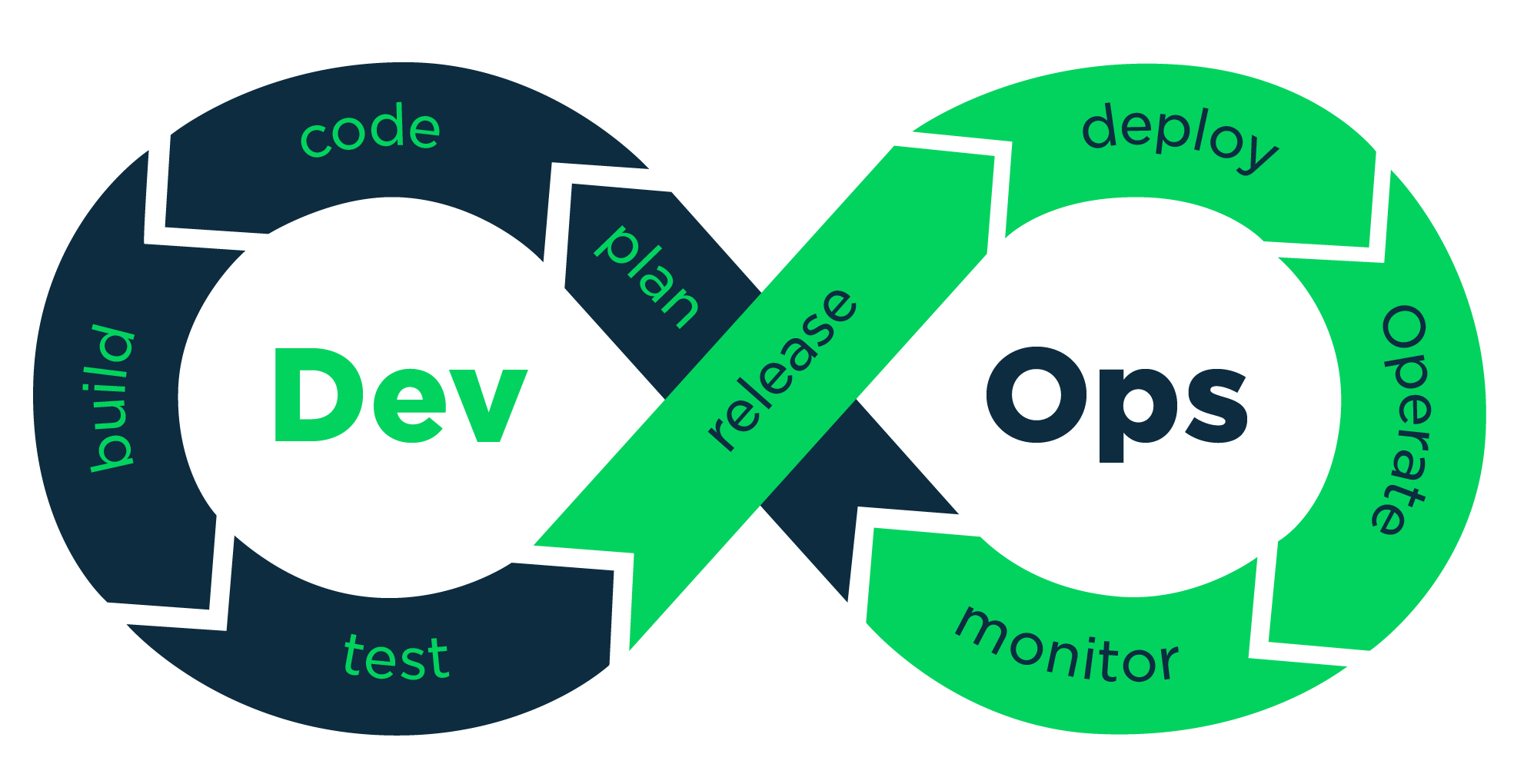
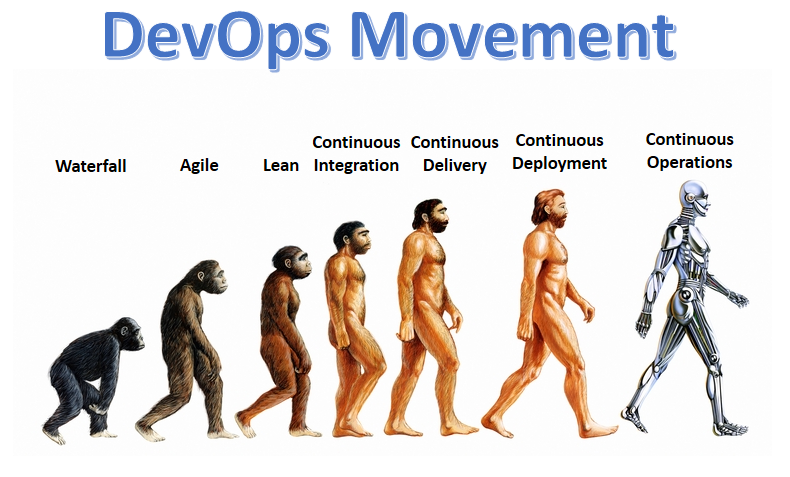
Below image can denote the transition of IT development cycles till DevOps practice with continuous operation [automated]:


DevOps Movement

Visit for next series of DevOps FAQs: https://wordpress.com/post/vskumar.blog/1684

Visit for series of Agile interview questions:

https://vskumar.blog/2017/09/04/sdlc-agile-interview-questions-for-freshers-1/


Also, Look into some more FAQs:

https://vskumar.blog/2018/12/29/devops-practices-faqs-2-devops-practices-faqs/

https://vskumar.blog/2019/02/01/devops-practices-faqs-3-domain-area/

DevOps: What is DevOps security ?

You will be able to learn the below FAQs from this video lesson:

  1. What is DevOps security ? 
  2. Why do you need it ?
  3. Why do you need to declare IAC as security policy ?
  4. How to instill the separate roles for secuirty in DevOps ?
  5. How to Focus on Flow and Velocity ?
  6. How the CI/CD helps ?
  7. How the Kanban systems helps ?
  8. How to de-construct applications into Microservices towards security ?
  9. How to treat security as a 1st Class Citizen in DevOps ?
  10. How to automate DevOps Security ?
  11. How to embrace new technologies through existing platforms ?

Do you want to know the difference between AWS Solution Architect Associate? and The DevOps Engineer Professional certification what Amazon conduct ?

Why do you need AWS Architect solutions experience to do this certification ?

Contact for AWS DevOps Engineer – Professional certification. Very few people globally covering the complete syllabus like I have explained from the AWS Exam guide. If interested please ping me in FB with your profile URL. Please note I coach only the global working IT Professionals. Hence Profile URL is mandated to know your background.

=== You can see the following content also ====>

Why DevOps and What are its phases and Activities ?

Why DevOps and What are its phases and Activities ?
From this Discussion video, you can learn the below items:
Before Devops:
1. What were the typical issues with IT operations ?
2. How was it; the performance of IT operations ?
3. What was the typical traditional IT operation with roles?
With DevOps:
4. Where it started the DevOps movement ?
5. Why the DevOps became part of Agile?
6. What are the Practices and Culture in DevOps ?
7. How the Agile SDLC with DevOps can be seen under its practices ?
8. How we can see; before DevOps and after DevOps the people and organizations ?
9. How the DevOps imporved the organization Culture ?
10. What are the business benefits with DevOps ?
11. What the industry reports say with DevOps movement ?
12. What are the phases of DevOps Loop ?
13. What are the activities of each DevOps phase ?
14. How the automated installations and deployments can be implemented with DevOps ?

Contact for AWS Certified DevOps Engineer Professional Exam coaching.

Visit the above page for some more DevOps videos.

To know the DevOps  Practices and Patterns in a discussion  I got the below video link:

<—– FINAL NOTE FOR YOU ——-> 

Please note this is going to be methodical coaching with lot of process related scenarios for each sub-topics as per the AWS Certification course contents. Hence we have our USP to differentiate with many others on this coaching. We consider very limited/selective people. Hence sharing you linkedin profile is mandatory. You can connect me there.  Before coming please watch all the videos on this webpage and also on youtube channel [Shanthi Kumar V]. We take care of each IT working professional for their career growth well in this competent world to beat the fake profiles well during the job/client interviews. This is the unique services provided by us well in this IT training/coaching industry. We want the existing IT Professionals to continue their ladder climbing.

————————————————————->

Ping me on FB  msg:

https://www.facebook.com/shanthikumar.vemulapalli

AWS-SAA-coaching for Test Analysts

In the below video I have explained on the activities and tasks of DevOps roles. I have explained in it why that task should be done by that role. How the Developers, Test engineers, DevOps Engineers, Users and Ops Engineers are connected to work together as a team, as per Agile manifesto. One can get clear idea on DevOps implementation. To automate these tasks DevOps tools are very much required. Hence now the DevOps market is running behind the tools.

Below image can denote the transition of IT development cycles till DevOps practice with continuous operation [automated]:

DevOps Movement

Visit for next series of DevOps FAQs: https://wordpress.com/post/vskumar.blog/1684

Visit for series of Agile interview questions:

SDLC & Agile – Interview questions for Freshers -1

Also, Look into some more FAQs:

DevOps Practices & FAQs -2

DevOps Practices & FAQs -3 [Domain area]

AWS Certified DevOps Engineer – Professional course

Folks, Greetings; I am starting a new batch – coaching for “AWS Certified DevOps Engineer – Professional” if you are interested please contact privately. Please note your Linkedin profile share is mandated for my coaching to know you better. In the 1st instance don’t ask—> impractical question “How much is the fees ?” instead of seeing the available stuff !  and coming to a call.
See the quality of the coaching from my Blogs/Videos, etc.. and come to a call. Thanks for understanding. I appreciate the guys who all joined for my classes and I say good luck in their professional growth.
 
Go to my youtube channel [Shanthi Kumar V] and blog site [vskumar.blog] also for DevOps. I want the people to see 1st my videos/blogs and if they satisfied only, I will have call with them. I don’t pressure them for my course… like sales guys!! Hope you got it!

Watch the Course Curriculum discussion as AWS defined:

It has the answers for the below questions;

Do you want to know the difference between AWS Solution Architect Associate?

The DevOps Engineer Professional certification what Amazon conduct ?

Why do you need AWS Architect solutions experience to do this certification ?

Contact for AWS DevOps Engineer – Professional certification. Very few people globally covering the complete syllabus like I have explained from the AWS Exam guide. If interested please ping me in FB with your profile URL. Please note I coach only the global working IT Professionals. Hence Profile URL is mandated to know your background.

=== You can see the following content also ====>

Why DevOps and What are its phases and Activities ?

Why DevOps and What are its phases and Activities ?
From this Discussion video, you can learn the below items:
Before Devops:
1. What were the typical issues with IT operations ?
2. How was the performance of IT operations ?
3. What was the typical traditional IT operation with roles?
With DevOps:
4. Where it started the DevOps movement ?
5. Why the DevOps became part of Agile?
6. What are the Practices and Culture in DevOps ?
7. How the Agile SDLC with DevOps can be seen under its practices ?
8. How we can see; before DevOps and after DevOps the people and organizations ?
9. How the DevOps improved the organization Culture ?
10. What are the business benefits with DevOps ?
11. What the industry reports say with DevOps movement ?
12. What are the phases of DevOps Loop ?
13. What are the activities of each DevOps phase ?
14. How the automated installations and deployments can be implemented with DevOps ?

Contact for AWS Certified DevOps Engineer Professional Exam coaching.

Visit the above page for some more DevOps videos.

To know the DevOps  Practices and Patterns in a discussion  I got the below video link:

<—– FINAL NOTE FOR YOU ——-> 

Please note this is going to be methodical coaching with lot of process related scenarios for each sub-topics as per the AWS Certification course contents. Hence we have our USP to differentiate with many others on this coaching. We consider very limited/selective people. Hence sharing you linkedin profile is mandatory. You can connect me there.  Before coming please watch all the videos on this webpage and also on youtube channel [Shanthi Kumar V]. We take care of each IT working professional for their career growth well in this competent world to beat the fake profiles well during the job/client interviews. This is the unique services provided by us well in this IT training/coaching industry. We want the existing IT Professionals to continue their ladder climbing.

————————————————————->

Ping me on FB  msg:

https://www.facebook.com/shanthikumar.vemulapalli

AWS-SAA-coaching for Test Analysts

In the below video I have explained on the activities and tasks of DevOps roles. I have explained in it why that task should be done by that role. How the Developers, Test engineers, DevOps Engineers, Users and Ops Engineers are connected to work together as a team, as per Agile manifesto. One can get clear idea on DevOps implementation. To automate these tasks DevOps tools are very much required. Hence now the DevOps market is running behind the tools.

Below image can denote the transition of IT development cycles till DevOps practice with continuous operation [automated]:

DevOps Movement

Visit for next series of DevOps FAQs: https://wordpress.com/post/vskumar.blog/1684

Visit for series of Agile interview questions:

SDLC & Agile – Interview questions for Freshers -1

Also, Look into some more FAQs:

DevOps Practices & FAQs -2

DevOps Practices & FAQs -3 [Domain area]

Why DevOps and What are its phases and Activities ?

Why DevOps and What are its phases and Activities ?

Why DevOps and What are its phases and Activities ?
From this Discussion video, you can learn the below items:
Before Devops:
1. What were the typical issues with IT operations ?
2. How was it; the performance of IT operations ?
3. What was the typical traditional IT operation with roles?
With DevOps:
4. Where it started the DevOps movement ?
5. Why the DevOps became part of Agile?
6. What are the Practices and Culture in DevOps ?
7. How the Agile SDLC with DevOps can be seen under its practices ?
8. How we can see; before DevOps and after DevOps the people and organizations ?
9. How the DevOps imporved the organization Culture ?
10. What are the business benefits with DevOps ?
11. What the industry reports say with DevOps movement ?
12. What are the phases of DevOps Loop ?
13. What are the activities of each DevOps phase ?
14. How the automated installations and deployments can be implemented with DevOps ?

Contact for AWS Certified DevOps Engineer Professional Exam coaching.

Ping me on FB  msg:

https://www.facebook.com/shanthikumar.vemulapalli

AWS-SAA-coaching for Test Analysts

In the below video I have explained on the activities and tasks of DevOps roles. I have explained in it why that task should be done by that role. How the Developers, Test engineers, DevOps Engineers, Users and Ops Engineers are connected to work together as a team, as per Agile manifesto. One can get clear idea on DevOps implementation. To automate these tasks DevOps tools are very much required. Hence now the DevOps market is running behind the tools.

Below image can denote the transition of IT development cycles till DevOps practice with continuous operation [automated]:


DevOps Movement

Visit for next series of DevOps FAQs: https://wordpress.com/post/vskumar.blog/1684

Visit for series of Agile interview questions:

https://vskumar.blog/2017/09/04/sdlc-agile-interview-questions-for-freshers-1/

Also, Look into some more FAQs:

https://vskumar.blog/2018/12/29/devops-practices-faqs-2-devops-practices-faqs/

https://vskumar.blog/2019/02/01/devops-practices-faqs-3-domain-area/

What is Docker Swarm and how it works with containers ?


Micro-services-1

https://www.facebook.com/MicroServices-and-Docker-328906801086961

The attached Video class has the discussion on this topic for your free learning:


DevOps Practices & FAQs -4[ for DevOps and Test Engineers]

During DevOps, you will have Test engineer and DevOps engineer roles. Typically these two roles need to work collaboratively to identify and classify the issues.

How the Test Engineers need to monitor the activities or tasks ?

How the DevOps engineer can catch the IAC issues ? [Those are the environmental issues].

To get the answers; both of these roles need to understand the Test monitoring activities in depth.

The attached video talks on those tasks.


Note:

Just I pulled my ISTQB Advanced Test Analyst class video to educate the DevOps Group.

If some of you do not know these two roles tasks during DevOps, please visit the below video:

in this video I have explained on the activities and tasks of DevOps roles. I have explained in it why that task should be done by that role. How the Developers, Test engineers, DevOps Engineers, Users and Ops Engineers are connected to work together as a team, as per Agile manifesto. One can get clear idea on DevOps implementation. To automate these tasks DevOps tools are very much required. Hence now the DevOps market is running behind the tools.

Contact for AWS Certified DevOps Engineer Professional Exam coaching.


Below image can denote the transition of IT development cycles till DevOps practice with continuous operation [automated]:


DevOps Movement


Visit for next series of DevOps FAQs: https://wordpress.com/post/vskumar.blog/1684

Visit for series of Agile interview questions:

https://vskumar.blog/2017/09/04/sdlc-agile-interview-questions-for-freshers-1/


Also, Look into some more FAQs:

https://vskumar.blog/2018/12/29/devops-practices-faqs-2-devops-practices-faqs/

https://vskumar.blog/2019/02/01/devops-practices-faqs-3-domain-area/

How to Create a Learning Organization during DevOps Practices implementation ?

Create Learning-DevOps organization.png

If you are keen in learning DevOps Practices as on latest, you can apply to join in my group: https://www.facebook.com/groups/1911594275816833/

Please note there are rules to follow.

For DevOps roles and activities watch my video:

For contact/course details please visit:

https://vskumarblogs.wordpress.com/2016/12/23/devops-training-on-principles-and-best-practices/

Contact for AWS DevOps Engineer – Professional certification. Very few people globally covering the complete syllabus like I have explained from the AWS Exam guide. If interested please ping me in FB with your profile URL. Please note I coach only the global working IT Professionals.  Hence Profile URL is mandated to know your background.

Watch the below 50 minutes video for the above analysis:

Simplifying Monolithic Applications with Microservices Architecture

Micro-services-1

Introduction

Monolithic applications have been around for a long time and have been a popular approach for building complex software systems. However, as the complexity of the systems grew, so did the size and complexity of monolithic applications. This led to several challenges, such as scalability, maintenance, and deployment issues. Microservices architecture is a new approach that has gained popularity in recent years due to its ability to simplify monolithic applications. In this blog post, we will discuss how microservices can be used to simplify monolithic applications.

What are Microservices?

Microservices architecture is a software development approach that emphasizes the creation of small, independent services that work together to form a larger application. These services are loosely coupled and communicate with each other through APIs. Each service is responsible for a specific business function, and they can be deployed and scaled independently of each other.

How can Microservices simplify Monolithic Applications?

  1. Scalability

One of the main advantages of microservices architecture is scalability. With monolithic applications, scaling requires scaling the entire application, which can be a challenging and expensive process. With microservices, individual services can be scaled independently, making it easier and more cost-effective to scale the system. This means that the system can handle increasing traffic and load without sacrificing performance.

  1. Maintenance

Monolithic applications are often difficult to maintain due to their size and complexity. Making changes to a monolithic application requires extensive testing and can be time-consuming. Microservices, on the other hand, are smaller and more modular, making them easier to maintain. Changes to a single service can be made without affecting other services, which reduces the risk of unintended consequences.

  1. Deployment

Deploying monolithic applications can be a complicated process. A small change to the code can require the entire application to be re-deployed. This can lead to downtime and disruptions for users. Microservices architecture simplifies deployment by allowing each service to be deployed independently. This means that changes to a single service can be deployed without affecting other services.

  1. Flexibility

Microservices architecture provides greater flexibility than monolithic applications. Services can be written in different programming languages and can be hosted on different servers or cloud providers. This allows organizations to choose the best technology for each service, which can improve performance and reduce costs.

  1. Resilience

Monolithic applications are more susceptible to failures because a single failure can bring down the entire application. With microservices, individual services can fail without affecting other services. This makes the system more resilient and reduces the risk of downtime.

Conclusion

Microservices architecture provides several benefits over monolithic applications. It simplifies scalability, maintenance, deployment, and provides greater flexibility and resilience. However, it’s important to note that microservices architecture is not a silver bullet solution. It requires careful planning and implementation, and it may not be suitable for every application. Nonetheless, microservices architecture has become a popular approach for building complex software systems, and it’s worth considering for organizations looking to simplify their monolithic applications.

Microservices can be called as another revolution in IT Industry to simplify the applications engineering/maintenance/operation. These can be operated through Containers.

https://www.facebook.com/MicroServices-and-Docker-328906801086961

The attached Video class has the discussion on this topic for your free learning:

Configuring CloudWatch SM-Agent: A Step-by-Step Guide.

Introduction Amazon CloudWatch is a monitoring service provided by Amazon Web Services (AWS) that enables developers to monitor, log and troubleshoot their applications and infrastructure running on the AWS Cloud. CloudWatch provides several features, including monitoring metrics, setting alarms, and creating custom metrics, among others. One of the most useful features of CloudWatch is the Systems Manager Agent (SM-Agent), which helps monitor and manage Amazon EC2 instances. In this blog post, we will discuss how to configure CloudWatch SM-Agent.

Step 1: Launching an EC2 Instance

The first step in configuring CloudWatch SM-Agent is to launch an EC2 instance. You can launch an EC2 instance using the AWS Management Console or the AWS CLI.

Step 2: Installing the Systems Manager Agent

After launching the EC2 instance, the next step is to install the Systems Manager Agent. You can install the agent using either the AWS Management Console or the AWS CLI.

To install the Systems Manager Agent using the AWS Management Console, follow these steps:

  1. Open the AWS Management Console and go to the EC2 service.
  2. Select the EC2 instance that you want to install the agent on.
  3. Click the Connect button and follow the instructions to connect to the instance.
  4. Once you are connected to the instance, open the terminal or command prompt.
  5. Run the following command to download and install the Systems Manager Agent:

sudo yum install -y amazon-ssm-agent

To install the Systems Manager Agent using the AWS CLI, follow these steps:

  1. Open the terminal or command prompt.
  2. Run the following command to download and install the Systems Manager Agent:

aws ssm create-association –name AWS-ConfigureAWSPackage –parameters ‘{“action”:[“Install”],”installationType”:[“Uninstall and reinstall”],”name”:[“AmazonCloudWatchAgent”],”version”:[“latest”]}’ –targets “Key=instanceids,Values=<instance_id>”

Step 3: Configuring the Systems Manager Agent

After installing the Systems Manager Agent, the next step is to configure it. You can configure the agent using the AWS Management Console or the AWS CLI.

To configure the Systems Manager Agent using the AWS Management Console, follow these steps:

  1. Open the AWS Management Console and go to the EC2 service.
  2. Select the EC2 instance that you want to configure the agent on.
  3. Click the Actions button and select the Instance Settings option.
  4. Click the Configure CloudWatch Agent option.
  5. Follow the instructions to configure the agent.

To configure the Systems Manager Agent using the AWS CLI, follow these steps:

  1. Open the terminal or command prompt.
  2. Run the following command to create a configuration file for the agent:

sudo nano /opt/aws/amazon-cloudwatch-agent/bin/config.json

  1. Copy and paste the following configuration code into the file:

{
“agent”: {
“metrics_collection_interval”: 60,
“run_as_user”: “cwagent”
},
“metrics”: {
“append_dimensions”: {
“AutoScalingGroupName”: “${aws:AutoScalingGroupName}”,
“InstanceId”: “${aws:InstanceId}”,
“InstanceType”: “${aws:InstanceType}”
},
“metrics_collected”: {
“mem”: {
“measurement”: [
“mem_used_percent”
],
“metrics_collection_interval”: 60,
“resources”: [
“*”
]
},
“swap”: {
“measurement”: [
“swap_used_percent”
],
“metrics_collection_interval”: 60,
“resources”: [
“*”
]
}
}
}
}

  1. Save and close the file.
  2. Run

Another way:

When you want to use Cloudwatch for monitoring the AWS Cloud services you need to configure with the below steps: a) Cloud watch agent through SM-Agent in an EC2  server with different IAM role policies. b) In the architecture you need to Install the Cloud watch agent with different IAM policy role on different EC2 clients.

  • Step1:
    Creating IAM Roles
  • Step2:
    How to install and configure SSM Agent in EC2 server
  • Step3:
    How to install Cloud-watch Agent on Client EC2.

The attached video has the class discussion and the required steps.

Visit my current running facebook groups for IT Professionals with my valuable discussions/videos/blogs posted:


DevOps Practices Group:

https://www.facebook.com/groups/1911594275816833/about/


Cloud Practices Group:

https://www.facebook.com/groups/585147288612549/about/


Build Cloud Solution Architects [With some videos of the live students classes/feedback]

https://www.facebook.com/vskumarcloud/


MicroServices and Docker [For learning concepts of Microservices and Docker containers]

https://www.facebook.com/MicroServices-and-Docker-328906801086961/

DevOps or Cloud Which is priority in IT?

Which priority Cloud or DevOps-2

DevOps or Cloud Which is priority in IT?

When we see the current IT industry technology migration, there are 2 common topics:

  • Cloud conversion
  • DevOps practices/implementation

When we check for priority, which one is top most ?

Let us consider the scenarios;

  1. If the IT systems are running still on traditional infrastructure, then Cloud is priority to save cost.
  2. If some of the IT systems are running in Cloud and need to continue Cloud conversion completely, yes then also Cloud conversion is priority rather than DevOps implementation.
  3. If the DevOps is implemented with traditional systems and not converted into cloud yet, yes Cloud is the priority then DevOps automation need to be implemented using the Cloud services.
  4. If the DevOps is an ongoing process along with Cloud means; They need to implement both of them in parallel, by taking each Sprint cycle for Cloud conversion and within this cycle the devops can be executed for the future cycles.

Hence if you consider any combination which is connected to Cloud The IT Management most prioritized responsibility is to save the Infra cost which is a direct savings. Hence they are forced to give priority for Cloud in the coming years.

  • Hence if one learns the Cloud technology it can stand years together.
  • Even DevOps also stands in the Industry.

Note:

  • If somebody says I want to live in a city, without a house [either by rent or own] you can not live there right ?
  • The same way without having the Infrastructure you can not run the show of IT systems.
  • You can not bear the costly house also right [the traditional infra]?
  • The Cloud migration is; like you need to move to a new house, when you migrate into cloud with the current IT systems.
  • Then later on the SDLC/Delvery processes [DevOps] tuning can happen.

Visit my current running facebook groups for IT Professionals with my valuable discussions/videos/blogs posted:

DevOps Practices Group:

https://www.facebook.com/groups/1911594275816833/about/

Cloud Practices Group:

https://www.facebook.com/groups/585147288612549/about/

Build Cloud Solution Architects [With some videos of the live students classes/feedback]

https://www.facebook.com/vskumarcloud/

MicroServices and Docker [For learning concepts of Microservices and Docker containers]

https://www.facebook.com/MicroServices-and-Docker-328906801086961/

Visit the below blogs also:

How best you can utilize Cloud Architect role as an efficient IT Management practitioner ?

1. Cloud architect: How to build your Infrastructure planning practice [watch many scenario based videos] ?

For some more details visit my other blogs also:

https://vskumar.blog/2019/02/17/how-can-you-start-your-2nd-innings-with-cloud-job-market/

Also see the below blogs if you are keen in these skills learning:

https://vskumar.blog/2020/02/15/do-you-want-to-become-cloud-cum-devops-architect-in-one-go/

https://vskumar.blog/2020/02/25/the-goals-for-cloud-and-devops-architects-by-coaching/

Simple EC2 exercises[from blogs] – AWS free account?

If you are a new learner of AWS, you can practice the simple EC2 exercises.

The below video has them from  this blog site [with some tools installations] given for linux OS.


This video has a demo on “How to troubleshoot AWS EC2-Apache setup”. If you are new for this activity, you can watch this 1 hr video.


Visit my current running facebook groups for IT Professionals with my valuable discussions/videos/blogs posted:


DevOps Practices Group:

https://www.facebook.com/groups/1911594275816833/about/


Cloud Practices Group:

https://www.facebook.com/groups/585147288612549/about/


Build Cloud Solution Architects [With some videos of the live students classes/feedback]

https://www.facebook.com/vskumarcloud/


MicroServices and Docker [For learning concepts of Microservices and Docker containers]

https://www.facebook.com/MicroServices-and-Docker-328906801086961/

How can you start your 2nd innings with Cloud job market ?

If you are from Legacy infra background and legacy infra projects are getting nullified from your IT services company.

Please note; the Technology trending brings out always to flush out the legacy practices.

And you might have been warned by your employer/client  to look for another job in the current job market with a caution of pink slip!!

  1. Can you get the job with legacy infra practices/experience, when all the IT infra setup is getting moved into Cloud to save the cost ?

  2. Do you think the recruiting teams are going to consider your legacy resume ?

  3. What are you going to do ?

  4. How to become competent learner ?

  5. How to avoid your life threating stress ?

  6. How to cope up with fast learning skills ?

  7. How to plan to focus and beat the current job market without wasting your time?

  8. How to save your time and continue to get the payslip with another employer ?

    Look into the following, on what I have been doing to push the interested people into the Cloud job roles: Grab Massive Hike offers through Cloud cum DevOps coaching/internship | Building Cloud cum DevOps Architects (vskumar.blog)

See the past students feedback: https://www.urbanpro.com/bangalore/shanthi-kumar-vemulapalli/reviews/7202105

You might feel its a million dollar question  at this time.

Visit the below link for gudielines:

https://www.facebook.com/vskumarcloud/videos/310749222911689/

To join DevOps Practices group visit:

https://www.facebook.com/groups/1911594275816833/about/

To join Cloud Practices group visit:

https://www.facebook.com/groups/585147288612549/about/

Please watch the below 10 mts video to get relief on your stress.

I have given the similar advise to Storage engineers to utilize effectively their time in their 2nd innings.

Learn the Cloud benefits:

What are the major benefits of Cloud ?

Why do you need to learn domain knowledge?:

Why do you need to learn from Infra domain knowledge as certified Cloud Professional ?

For details Visit:

https://www.facebook.com/pages/story/reader/?page_story_id=369616483620811

For class samples visit the below videos:

For coaching details visit:

AWS Course samples-Coaching/Mentoring on AWS Solution Architect- Associate exam

Note:
I hope you have seen my AWS Coaching specimen on the URL: https://www.facebook.com/vskumarcloud/videos/

Due to lacks of certified professionals are available globally in the market, to differentiate them on their needs/selection, most of the clients are asking on the real experience gained or aware of it on the candidate what he/she has ?

In my coaching I concentrate to gain the real Cloud Architecture implementation experience by the participant rather than pushing the course to them. Verify the videos.

Contact for your real Cloud experiences learning and gaining with me and crack the interviews to get offers in AWS Roles globally or even you can transition to the role in the same company after facing the client interview.
Please connect me on FB and have a discussion on your background and the needs/goals. I am looking for the serious learners.

What will be the IT storage cost savings through Cloud conversion?

How can you plan and move to Cloud storage ?

  • In global IT field, there are numerous Storage companies and having Billion Dollar Business years together.

  • There are lacks of Storage engineers  working for these companies globally.

  • There are millions of customers still using these services without moving into Cloud.

  • If they move into Cloud the following savings can occur.

But, what will be the future of  Storage Engineer ?

How to safeguard their job in IT industry ?

What skills they need to learn on war footing base ?

You can see the below image with estimation/guidelines:

Storage-conversion-Cloud-Cost Savings-1.png

The same blog contents were discussed in a 10 mts video:

Learn the Cloud benefits:

What are the major benefits of Cloud ?

Visit for free concepts learning:

To join DevOps Practices group visit:

https://www.facebook.com/groups/1911594275816833/about/

To join Cloud Practices group visit:

https://www.facebook.com/groups/585147288612549/about/

Why do you need to learn domain knowledge?:

Why do you need to learn from Infra domain knowledge as certified Cloud Professional ?

For coaching details visit:

AWS Course samples-Coaching/Mentoring on AWS Solution Architect- Associate exam

As per the market need one need to learn on building the infra in Cloud and DevOps Automation. These are divided into two stages. The details are given in the below blog with video discussion:

https://vskumar.blog/2020/01/20/aws-devops-stage1-stage2-course-for-modern-tech-professional/

What will be the size of Cloud market in IT by 2022 ?

How will be the Job Market for Cloud?
You need to read this news published by PTI, to assess the value of the Cloud Market:

https://www.thehindu.com/business/one-million-cloud-computing-jobs-to-be-created-by-2022-in-india-report/article25577779.ece?fbclid=IwAR2urKsuovAWDcRipd3imZt8ekoX2KTcOYUaaV7Hai-cVqR1wbx40l6Ee-w

The above news is for India only. Globally it should be more than 10 million people might be required.

IT spending in India to fall 8% in 2020 due to Covid-19, first dip in 5 years: Report

Gartner also estimated on the Infra movement to Cloud technology to save cost.

Read the below latest report as on Updated: June 04, 2020, 06:49 IST.

I think by now you understand the value of learning Cloud computing.

See the below video:

Visit for free concepts learning:

To join DevOps Practices group visit:

https://www.facebook.com/groups/1911594275816833/about/

To join Cloud Practices group visit:

https://www.facebook.com/groups/585147288612549/about/

Become member in it.

Visit for your Cloud Coaching details:

AWS& DevOps: Stage1 & Stage2 course for Modern tech. professional

You can also compare the SAA Salary among all the roles being played with AWS:

http://uk.businessinsider.com/salary-survey-indicates-employers-prize-amazon-aws-certifications-2017-8?r=US&IR=T

AWS-SAA-Course
How to create AWS S3 Bucket

Note:
I hope you have seen my AWS Coaching specimen on the URL: https://www.facebook.com/vskumarcloud/videos/

Due to lacks of certified professionals are available globally in the market, to differentiate them on their needs/selection, most of the clients are asking on the real experience gained or aware of it on the candidate what he/she has ?

In my coaching I concentrate to gain the real Cloud Architecture implementation experience by the participant rather than pushing the course to them. Verify the videos.

Contact for your real Cloud experiences learning and gaining with me and crack the interviews to get offers in AWS Roles globally or even you can transition to the role in the same company after facing the client interview.
Please connect me on FB and have a discussion on your background and the needs/goals. I am looking for the serious learners.

For latest Gartner research report details visit:

What is Gartner prediction for 2022 on Cloud Services ?:

Also visit to know the current Cloud Skills lacking :

https://vskumar.blog/2019/12/19/aws-lack-of-cloud-engineer-skills-1/

What are the major benefits of Cloud ?

If somebody want to learn the benefits/usage of the Cloud, look into this!!

How the Infrastructure cost and maintenance was managed in traditional model ?
What is Capital expenses ?
What is Variable/operational cost ?
When we use Cloud; which one is going to be saved under Infra cost for an IT company ?
When we adopt Cloud; what are the major advantages ?
How Human/Machine resources cost can be reduced by implementing Cloud in an IT company ?
How Agility/Speed can be used by implementing Cloud Infra ?
How Economics can be applied with Cloud ?
How the IT company can focus only on business [not on Infra worries]?

The attached Video has the same discussions.


For detailed coaching on Cloud Architect contact in FB.
Already 10-15+ Yrs IT Infra professionals are attending to it to convert into this role.

Visit for free concepts learning:

Visit my current running facebook groups for IT Professionals with my valuable discussions/videos/blogs posted:


DevOps Practices Group:

https://www.facebook.com/groups/1911594275816833/about/


Cloud Practices Group:

https://www.facebook.com/groups/585147288612549/about/


Build Cloud Solution Architects [With some videos of the live students classes/feedback]

https://www.facebook.com/vskumarcloud/


MicroServices and Docker [For learning concepts of Microservices and Docker containers]

https://www.facebook.com/MicroServices-and-Docker-328906801086961/


To see some of the course classes, visit:

https://vskumar.blog/2018/12/30/coaching-mentoring-on-aws-solution-architect-associate-exam/


Benefits of Cloud

What are the main activities you need to do before planning for cloud conversion?

network-domain-knowledge-vpc

What are the main activities you need to do before planning for cloud conversion?

Obviously, rather than thinking on the screen operations of a Cloud services products we need to understand your current network architecture.
Your network architecture is like software product.
Think, this product you are migrating to Cloud. Then you need to drill down each of the Network domains. Understand the public/private subnets how they were configured? How the IPs were used ?
Then you need to understand the cloud services vendor [which you want to use to migrate into it] products to map to your network components.
Then you need to compare with the cloud services components.


If you are looking for similar Cloud Architect Coaching with AWS, Please contact.

AWS Course samples-Coaching/Mentoring on AWS Solution Architect- Associate exam

Already 15+ yrs Infra experienced professionals are undergoing this kind of coaching to become sound Cloud Architect with AWS.

Visit my current running facebook groups for IT Professionals with my valuable discussions/videos/blogs posted:

DevOps Practices Group:

https://www.facebook.com/groups/1911594275816833/about/


Cloud Practices Group:

https://www.facebook.com/groups/585147288612549/about/


Build Cloud Solution Architects [With some videos of the live students classes/feedback]

https://www.facebook.com/vskumarcloud/


MicroServices and Docker [For learning concepts of Microservices and Docker containers]

https://www.facebook.com/MicroServices-and-Docker-328906801086961/


faqs-devops-eng-network-knowedge


How a DevOps Architect role is different from A Cloud Architect ?

Many people might feel the Cloud Architect and DevOps Architect can play dual roles. As per my observation yes, many small and medium level organizations are utilizing the IT Professionals in the same manner. I wrote a blog for these roles segregation with their main Activities. I felt this might help to some of the practitioners.

With reference to my previous blog on Cloud Architect role comparison with DevOps, there were questions on DevOps architect role comparison.

https://vskumar.blog/2018/11/21/how-a-cloud-architect-is-different-from-devops-role/

Basically, A DevOps architect need to work on:

  1. Identifying the Sprint cycles for different projects.
  2. Identifying the different environments needs including the different test levels requirements.
  3. Plan/design the environment specifications to build Infrastructure As A Code [IAC] and guide the DevOps Engineers.
  4. At the same time he/she need to collaborate with the Cloud Architect to seek the permissions/approvals to utilize the cloud environment on these environmental requirements/setup.
  5. Both these architects need to measure the cost of this Infrastructure to estimate and get approval from the management.
  6. The DevOps Architect is also responsible to plan for different production deployments. He/She need to work together with the Cloud Architect to establish this setup.
  7. In the current trend the containerization is accelerating with Cloud technology. Both these architects need to keep working on these areas to reduce the Virtual Machines cost by replacing with containers. At the same time these two people need to think on converting the applications into Microservices slowly with the Agile methods. This will have easy maintenance in future and also the further cost can be reduced in view of infrastructure and the man power. And their guidelines need to submit to management as a proposal. These two people are also responsible to upgrade their teams skills on the new trends in Cloud technology.
  8. If you ask me the question who are the team members for these roles;
  9. DevOps Engineers will report to DevOps Architect.
  10. Cloud/system engineer reports to Cloud Architect.

So these architects need to manage their teams well in view of their skills augmentation and the tasks rolling as per the DevOps Speed/Velocity concepts.

What kind of IT Professionals can be converted into DevOps Architect ?

Basically, the DevOps activities are related to more on Practices and Culture. If your background is related to the below areas in the past, your profile might suit to convert by learning the above mentioned skills.

  • You might have worked on Deployment areas
  • Worked in release management
  • Worked in Development processes implementation areas.
  • You should be savvy in implementing the Agile/Scrum/Lean practices.
  • You should have worked as a Servant leadership role also. [Even as a Scrum master]. In many cases this role is responsible to mentor the teams on different practices implementation by gearing up the teams to follow DevOps Velocity.
  • You should have worked in Identifying the retrospective issues very well and implemented the improvements in different Sprint cycles.
  • He/she should be savvy in learning new technology and transform the knowledge to the teams well. This knowledge should be very simple on the tools features related areas and how they can utilize them in their setup ? How they can reduce the efforts and cost to the company with a ROI Demonstration. They need to prove it to management with a POC.
  • This person is responsible to show some ROI as Cloud Architect does it on DevOps New practices implementation.
  • The DevOps Architect reports to the DevOps Practices head or CIO or CTO. Where as the Cloud Architect reports to CIO or CTO. Depends on the size of the organization, there can be Chief Cloud architect also, where all the Cloud architects report to this position.

What will be the size of Cloud market in IT by 2022 ?

Note:

The DevOps Architect need not put his fingers into low level command scripts. It is the responsibility of the DevOps Engineers.

Hope this blog clarifies for many people.

AWS-SAA-Course


Also read the below blog on how the Costly Cloud Defects are getting created:

https://vskumar.blog/2019/10/14/how-the-cloud-professionals-can-create-the-costly-defects-and-the-reasons/

aws-sa-associate-coaching-benefits-2

Please Note!! all the current IT infra setups are mandated to migrate into cloud… due to their BIG savings on IT budgets..with Cloud.

You can also see the PTI news in the given blog for the size of the Cloud 

jobs in India by 2022:

https://vskumar.blog/2019/02/14/what-will-be-the-size-of-cloud-market-in-it-by-2022/

So to catch the market or scale yourself in IT Cloud needs, you need to learn it.

1. If you are looking for Conversion into AWS Cloud Architect Job role, with your Sys/Network/Storage/DB admin role;

2. Please look into this!! This is valuable and great opportunity for you!! to step down into it.

3. There are many IT professionals globally converting through right mentors, from Traditional role into this role to catch up the global IT market demand!! to sustain in IT Payrolls…….!!

4.Please come back for a discussion, after all the below links/blogs/videos walk-through thoroughly.

https://www.facebook.com/vskumarcloud/videos/352049242184854/
If interested to convert, Please ping me on FB messenger by sharing your linkedin profile in advance to our chat/discussion.
Good luck!!

[https://www.facebook.com/shanthikumar.vemulapalli].


You can also compare the SAA Salary among all the roles being played with AWS:

http://uk.businessinsider.com/salary-survey-indicates-employers-prize-amazon-aws-certifications-2017-8?r=US&IR=T


AWS SSA salary is higher than any other roles in AWS.

=======================>

Also please note;

  1. Being experienced IT Professional, I don’t give live projects like training companies.
  2. Because I don’t handle any AWS client projects just for this course.
  3. But as per the IT delivery life cycle standards we will create some Proof of Concept projects during this course, which can be used for a client demo later by you.
  4. You as Cloud architect, will be able to take-up/handle confidently the client projects after this course.
  5. At the same time, I don’t place anybody after coaching. After learning you need to expose the international IT Job market.
  6. If interested on this learning please come to a call to discuss the same by booking time with a scheduled call.

=======================>                                                                             

For more details on course samples, visit the following blogs/videos/Feedback also.

What are the skills required for a Cloud Architect ? [From Gartner report – 2017]

https://www.facebook.com/vskumarcloud/videos/831779460496153/

Visit the recent student feedback on this course:

It was from one of the working IT Professionals interview on my course. He has 9.5 yrs sysadmin experience. He answered the below questions:

1. What did you expect from my course before joining ?

2. How did you feel on the material ?

3. How did you feel on explanation ?

4. How did you feel on the chapter wise questions practice ?

5. Did you get any job experience feeling from my course ?

6. If your current company put you on AWS tasks also, what is your confidence level ?

7. Finally, what is your target for your exam prep ?

8. How are you going to RE-use material ?

9. How are you going to RE-use Lab sessions ?

In some of my Youtube videos you can find his attended sessions also!!

You can see from the below Facebook page also:

This is available on my youtube channel also:


Another student discussion on “Course on AWS Certified DevOps Engineer – Professional“, after attending AWS-SAA course.

Following are the samples of my previous classes with 10+ yrs experienced Sys-admin IT Professionals:

https://vskumar.blog/2018/12/20/8-aws-saa-what-is-pre-signed-url-and-cross-region-replications-a-scenario-based-online-class-theorydiscussion-video/

https://vskumar.blog/2018/12/10/6-aws-saa-exam-sample-questions-practice-and-discussion-video/

https://vskumar.blog/2018/11/17/1-aws-saatry-out-faqs-for-aws-saa-exam-prep/

https://vskumar.blog/2018/12/20/8-aws-saa-what-is-pre-signed-url-and-cross-region-replications-a-scenario-based-online-class-theorydiscussion-video/

https://vskumar.blog/2018/12/23/9-aws-saa-what-is-the-initial-step-for-vpc-design-theorydiscussion-video/

https://vskumar.blog/2018/12/14/7-aws-saa-sample-questions-for-s3-and-glacier-with-answers-discussion-video/

https://vskumar.blog/2018/12/10/6-aws-saa-exam-sample-questions-practice-and-discussion-video/

https://vskumar.blog/2018/11/17/1-aws-saatry-out-faqs-for-aws-saa-exam-prep/

https://vskumar.blog/2018/12/23/9-aws-saa-what-is-the-initial-step-for-vpc-design-theorydiscussion-video/

https://vskumar.blog/2019/01/16/12-aws-saa-what-are-the-s3-bucket-and-object-operations-practice/

https://vskumar.blog/2018/12/14/7-aws-saa-sample-questions-for-s3-and-glacier-with-answers-discussion-video/

You can also visit my youtube channel: Shanthi Kumar V

How to plan on “moving your DB backups to AWS S3-Glacier [cold storage]” ?

https://www.facebook.com/vskumarcloud/videos/552407698568828/?t=86


via AWS Course samples-Coaching/Mentoring on AWS Solution Architect- Associate exam

Join DevOps Practices group on Facebook for solutions

FB-DevOps-Practices Group-page

I also run  a Facebook group named as “DevOps Practices group” along with a Whatsapp group. You can send a request to me to add you, if your role is relevant as per the description given on that FB page. [https://www.facebook.com/groups/1911594275816833/about/]

If you are really involved in implementing the DevOps practices the discussion points will certainly help you to move forward with expected velocity.

I invite all of my blog readers to self filter yourself as per the eligibility while sending a request to me. Thanks.

If you are new for DevOps, visit:

https://vskumar.blog/2017/10/22/why-the-devops-practice-is-mandatory-for-an-it-employee/


33. DevOps:Kubernetes: How to do Minikube Installation on Ubuntu VM

This is a recorded video for Minikube installation in Ubuntu VM.

If you are using Ubuntu VM on VMWARE or Oracle Virtual Box or any other VM software, then only this exercise is useful to practice for Kubectl installation with Minikube.

Please note Minikube is a CE edition of Kubernetes.

You can look for detailed docs at: https://kubernetes.io


19. DevOps:How to upload your docker image to your dockerhub account ?

Docker-logo

How to upload your docker image to your dockerhub account from Ubuntu  ?

In my previous session, we have created the MySQL docker image.

Now let us assume, we need to move into a private registry of dockerhub to save it.

In this exercise we will see:
1. How to use dockerid and tag the image ?
2. How to list the images with dockerid ?
3. How to login to dockerhub with your id ?
4. How to upload your docker image to your docker account and registry ?

Pre-requisites: You need to have your dockerid from https://hub.docker.com/

======>Current mysql images====>
vskumar@ubuntu:~$ sudo docker image ls mysql*
[sudo] password for vskumar:
REPOSITORY TAG IMAGE ID CREATED SIZE
mysql latest 5d4d51c57ea8 5 weeks ago 374MB
vskumar@ubuntu:~$
==================>

1. How to use dockerid and tag the image ?

My docker id is: vskumardocker
== Using docker id into local variable====>
vskumar@ubuntu:~$
vskumar@ubuntu:~$ export DOCKERID=vskumardocker
vskumar@ubuntu:~$ echo $DOCKERID
vskumardocker
vskumar@ubuntu:~$
==================>

= Tagging with dockerid ====>
vskumar@ubuntu:~$ sudo docker image build –tag $DOCKERID/mysql .
ERRO[0301] Can’t add file /home/vskumar/.gnupg/S.gpg-agent to tar: archive/tar: sockets not supported
ERRO[0324] Can’t add file /home/vskumar/.local/share/ubuntu-amazon-default/ubuntu-amazon-default/SingletonSocket to tar: archive/tar: sockets not supported
Sending build context to Docker daemon 808MB
Step 1/2 : FROM mysql
—> 5d4d51c57ea8
Step 2/2 : CMD [“echo”, “This is Mysql done by vskumar for a lab practice of dockerfile”]
—> Using cache
—> 659477c48f0a
Successfully built 659477c48f0a
Successfully tagged vskumardocker/mysql:latest
vskumar@ubuntu:~$
== Tagged mysql image =======>

=== Let us check it ===>
vskumar@ubuntu:~$ sudo docker image ls |more
REPOSITORY TAG IMAGE ID CREATED SIZE
vskumardocker/mysql latest 659477c48f0a 4 weeks ago 374MB
mysql latest 5d4d51c57ea8 5 weeks ago 374MB
== Newly tagged image is there ====>

2. How to list the images with dockerid ?

You can also list the images with dockerid assigned as below:

= How to list the images with dockerid? ====>
vskumar@ubuntu:~$ sudo docker image ls -f reference=”$DOCKERID/*”
REPOSITORY TAG IMAGE ID CREATED SIZE
vskumardocker/mysql latest 659477c48f0a 4 weeks ago 374MB
vskumar@ubuntu:~$
=======>

3. How to login to dockerhub with your id ?

=== Login to dockerhub====>
vskumar@ubuntu:~$ sudo docker login
Login with your Docker ID to push and pull images from Docker Hub. If you don’t have a Docker ID, head over to https://hub.docker.com to create one.
Username: vskumardocker
Password:
Login Succeeded
vskumar@ubuntu:~$
============>

4. How to upload your docker image to your docker account and registry ?

Now, let us use docker push command to push the image to dockerhub:

=== Pushing the image to dockerhub account registry ===>
vskumar@ubuntu:~$ sudo docker image push $DOCKERID/mysql:latest
The push refers to repository [docker.io/vskumardocker/mysql]
12ea28f10d69: Mounted from library/mysql
400836ab4664: Mounted from library/mysql
17d36ba94219: Mounted from library/mysql
d7758e0ab2b0: Mounted from library/mysql
921bf5c178ac: Mounted from library/mysql
3cf1630a511d: Mounted from library/mysql
b80c494a1fdc: Mounted from library/mysql
7b2001677ac9: Mounted from library/mysql
8b452d78b126: Mounted from library/mysql
292c1ee413d0: Mounted from library/mysql
014cf8bfcb2d: Mounted from library/mysql
latest: digest: sha256:09ebaab0035b1955a83646ea41f43a2cd870c934a2255da090918ff7ad37dd0f size: 2621
vskumar@ubuntu:~$
==Note, repository name, TAG should be there correctly ===>

Now, we can see this image on the web page of the docker account:
===== pushed Image onto dockerhub web page ====>
I found the image on the web page with the below name:
vskumardocker/mysql
public
=====================>


20. DevOps:How to Install docker for Windows 10 and use for containers creation ?

How to Install docker for Windows 10 and use for containers creation ?:

Docker-logo

 In this blog,  I have shown the steps for  docker installation on Windows10 OS.

To install the docker for windows 10 OS, you need to download the docker-install.exe from the below url:

https://github.com/boot2docker/windows-installer/releases/tag/v1.8.0

 I have copied all the screens below, while doing my installation.  

You can follow the same.

Docker-Win10-install-screens.jpg

Check on your desktop for boot2docker icon.

You can also install docker toolbox as below:

Dockertoolbox-steps.jpg

Now, go to your Boot2Dcoker icon on your desktop.

Double Click on it.

In the following screens you can see with its start process.

Start-Bootdocker-screens.jpg

You can use the below blogs for containers creation.

4. DevOps: How to create and work with Docker Containers

5. DevOps: How to work with Docker Images

13. DevOps: Working with dockerfile to build apache2 container

Advt-course3rd page.png
Folks! Greetings!

Are you interested to transform into new technology ?

An IT employee need to learn DevOps and also one cloud technology practice which is mandatory to understand the current DevOps work culture to get accommodated into a project.
Visit for my course exercises/sample videos/blogs on youtube channel and the blog site mentioned in VCard.
I get many new users regularly  to use these content from different countries.
That itself denotes they are highly competitive techie stuff.
During the course you will be given cloud infra machine(s) [they will be your property] into your laptop for future self practice for interviews, R&D, etc.
The critical  topics will have supporting blogs/videos!! along with the pdf material.
In a corporate style training cos you will be given access [upto certain period] only to their cloud setup.
These are the USPs can be compared with other courses!
Please come with joining confirmation/determination.
For classroom sessions it will be in Vijayanagar, Bangalore, India.
Both online and classroom are available for weekend [global flexible timings] and weekdays to facilitate employees.
Corporate companies are welcome to avail it to save cost of your suppliers!!
You can join from any country for online course.
For contacts please go through vCard. Please send E-mail on your willingness.
Looking forward for your learning call/e-mail!
Look into this video also:
Visit For Aws Lab demo:
WATCH STUDENT FEEDBACK ON AWS:


Visit some more videos:
Visit:

How to change your linux virtual  machines hostname and connect with ssh?

How to change your linux virtual  machines hostname and connect with ssh?

In this blog/video, I would like to demonstrate
the following by connecting hostnames with ssh:

Sometimes, we need to have hostnames differently.
When you use deployments using Ansible, etc. SCM tools
we can connect to the hostnames directly.
Now let us analyze and use the exercise as below:

By default we can find the hostname with;
$ ls -l /proc/sys/kernel/hostname
$ cat /proc/sys/kernel/hostname

We can also look into the details by using;
$hostnamectl

To change the new name use;
$hostnamectl set-hostname ‘ans-dbserver’
Step1: Checking the current  hostname.

Step2: Checking the host details in hostnamectl.

Step3: Changing the hostname.

Step4: Looking for new host details.

Step5: Reboot the machine and check its
connection with new hostname.

Step6: Now, let us try to connect to other machines
with ssh connectivity.

Step7: Making sure the renamed machine host is
being accessed by other machines also through ping.

Step8: Install openssh-server to connect through ssh in the newly named machine.

Step9: Connect through ssh from master machine to current hosts.

The attached video has the demonstration for all the above steps on Linux Virtual machines. Proved with a connectivity through ssh.

For SSH configuration please visit my blog, it has the demonstrated video also:

https://vskumar.blog/2018/05/26/27-devopsworking-with-ssh-for-ansible-usage/


https://tlk.io/a19e74


27.DevOps:Working with SSH for Ansible usage

ssh

Working with SSH for Ansible usage:
With reference to my blog on Ansible installation on Ubuntu VM,  https://vskumar.blog/2018/05/08/23-devops-how-to-install-ansible-on-ubuntu-linux-vm/

in this blog, I have demonstrated on playing around with ssh among three
ubuntu Vmware Virtual machines.

To use Ansible exercises we need to follow the below pre-requisites with ssh operations.

Pre-requisites for Ansible usage:
https://help.ubuntu.com/community/SSH/OpenSSH/Keys

SSH Keys for Ansible VMs usage:
Before using Ansible we need to make sure the SSH is installed in the
VMs.
I would like to give the steps for this setup as below:

Pre-requisite Step1:
Install OpenSSH on Ubuntu.
Update the package index using the following command:
sudo apt-get update

To install the OpenSSH server application as well as the other related
packages use the command below:
sudo apt-get install openssh-server

Further, you can install the OpenSSH client application using
the following command:
sudo apt-get install openssh-client

Pre-requisite Step2:
Configure OpenSSH on Ubuntu
Before making any changes in OpenSSH configuration,
we need to know how to manage the OpenSSH service on Ubuntu VMs.

How to check ssh version?:
use the command; ssh -V

i) To start the service we can use the following command:
sudo systemctl start sshd.service

ii) To stop the service we can use:
sudo systemctl stop sshd.service

iii) To restart the service we can use:
sudo systemctl restart sshd.service

iv) To check the status of the service we can use:
sudo systemctl status sshd.service

v) If we want to enable the service on system boot we can use:
sudo systemctl enable sshd.service

vi) If we want to disable the service on system boot we can use:
sudo systemctl disable sshd.service

vii) The configuration file for the OpenSSH server application
is in the folder:/etc/ssh/sshd_config
We need to update the default port in this file.
We need to make sure to create a backup of the original configuration before
making any changes:
sudo cp /etc/ssh/sshd_config /etc/ssh/sshd_config.orig

We can edit the file by using a text editor of our choice either vi or vim, etc..
The first thing we must do is to change the default SSH listening port.
Open the file and locate the line that specifies the listening port:
Port 22
Change it to your desired port number. Ex: Port 1990

Save the file and close it.
Then restart the service for the changes to take effect.

Note:
After making any changes in the OpenSSH configuration you need to restart the service
for the changes to take effect.

Pre-requisite Step3: Create an SSH key pair
Please note, during Ansible exercise or other DevOps tools, we need to connect to other VMs using SSH keys.

Let us note; the Key-based authentication uses two keys, one “public” key that anyone is allowed
to see.
And another “private” key that only the owner is allowed to see.
To securely communicate using key-based authentication, one needs to create a key pair,
securely store the private key on the computer which we want to log in from [Source machine],
and store the public key on the other Virtual Machine[Target machine] one wants to log in to.
Using key based logins with ssh is generally considered more secure than using plain password logins.

Now, let us see these steps:
1. Generating RSA Keys:
Our first step involves creating a set of RSA keys for use in authentication.
This should be done on the client.
To create our public and private SSH keys we need to use the below commands:
mkdir ~/.ssh
chmod 700 ~/.ssh
ssh-keygen -t rsa

We will be prompted for a location to save the keys, and a passphrase for the keys.
This passphrase will protect our private key while it’s stored on the hard drive:

=== Sample Output ====>
Generating public/private rsa key pair.
Enter file in which to save the key (/home/b/.ssh/id_rsa):
Enter passphrase (empty for no passphrase):
Enter same passphrase again:
Your identification has been saved in /home/b/.ssh/id_rsa.
Your public key has been saved in /home/b/.ssh/id_rsa.pub.
======================>
Note; An SSH key passphrase is a secondary form of security.
You need to remember it while logging the remote machine.
Now, our public key is now available as .ssh/id_rsa.pub in the home directory.

The file name and pwd can be given when you follow rigid security procedures as per your project setup. Here if you avoid in giving name/pwd, it makes us easy to copy the key file to target machine.

2. Transfer Client Key to Host:
The key we need to transfer to the host is the public one.
If we can log in to a computer over SSH using a password,
we can transfer our RSA key by doing the following from our own computer:
Command format:
====>
ssh-copy-id <username>@<host>
====>
Note: The <username> and <host> should be replaced by our username
and the name of the computer we’re transferring our key to.

TIP on Port# usage:
We cannot specify a port other than the standard port 22 [unless we changed it to
another port# in the target VM]. we can work around this by issuing the
command like this: ssh-copy-id “<username>@<host> -p <port_nr>”.
If we are using the standard port 22, we can ignore this tip.

We can make sure this worked by doing the below command test:
ssh <username>@<host>

We should be prompted for the passphrase for our key:
Enter passphrase for key ‘/home/<user>/.ssh/id_rsa’:
Enter your passphrase, and provided host is configured to allow key-based logins,
we should then be logged in as usual.


How to remove the existing SSH from Ubuntu ?
If we have already ssh we can use the below steps to remove and
get the latest setup.

Step1: Stop SSH service before uninstalling it.
service ssh stop

Step2: Now, we need to Uninstall and remove the ssh package from the machine by using the below
apt-get command.

apt-get purge openssh-server

Now you can check its status using ssh -VM
If it is not there you should not get the version.

Please note my VMs Ips,where i will apply some exercises timely:

IP of Ans-ControlMachine:
192.168.116.132

IP of VM1:
192.168.116.134

IP of VM2:
192.168.116.135

IP of VM3:
192.168.116.133

The machine names are prompted in CLI.
I am using these four Virtual machines on Vmware environment with player as well as Workstation.

I have played around with SSH among these machines.
I have copied most of the screen outputs in this content.

Removing SSH from one Virtual machine for installating procedure testing:
I have preloaded SSH earlier.
I am purging SSH in one Virtual machine to demonstrate the exercise.
And below I have copied the screen outputs also.

==== Screen outputs for Ans-ControlMachine =====>
=== Removing SSH from Ans-ControlMachine=========>
vskumar@ubuntu:~$ ssh -V
OpenSSH_7.2p2 Ubuntu-4ubuntu2.2, OpenSSL 1.0.2g 1 Mar 2016
vskumar@ubuntu:~$ cat /etc/hostname
Ans-ControlMachine
vskumar@ubuntu:~$ service ssh stop
Failed to stop ssh.service: Unit ssh.service not loaded.
vskumar@ubuntu:~$ service ssh status
● ssh.service
Loaded: not-found (Reason: No such file or directory)
Active: inactive (dead)
vskumar@ubuntu:~$
vskumar@ubuntu:~$ apt-get -purge openssh-server
E: Command line option ‘p’ [from -purge] is not understood in combination with the other options.
vskumar@ubuntu:~$ apt-get purge remove openssh-server
E: Could not open lock file /var/lib/dpkg/lock – open (13: Permission denied)
E: Unable to lock the administration directory (/var/lib/dpkg/), are you root?
vskumar@ubuntu:~$ sudo apt-get purge remove openssh-server
Reading package lists… Done
Building dependency tree
Reading state information… Done
E: Unable to locate package remove
vskumar@ubuntu:~$ sudo apt-get purge openssh-server
Reading package lists… Done
Building dependency tree
Reading state information… Done
Package ‘openssh-server’ is not installed, so not removed
0 upgraded, 0 newly installed, 0 to remove and 432 not upgraded.

vskumar@ubuntu:~$ sudo apt-get purge openssh-client
Reading package lists… Done
Building dependency tree
Reading state information… Done
The following packages will be REMOVED:
openssh-client* snapd* ubuntu-core-launcher*
0 upgraded, 0 newly installed, 3 to remove and 429 not upgraded.
After this operation, 61.7 MB disk space will be freed.
Do you want to continue? [Y/n] y
(Reading database … 176110 files and directories currently installed.)
Removing ubuntu-core-launcher (2.25) …
Removing snapd (2.25) …
Warning: Stopping snapd.service, but it can still be activated by:
snapd.socket
Purging configuration files for snapd (2.25) …
Final directory cleanup
Discarding preserved snap namespaces
umount: /run/snapd/ns/*.mnt: mountpoint not found
umount: /run/snapd/ns/: mountpoint not found
Removing extra snap-confine apparmor rules
Removing snapd state
Removing openssh-client (1:7.2p2-4ubuntu2.2) …
Purging configuration files for openssh-client (1:7.2p2-4ubuntu2.2) …
Processing triggers for man-db (2.7.5-1) …

vskumar@ubuntu:~$
s for man-db (2.7.5-1) …
vskumar@ubuntu:~$
vskumar@ubuntu:~$ ssh -V
bash: /usr/bin/ssh: No such file or directory
vskumar@ubuntu:~$
== So we have completely removed the SSH ====>
=== from Ans-ControlMachine=========>

Installing SSH into Ans-ControlMachine:

Now, let me install the SSH server and client also.
Step1:
Let update the packages.
sudo apt-get update

== Output =======>
vskumar@ubuntu:~$ sudo apt-get update

Get:1 http://security.ubuntu.com/ubuntu xenial-security InRelease [107 kB]
Hit:2 http://us.archive.ubuntu.com/ubuntu xenial InRelease
Get:3 http://us.archive.ubuntu.com/ubuntu xenial-updates InRelease [109 kB]
Get:4 http://us.archive.ubuntu.com/ubuntu xenial-backports InRelease [107 kB]
Get:5 http://security.ubuntu.com/ubuntu xenial-security/main amd64 DEP-11 Metadata [67.7 kB]
Get:6 http://us.archive.ubuntu.com/ubuntu xenial-updates/main amd64 DEP-11 Metadata [319 kB]
Get:7 http://security.ubuntu.com/ubuntu xenial-security/main DEP-11 64×64 Icons [72.6 kB]
Get:8 http://security.ubuntu.com/ubuntu xenial-security/universe amd64 DEP-11 Metadata [107 kB]
Get:9 http://security.ubuntu.com/ubuntu xenial-security/universe DEP-11 64×64 Icons [147 kB]
Get:10 http://us.archive.ubuntu.com/ubuntu xenial-updates/main DEP-11 64×64 Icons [226 kB]
Get:11 http://us.archive.ubuntu.com/ubuntu xenial-updates/universe amd64 DEP-11 Metadata [246 kB]
Get:12 http://us.archive.ubuntu.com/ubuntu xenial-updates/universe DEP-11 64×64 Icons [331 kB]
Get:13 http://us.archive.ubuntu.com/ubuntu xenial-updates/multiverse amd64 DEP-11 Metadata [5,964 B]
Get:14 http://us.archive.ubuntu.com/ubuntu xenial-backports/main amd64 DEP-11 Metadata [3,324 B]
Get:15 http://us.archive.ubuntu.com/ubuntu xenial-backports/universe amd64 DEP-11 Metadata [5,088 B]
Fetched 1,853 kB in 11s (168 kB/s)
Reading package lists… Done
vskumar@ubuntu:~$
============>

Step2: Installing server
Now, we will use the below command to install ssh srver:
sudo apt-get install openssh-server

==== Screen output ======>
vskumar@ubuntu:~$ sudo apt-get install openssh-server
Reading package lists… Done
Building dependency tree
Reading state information… Done
The following additional packages will be installed:
ncurses-term openssh-client openssh-sftp-server ssh-import-id
Suggested packages:
ssh-askpass libpam-ssh keychain monkeysphere rssh molly-guard
The following NEW packages will be installed:
ncurses-term openssh-client openssh-server openssh-sftp-server ssh-import-id
0 upgraded, 5 newly installed, 0 to remove and 429 not upgraded.
Need to get 1,222 kB of archives.
After this operation, 8,917 kB of additional disk space will be used.
Do you want to continue? [Y/n] y
Get:1 http://us.archive.ubuntu.com/ubuntu xenial-updates/main amd64 openssh-client amd64 1:7.2p2-4ubuntu2.4 [589 kB]
Get:2 http://us.archive.ubuntu.com/ubuntu xenial/main amd64 ncurses-term all 6.0+20160213-1ubuntu1 [249 kB]
Get:3 http://us.archive.ubuntu.com/ubuntu xenial-updates/main amd64 openssh-sftp-server amd64 1:7.2p2-4ubuntu2.4 [38.7 kB]
Get:4 http://us.archive.ubuntu.com/ubuntu xenial-updates/main amd64 openssh-server amd64 1:7.2p2-4ubuntu2.4 [335 kB]
Get:5 http://us.archive.ubuntu.com/ubuntu xenial/main amd64 ssh-import-id all 5.5-0ubuntu1 [10.2 kB]
Fetched 1,222 kB in 7s (162 kB/s)
Preconfiguring packages …
Selecting previously unselected package openssh-client.
(Reading database … 176023 files and directories currently installed.)
Preparing to unpack …/openssh-client_1%3a7.2p2-4ubuntu2.4_amd64.deb …
Unpacking openssh-client (1:7.2p2-4ubuntu2.4) …
Selecting previously unselected package ncurses-term.
Preparing to unpack …/ncurses-term_6.0+20160213-1ubuntu1_all.deb …
Unpacking ncurses-term (6.0+20160213-1ubuntu1) …
Selecting previously unselected package openssh-sftp-server.
Preparing to unpack …/openssh-sftp-server_1%3a7.2p2-4ubuntu2.4_amd64.deb …
Unpacking openssh-sftp-server (1:7.2p2-4ubuntu2.4) …
Selecting previously unselected package openssh-server.
Preparing to unpack …/openssh-server_1%3a7.2p2-4ubuntu2.4_amd64.deb …
Unpacking openssh-server (1:7.2p2-4ubuntu2.4) …
Selecting previously unselected package ssh-import-id.
Preparing to unpack …/ssh-import-id_5.5-0ubuntu1_all.deb …
Unpacking ssh-import-id (5.5-0ubuntu1) …
Processing triggers for man-db (2.7.5-1) …
Processing triggers for ufw (0.35-0ubuntu2) …
Processing triggers for systemd (229-4ubuntu19) …
Processing triggers for ureadahead (0.100.0-19) …
Setting up openssh-client (1:7.2p2-4ubuntu2.4) …
Setting up ncurses-term (6.0+20160213-1ubuntu1) …
Setting up openssh-sftp-server (1:7.2p2-4ubuntu2.4) …
Setting up openssh-server (1:7.2p2-4ubuntu2.4) …
Creating SSH2 RSA key; this may take some time …
2048 SHA256:3yMAIuH8WhE4tf0kwEqrBHo7gxj3nYq/RTXhYMrpz/s root@ubuntu (RSA)
Creating SSH2 DSA key; this may take some time …
1024 SHA256:HoY3UATMD48l8tOWSWQcJWtwK+s98j7WpD7WGEPsbVo root@ubuntu (DSA)
Creating SSH2 ECDSA key; this may take some time …
256 SHA256:sIDDAzkiGiTCzpGHOTEU3QbG/oNn4DNvXxHtm7kzAZ4 root@ubuntu (ECDSA)
Creating SSH2 ED25519 key; this may take some time …
256 SHA256:hGlI7mLNIGbU2bs/igS1YZrNwxxCvFpszZxOCAOozGk root@ubuntu (ED25519)
Setting up ssh-import-id (5.5-0ubuntu1) …
Processing triggers for systemd (229-4ubuntu19) …
Processing triggers for ureadahead (0.100.0-19) …
Processing triggers for ufw (0.35-0ubuntu2) …
vskumar@ubuntu:~$ ssh -V
OpenSSH_7.2p2 Ubuntu-4ubuntu2.4, OpenSSL 1.0.2g 1 Mar 2016
vskumar@ubuntu:~$
=======================>

Step3: install client
We can try to install the OpenSSH client application using
the following command:
sudo apt-get install openssh-client

==== Screen output =====================>
vskumar@ubuntu:~$
vskumar@ubuntu:~$ sudo apt-get install openssh-client
Reading package lists… Done
Building dependency tree
Reading state information… Done
openssh-client is already the newest version (1:7.2p2-4ubuntu2.4).
openssh-client set to manually installed.
0 upgraded, 0 newly installed, 0 to remove and 429 not upgraded.
vskumar@ubuntu:~$
=== It is installed along with server ====>

Step4:
Now, let us check the status:

=== Status of SSH server ===>
vskumar@ubuntu:~$ sudo systemctl status sshd.service
● ssh.service – OpenBSD Secure Shell server
Loaded: loaded (/lib/systemd/system/ssh.service; enabled; vendor preset: enab
Active: active (running) since Sat 2018-05-26 05:21:18 PDT; 6min ago
Main PID: 4645 (sshd)
CGroup: /system.slice/ssh.service
└─4645 /usr/sbin/sshd -D

May 26 05:21:17 ubuntu systemd[1]: Starting OpenBSD Secure Shell server…
May 26 05:21:17 ubuntu sshd[4645]: Server listening on 0.0.0.0 port 22.
May 26 05:21:17 ubuntu sshd[4645]: Server listening on :: port 22.
May 26 05:21:18 ubuntu systemd[1]: Started OpenBSD Secure Shell server.
lines 1-11/11 (END)
vskumar@ubuntu:~$
============================>

Generating RSA Keys:
Step1:
To create our public and private SSH keys we need to use the below commands:
mkdir ~/.ssh
chmod 700 ~/.ssh
ssh-keygen -t rsa

=== Screen output ===>
vskumar@ubuntu:~$ ls
Desktop Downloads Music Public Videos
Documents examples.desktop Pictures Templates
vskumar@ubuntu:~$ ls -la
total 116
drwxr-xr-x 17 vskumar vskumar 4096 May 26 05:30 .
drwxr-xr-x 3 root root 4096 Nov 22 2017 ..
-rw——- 1 vskumar vskumar 524 Mar 6 18:06 .bash_history
-rw-r–r– 1 vskumar vskumar 220 Nov 22 2017 .bash_logout
-rw-r–r– 1 vskumar vskumar 3771 Nov 22 2017 .bashrc
drwx—— 13 vskumar vskumar 4096 May 26 04:45 .cache
drwx—— 14 vskumar vskumar 4096 Nov 22 2017 .config
drwxr-xr-x 2 vskumar vskumar 4096 Nov 22 2017 Desktop
-rw-r–r– 1 vskumar vskumar 25 Nov 22 2017 .dmrc
drwxr-xr-x 2 vskumar vskumar 4096 Nov 22 2017 Documents
drwxr-xr-x 2 vskumar vskumar 4096 Nov 22 2017 Downloads
-rw-r–r– 1 vskumar vskumar 8980 Nov 22 2017 examples.desktop
drwx—— 2 vskumar vskumar 4096 Dec 22 21:36 .gconf
drwx—— 3 vskumar vskumar 4096 May 26 04:42 .gnupg
-rw——- 1 vskumar vskumar 3498 May 26 04:42 .ICEauthority
drwx—— 3 vskumar vskumar 4096 Nov 22 2017 .local
drwx—— 4 vskumar vskumar 4096 Nov 22 2017 .mozilla
drwxr-xr-x 2 vskumar vskumar 4096 Nov 22 2017 Music
drwxr-xr-x 2 vskumar vskumar 4096 Nov 22 2017 Pictures
-rw-r–r– 1 vskumar vskumar 655 Nov 22 2017 .profile
drwxr-xr-x 2 vskumar vskumar 4096 Nov 22 2017 Public
drwxrwxr-x 2 vskumar vskumar 4096 May 26 05:30 .ssh
-rw-r–r– 1 vskumar vskumar 0 Nov 22 2017 .sudo_as_admin_successful
drwxr-xr-x 2 vskumar vskumar 4096 Nov 22 2017 Templates
drwxr-xr-x 2 vskumar vskumar 4096 Nov 22 2017 Videos
-rw——- 1 vskumar vskumar 51 May 26 04:42 .Xauthority
-rw——- 1 vskumar vskumar 82 May 26 04:42 .xsession-errors
-rw——- 1 vskumar vskumar 82 May 26 03:11 .xsession-errors.old
vskumar@ubuntu:~$
vskumar@ubuntu:~$ chmod 700 ~/.ssh
I copied on the below line:
drwx—— 2 vskumar vskumar 4096 May 26 05:30 .ssh
The rights are changed.
======================>

=========================>
vskumar@ubuntu:~$
vskumar@ubuntu:~$ ssh-keygen -t rsa
Generating public/private rsa key pair.
Enter file in which to save the key (/home/vskumar/.ssh/id_rsa):
Enter passphrase (empty for no passphrase):
Enter same passphrase again:
Your identification has been saved in /home/vskumar/.ssh/id_rsa.
Your public key has been saved in /home/vskumar/.ssh/id_rsa.pub.
The key fingerprint is:
SHA256:jLVDx+RqfC+3lo3qcajm+gcHO+44+h/cfTDDLHtsEAg vskumar@ubuntu
The key’s randomart image is:
+—[RSA 2048]—-+
| E . |
| . = |
| + = |
| *.+ + |
| . So+ * |
| o++.O + |
| .o+* O+. |
| ..oo.B+o. |
| .o+O*ooo. |
+—-[SHA256]—–+
vskumar@ubuntu:~$
=== I have given the pwd for passphrase ====>

Step2: Transfer Client Key to Host
ssh-copy-id <username>@<host>
I will try with VM1.
==== Copting ssh id to VM1 ====>
== From Ans-ControlMachine ====>
vskumar@ubuntu:~/.ssh$ cat /etc/hostname
Ans-ControlMachine
vskumar@ubuntu:~/.ssh$ ls
id_rsa id_rsa.pub known_hosts
vskumar@ubuntu:~/.ssh$ ssh ssh-copy-id vskumar@192.168.116.134
ssh: Could not resolve hostname ssh-copy-id: Name or service not known
vskumar@ubuntu:~/.ssh$ sudo ssh-copy-id vskumar@192.168.116.134
[sudo] password for vskumar:
/usr/bin/ssh-copy-id: INFO: Source of key(s) to be installed: “/home/vskumar/.ssh/id_rsa.pub”
The authenticity of host ‘192.168.116.134 (192.168.116.134)’ can’t be established.
ECDSA key fingerprint is SHA256:ZPPT6yQv8nAC1A6cDkeIssDYiim81f4/88I+NNVm1Iw.
Are you sure you want to continue connecting (yes/no)? yes
/usr/bin/ssh-copy-id: INFO: attempting to log in with the new key(s), to filter out any that are already installed
/usr/bin/ssh-copy-id: INFO: 1 key(s) remain to be installed — if you are prompted now it is to install the new keys
vskumar@192.168.116.134’s password:

Number of key(s) added: 1

Now try logging into the machine, with: “ssh ‘vskumar@192.168.116.134′”
and check to make sure that only the key(s) you wanted were added.

vskumar@ubuntu:~/.ssh$

==== Copied ssh key to VM1 ===>

======From VM1 =====>
vskumar@VM1:~$
vskumar@VM1:~$ ssh -V
OpenSSH_7.2p2 Ubuntu-4ubuntu2.2, OpenSSL 1.0.2g 1 Mar 2016
vskumar@VM1:~$ service ssh stop
Failed to stop ssh.service: Unit ssh.service not loaded.
vskumar@VM1:~$ apt-get -purge openssh-server
E: Command line option ‘p’ [from -purge] is not understood in combination with the other options.
vskumar@VM1:~$ sudo apt-get -purge openssh-server
[sudo] password for vskumar:
E: Command line option ‘p’ [from -purge] is not understood in combination with the other options.
vskumar@VM1:~$ sudo apt-get purge openssh-server
Reading package lists… Done
Building dependency tree
Reading state information… Done
Package ‘openssh-server’ is not installed, so not removed
0 upgraded, 0 newly installed, 0 to remove and 432 not upgraded.
vskumar@VM1:~$ ssh -V
OpenSSH_7.2p2 Ubuntu-4ubuntu2.2, OpenSSL 1.0.2g 1 Mar 2016
vskumar@VM1:~$ sudo apt-get purge openssh-client
Reading package lists… Done
Building dependency tree
Reading state information… Done
The following packages will be REMOVED:
openssh-client* snapd* ubuntu-core-launcher*
0 upgraded, 0 newly installed, 3 to remove and 429 not upgraded.
After this operation, 61.7 MB disk space will be freed.
Do you want to continue? [Y/n] y
(Reading database … 176110 files and directories currently installed.)
Removing ubuntu-core-launcher (2.25) …
Removing snapd (2.25) …
Warning: Stopping snapd.service, but it can still be activated by:
snapd.socket
Purging configuration files for snapd (2.25) …
Final directory cleanup
Discarding preserved snap namespaces
umount: /run/snapd/ns/*.mnt: mountpoint not found
umount: /run/snapd/ns/: mountpoint not found
Removing extra snap-confine apparmor rules
Removing snapd state
Removing openssh-client (1:7.2p2-4ubuntu2.2) …
Purging configuration files for openssh-client (1:7.2p2-4ubuntu2.2) …
Processing triggers for man-db (2.7.5-1) …
vskumar@VM1:~$
vskumar@VM1:~$ ssh -V
bash: /usr/bin/ssh: No such file or directory
vskumar@VM1:~$

vskumar@VM1:~$ sudo apt-get update
0% [Working]
Get:1 http://security.ubuntu.com/ubuntu xenial-security InRelease [107 kB]
Hit:2 http://us.archive.ubuntu.com/ubuntu xenial InRelease
Get:3 http://us.archive.ubuntu.com/ubuntu xenial-updates InRelease [109 kB]
Get:4 http://us.archive.ubuntu.com/ubuntu xenial-backports InRelease [107 kB]
Get:5 http://security.ubuntu.com/ubuntu xenial-security/main amd64 DEP-11 Metadata [67.7 kB]
Get:6 http://us.archive.ubuntu.com/ubuntu xenial-updates/main amd64 Packages [783 kB]
Get:7 http://security.ubuntu.com/ubuntu xenial-security/main DEP-11 64×64 Icons [72.6 kB]
Get:8 http://security.ubuntu.com/ubuntu xenial-security/universe amd64 DEP-11 Metadata [107 kB]
Get:9 http://security.ubuntu.com/ubuntu xenial-security/universe DEP-11 64×64 Icons [147 kB]
Get:10 http://us.archive.ubuntu.com/ubuntu xenial-updates/main i386 Packages [718 kB]
Get:11 http://us.archive.ubuntu.com/ubuntu xenial-updates/main amd64 DEP-11 Metadata [319 kB]
Get:12 http://us.archive.ubuntu.com/ubuntu xenial-updates/main DEP-11 64×64 Icons [226 kB]
Get:13 http://us.archive.ubuntu.com/ubuntu xenial-updates/universe amd64 Packages [631 kB]
Get:14 http://us.archive.ubuntu.com/ubuntu xenial-updates/universe i386 Packages [577 kB]
Get:15 http://us.archive.ubuntu.com/ubuntu xenial-updates/universe amd64 DEP-11 Metadata [246 kB]
Get:16 http://us.archive.ubuntu.com/ubuntu xenial-updates/universe DEP-11 64×64 Icons [331 kB]
Get:17 http://us.archive.ubuntu.com/ubuntu xenial-updates/multiverse amd64 DEP-11 Metadata [5,964 B]
Get:18 http://us.archive.ubuntu.com/ubuntu xenial-backports/main amd64 DEP-11 Metadata [3,324 B]
Get:19 http://us.archive.ubuntu.com/ubuntu xenial-backports/universe amd64 DEP-11 Metadata [5,088 B]
Fetched 4,562 kB in 24s (187 kB/s)
Reading package lists… Done
vskumar@VM1:~$

vskumar@VM1:~$
vskumar@VM1:~$ sudo apt-get install openssh-server
Reading package lists… Done
Building dependency tree
Reading state information… Done
The following additional packages will be installed:
ncurses-term openssh-client openssh-sftp-server ssh-import-id
Suggested packages:
ssh-askpass libpam-ssh keychain monkeysphere rssh molly-guard
The following NEW packages will be installed:
ncurses-term openssh-client openssh-server openssh-sftp-server ssh-import-id
0 upgraded, 5 newly installed, 0 to remove and 429 not upgraded.
Need to get 1,222 kB of archives.
After this operation, 8,917 kB of additional disk space will be used.
Do you want to continue? [Y/n] y
Get:1 http://us.archive.ubuntu.com/ubuntu xenial-updates/main amd64 openssh-client amd64 1:7.2p2-4ubuntu2.4 [589 kB]
Get:2 http://us.archive.ubuntu.com/ubuntu xenial/main amd64 ncurses-term all 6.0+20160213-1ubuntu1 [249 kB]
Get:3 http://us.archive.ubuntu.com/ubuntu xenial-updates/main amd64 openssh-sftp-server amd64 1:7.2p2-4ubuntu2.4 [38.7 kB]
Get:4 http://us.archive.ubuntu.com/ubuntu xenial-updates/main amd64 openssh-server amd64 1:7.2p2-4ubuntu2.4 [335 kB]
Get:5 http://us.archive.ubuntu.com/ubuntu xenial/main amd64 ssh-import-id all 5.5-0ubuntu1 [10.2 kB]
Fetched 1,222 kB in 7s (160 kB/s)
Preconfiguring packages …
Selecting previously unselected package openssh-client.
(Reading database … 176023 files and directories currently installed.)
Preparing to unpack …/openssh-client_1%3a7.2p2-4ubuntu2.4_amd64.deb …
Unpacking openssh-client (1:7.2p2-4ubuntu2.4) …
Selecting previously unselected package ncurses-term.
Preparing to unpack …/ncurses-term_6.0+20160213-1ubuntu1_all.deb …
Unpacking ncurses-term (6.0+20160213-1ubuntu1) …
Selecting previously unselected package openssh-sftp-server.
Preparing to unpack …/openssh-sftp-server_1%3a7.2p2-4ubuntu2.4_amd64.deb …
Unpacking openssh-sftp-server (1:7.2p2-4ubuntu2.4) …
Selecting previously unselected package openssh-server.
Preparing to unpack …/openssh-server_1%3a7.2p2-4ubuntu2.4_amd64.deb …
Unpacking openssh-server (1:7.2p2-4ubuntu2.4) …
Selecting previously unselected package ssh-import-id.
Preparing to unpack …/ssh-import-id_5.5-0ubuntu1_all.deb …
Unpacking ssh-import-id (5.5-0ubuntu1) …
Processing triggers for man-db (2.7.5-1) …
Processing triggers for ufw (0.35-0ubuntu2) …
Processing triggers for systemd (229-4ubuntu19) …
Processing triggers for ureadahead (0.100.0-19) …
Setting up openssh-client (1:7.2p2-4ubuntu2.4) …
Setting up ncurses-term (6.0+20160213-1ubuntu1) …
Setting up openssh-sftp-server (1:7.2p2-4ubuntu2.4) …
Setting up openssh-server (1:7.2p2-4ubuntu2.4) …
Creating SSH2 RSA key; this may take some time …
2048 SHA256:4efQhtH82rrRfTvvYxt3Wu7lJg0HJcW66yEi6WaTN+c root@VM1 (RSA)
Creating SSH2 DSA key; this may take some time …
1024 SHA256:fGZ3vX279MRTXsRhzYyHSPIwVv7ge2/WRQmh+SHlIZo root@VM1 (DSA)
Creating SSH2 ECDSA key; this may take some time …
256 SHA256:ZPPT6yQv8nAC1A6cDkeIssDYiim81f4/88I+NNVm1Iw root@VM1 (ECDSA)
Creating SSH2 ED25519 key; this may take some time …
256 SHA256:5rZGM1Q0vbVD82kcvKS4NdtzCGgDIaiEjL+C01+iJgU root@VM1 (ED25519)
Setting up ssh-import-id (5.5-0ubuntu1) …
Processing triggers for systemd (229-4ubuntu19) …
Processing triggers for ureadahead (0.100.0-19) …
Processing triggers for ufw (0.35-0ubuntu2) …
vskumar@VM1:~$
vskumar@VM1:~$ ssh -V
OpenSSH_7.2p2 Ubuntu-4ubuntu2.4, OpenSSL 1.0.2g 1 Mar 2016
vskumar@VM1:~$

==========================>


===Connecting to >
vskumar@VM1:~$ ssh vskumar@Ans-ControlMachine
ssh: Could not resolve hostname ans-controlmachine: Name or service not known
vskumar@VM1:~$ ssh vskumar@192.168.116.132
The authenticity of host ‘192.168.116.132 (192.168.116.132)’ can’t be established.
ECDSA key fingerprint is SHA256:sIDDAzkiGiTCzpGHOTEU3QbG/oNn4DNvXxHtm7kzAZ4.
Are you sure you want to continue connecting (yes/no)? y
Please type ‘yes’ or ‘no’: yes
Warning: Permanently added ‘192.168.116.132’ (ECDSA) to the list of known hosts.
vskumar@192.168.116.132’s password:
Welcome to Ubuntu 16.04.3 LTS (GNU/Linux 4.10.0-28-generic x86_64)

* Documentation: https://help.ubuntu.com
* Management: https://landscape.canonical.com
* Support: https://ubuntu.com/advantage

437 packages can be updated.
251 updates are security updates.


The programs included with the Ubuntu system are free software;
the exact distribution terms for each program are described in the
individual files in /usr/share/doc/*/copyright.

Ubuntu comes with ABSOLUTELY NO WARRANTY, to the extent permitted by
applicable law.

vskumar@ubuntu:~$

vskumar@ubuntu:~$ pwd
/home/vskumar
vskumar@ubuntu:~$ cat /etc/hostname
Ans-ControlMachine
vskumar@ubuntu:~$ exit
logout
Connection to 192.168.116.132 closed.
vskumar@VM1:~$ cat /etc/hostname
VM1
vskumar@VM1:~$
==== Connected from VM1 to ======>
==== Ans-ControlMachine and exit ======>

I am connecting to VM1 from Ans-ControlMachine through ssh.

== Connecting to VM1 from ==>
====Ans-ControlMachine =====>
vskumar@ubuntu:~/.ssh$ ssh vskumar@192.168.116.134
The authenticity of host ‘192.168.116.134 (192.168.116.134)’ can’t be established.
ECDSA key fingerprint is SHA256:ZPPT6yQv8nAC1A6cDkeIssDYiim81f4/88I+NNVm1Iw.
Are you sure you want to continue connecting (yes/no)? yes
Warning: Permanently added ‘192.168.116.134’ (ECDSA) to the list of known hosts.
vskumar@192.168.116.134’s password:
Welcome to Ubuntu 16.04.3 LTS (GNU/Linux 4.10.0-28-generic x86_64)

* Documentation: https://help.ubuntu.com
* Management: https://landscape.canonical.com
* Support: https://ubuntu.com/advantage

437 packages can be updated.
251 updates are security updates.


The programs included with the Ubuntu system are free software;
the exact distribution terms for each program are described in the
individual files in /usr/share/doc/*/copyright.

Ubuntu comes with ABSOLUTELY NO WARRANTY, to the extent permitted by
applicable law.

vskumar@VM1:~$ cat /etc/hostname
VM1
vskumar@VM1:~$
vskumar@VM1:~$
vskumar@VM1:~$ exit
logout
Connection to 192.168.116.134 closed.
vskumar@ubuntu:~/.ssh$
vskumar@ubuntu:~/.ssh$ cat /etc/hostname
Ans-ControlMachine
vskumar@ubuntu:~/.ssh$
======= Exit from VM1 And back ====>
==== to Ans-ControlMachine ====>


=== Connecting from VM1 to VM2 ===>
== Connecting in the same SSH ====>
== From VM1 to Ans-ControlMachine ====>
== You can play around with ssh ====>
== Across VMs by using IPs ========>
vskumar@VM2:~$ ssh -V
OpenSSH_7.2p2 Ubuntu-4ubuntu2.2, OpenSSL 1.0.2g 1 Mar 2016
vskumar@VM2:~$ sudo ssh vskumar@VM1
[sudo] password for vskumar:
ssh: Could not resolve hostname vm1: Name or service not known
vskumar@VM2:~$ sudo ssh vskumar@192.168.116.134
The authenticity of host ‘192.168.116.134 (192.168.116.134)’ can’t be established.
ECDSA key fingerprint is SHA256:ZPPT6yQv8nAC1A6cDkeIssDYiim81f4/88I+NNVm1Iw.
Are you sure you want to continue connecting (yes/no)? yes
Warning: Permanently added ‘192.168.116.134’ (ECDSA) to the list of known hosts.
vskumar@192.168.116.134’s password:
Welcome to Ubuntu 16.04.3 LTS (GNU/Linux 4.10.0-28-generic x86_64)

* Documentation: https://help.ubuntu.com
* Management: https://landscape.canonical.com
* Support: https://ubuntu.com/advantage

437 packages can be updated.
251 updates are security updates.

Last login: Sat May 26 06:00:10 2018 from 192.168.116.132
vskumar@VM1:~$ cat /etc/hostname
VM1
vskumar@VM1:~$ ssh vskumar@192.168.116.132
vskumar@192.168.116.132’s password:
Welcome to Ubuntu 16.04.3 LTS (GNU/Linux 4.10.0-28-generic x86_64)

* Documentation: https://help.ubuntu.com
* Management: https://landscape.canonical.com
* Support: https://ubuntu.com/advantage

437 packages can be updated.
251 updates are security updates.

Last login: Sat May 26 05:55:36 2018 from 192.168.116.134
vskumar@ubuntu:~$ cat /etc/hostname
Ans-ControlMachine
vskumar@ubuntu:~$
vskumar@ubuntu:~$ exit
logout
Connection to 192.168.116.132 closed.
vskumar@VM1:~$

vskumar@VM1:~$ exit
logout
Connection to 192.168.116.134 closed.
vskumar@VM2:~$ cat /etc/hostname
VM2
vskumar@VM2:~$
== We have played around 3 VMs ===>
=== With SSH =====================>


=== Connecting from VM2 ===>
==== tO Ans-ControlMachine===>
vskumar@VM2:~$ ssh vskumar@192.168.116.132
The authenticity of host ‘192.168.116.132 (192.168.116.132)’ can’t be established.
ECDSA key fingerprint is SHA256:sIDDAzkiGiTCzpGHOTEU3QbG/oNn4DNvXxHtm7kzAZ4.
Are you sure you want to continue connecting (yes/no)? yes
Warning: Permanently added ‘192.168.116.132’ (ECDSA) to the list of known hosts.
vskumar@192.168.116.132’s password:
Welcome to Ubuntu 16.04.3 LTS (GNU/Linux 4.10.0-28-generic x86_64)

* Documentation: https://help.ubuntu.com
* Management: https://landscape.canonical.com
* Support: https://ubuntu.com/advantage

437 packages can be updated.
251 updates are security updates.

Last login: Sat May 26 06:05:18 2018 from 192.168.116.134
vskumar@ubuntu:~$
vskumar@ubuntu:~$ cat /etc/hostname
Ans-ControlMachine
vskumar@ubuntu:~$
vskumar@ubuntu:~$ exit
logout
Connection to 192.168.116.132 closed.
vskumar@VM2:~$
==== Conneted from VM2 ==>

=== Removing ssh from VM2 ====>
== To have clean files ========>
vskumar@VM2:~$ sudo apt-get purge openssh-client
Reading package lists… Done
Building dependency tree
Reading state information… Done
The following packages will be REMOVED:
openssh-client* snapd* ubuntu-core-launcher*
0 upgraded, 0 newly installed, 3 to remove and 429 not upgraded.
After this operation, 61.7 MB disk space will be freed.
Do you want to continue? [Y/n] y
(Reading database … 176110 files and directories currently installed.)
Removing ubuntu-core-launcher (2.25) …
Removing snapd (2.25) …
Warning: Stopping snapd.service, but it can still be activated by:
snapd.socket
Purging configuration files for snapd (2.25) …
Final directory cleanup
Discarding preserved snap namespaces
umount: /run/snapd/ns/*.mnt: mountpoint not found
umount: /run/snapd/ns/: mountpoint not found
Removing extra snap-confine apparmor rules
Removing snapd state
Removing openssh-client (1:7.2p2-4ubuntu2.2) …
Purging configuration files for openssh-client (1:7.2p2-4ubuntu2.2) …
Processing triggers for man-db (2.7.5-1) …
vskumar@VM2:~$
vskumar@VM2:~$ ssh -V
bash: /usr/bin/ssh: No such file or directory
vskumar@VM2:~$
===== SSH is removed in VM2 ====>

=== Installing ssh in VM2 ====>
vskumar@VM2:~$ sudo apt-get install openssh-server
Reading package lists… Done
Building dependency tree
Reading state information… Done
The following additional packages will be installed:
ncurses-term openssh-client openssh-sftp-server ssh-import-id
Suggested packages:
ssh-askpass libpam-ssh keychain monkeysphere rssh molly-guard
The following NEW packages will be installed:
ncurses-term openssh-client openssh-server openssh-sftp-server ssh-import-id
0 upgraded, 5 newly installed, 0 to remove and 429 not upgraded.
Need to get 633 kB/1,222 kB of archives.
After this operation, 8,917 kB of additional disk space will be used.
Do you want to continue? [Y/n] y
Get:1 http://us.archive.ubuntu.com/ubuntu xenial/main amd64 ncurses-term all 6.0+20160213-1ubuntu1 [249 kB]
Get:2 http://us.archive.ubuntu.com/ubuntu xenial-updates/main amd64 openssh-sftp-server amd64 1:7.2p2-4ubuntu2.4 [38.7 kB]
Get:3 http://us.archive.ubuntu.com/ubuntu xenial-updates/main amd64 openssh-server amd64 1:7.2p2-4ubuntu2.4 [335 kB]
Get:4 http://us.archive.ubuntu.com/ubuntu xenial/main amd64 ssh-import-id all 5.5-0ubuntu1 [10.2 kB]
Fetched 633 kB in 34s (18.5 kB/s)
Preconfiguring packages …
Selecting previously unselected package openssh-client.
(Reading database … 176023 files and directories currently installed.)
Preparing to unpack …/openssh-client_1%3a7.2p2-4ubuntu2.4_amd64.deb …
Unpacking openssh-client (1:7.2p2-4ubuntu2.4) …
Selecting previously unselected package ncurses-term.
Preparing to unpack …/ncurses-term_6.0+20160213-1ubuntu1_all.deb …
Unpacking ncurses-term (6.0+20160213-1ubuntu1) …
Selecting previously unselected package openssh-sftp-server.
Preparing to unpack …/openssh-sftp-server_1%3a7.2p2-4ubuntu2.4_amd64.deb …
Unpacking openssh-sftp-server (1:7.2p2-4ubuntu2.4) …
Selecting previously unselected package openssh-server.
Preparing to unpack …/openssh-server_1%3a7.2p2-4ubuntu2.4_amd64.deb …
Unpacking openssh-server (1:7.2p2-4ubuntu2.4) …
Selecting previously unselected package ssh-import-id.
Preparing to unpack …/ssh-import-id_5.5-0ubuntu1_all.deb …
Unpacking ssh-import-id (5.5-0ubuntu1) …
Processing triggers for man-db (2.7.5-1) …
Processing triggers for ufw (0.35-0ubuntu2) …
Processing triggers for systemd (229-4ubuntu19) …
Processing triggers for ureadahead (0.100.0-19) …
Setting up openssh-client (1:7.2p2-4ubuntu2.4) …
Setting up ncurses-term (6.0+20160213-1ubuntu1) …
Setting up openssh-sftp-server (1:7.2p2-4ubuntu2.4) …
Setting up openssh-server (1:7.2p2-4ubuntu2.4) …
Creating SSH2 RSA key; this may take some time …
2048 SHA256:JzaY4P+pXshET4rzo/+nkNxGxWe9Hl2Vljd5OV9upko root@VM2 (RSA)
Creating SSH2 DSA key; this may take some time …
1024 SHA256:M49R3FKLVlxGFRw8Caf+s1ktna9h3Ak5Ls93+TyBrac root@VM2 (DSA)
Creating SSH2 ECDSA key; this may take some time …
256 SHA256:/HtM2RyrOSeFO01WW3d1S5fcB9mBM7MApniY54Nq4k4 root@VM2 (ECDSA)
Creating SSH2 ED25519 key; this may take some time …
256 SHA256:lbmYMsRLrCR23898dlX4TidNFYkasm3w/lpyl0oZXfg root@VM2 (ED25519)
Setting up ssh-import-id (5.5-0ubuntu1) …
Processing triggers for systemd (229-4ubuntu19) …
Processing triggers for ureadahead (0.100.0-19) …
Processing triggers for ufw (0.35-0ubuntu2) …
vskumar@VM2:~$ ssh -V
OpenSSH_7.2p2 Ubuntu-4ubuntu2.4, OpenSSL 1.0.2g 1 Mar 2016
vskumar@VM2:~$
== Now VM2 has the complete ssh =====>

=== Now let me connect to ===>
====Ans-ControlMachine ======>
== From VM2 =================>

vskumar@VM2:~$ sudo ssh vskumar@192.168.116.132
The authenticity of host ‘192.168.116.132 (192.168.116.132)’ can’t be established.
ECDSA key fingerprint is SHA256:sIDDAzkiGiTCzpGHOTEU3QbG/oNn4DNvXxHtm7kzAZ4.
Are you sure you want to continue connecting (yes/no)? yes
Warning: Permanently added ‘192.168.116.132’ (ECDSA) to the list of known hosts.
vskumar@192.168.116.132’s password:
Welcome to Ubuntu 16.04.3 LTS (GNU/Linux 4.10.0-28-generic x86_64)

* Documentation: https://help.ubuntu.com
* Management: https://landscape.canonical.com
* Support: https://ubuntu.com/advantage

437 packages can be updated.
251 updates are security updates.

Last login: Sat May 26 06:58:14 2018 from 192.168.116.135
vskumar@ubuntu:~$ cat /etc/hostname
Ans-ControlMachine
vskumar@ubuntu:~$
vskumar@ubuntu:~$ exit
logout
Connection to 192.168.116.132 closed.
vskumar@VM2:~$
== Connected and exited ====>

=== Now let me connect to ===>
====From Ans-ControlMachine ======>
==== TO VM2 =================>
vskumar@ubuntu:~/.ssh$ ssh vskumar@192.168.116.135
The authenticity of host ‘192.168.116.135 (192.168.116.135)’ can’t be established.
ECDSA key fingerprint is SHA256:/HtM2RyrOSeFO01WW3d1S5fcB9mBM7MApniY54Nq4k4.
Are you sure you want to continue connecting (yes/no)? yes
Warning: Permanently added ‘192.168.116.135’ (ECDSA) to the list of known hosts.
vskumar@192.168.116.135’s password:
Welcome to Ubuntu 16.04.3 LTS (GNU/Linux 4.10.0-28-generic x86_64)

* Documentation: https://help.ubuntu.com
* Management: https://landscape.canonical.com
* Support: https://ubuntu.com/advantage

437 packages can be updated.
251 updates are security updates.

The programs included with the Ubuntu system are free software;
the exact distribution terms for each program are described in the
individual files in /usr/share/doc/*/copyright.

Ubuntu comes with ABSOLUTELY NO WARRANTY, to the extent permitted by
applicable law.

vskumar@VM2:~$ cat /etc/hostname
VM2
vskumar@VM2:~$
vskumar@VM2:~$ exit
logout
Connection to 192.168.116.135 closed.
vskumar@ubuntu:~/.ssh$
===== Connected to VM2 and exited ===>

== SSh key added in VM2 ===>
====From Ans-ControlMachine ======>
vskumar@ubuntu:~/.ssh$
vskumar@ubuntu:~/.ssh$ ssh ssh-copy-id vskumar@192.168.116.135
ssh: Could not resolve hostname ssh-copy-id: Name or service not known
vskumar@ubuntu:~/.ssh$ sudo ssh-copy-id vskumar@192.168.116.135
[sudo] password for vskumar:
/usr/bin/ssh-copy-id: INFO: Source of key(s) to be installed: “/home/vskumar/.ssh/id_rsa.pub”
The authenticity of host ‘192.168.116.135 (192.168.116.135)’ can’t be established.
ECDSA key fingerprint is SHA256:/HtM2RyrOSeFO01WW3d1S5fcB9mBM7MApniY54Nq4k4.
Are you sure you want to continue connecting (yes/no)? yes
/usr/bin/ssh-copy-id: INFO: attempting to log in with the new key(s), to filter out any that are already installed
/usr/bin/ssh-copy-id: INFO: 1 key(s) remain to be installed — if you are prompted now it is to install the new keys
vskumar@192.168.116.135’s password:

Number of key(s) added: 1

Now try logging into the machine, with: “ssh ‘vskumar@192.168.116.135′”
and check to make sure that only the key(s) you wanted were added.

vskumar@ubuntu:~/.ssh$
===== So now, we have made correct ssh connection ====>
=== with VM2 also ============================>

Now, let us try with VM3 as below:

=== Status of VM3 ====>
vskumar@VM3:~$ cat /etc/hostname
VM3
vskumar@VM3:~$ ssh -V
OpenSSH_7.2p2 Ubuntu-4ubuntu2.2, OpenSSL 1.0.2g 1 Mar 2016
vskumar@VM3:~$
vskumar@VM3:~$ ssh vskumar@192.168.116.135
The authenticity of host ‘192.168.116.135 (192.168.116.135)’ can’t be established.
ECDSA key fingerprint is SHA256:/HtM2RyrOSeFO01WW3d1S5fcB9mBM7MApniY54Nq4k4.
Are you sure you want to continue connecting (yes/no)? yes
Warning: Permanently added ‘192.168.116.135’ (ECDSA) to the list of known hosts.
vskumar@192.168.116.135’s password:
Welcome to Ubuntu 16.04.3 LTS (GNU/Linux 4.10.0-28-generic x86_64)

* Documentation: https://help.ubuntu.com
* Management: https://landscape.canonical.com
* Support: https://ubuntu.com/advantage

437 packages can be updated.
251 updates are security updates.

Last login: Sat May 26 07:13:50 2018 from 192.168.116.132
vskumar@VM2:~$ cat /etc/hostname
VM2
vskumar@VM2:~$
vskumar@VM2:~$ ssh vskumar@192.168.116.132
vskumar@192.168.116.132’s password:
Welcome to Ubuntu 16.04.3 LTS (GNU/Linux 4.10.0-28-generic x86_64)

* Documentation: https://help.ubuntu.com
* Management: https://landscape.canonical.com
* Support: https://ubuntu.com/advantage

437 packages can be updated.
251 updates are security updates.

Last login: Sat May 26 07:13:07 2018 from 192.168.116.132
vskumar@ubuntu:~$ cat /etc/hostname
Ans-ControlMachine
vskumar@ubuntu:~$
vskumar@ubuntu:~$ exit
logout
Connection to 192.168.116.132 closed.
vskumar@VM2:~$
vskumar@VM2:~$ exit
logout
Connection to 192.168.116.135 closed.
vskumar@VM3:~$
vskumar@VM3:~$ ssh vskumar@192.168.116.132
The authenticity of host ‘192.168.116.132 (192.168.116.132)’ can’t be established.
ECDSA key fingerprint is SHA256:sIDDAzkiGiTCzpGHOTEU3QbG/oNn4DNvXxHtm7kzAZ4.
Are you sure you want to continue connecting (yes/no)? yes
Warning: Permanently added ‘192.168.116.132’ (ECDSA) to the list of known hosts.
vskumar@192.168.116.132’s password:
Welcome to Ubuntu 16.04.3 LTS (GNU/Linux 4.10.0-28-generic x86_64)

* Documentation: https://help.ubuntu.com
* Management: https://landscape.canonical.com
* Support: https://ubuntu.com/advantage

437 packages can be updated.
251 updates are security updates.

Last login: Sat May 26 07:35:04 2018 from 192.168.116.135
vskumar@ubuntu:~$ cat /etc/hostname
Ans-ControlMachine
vskumar@ubuntu:~$ exit
logout
Connection to 192.168.116.132 closed.
vskumar@VM3:~$
== So, we could connect from VM3 ====>
=== To all 3 other VMs ==============>
== The issues is resolved for ssh in VM3 ===>

Now, we are ready to use these ssh connection made machines for Ansible future exercises.


In the following video I have demonstrated with trouble shoot methods also:

26.DevOps:How to install Apache-Ant for Ubuntu ?:

Ant-Logo


In this blog, I would like to demonstrate the Apache-Ant installtion on Ubuntu.

What are the pre-requisites:
You need to have JDK 8/9 in your Ubuntu machine.
If you do not have it please visit my blog to get the installation instructions.
Please go through my JENKINS Instllation blog.
It has JDK installation procedure also.
URL: https://vskumar.blog/2017/11/25/1-devops-jenkins2-9-installation-with-java-9-on-windows-10/

How to uninstall existing ant?:
Step1:
I have ant installed in my ubuntu VM.
1st let me remove it and restart the install process:
We need to use the below command:
sudo apt-get remove ant
===== Screen display =====>
vskumar@ubuntu:~$ sudo apt-get remove ant
[sudo] password for vskumar:
Reading package lists… Done
Building dependency tree
Reading state information… Done
The following packages will be REMOVED:
ant ant-optional
0 upgraded, 0 newly installed, 2 to remove and 4 not upgraded.
After this operation, 3,108 kB disk space will be freed.
Do you want to continue? [Y/n] y
(Reading database … 236912 files and directories currently installed.)
Removing ant-optional (1.9.6-1ubuntu1) …
Removing ant (1.9.6-1ubuntu1) …
Processing triggers for man-db (2.7.5-1) …
========= Ant is Removed ===>

Step2:
=== Checking Ant version ===>
vskumar@ubuntu:~$ ant -v
The program ‘ant’ is currently not installed. You can install it by typing:
sudo apt install ant
vskumar@ubuntu:~$ D
===Now there is no Ant setup ===>
Looks like; still the ant is existing.

Step3:
Also please let us note the following:
If we want to delete configuration and/or data files of ant from Ubuntu Xenial completely,
then the below command will work:
sudo apt-get purge ant
== Screen display ===>
vskumar@ubuntu:~$ sudo apt-get purge ant
Reading package lists… Done
Building dependency tree
Reading state information… Done
The following packages will be REMOVED:
ant* ant-optional*
0 upgraded, 0 newly installed, 2 to remove and 4 not upgraded.
After this operation, 3,108 kB disk space will be freed.
Do you want to continue? [Y/n] y
(Reading database … 236912 files and directories currently installed.)
Removing ant-optional (1.9.6-1ubuntu1) …
Removing ant (1.9.6-1ubuntu1) …
Processing triggers for man-db (2.7.5-1) …
vskumar@ubuntu:~$
======================>

Now, let us check it.
=== Check the version now also ===>
vskumar@ubuntu:~$
vskumar@ubuntu:~$ ant -v
bash: /usr/bin/ant: No such file or directory
vskumar@ubuntu:~$
=================================>

Still you if you feel ant older version is there, we can follow the below step also:
To delete configuration and/or data files of ant and it’s dependencies from Ubuntu Xenial
then we should execute the below command:
sudo apt-get purge –auto-remove ant

Now, we will see how to install, configure and compile ant latest version1.10.1 ?:

Step1:
We need to update the packages/repos in Ubuntu VM as below:
sudo apt-get update
==== Screen display ======>
vskumar@ubuntu:~$
vskumar@ubuntu:~$ sudo apt-get update
[sudo] password for vskumar:
Hit:1 http://archive.ubuntu.com/ubuntu xenial InRelease
Hit:2 http://ppa.launchpad.net/ansible/ansible/ubuntu xenial InRelease
Hit:3 http://ppa.launchpad.net/webupd8team/java/ubuntu xenial InRelease
Get:4 https://download.docker.com/linux/ubuntu xenial InRelease [65.8 kB]
Ign:5 https://apt.datadoghq.com stable InRelease
Get:6 https://apt.datadoghq.com stable Release [4,525 B]
Get:7 https://apt.datadoghq.com stable Release.gpg [819 B]
Ign:8 https://storebits.docker.com/ee/ubuntu/<subscription-id>/ubuntu xenial InRelease
Ign:9 https://pkg.jenkins.io/debian-stable binary/ InRelease
Ign:10 https://storebits.docker.com/ee/ubuntu/vskumardocker/ubuntu xenial InRelease
Get:11 https://pkg.jenkins.io/debian-stable binary/ Release [2,042 B]
Get:12 https://pkg.jenkins.io/debian-stable binary/ Release.gpg [181 B]
Ign:13 https://storebits.docker.com/ee/ubuntu/<subscription-id>/ubuntu xenial Release
Ign:14 https://storebits.docker.com/ee/ubuntu/vskumardocker/ubuntu xenial Release
Get:15 https://download.docker.com/linux/ubuntu xenial/edge amd64 Packages [4,793 B]
Ign:15 https://download.docker.com/linux/ubuntu xenial/edge amd64 Packages
Ign:16 https://storebits.docker.com/ee/ubuntu/<subscription-id>/ubuntu xenial/test-17.06 amd64 Packages
Ign:17 https://storebits.docker.com/ee/ubuntu/<subscription-id>/ubuntu xenial/test-17.06 all Packages
Ign:18 https://storebits.docker.com/ee/ubuntu/<subscription-id>/ubuntu xenial/test-17.06 Translation-en_US
Ign:19 https://storebits.docker.com/ee/ubuntu/<subscription-id>/ubuntu xenial/test-17.06 Translation-en
Ign:20 https://storebits.docker.com/ee/ubuntu/<subscription-id>/ubuntu xenial/test-17.06 amd64 DEP-11 Metadata
Ign:21 https://storebits.docker.com/ee/ubuntu/<subscription-id>/ubuntu xenial/test-17.06 DEP-11 64×64 Icons
Ign:22 https://storebits.docker.com/ee/ubuntu/vskumardocker/ubuntu xenial/test-17.06 amd64 Packages
Get:23 https://apt.datadoghq.com stable/6 amd64 Packages [2,447 B]
Ign:24 https://storebits.docker.com/ee/ubuntu/vskumardocker/ubuntu xenial/test-17.06 all Packages
Get:15 https://download.docker.com/linux/ubuntu xenial/edge amd64 Packages [4,521 B]
Ign:15 https://download.docker.com/linux/ubuntu xenial/edge amd64 Packages
Ign:25 https://storebits.docker.com/ee/ubuntu/vskumardocker/ubuntu xenial/test-17.06 Translation-en_US
Ign:26 https://storebits.docker.com/ee/ubuntu/vskumardocker/ubuntu xenial/test-17.06 Translation-en
Ign:27 https://storebits.docker.com/ee/ubuntu/vskumardocker/ubuntu xenial/test-17.06 amd64 DEP-11 Metadata
Ign:28 https://storebits.docker.com/ee/ubuntu/vskumardocker/ubuntu xenial/test-17.06 DEP-11 64×64 Icons
Ign:16 https://storebits.docker.com/ee/ubuntu/<subscription-id>/ubuntu xenial/test-17.06 amd64 Packages
Ign:17 https://storebits.docker.com/ee/ubuntu/<subscription-id>/ubuntu xenial/test-17.06 all Packages
Ign:18 https://storebits.docker.com/ee/ubuntu/<subscription-id>/ubuntu xenial/test-17.06 Translation-en_US
Ign:19 https://storebits.docker.com/ee/ubuntu/<subscription-id>/ubuntu xenial/test-17.06 Translation-en
Get:15 https://download.docker.com/linux/ubuntu xenial/edge amd64 Packages [29.9 kB]
Ign:20 https://storebits.docker.com/ee/ubuntu/<subscription-id>/ubuntu xenial/test-17.06 amd64 DEP-11 Metadata
Ign:21 https://storebits.docker.com/ee/ubuntu/<subscription-id>/ubuntu xenial/test-17.06 DEP-11 64×64 Icons
Ign:22 https://storebits.docker.com/ee/ubuntu/vskumardocker/ubuntu xenial/test-17.06 amd64 Packages
Ign:24 https://storebits.docker.com/ee/ubuntu/vskumardocker/ubuntu xenial/test-17.06 all Packages
Ign:25 https://storebits.docker.com/ee/ubuntu/vskumardocker/ubuntu xenial/test-17.06 Translation-en_US
Ign:26 https://storebits.docker.com/ee/ubuntu/vskumardocker/ubuntu xenial/test-17.06 Translation-en
Get:29 https://pkg.jenkins.io/debian-stable binary/ Packages [12.7 kB]
Ign:29 https://pkg.jenkins.io/debian-stable binary/ Packages
Ign:27 https://storebits.docker.com/ee/ubuntu/vskumardocker/ubuntu xenial/test-17.06 amd64 DEP-11 Metadata
Ign:28 https://storebits.docker.com/ee/ubuntu/vskumardocker/ubuntu xenial/test-17.06 DEP-11 64×64 Icons
Ign:16 https://storebits.docker.com/ee/ubuntu/<subscription-id>/ubuntu xenial/test-17.06 amd64 Packages
Ign:17 https://storebits.docker.com/ee/ubuntu/<subscription-id>/ubuntu xenial/test-17.06 all Packages
Ign:18 https://storebits.docker.com/ee/ubuntu/<subscription-id>/ubuntu xenial/test-17.06 Translation-en_US
Ign:19 https://storebits.docker.com/ee/ubuntu/<subscription-id>/ubuntu xenial/test-17.06 Translation-en
Ign:20 https://storebits.docker.com/ee/ubuntu/<subscription-id>/ubuntu xenial/test-17.06 amd64 DEP-11 Metadata
Ign:21 https://storebits.docker.com/ee/ubuntu/<subscription-id>/ubuntu xenial/test-17.06 DEP-11 64×64 Icons
Get:29 https://pkg.jenkins.io/debian-stable binary/ Packages [11.9 kB]
Ign:22 https://storebits.docker.com/ee/ubuntu/vskumardocker/ubuntu xenial/test-17.06 amd64 Packages
Ign:24 https://storebits.docker.com/ee/ubuntu/vskumardocker/ubuntu xenial/test-17.06 all Packages
Ign:25 https://storebits.docker.com/ee/ubuntu/vskumardocker/ubuntu xenial/test-17.06 Translation-en_US
Ign:26 https://storebits.docker.com/ee/ubuntu/vskumardocker/ubuntu xenial/test-17.06 Translation-en
Ign:27 https://storebits.docker.com/ee/ubuntu/vskumardocker/ubuntu xenial/test-17.06 amd64 DEP-11 Metadata
Ign:28 https://storebits.docker.com/ee/ubuntu/vskumardocker/ubuntu xenial/test-17.06 DEP-11 64×64 Icons
Ign:16 https://storebits.docker.com/ee/ubuntu/<subscription-id>/ubuntu xenial/test-17.06 amd64 Packages
Ign:17 https://storebits.docker.com/ee/ubuntu/<subscription-id>/ubuntu xenial/test-17.06 all Packages
Ign:18 https://storebits.docker.com/ee/ubuntu/<subscription-id>/ubuntu xenial/test-17.06 Translation-en_US
Ign:19 https://storebits.docker.com/ee/ubuntu/<subscription-id>/ubuntu xenial/test-17.06 Translation-en
Ign:20 https://storebits.docker.com/ee/ubuntu/<subscription-id>/ubuntu xenial/test-17.06 amd64 DEP-11 Metadata
Ign:21 https://storebits.docker.com/ee/ubuntu/<subscription-id>/ubuntu xenial/test-17.06 DEP-11 64×64 Icons
Ign:22 https://storebits.docker.com/ee/ubuntu/vskumardocker/ubuntu xenial/test-17.06 amd64 Packages
Ign:24 https://storebits.docker.com/ee/ubuntu/vskumardocker/ubuntu xenial/test-17.06 all Packages
Ign:25 https://storebits.docker.com/ee/ubuntu/vskumardocker/ubuntu xenial/test-17.06 Translation-en_US
Ign:26 https://storebits.docker.com/ee/ubuntu/vskumardocker/ubuntu xenial/test-17.06 Translation-en
Ign:27 https://storebits.docker.com/ee/ubuntu/vskumardocker/ubuntu xenial/test-17.06 amd64 DEP-11 Metadata
Ign:28 https://storebits.docker.com/ee/ubuntu/vskumardocker/ubuntu xenial/test-17.06 DEP-11 64×64 Icons
Ign:16 https://storebits.docker.com/ee/ubuntu/<subscription-id>/ubuntu xenial/test-17.06 amd64 Packages
Ign:17 https://storebits.docker.com/ee/ubuntu/<subscription-id>/ubuntu xenial/test-17.06 all Packages
Ign:18 https://storebits.docker.com/ee/ubuntu/<subscription-id>/ubuntu xenial/test-17.06 Translation-en_US
Ign:19 https://storebits.docker.com/ee/ubuntu/<subscription-id>/ubuntu xenial/test-17.06 Translation-en
Ign:20 https://storebits.docker.com/ee/ubuntu/<subscription-id>/ubuntu xenial/test-17.06 amd64 DEP-11 Metadata
Ign:21 https://storebits.docker.com/ee/ubuntu/<subscription-id>/ubuntu xenial/test-17.06 DEP-11 64×64 Icons
Ign:22 https://storebits.docker.com/ee/ubuntu/vskumardocker/ubuntu xenial/test-17.06 amd64 Packages
Ign:24 https://storebits.docker.com/ee/ubuntu/vskumardocker/ubuntu xenial/test-17.06 all Packages
Ign:25 https://storebits.docker.com/ee/ubuntu/vskumardocker/ubuntu xenial/test-17.06 Translation-en_US
Ign:26 https://storebits.docker.com/ee/ubuntu/vskumardocker/ubuntu xenial/test-17.06 Translation-en
Ign:27 https://storebits.docker.com/ee/ubuntu/vskumardocker/ubuntu xenial/test-17.06 amd64 DEP-11 Metadata
Ign:28 https://storebits.docker.com/ee/ubuntu/vskumardocker/ubuntu xenial/test-17.06 DEP-11 64×64 Icons
Err:16 https://storebits.docker.com/ee/ubuntu/<subscription-id>/ubuntu xenial/test-17.06 amd64 Packages
403 Forbidden
Ign:17 https://storebits.docker.com/ee/ubuntu/<subscription-id>/ubuntu xenial/test-17.06 all Packages
Ign:18 https://storebits.docker.com/ee/ubuntu/<subscription-id>/ubuntu xenial/test-17.06 Translation-en_US
Ign:19 https://storebits.docker.com/ee/ubuntu/<subscription-id>/ubuntu xenial/test-17.06 Translation-en
Ign:20 https://storebits.docker.com/ee/ubuntu/<subscription-id>/ubuntu xenial/test-17.06 amd64 DEP-11 Metadata
Ign:21 https://storebits.docker.com/ee/ubuntu/<subscription-id>/ubuntu xenial/test-17.06 DEP-11 64×64 Icons
Err:22 https://storebits.docker.com/ee/ubuntu/vskumardocker/ubuntu xenial/test-17.06 amd64 Packages
403 Forbidden
Ign:24 https://storebits.docker.com/ee/ubuntu/vskumardocker/ubuntu xenial/test-17.06 all Packages
Ign:25 https://storebits.docker.com/ee/ubuntu/vskumardocker/ubuntu xenial/test-17.06 Translation-en_US
Ign:26 https://storebits.docker.com/ee/ubuntu/vskumardocker/ubuntu xenial/test-17.06 Translation-en
Ign:27 https://storebits.docker.com/ee/ubuntu/vskumardocker/ubuntu xenial/test-17.06 amd64 DEP-11 Metadata
Ign:28 https://storebits.docker.com/ee/ubuntu/vskumardocker/ubuntu xenial/test-17.06 DEP-11 64×64 Icons
Fetched 118 kB in 35s (3,328 B/s)
Reading package lists… Done
W: The repository ‘https://storebits.docker.com/ee/ubuntu/<subscription-id>/ubuntu xenial Release’ does not have a Release file.
N: Data from such a repository can’t be authenticated and is therefore potentially dangerous to use.
N: See apt-secure(8) manpage for repository creation and user configuration details.
W: The repository ‘https://storebits.docker.com/ee/ubuntu/vskumardocker/ubuntu xenial Release’ does not have a Release file.
N: Data from such a repository can’t be authenticated and is therefore potentially dangerous to use.
N: See apt-secure(8) manpage for repository creation and user configuration details.
E: Failed to fetch https://storebits.docker.com/ee/ubuntu/<subscription-id>/ubuntu/dists/xenial/test-17.06/binary-amd64/Packages 403 Forbidden
E: Failed to fetch https://storebits.docker.com/ee/ubuntu/vskumardocker/ubuntu/dists/xenial/test-17.06/binary-amd64/Packages 403 Forbidden
E: Some index files failed to download. They have been ignored, or old ones used instead.
vskumar@ubuntu:~$
====================================>

Step2:
Now, We can get the install file of ant with the below command:
sudo apt-get install ant
==== Screen Display =====>
vskumar@ubuntu:~$
vskumar@ubuntu:~$ sudo apt-get install ant
Reading package lists… Done
Building dependency tree
Reading state information… Done
The following additional packages will be installed:
ant-optional
Suggested packages:
ant-doc ant-gcj default-jdk | java-compiler | java-sdk ant-optional-gcj
antlr javacc jython libbcel-java libbsf-java libgnumail-java libjdepend-java
liboro-java libregexp-java
The following NEW packages will be installed:
ant ant-optional
0 upgraded, 2 newly installed, 0 to remove and 4 not upgraded.
Need to get 0 B/2,205 kB of archives.
After this operation, 3,108 kB of additional disk space will be used.
Do you want to continue? [Y/n] y
Selecting previously unselected package ant.
(Reading database … 236678 files and directories currently installed.)
Preparing to unpack …/ant_1.9.6-1ubuntu1_all.deb …
Unpacking ant (1.9.6-1ubuntu1) …
Selecting previously unselected package ant-optional.
Preparing to unpack …/ant-optional_1.9.6-1ubuntu1_all.deb …
Unpacking ant-optional (1.9.6-1ubuntu1) …
Processing triggers for man-db (2.7.5-1) …
Setting up ant (1.9.6-1ubuntu1) …
Setting up ant-optional (1.9.6-1ubuntu1) …
vskumar@ubuntu:~$
==========================>

Step3:
Now let me check its version.
===== Version check ===>
vskumar@ubuntu:~$ ant -v
Apache Ant(TM) version 1.9.6 compiled on July 8 2015
Trying the default build file: build.xml
Buildfile: build.xml does not exist!
Build failed
vskumar@ubuntu:~$
====================>

Step4:
We need to Install Apache Ant on Ubuntu 16.04 using SDKMan.
SDKMAN is a tool which can be usd to manage parallel versions of multiple
Software Development Kits on most Unix based systems.
The same way, we can leverage SDKMAN to install Apache Ant on Ubuntu 16.04.
Using the below command:
sdk install ant
Before doing this I need to install SDK in my ubuntu VM.

===== Screen display =====>
vskumar@ubuntu:~$
vskumar@ubuntu:~$ curl -s “https://get.sdkman.io&#8221; | bash

-+syyyyyyys:
`/yho:` -yd.
`/yh/` +m.
.oho. hy .`
.sh/` :N` `-/o` `+dyyo:.
.yh:` `M- `-/osysoym :hs` `-+sys: hhyssssssssy+
.sh:` `N: ms/-“ yy.yh- -hy. `.N-““““+N.
`od/` `N- -/oM- ddd+` `sd: hNNm -N:
:do` .M. dMMM- `ms. /d+` `NMMs `do
.yy- :N` “`mMMM. – -hy. /MMM: yh
`+d+` `:/oo/` `-/osyh/ossssssdNMM` .sh: yMMN` /m.
-dh- :ymNMMMMy `-/shmNm-`:N/-.“ `.sN /N- `NMMy .m/
`oNs` -hysosmMMMMydmNmds+-.:ohm : sd` :MMM/ yy
.hN+ /d: -MMMmhs/-.` .MMMh .ss+- `yy` sMMN` :N.
:mN/ `N/ `o/-` :MMMo +MMMN- .` `ds mMMh do
/NN/ `N+….–:/+oooosooo+:sMMM: hMMMM: `my .m+ -MMM+ :N.
/NMo -+ooooo+/:-….`…:+hNMN. `NMMMd` .MM/ -m: oMMN. hs
-NMd` :mm -MMMm- .s/ -MMm. /m- mMMd -N.
`mMM/ .- /MMh. -dMo -MMMy od. .MMMs..—yh
+MMM. sNo`.sNMM+ :MMMM/ sh`+MMMNmNm+++-
mMMM- /–ohmMMM+ :MMMMm. `hyymmmdddo
MMMMh. ““ `-+yy/`yMMM/ :MMMMMy -sm:.“..-:-.`
dMMMMmo-.“““..-:/osyhddddho. `+shdh+. hMMM: :MmMMMM/ ./yy/` `:sys+/+sh/
.dMMMMMMmdddddmmNMMMNNNNNMMMMMs sNdo- dMMM- `-/yd/MMMMm-:sy+. :hs- /N`
`/ymNNNNNNNmmdys+/::—-/dMMm: +m- mMMM+ohmo/.` sMMMMdo- .om: `sh
`.—–+/.` `.-+hh/` `od. NMMNmds/ `mmy:` +mMy `:yy.
/moyso+//+ossso:. .yy` `dy+:` .. :MMMN+—/oys:
/+m: `.-:::-` /d+ +MMMMMMMNh:`
+MN/ -yh. `+hddhy+.
/MM+ .sh:
:NMo -sh/
-NMs `/yy:
.NMy `:sh+.
`mMm` ./yds-
`dMMMmyo:-.““.-:oymNy:`
+NMMMMMMMMMMMMMMMMms:`
-+shmNMMMNmdy+:`

Now attempting installation…

Looking for a previous installation of SDKMAN…
Looking for unzip…
Looking for zip…
Looking for curl…
Looking for sed…
Installing SDKMAN scripts…
Create distribution directories…
Getting available candidates…
Prime the config file…
Download script archive…
######################################################################## 100.0%
Extract script archive…
Install scripts…
Set version to 5.6.3+299 …
Attempt update of interactive bash profile on regular UNIX…
Added sdkman init snippet to /home/vskumar/.bashrc
Attempt update of zsh profile…
Updated existing /home/vskumar/.zshrc

All done!

Please open a new terminal, or run the following in the existing one:

source “/home/vskumar/.sdkman/bin/sdkman-init.sh”

Then issue the following command:

sdk help

Enjoy!!!
vskumar@ubuntu:~$
== SDK installed =====>
We need to use the below command:
=====>
vskumar@ubuntu:~$ source “$HOME/.sdkman/bin/sdkman-init.sh”
vskumar@ubuntu:~$
======>

Now, let us check SDK Version.
===== SDK Version checking ====>
vskumar@ubuntu:~$ sdk version
==== BROADCAST =================================================================
* 09/05/18: sbt 1.1.5 released on SDKMAN! #scala
* 09/05/18: Springboot 2.0.2.RELEASE released on SDKMAN! #springboot
* 09/05/18: Springboot 1.5.13.RELEASE released on SDKMAN! #springboot
================================================================================

SDKMAN 5.6.3+299
vskumar@ubuntu:~$
==========================>

Step5:

Now, let us use the below command:
sdk install ant

=== Screen display ==>
vskumar@ubuntu:~$
vskumar@ubuntu:~$ sdk install ant


Downloading: ant 1.10.1

In progress…

######################################################################## 100.0%

Installing: ant 1.10.1
Done installing!


Setting ant 1.10.1 as default.
vskumar@ubuntu:~$
vskumar@ubuntu:~$
=================>

Step6:
Now, let us check the ant’s latest version:

== Screen display ===>
vskumar@ubuntu:~$ ant -v
Apache Ant(TM) version 1.10.1 compiled on February 2 2017
Trying the default build file: build.xml
Buildfile: build.xml does not exist!
Build failed
vskumar@ubuntu:~$
== Now version change you can see after SDK usage ===>

Step7:
How to Create ANT_HOME Environment Variables?:

Create an ant.sh file at /etc/profile.d folder (you can use vi with below command)

== Let us see the files===>
vskumar@ubuntu:~$ pwd
/home/vskumar
vskumar@ubuntu:~$ ls /etc/profile.d
appmenu-qt5.sh bash_completion.sh vte-2.91.sh
apps-bin-path.sh cedilla-portuguese.sh
vskumar@ubuntu:~$
==========================>
There is no ant.sh file.

sudo vi /etc/profile.d/ant.sh
Enter the follow content to the file:

export ANT_HOME=/usr/local/ant
export PATH=${ANT_HOME}/bin:${PATH}
Save the file.
====== ant.sh file creation ===>
vskumar@ubuntu:~$ sudo vim /etc/profile.d/ant.sh
vskumar@ubuntu:~$
vskumar@ubuntu:~$ sudo cat /etc/profile.d/ant.sh

export ANT_HOME=/usr/local/ant
export PATH=${ANT_HOME}/bin:${PATH}
vskumar@ubuntu:~$
vskumar@ubuntu:~$ ls /etc/profile.d
ant.sh apps-bin-path.sh cedilla-portuguese.sh
appmenu-qt5.sh bash_completion.sh vte-2.91.sh
vskumar@ubuntu:~$
============ Contents of ant.sh=====>

Step8:
We need to activate the above environment variables.
We can do that by log out and log in again or simply run below command:
source /etc/profile
==== Screen display ===>
vskumar@ubuntu:~$ source /etc/profile
vskumar@ubuntu:~$
=======================>

Now let us check the ant version after doing the above steps to observe the change:

==== Display ==>
vskumar@ubuntu:~$
vskumar@ubuntu:~$ ant -version
Apache Ant(TM) version 1.10.1 compiled on February 2 2017
vskumar@ubuntu:~$
== Now error now =====>

Finally, we have configured Apache Ant(TM) version 1.10.1 and compiled successfully.

For Ant installation on windows 10 visit my blog:

https://vskumar.blog/2018/05/12/24-devops-how-to-install-apache-ant-for-windows-10/

23.DevOps: How to install Ansible on Ubuntu [Linux] VM ?


ansible-logo.png

In this blog, I would like to demonstrate  “Installing Ansible on Ubuntu VM”.

At the End of this blog you can see the demonstrated Video.

Let us follow the below steps:

Step 1:
To get Ansible for Ubuntu is to add the project’s PPA (personal package archive) to ubuntu system.
We can add the Ansible PPA by typing the following command:

$sudo apt-add-repository ppa:ansible/ansible

=== Screen output ====>
vskumar@ubuntu:~$
vskumar@ubuntu:~$ sudo apt-add-repository ppa:ansible/ansible
[sudo] password for vskumar:
Ansible is a radically simple IT automation platform that makes your applications and systems easier to deploy.
Avoid writing scripts or custom code to deploy and update your applications— automate in a language that
approaches plain English, using SSH, with no agents to install on remote systems.

http://ansible.com/
More info: https://launchpad.net/~ansible/+archive/ubuntu/ansible
Press [ENTER] to continue or ctrl-c to cancel adding it

gpg: keyring `/tmp/tmpzhb6yoiy/secring.gpg’ created
gpg: keyring `/tmp/tmpzhb6yoiy/pubring.gpg’ created
gpg: requesting key 7BB9C367 from hkp server keyserver.ubuntu.com
gpg: /tmp/tmpzhb6yoiy/trustdb.gpg: trustdb created
gpg: key 7BB9C367: public key “Launchpad PPA for Ansible, Inc.” imported
gpg: Total number processed: 1
gpg: imported: 1 (RSA: 1)
OK
vskumar@ubuntu:~$
========= Added Ansible to PPA ===>
Step 2:
Now, let us refresh ubuntu [VM] system package index, so that it is aware of the packages available in the PPA.
Then, we can install the software.
We need to follow the below commands:
$sudo apt-get update
$sudo apt-get install ansible
==== Update package=======>
vskumar@ubuntu:~$ sudo apt-get update
Get:1 http://ppa.launchpad.net/ansible/ansible/ubuntu xenial InRelease [18.0 kB]
Hit:2 https://download.docker.com/linux/ubuntu xenial InRelease
Hit:3 http://archive.ubuntu.com/ubuntu xenial InRelease
Hit:4 http://ppa.launchpad.net/webupd8team/java/ubuntu xenial InRelease
Get:5 http://ppa.launchpad.net/ansible/ansible/ubuntu xenial/main amd64 Packages [540 B]
Ign:6 https://pkg.jenkins.io/debian-stable binary/ InRelease
Get:7 http://ppa.launchpad.net/ansible/ansible/ubuntu xenial/main i386 Packages [540 B]
Hit:8 https://pkg.jenkins.io/debian-stable binary/ Release
Get:10 http://ppa.launchpad.net/ansible/ansible/ubuntu xenial/main Translation-en [344 B]
Fetched 19.5 kB in 2s (7,857 B/s)
Reading package lists… Done
vskumar@ubuntu:~$
===== Updated =====>

Step 3:
Now, let us install Ansible as below:
==== Installing Ansible =====>
vskumar@ubuntu:~$ sudo apt-get install ansible
Reading package lists… Done
Building dependency tree
Reading state information… Done
The following additional packages will be installed:
python-ecdsa python-httplib2 python-jinja2 python-markupsafe python-paramiko
sshpass
Suggested packages:
python-jinja2-doc
The following NEW packages will be installed:
ansible python-ecdsa python-httplib2 python-jinja2 python-markupsafe
python-paramiko sshpass
0 upgraded, 7 newly installed, 0 to remove and 0 not upgraded.
Need to get 3,001 kB of archives.
After this operation, 24.1 MB of additional disk space will be used.
Do you want to continue? [Y/n] y
Get:1 http://archive.ubuntu.com/ubuntu xenial/main amd64 python-markupsafe amd64 0.23-2build2 [15.5 kB]
Get:2 http://ppa.launchpad.net/ansible/ansible/ubuntu xenial/main amd64 ansible all 2.4.3.0-1ppa~xenial [2,690 kB]
Get:3 http://archive.ubuntu.com/ubuntu xenial/main amd64 python-jinja2 all 2.8-1 [109 kB]
Get:4 http://archive.ubuntu.com/ubuntu xenial/main amd64 python-ecdsa all 0.13-2 [34.0 kB]
Get:5 http://archive.ubuntu.com/ubuntu xenial/main amd64 python-paramiko all 1.16.0-1 [109 kB]
Get:6 http://archive.ubuntu.com/ubuntu xenial/main amd64 python-httplib2 all 0.9.1+dfsg-1 [34.2 kB]
Get:7 http://archive.ubuntu.com/ubuntu xenial/universe amd64 sshpass amd64 1.05-1 [10.5 kB]
Fetched 3,001 kB in 9s (306 kB/s)
Selecting previously unselected package python-markupsafe.
(Reading database … 218383 files and directories currently installed.)
Preparing to unpack …/python-markupsafe_0.23-2build2_amd64.deb …
Unpacking python-markupsafe (0.23-2build2) …
Selecting previously unselected package python-jinja2.
Preparing to unpack …/python-jinja2_2.8-1_all.deb …
Unpacking python-jinja2 (2.8-1) …
Selecting previously unselected package python-ecdsa.
Preparing to unpack …/python-ecdsa_0.13-2_all.deb …
Unpacking python-ecdsa (0.13-2) …
Selecting previously unselected package python-paramiko.
Preparing to unpack …/python-paramiko_1.16.0-1_all.deb …
Unpacking python-paramiko (1.16.0-1) …
Selecting previously unselected package python-httplib2.
Preparing to unpack …/python-httplib2_0.9.1+dfsg-1_all.deb …
Unpacking python-httplib2 (0.9.1+dfsg-1) …
Selecting previously unselected package sshpass.
Preparing to unpack …/sshpass_1.05-1_amd64.deb …
Unpacking sshpass (1.05-1) …
Selecting previously unselected package ansible.
Preparing to unpack …/ansible_2.4.3.0-1ppa~xenial_all.deb …
Unpacking ansible (2.4.3.0-1ppa~xenial) …
Processing triggers for man-db (2.7.5-1) …
Setting up python-markupsafe (0.23-2build2) …
Setting up python-jinja2 (2.8-1) …
Setting up python-ecdsa (0.13-2) …
Setting up python-paramiko (1.16.0-1) …
Setting up python-httplib2 (0.9.1+dfsg-1) …
Setting up sshpass (1.05-1) …
Setting up ansible (2.4.3.0-1ppa~xenial) …
vskumar@ubuntu:~$
=== Ansible installation is done! ====>

Step 4:
Let us add the below python properties  also:

sudo apt-get install python-software-properties
== Installing python properties =======>
vskumar@ubuntu:/etc/ansible$ sudo apt-get install python-software-properties
Reading package lists… Done
Building dependency tree
Reading state information… Done
The following additional packages will be installed:
python-apt python-pycurl
Suggested packages:
python-apt-dbg python-apt-doc libcurl4-gnutls-dev python-pycurl-dbg
python-pycurl-doc
The following NEW packages will be installed:
python-apt python-pycurl python-software-properties
0 upgraded, 3 newly installed, 0 to remove and 0 not upgraded.
Need to get 202 kB of archives.
After this operation, 927 kB of additional disk space will be used.
Do you want to continue? [Y/n] y
Get:1 http://archive.ubuntu.com/ubuntu xenial/main amd64 python-apt amd64 1.1.0~beta1build1 [139 kB]
Get:2 http://archive.ubuntu.com/ubuntu xenial/main amd64 python-pycurl amd64 7.43.0-1ubuntu1 [43.3 kB]
Get:3 http://archive.ubuntu.com/ubuntu xenial/universe amd64 python-software-properties all 0.96.20 [20.1 kB]
Fetched 202 kB in 1s (181 kB/s)
Selecting previously unselected package python-apt.
(Reading database … 220895 files and directories currently installed.)
Preparing to unpack …/python-apt_1.1.0~beta1build1_amd64.deb …
Unpacking python-apt (1.1.0~beta1build1) …
Selecting previously unselected package python-pycurl.
Preparing to unpack …/python-pycurl_7.43.0-1ubuntu1_amd64.deb …
Unpacking python-pycurl (7.43.0-1ubuntu1) …
Selecting previously unselected package python-software-properties.
Preparing to unpack …/python-software-properties_0.96.20_all.deb …
Unpacking python-software-properties (0.96.20) …
Setting up python-apt (1.1.0~beta1build1) …
Setting up python-pycurl (7.43.0-1ubuntu1) …
Setting up python-software-properties (0.96.20) …
vskumar@ubuntu:/etc/ansible$
===== Installed python properties ======>

Step 5:
Let us check the version:
=== Checking ANSIBLE Version ===>
vskumar@ubuntu:~$ ansible –version
ansible 2.4.3.0
config file = /etc/ansible/ansible.cfg
configured module search path = [u’/home/vskumar/.ansible/plugins/modules’, u’/usr/share/ansible/plugins/modules’]
ansible python module location = /usr/lib/python2.7/dist-packages/ansible
executable location = /usr/bin/ansible
python version = 2.7.12 (default, Dec 4 2017, 14:50:18) [GCC 5.4.0 20160609]
vskumar@ubuntu:~$
=============================>
It means from the above display it is confirmed ansible is available.

Step 6:
The ansible is on the below dir:

======= Check List of files ===>
vskumar@ubuntu:~$ ls -lha /etc/ansible
total 48K
drwxr-xr-x 4 root root 4.0K Mar 6 08:52 .
drwxr-xr-x 142 root root 12K Mar 6 05:59 ..
-rw-r–r– 1 root root 19K Jan 31 15:21 ansible.cfg
drwxr-xr-x 2 root root 4.0K Mar 6 08:59 group_vars
-rw-r–r– 1 root root 1.2K Mar 6 08:20 hosts
drwxr-xr-x 2 root root 4.0K Jan 31 19:46 roles
vskumar@ubuntu:~$
========================>

Step 7:
Always it is better we need to have backup of the above files in a folder.
Now let me copy all of them as below:
Make a backup of all the files as below :
== Making backup ====>

vskumar@ubuntu:~$ sudo cp -R /etc/ansible ansplatform1

vskumar@ubuntu:~$ cd ansplatform1
vskumar@ubuntu:~/ansplatform1$ ls
ansible.cfg group_vars hosts roles
vskumar@ubuntu:~/ansplatform1$
===== Backup files ====>

Step 8:
In the above dir, let us modify ansible.cfg
to have the below line uncommented:
inventory = hosts
====Modifying ansible.cfg ====>
vskumar@ubuntu:~/ansplatform1$ sudo vim ansible.cfg
vskumar@ubuntu:~/ansplatform1$
======>

You can see part of the file as below :
=== Part of config file to update ====>
vskumar@ubuntu:/etc/ansible$ ls
ansible.cfg group_vars hosts roles
vskumar@ubuntu:/etc/ansible$ vim ansible
vskumar@ubuntu:/etc/ansible$
vskumar@ubuntu:/etc/ansible$ vim ansible.cfg
vskumar@ubuntu:/etc/ansible$

Updated line:
inventory = /etc/ansible/hosts

== Updated area only ===>

Step 9:

Configuring Ansible Hosts:
Ansible keeps track of all of the servers.
It knows about them through a “hosts” file.
We need to set up this file first, before we can begin to
communicate with our other computers.
Now let us see the current content of hosts file:
Using : $sudo cat /etc/ansible/hosts

====== The default Contents of hosts file ===>
vskumar@ubuntu:~$ sudo cat /etc/ansible/hosts
# This is the default ansible ‘hosts’ file.
#
# It should live in /etc/ansible/hosts
#
# – Comments begin with the ‘#’ character
# – Blank lines are ignored
# – Groups of hosts are delimited by [header] elements
# – You can enter hostnames or ip addresses
# – A hostname/ip can be a member of multiple groups

# Ex 1: Ungrouped hosts, specify before any group headers.

## green.example.com
## blue.example.com
## 192.168.100.1
## 192.168.100.10

# Ex 2: A collection of hosts belonging to the ‘webservers’ group

## [webservers]
## alpha.example.org
## beta.example.org
## 192.168.1.100
## 192.168.1.110

# If you have multiple hosts following a pattern you can specify
# them like this:

## www[001:006].example.com

# Ex 3: A collection of database servers in the ‘dbservers’ group

## [dbservers]
##
## db01.intranet.mydomain.net
## db02.intranet.mydomain.net
## 10.25.1.56
## 10.25.1.57

# Here’s another example of host ranges, this time there are no
# leading 0s:

## db-[99:101]-node.example.com

vskumar@ubuntu:~$
==================>

We can see a file that has a lot of example configurations,
none of them will actually work for us since these hosts are made up.
So to start with, let’s make sure they all are commented out on the
lines in this file by adding a “#” before each line.

We will keep these examples in the file only as they were to help us with
configuration.

If we want to implement more complex scenarios in the future these can be reused.

After making sure all of these lines are commented,
we can start adding our hosts in the hosts file.
To do our lab exercise;
Now, we need to identify our local hosts.
You can check your laptop or desktop ip as one host.
Another host you consider your ubuntu VM, where the current Ansible is configured.
For now, let us work with two hosts only.
In my systems:
To identify my ubuntu host1:
====== ifconfig =====>

vskumar@ubuntu:~$ ifconfig
docker0 Link encap:Ethernet HWaddr 02:42:06:95:ca:2d
inet addr:172.17.0.1 Bcast:172.17.255.255 Mask:255.255.0.0
UP BROADCAST MULTICAST MTU:1500 Metric:1
RX packets:0 errors:0 dropped:0 overruns:0 frame:0
TX packets:0 errors:0 dropped:0 overruns:0 carrier:0
collisions:0 txqueuelen:0
RX bytes:0 (0.0 B) TX bytes:0 (0.0 B)

ens33 Link encap:Ethernet HWaddr 00:0c:29:f8:40:61
inet addr:192.168.116.129 Bcast:192.168.116.255 Mask:255.255.255.0
inet6 addr: fe80::2fed:4aa:a6:34ad/64 Scope:Link
UP BROADCAST RUNNING MULTICAST MTU:1500 Metric:1
RX packets:3621 errors:0 dropped:0 overruns:0 frame:0
TX packets:1342 errors:0 dropped:0 overruns:0 carrier:0
collisions:0 txqueuelen:1000
RX bytes:5111534 (5.1 MB) TX bytes:112090 (112.0 KB)

lo Link encap:Local Loopback
inet addr:127.0.0.1 Mask:255.0.0.0
inet6 addr: ::1/128 Scope:Host
UP LOOPBACK RUNNING MTU:65536 Metric:1
RX packets:530 errors:0 dropped:0 overruns:0 frame:0
TX packets:530 errors:0 dropped:0 overruns:0 carrier:0
collisions:0 txqueuelen:1000
RX bytes:47656 (47.6 KB) TX bytes:47656 (47.6 KB)

vskumar@ubuntu:~$
=======================>
I need to consider  my base ubuntu VM is as ‘192.168.116.129’
Hence my host1=192.168.116.129 from ens33
You can also check your VM IP.

Now, let me check my local host [laptop] ip:

====== IPCONFIG info from Laptop CMD =====>
Connection-specific DNS Suffix . :
Link-local IPv6 Address . . . . . : fe80::197c:6a85:f86:a3e4%20
IPv4 Address. . . . . . . . . . . : 192.168.137.1
Subnet Mask . . . . . . . . . . . : 255.255.255.0
Default Gateway . . . . . . . . . :
======================>
Let me check the ip connection from my Ubuntu VM.
=== Testing laptop ip from VM ====>
vskumar@ubuntu:~$ ping 192.168.137.1
PING 192.168.137.1 (192.168.137.1) 56(84) bytes of data.
64 bytes from 192.168.137.1: icmp_seq=1 ttl=128 time=3.89 ms
64 bytes from 192.168.137.1: icmp_seq=2 ttl=128 time=1.15 ms
64 bytes from 192.168.137.1: icmp_seq=3 ttl=128 time=1.19 ms
64 bytes from 192.168.137.1: icmp_seq=4 ttl=128 time=1.38 ms
64 bytes from 192.168.137.1: icmp_seq=5 ttl=128 time=1.15 ms
64 bytes from 192.168.137.1: icmp_seq=6 ttl=128 time=1.26 ms
64 bytes from 192.168.137.1: icmp_seq=7 ttl=128 time=1.13 ms
64 bytes from 192.168.137.1: icmp_seq=8 ttl=128 time=1.13 ms
64 bytes from 192.168.137.1: icmp_seq=9 ttl=128 time=1.39 ms
64 bytes from 192.168.137.1: icmp_seq=10 ttl=128 time=1.29 ms
64 bytes from 192.168.137.1: icmp_seq=11 ttl=128 time=1.26 ms
64 bytes from 192.168.137.1: icmp_seq=12 ttl=128 time=1.14 ms
64 bytes from 192.168.137.1: icmp_seq=13 ttl=128 time=1.22 ms
64 bytes from 192.168.137.1: icmp_seq=14 ttl=128 time=1.37 ms
64 bytes from 192.168.137.1: icmp_seq=15 ttl=128 time=1.14 ms
^C
— 192.168.137.1 ping statistics —
15 packets transmitted, 15 received, 0% packet loss, time 14032ms
rtt min/avg/max/mdev = 1.134/1.411/3.899/0.672 ms
vskumar@ubuntu:~$
==========>
Now, I consider my host2 = 192.168.137.1

Let me ping my VM from Laptop CMD:
==== Pinging Ubuntu IP from CMD prompt =====>
C:\Users\Toshiba>ping 192.168.116.129

Pinging 192.168.116.129 with 32 bytes of data:
Reply from 192.168.116.129: bytes=32 time=2ms TTL=64
Reply from 192.168.116.129: bytes=32 time<1ms TTL=64

Ping statistics for 192.168.116.129:
Packets: Sent = 4, Received = 4, Lost = 0 (0% loss),
Approximate round trip times in milli-seconds:
Minimum = 0ms, Maximum = 2ms, Average = 0ms

C:\Users\Toshiba>
====== Replied VM ====>

It means both hosts are working fine.
Now, below block we should add to our hosts file to connect them:

[servers]
host1 ansible_ssh_host=192.168.116.129
host2 ansible_ssh_host=192.168.137.1
We can consider two groups from these two hosts.
Let me check the files as below:
==== List the current files ====>

vskumar@ubuntu:/etc/ansible$ ls -l
total 28
-rw-r–r– 1 root root 19155 Jan 31 15:21 ansible.cfg
-rw-r–r– 1 root root 1016 Jan 31 15:21 hosts
drwxr-xr-x 2 root root 4096 Jan 31 19:46 roles
vskumar@ubuntu:/etc/ansible$
===============================>

Now, let me update the host file.
=== After adding the content of hosts file ===>
vskumar@ubuntu:/etc/ansible$ sudo vim hosts
[sudo] password for vskumar:
Sorry, try again.
[sudo] password for vskumar:
vskumar@ubuntu:/etc/ansible$
vskumar@ubuntu:/etc/ansible$ tail -10 hosts

# Here’s another example of host ranges, this time there are no
# leading 0s:

## db-[99:101]-node.example.com

[servers]
host1 ansible_ssh_host=192.168.116.129
host2 ansible_ssh_host=192.168.137.1
vskumar@ubuntu:/etc/ansible$
== You can see the lst 3 lines of the hosts file ===>

We also need to add the group name as below in the hosts file.

[group_name]
alias ansible_ssh_host=your_server_ip

Here, the group_name is an organizational tag that you will refer to any servers listed
under it with one word.
The alias is just a name to refer to that server.
Now let me add the above lines in hosts above the servers line as below.
[ansible_test1]
alias ansible_ssh_host=192.168.116.129
===== Hosts updated – latest ===>
vskumar@ubuntu:/etc/ansible$ sudo vim hosts
vskumar@ubuntu:/etc/ansible$
vskumar@ubuntu:/etc/ansible$ tail -10 hosts
# leading 0s:

## db-[99:101]-node.example.com
[ansible_test1]
alias ansible_ssh_host=192.168.116.129

[servers]
host1 ansible_ssh_host=192.168.116.129
host2 ansible_ssh_host=192.168.137.1

vskumar@ubuntu:/etc/ansible$
==============================>

Now let me goto ansible dir:
======>
vskumar@ubuntu:~$ cd /etc/ansible
vskumar@ubuntu:/etc/ansible$
======>

Assuming in our Ansible test scenario,
we are imagining that we have two servers we are going to control with Ansible.
These servers are accessible from the Ansible server by typing:
$ssh root@your_server_ip

Means as:
$ssh root@192.168.116.129

==============>
vskumar@ubuntu:/etc/ansible$ ssh root@192.168.116.129
ssh: connect to host 192.168.116.129 port 22: Connection refused
vskumar@ubuntu:/etc/ansible$
==============>
TROUBLE SHOOT THE HOSTS:
=== Trouble shoot ===>
vskumar@ubuntu:/etc/ansible$ ansible -m ping all
host1 | UNREACHABLE! => {
“changed”: false,
“msg”: “Failed to connect to the host via ssh: ssh: connect to host 192.168.116.129 port 22: Connection refused\r\n”,
“unreachable”: true
}
alias | UNREACHABLE! => {
“changed”: false,
“msg”: “Failed to connect to the host via ssh: ssh: connect to host 192.168.116.129 port 22: Connection refused\r\n”,
“unreachable”: true
}
host2 | UNREACHABLE! => {
“changed”: false,
“msg”: “Failed to connect to the host via ssh: \r\n ****USAGE WARNING****\r\n\r\nThis is a private computer system. This computer system, including all\r\nrelated equipment, networks, and network devices (specifically including\r\nInternet access) are provided only for authorized use. This computer system\r\nmay be monitored for all lawful purposes, including to ensure that its use\r\nis authorized, for management of the system, to facilitate protection against\r\nunauthorized access, and to verify security procedures, survivability, and\r\noperational security. Monitoring includes active attacks by authorized entities\r\nto test or verify the security of this system. During monitoring, information\r\nmay be examined, recorded, copied and used for authorized purposes. All\r\ninformation, including personal information, placed or sent over this system\r\nmay be monitored.\r\n\r\nUse of this computer system, authorized or unauthorized, constitutes consent\r\nto monitoring of this system. Unauthorized use may subject you to criminal\r\nprosecution. Evidence of unauthorized use collected during monitoring may be\r\nused for administrative, criminal, or other adverse action. Use of this system\r\nconstitutes consent to monitoring for these purposes.\r\n\r\n\r\nPermission denied (publickey,password,keyboard-interactive).\r\n”,
“unreachable”: true
}
vskumar@ubuntu:/etc/ansible$
===============>
The reason for the above error is;
With our current settings, we tried to connect to any of these hosts with Ansible,
the command failed.
This is because your SSH key is embedded for the root user on the remote systems
and Ansible will by default try to connect as your current user.
A connection attempt will get the above error.

To rectify it;
We can create a file that tells all of the servers in the “servers” group to connect
using the root user.

To do this, we will create a directory in the Ansible configuration structure called group_vars.
Let us use the below dir commands:
$sudo mkdir /etc/ansible/group_vars

========================>
vskumar@ubuntu:/etc/ansible$ sudo mkdir /etc/ansible/group_vars
vskumar@ubuntu:/etc/ansible$ ls -l
total 32
-rw-r–r– 1 root root 19155 Jan 31 15:21 ansible.cfg
drwxr-xr-x 2 root root 4096 Mar 6 08:52 group_vars
-rw-r–r– 1 root root 1158 Mar 6 08:20 hosts
drwxr-xr-x 2 root root 4096 Jan 31 19:46 roles
vskumar@ubuntu:/etc/ansible$
=================>
Within this folder, we can create YAML-formatted files for each group we want to configure.
By using below command:
$sudo vim /etc/ansible/group_vars/servers
We can put our configuration in here. YAML files start with “—“, so make sure you don’t forget that part.

Below Code:

ansible_ssh_user: root

==========>
udo vim /etc/ansible/group_vars/servers
vskumar@ubuntu:/etc/ansible$ cat /etc/ansible/group_vars/servers


ansible_ssh_user: root
vskumar@ubuntu:/etc/ansible$
=======================>

NOTE:
If you want to specify configuration details for every server, regardless of group association, you can put those details in a file at: 

/etc/ansible/group_vars/all.

Individual hosts can be configured by creating files under a directory at: /etc/ansible/host_vars.

Assuming this helped you to configure your Ansible.

Please leave your positive comment for others also to follow.

You can see next blog on ssh setup and usage from the below url:

https://vskumar.blog/2018/05/26/27-devopsworking-with-ssh-for-ansible-usage/

I have made a video for Ansible installation using Ubuntu 18.04 VM:

22. DevOps:How to Install Eclipse on Ubuntu 16.04 [Linux]?

Eclipse-Neon 3

In my previous blog you have seen on the installation of;

Maven 3.3.9 [https://vskumar.blog/2018/05/05/21-devops-how-to-install-maven-3-3-9-on-ubuntu-linux/]

In this blog, I would like to demonstrate on the installation of Eclipse. [Neon.3 Release (4.6.3)].

Note:

At the bottom of this blog, I have pasted a video which demonstrates the installation of Eclipse Photon 2018 installation for Windows 10.

For Ubuntu installation, Let us follow the below steps:

Pre-requisites:

1. You need to have Ubuntu 16.04 [Linux] OS on your machine [VM or Laptop or Desktop].

2. You need to have JDK.

Now let us follow the below steps:

Step1: First, You need to make sure your system and apt package lists are fully up-to-date by running the following commands:

apt-get update -y

apt-get upgrade -y

 I have done it in my VM sometime back[not captured the scree output], hence I am not redoing it. Hence there is no screen output copied here

Step2: We need to Install Java.

Eclipse needs Java to be available on your machine. So, you need to  install  Java

To install JDK 8, Please follow my previous blog:

16. DevOps: How to setup jenkins 2.9 on Ubuntu-16.04 with jdk8

URL: https://vskumar.blog/2018/02/26/15-devops-how-to-setup-jenkins-2-9-on-ubuntu-16-04-with-jdk8/

Step 3: Now, let us Install Eclipse.

To install Eclipse for Ubuntu, We need to use the below commands:

We need to download the  tar file.

sudo wget http://artfiles.org/eclipse.org//oomph/epp/neon/R2a/eclipse-inst-linux64.tar.gz

==== Screen output =====>

vskumar@ubuntu:~$ sudo wget http://artfiles.org/eclipse.org//oomph/epp/neon/R2a/eclipse-inst-linux64.tar.gz

[sudo] password for vskumar:

–2018-05-05 18:06:49–  http://artfiles.org/eclipse.org//oomph/epp/neon/R2a/eclipse-inst-linux64.tar.gz

Resolving artfiles.org (artfiles.org)… 80.252.110.38, 2a00:1f78:af:11::2

Connecting to artfiles.org (artfiles.org)|80.252.110.38|:80… connected.

HTTP request sent, awaiting response… 200 OK

Length: 47107171 (45M) [application/x-gzip]

Saving to: ‘eclipse-inst-linux64.tar.gz’

eclipse-inst-linux6 100%[===================>]  44.92M  3.19MB/s    in 6m 3s

2018-05-05 18:12:54 (127 KB/s) – ‘eclipse-inst-linux64.tar.gz’ saved [47107171/47107171]

vskumar@ubuntu:~$

==== Downloaded Eclipse tar file =====>

You can see the file in the local folder:

== Eclipse tar file ====>

vskumar@ubuntu:~$ ls

ansplatform          eclipse-inst-linux64.tar.gz     Pictures

ansplatform1         examples.desktop                Public

data-volume1         flask-test                      snap

ddagent-install.log  hosts                           Templates

Desktop              jdk-9.0.4_linux-x64_bin.tar.gz  test-git

dockerfile           master-test.txt                 Videos

Documents            Music                           VSKTestproject1

Downloads            nano

vskumar@ubuntu:~$

===============>

Now, we need to extract the files from it using the below command:

tar xf eclipse-inst-linux64.tar.gz

== After extract you find eclipse-installer folder ===>

vskumar@ubuntu:~$ ls

ansplatform          eclipse-installer               nano

ansplatform1         eclipse-inst-linux64.tar.gz     Pictures

data-volume1         examples.desktop                Public

ddagent-install.log  flask-test                      snap

Desktop              hosts                           Templates

dockerfile           jdk-9.0.4_linux-x64_bin.tar.gz  test-git

Documents            master-test.txt                 Videos

Downloads            Music                           VSKTestproject1

vskumar@ubuntu:~$

=========================>

Now, let us goto eclipse-installer folder.

cd eclipse-installer

==== List of files for Eclipse install ====>

vskumar@ubuntu:~$ cd eclipse-installer

vskumar@ubuntu:~/eclipse-installer$ ls

artifacts.xml  eclipse-inst      features  p2       readme

configuration  eclipse-inst.ini  icon.xpm  plugins

vskumar@ubuntu:~/eclipse-installer$

===============================>

Now we need to use the install procedure with the below command:

sudo ./eclipse-inst

==When you execute the above command you can see the below display===>

a) You can see one GUI screen appears on your Unbuntu machine for Installer.

You can select the options you want to install.

Example: “Eclipse IDE for Java developers” is one of the options it displays. You need to  select it. If you want other options also you can do.

I have selected to install “Eclipse IDE for Java developers”.

It installs the required components.

b) You also need to accept its certificates.

c) Once it is installed you can see the installer folders displays on your ubuntu machine desktop.

You will be asked to select the Eclipse workspace folder also.

Where your programs/projects will be placed in that folder.

============================>

d) Finally, you can see Eclipse GUI Project window.

It is ready for use.

Now, you can use it for your Eclipse/Maven projects.


The below  video demonstrates the installation of Eclipse Photon 2018 installation for Windows 10.


18. DevOps: How to create a MySQL docker container ?

Docker-logo

MySql DB docker container:

In this blog I would like to demonstrate the container creation for MYSQL DB.

The following dockerfile code can be used to create the mysqldb container:
I have made this as  group of commands to be executed from Ubuntu CLI.
=== Dockerfile code for MySql DB=====>
sudo docker container run \
–detach \
–name mysqldb \
-e MYSQL_ROOT_PASSWORD=my-secret-pw \
mysql:latest
=== To create mysqldb container ====>

=== Screen output ====>
vskumar@ubuntu:~$
vskumar@ubuntu:~$ sudo docker container run \
> –detach \
> –name mysqldb \
> -e MYSQL_ROOT_PASSWORD=my-secret-pw \
> mysql:latest
dcfc16b7fba9075c59035e29a0efed91b7872e5f5cf72c8656afade824651041
vskumar@ubuntu:~$
==== Created mysql =====>

Please note this time, I have not copied the complete display contents.

=== listed ====>
vskumar@ubuntu:~$ sudo docker image ls mysql
REPOSITORY TAG IMAGE ID CREATED SIZE
mysql latest 5d4d51c57ea8 5 weeks ago 374MB
vskumar@ubuntu:~$

vskumar@ubuntu:~$ sudo docker container ls
CONTAINER ID IMAGE COMMAND CREATED STATUS PORTS NAMES
dcfc16b7fba9 mysql:latest “docker-entrypoint.s…” 3 minutes ago Up 3 minutes 3306/tcp mysqldb
a5f1ce30c02d swarm “/swarm manage” 11 days ago Restarting (1) 28 seconds ago gracious_bhabha
vskumar@ubuntu:~$
=================>

So we can have the mysql container also running in background currently.

Let us understand the commands/options used for dockerfile syntax:

Using ‘–detach’ command it runs the container in background.
I have given the container name ‘mysqldb’ with ‘–name’ option.
MySql DB needs the root password.
It has been executed with ‘-e’ option.
Since the mysql db image is not available in my current images list,
it pulls it from dockerhub.

You can try to use the same container for your db usage.

17. DevOps: How to identify the docker container ip?

Docker-logo

Please note, every docker container can have an ip once it is activated.

How to get ip of a container ?

We can check the activated container ips through below exercise:
Initially, you need to activate the container using run command.
Then the ip will be assigned from the docker default gateway bridge.

As below you need to do the lab session:

Step-1: Activate the container

vskumar@ubuntu:~$ sudo docker run -i -t ubuntu /bin/bash
root@2f71a66eabae:/# ps
PID TTY TIME CMD
1 pts/0 00:00:00 bash
9 pts/0 00:00:00 ps
root@2f71a66eabae:/# exit
exit
^[[Avskumar@ubuntu:~$ sudo docker run -i -t ubuntu ^C
vskumar@ubuntu:~$ sudo docker run ubuntu /bin/bash

Step-2: Let is check the docker containers:
vskumar@ubuntu:~$ sudo docker ps
CONTAINER ID IMAGE COMMAND CREATED STATUS PORTS NAMES
vskumar@ubuntu:~$ sudo docker ps -aq
74943dfce61c
2f71a66eabae
680a896d2c74
a65d0abcfea5

Step-3:Following shows the current docker networks:

vskumar@ubuntu:~$ sudo docker ps -aq
74943dfce61c
2f71a66eabae
680a896d2c74
a65d0abcfea5

vskumar@ubuntu:~$ sudo docker ps -a
CONTAINER ID IMAGE COMMAND CREATED STATUS PORTS NAMES
74943dfce61c ubuntu “/bin/bash” 34 minutes ago Exited (0) 34 minutes ago pedantic_haibt
2f71a66eabae ubuntu “/bin/bash” 34 minutes ago Exited (0) 34 minutes ago suspicious_kepler
680a896d2c74 ubuntu “/bin/bash” 8 hours ago Exited (0) 8 hours ago tender_ramanujan
a65d0abcfea5 ubuntu:16.04 “/bin/bash” 8 hours ago Exited (0) 8 hours ago competent_albattani

Step4: Making a container active:

The IP is assigned to a container with the below activation.
I named the container as container1.

vskumar@ubuntu:~$ sudo docker run -itd –name=container1 ubuntu:16.04
bfb319cdbfe366b369cb089731f614795677ab3ea4f614066596e9cccf17f57f

Step5: Now check the bridge status and the assigned ips of a default bridge to container1:

vskumar@ubuntu:~$ sudo docker network inspect bridge
[
{
“Name”: “bridge”,
“Id”: “c085bc6ae3691b9d8a43e9fc2a26bddc5809e51a4f3c16338143d4bae2d28151”,
“Created”: “2018-03-08T08:28:53.012490299-08:00”,
“Scope”: “local”,
“Driver”: “bridge”,
“EnableIPv6”: false,
“IPAM”: {
“Driver”: “default”,
“Options”: null,
“Config”: [
{
“Subnet”: “172.17.0.0/16”,
“Gateway”: “172.17.0.1”
}
]
},
“Internal”: false,
“Attachable”: false,
“Ingress”: false,
“ConfigFrom”: {
“Network”: “”
},
“ConfigOnly”: false,
“Containers”: {
“bfb319cdbfe366b369cb089731f614795677ab3ea4f614066596e9cccf17f57f”: {
“Name”: “container1”,
“EndpointID”: “9d5abe4df583946342ab36da0fc76a1d3d4c7a1fdaf2766d18b6dea7cd912eb7”,
“MacAddress”: “02:42:ac:11:00:02”,
“IPv4Address”: “172.17.0.2/16”,
“IPv6Address”: “”
}
},
“Options”: {
“com.docker.network.bridge.default_bridge”: “true”,
“com.docker.network.bridge.enable_icc”: “true”,
“com.docker.network.bridge.enable_ip_masquerade”: “true”,
“com.docker.network.bridge.host_binding_ipv4”: “0.0.0.0”,
“com.docker.network.bridge.name”: “docker0”,
“com.docker.network.driver.mtu”: “1500”
},
“Labels”: {}
}
]

vskumar@ubuntu:~$

Step6: Let us use another conatiner [testcontainer2] to active and get the ip:

sudo docker run -itd –name=testcontainer2 ubuntu:16.04

Step7: You can see the current container with the given names also:

vskumar@ubuntu:~$ sudo docker ps -a
CONTAINER ID IMAGE COMMAND CREATED STATUS PORTS NAMES
d9ad288448ca ubuntu “/bin/bash” 3 minutes ago Up 3 minutes testcontainer1
bfb319cdbfe3 ubuntu:16.04 “/bin/bash” 9 minutes ago Exited (137) 5 minutes ago container1
74943dfce61c ubuntu “/bin/bash” 45 minutes ago Exited (0) 45 minutes ago pedantic_haibt
2f71a66eabae ubuntu “/bin/bash” About an hour ago Exited (0) 45 minutes ago suspicious_kepler
680a896d2c74 ubuntu “/bin/bash” 8 hours ago Exited (0) 8 hours ago tender_ramanujan
a65d0abcfea5 ubuntu:16.04 “/bin/bash” 8 hours ago Exited (0) 8 hours ago competent_albattani
vskumar@ubuntu:~$ clear

vskumar@ubuntu:~$

Step8: Let us check the its ip for the activated container as below:

vskumar@ubuntu:~$ sudo docker inspect -f “{{ .NetworkSettings.IPAddress }}” d9ad288448ca
172.17.0.2

You can see the ip:172.17.0.2

vskumar@ubuntu:~$ sudo docker ps -a^C
vskumar@ubuntu:~$ sudo docker inspect -f “{{ .NetworkSettings.IPAddress }}” d9ad288448ca^C
vskumar@ubuntu:~$ sudo docker ps -a
CONTAINER ID IMAGE COMMAND CREATED STATUS PORTS NAMES
d9ad288448ca ubuntu “/bin/bash” 5 minutes ago Up 5 minutes testcontainer1
bfb319cdbfe3 ubuntu:16.04 “/bin/bash” 11 minutes ago Exited (137) 7 minutes ago container1
74943dfce61c ubuntu “/bin/bash” About an hour ago Exited (0) About an hour ago pedantic_haibt
2f71a66eabae ubuntu “/bin/bash” About an hour ago Exited (0) About an hour ago suspicious_kepler
680a896d2c74 ubuntu “/bin/bash” 8 hours ago Exited (0) 8 hours ago tender_ramanujan
a65d0abcfea5 ubuntu:16.04 “/bin/bash” 8 hours ago Exited (0) 8 hours ago competent_albattani

Step9: Now let us use a third container and verify the ip:

vskumar@ubuntu:~$ sudo docker run -itd –name=testcontainer2 ubuntu:16.04
ee5b7978894bc844ae97d7ea893f1c76b99049a4bb71bedfa01d6e9c55e57867

vskumar@ubuntu:~$ sudo docker ps -a
CONTAINER ID IMAGE COMMAND CREATED STATUS PORTS NAMES
ee5b7978894b ubuntu:16.04 “/bin/bash” 15 seconds ago Up 13 seconds testcontainer2
d9ad288448ca ubuntu “/bin/bash” 9 minutes ago Up 9 minutes testcontainer1
bfb319cdbfe3 ubuntu:16.04 “/bin/bash” 15 minutes ago Exited (137) 10 minutes ago container1
74943dfce61c ubuntu “/bin/bash” About an hour ago Exited (0) About an hour ago pedantic_haibt
2f71a66eabae ubuntu “/bin/bash” About an hour ago Exited (0) About an hour ago suspicious_kepler
680a896d2c74 ubuntu “/bin/bash” 8 hours ago Exited (0) 8 hours ago tender_ramanujan
a65d0abcfea5 ubuntu:16.04 “/bin/bash” 8 hours ago Exited (0) 8 hours ago competent_albattani

vskumar@ubuntu:~$ sudo docker inspect -f “{{ .NetworkSettings.IPAddress }}” ee5b7978894b
172.17.0.3
vskumar@ubuntu:~$

Step10: Now you can run the inspect command to check the ip for the latest activated container.

This way you will have the ips for the running container.
Please note as long as you keep running these conatiners these ips are valid.
Now if you want to use them for any micro services setup you can do after this procedure.
The docker network will have them shown through the VM browser also.


14. DevOps: Docker-Creating a data volume with couchdb

Docker-logo

How to create Data Volumes using docker containers?:

In this exercise I would like to create couchdb data volume as below under docker container
Use the below command to make a couchdb volume

Step1:
Make directory data-volume1
===== Commands output =====>
vskumar@ubuntu:~$
vskumar@ubuntu:~$ pwd
/home/vskumar
vskumar@ubuntu:~$ ls
Desktop Downloads Music Public Videos
Documents examples.desktop Pictures Templates
vskumar@ubuntu:~$ mkdir data-volume1
vskumar@ubuntu:~$ ls
data-volume1 Documents examples.desktop Pictures Templates
Desktop Downloads Music Public Videos
vskumar@ubuntu:~$ cd data-volume1
vskumar@ubuntu:~/data-volume1$
=======================================>

Step2: I need to pull the couchdb latest image from the docker hub as below:

docker pull couchdb Using default tag:latest

=== Output =======>
vskumar@ubuntu:~/data-volume1$ sudo docker pull couchdb
Using default tag: latest
latest: Pulling from library/couchdb
4176fe04cefe: Pull complete
9f0a7c716711: Pull complete
796517a7b990: Pull complete
003491b79092: Pull complete
1502aa8b5925: Pull complete
d4017d9fa68f: Pull complete
30bc291a9bfe: Pull complete
4018e1354d8f: Pull complete
ebef40645ea4: Pull complete
f11931e5cbae: Pull complete
Digest: sha256:b95dce63ab64991640e5c9d4cc1597055690b1c1bb79ab30829d498f5f2301fcStatus: Downloaded newer image for couchdb:latest
vskumar@ubuntu:~/data-volume1$
=============================>

Step3:

Now, use the below command to create the data instance
==================>
vskumar@ubuntu:~/data-volume1$ sudo docker run -d –name my-couchdb couchdb
f84f95c5c9d2bdcabfb0ef796cb3e9b3bef0cec64ef4349d46f250a9065aa399
vskumar@ubuntu:~/data-volume1$
===================>
The above image includes EXPOSE 5984 (the CouchDB port),
so standard container linking will make it automatically available to the
linked containers.

Now, let me check the running containers:

====== List of containers along with couchdb ===>
vskumar@ubuntu:~$ sudo docker ps -a
CONTAINER ID IMAGE COMMAND CREATED STATUS PORTS NAMES
b7cba170d39a couchdb “tini — /docker-ent…” 5 minutes ago Up 5 minutes 4369/tcp, 5984/tcp, 9100/tcp my-couchdb-app
f84f95c5c9d2 couchdb “tini — /docker-ent…” 6 minutes ago Up 6 minutes 4369/tcp, 5984/tcp, 9100/tcp my-couchdb
10ffea6140f9 ubuntu “bash” 2 months ago Exited (0) 2 months ago quizzical_lalande
b2a79f8d2fe6 ubuntu “/bin/bash -c ‘while…” 2 months ago Exited (255) 2 months ago goofy_borg
155f4b0764b1 ubuntu:16.04 “/bin/bash” 2 months ago Exited (0) 2 months ago zen_volhard
vskumar@ubuntu:~$

vskumar@ubuntu:~$ sudo docker ps
CONTAINER ID IMAGE COMMAND CREATED STATUS PORTS NAMES
b7cba170d39a couchdb “tini — /docker-ent…” 6 minutes ago Up 6 minutes 4369/tcp, 5984/tcp, 9100/tcp my-couchdb-app
f84f95c5c9d2 couchdb “tini — /docker-ent…” 8 minutes ago Up 8 minutes 4369/tcp, 5984/tcp, 9100/tcp my-couchdb
vskumar@ubuntu:~$
==============================>

Step4:

Now, we need to use the couchdb instance:
sudo docker run –name my-couchdb-app –link my-couchdb:couch couchdb

============>
Please note when I executed the above command in CLI, it started the DB server and
working as a dedicated terminal with its continuous display.
Now, we can not use the same terminal.
Hence I opened another terminal

===============>

From another terminal:
======= Current status ====>
vskumar@ubuntu:~$ sudo docker ps -a
CONTAINER ID IMAGE COMMAND CREATED STATUS PORTS NAMES
b7cba170d39a couchdb “tini — /docker-ent…” 10 minutes ago Up 9 minutes 4369/tcp, 5984/tcp, 9100/tcp my-couchdb-app
f84f95c5c9d2 couchdb “tini — /docker-ent…” 11 minutes ago Up 11 minutes 4369/tcp, 5984/tcp, 9100/tcp my-couchdb
10ffea6140f9 ubuntu “bash” 2 months ago Exited (0) 2 months ago quizzical_lalande
b2a79f8d2fe6 ubuntu “/bin/bash -c ‘while…” 2 months ago Exited (255) 2 months ago goofy_borg
155f4b0764b1 ubuntu:16.04 “/bin/bash” 2 months ago Exited (0) 2 months ago zen_volhard
vskumar@ubuntu:~$

zen_volhard
vskumar@ubuntu:~$ sudo docker ps
CONTAINER ID IMAGE COMMAND CREATED STATUS PORTS NAMES
b7cba170d39a couchdb “tini — /docker-ent…” 10 minutes ago Up 10 minutes 4369/tcp, 5984/tcp, 9100/tcp my-couchdb-app
f84f95c5c9d2 couchdb “tini — /docker-ent…” 12 minutes ago Up 12 minutes 4369/tcp, 5984/tcp, 9100/tcp my-couchdb
vskumar@ubuntu:~$
===========================>

Step5:

Now, we need to attach this couchdb volumes to a local directory:

sudo docker run -d -v $(pwd):/opt/couchdb/data –name my-couchdb couchdb
To execute the above command, I need to remove the existing container and re-execute.

======= Removing the container forcedly ====>
vskumar@ubuntu:~$ sudo docker rm -f b7cba170d39a
b7cba170d39a
vskumar@ubuntu:~$
vskumar@ubuntu:~$ sudo docker ps -a
CONTAINER ID IMAGE COMMAND CREATED STATUS PORTS NAMES
f84f95c5c9d2 couchdb “tini — /docker-ent…” 19 minutes ago Up 19 minutes 4369/tcp, 5984/tcp, 9100/tcp my-couchdb
10ffea6140f9 ubuntu “bash” 2 months ago Exited (0) 2 months ago quizzical_lalande
b2a79f8d2fe6 ubuntu “/bin/bash -c ‘while…” 2 months ago Exited (255) 2 months ago goofy_borg
155f4b0764b1 ubuntu:16.04 “/bin/bash” 2 months ago Exited (0) 2 months ago zen_volhard
vskumar@ubuntu:~$ sudo docker rm -f f84f95c5c9d2
f84f95c5c9d2
vskumar@ubuntu:~$ sudo docker ps -a
CONTAINER ID IMAGE COMMAND CREATED STATUS PORTS NAMES
10ffea6140f9 ubuntu “bash” 2 months ago Exited (0) 2 months ago quizzical_lalande
b2a79f8d2fe6 ubuntu “/bin/bash -c ‘while…” 2 months ago Exited (255) 2 months ago goofy_borg
155f4b0764b1 ubuntu:16.04 “/bin/bash” 2 months ago Exited (0) 2 months ago zen_volhard
vskumar@ubuntu:~$
============ You can see there are no couchdb containers now=====>
Let us recreate it with the below command:
sudo docker run -d -v $(pwd):/opt/couchdb/data –name mytest-couchdb couchdb

=== re-creating a couchdb instance ===================>

vskumar@ubuntu:~/data-volume1$ sudo docker run -d -v $(pwd):/opt/couchdb/data –name mytest-couchdb couchdb
[sudo] password for vskumar:
ac849b4905d712740b7f5972e13836552914e7fdfd37e06dc2ecb6697a22c7dc
vskumar@ubuntu:~/data-volume1$

vskumar@ubuntu:~/data-volume1$ ls
_dbs.couch _nodes.couch _replicator.couch _users.couch
vskumar@ubuntu:~/data-volume1$ ls -l
total 44
-rw-r–r– 1 vskumar 999 4240 Feb 17 06:10 _dbs.couch
-rw-r–r– 1 vskumar 999 8368 Feb 17 06:10 _nodes.couch
-rw-r–r– 1 vskumar 999 8374 Feb 17 06:10 _replicator.couch
-rw-r–r– 1 vskumar 999 8374 Feb 17 06:10 _users.couch
vskumar@ubuntu:~/data-volume1$
=================================?

Step5:

Now we need to Specify the admin user in the DB environment:

We can use the two environment variables COUCHDB_USER and COUCHDB_PASSWORD to
set up the admin user.

$ sudo docker run -e COUCHDB_USER=admin -e COUCHDB_PASSWORD=password -d couchdb

===== Creating User and PWD =========>
vskumar@ubuntu:~/data-volume1$ sudo docker run -e COUCHDB_USER=admin -e COUCHDB_PASSWORD=password -d couchdb
4af58b1eed0e71ec11e0ea4cdf918ff657c36d312cfbf32ea0e2a7d7e9e23ee5
vskumar@ubuntu:~/data-volume1$
================================>

Step6:

Now let us create the below files:

======== .ini file ====>
vskumar@ubuntu:~/data-volume1$
vskumar@ubuntu:~/data-volume1$ ls -l
total 52
-rw-r–r– 1 vskumar 999 4240 Feb 17 06:10 _dbs.couch
-rw-rw-r– 1 vskumar vskumar 49 Feb 17 06:32 dockerfile
-rw-rw-r– 1 vskumar vskumar 49 Feb 17 06:29 local.ini
-rw-r–r– 1 vskumar 999 8368 Feb 17 06:10 _nodes.couch
-rw-r–r– 1 vskumar 999 8374 Feb 17 06:10 _replicator.couch
-rw-r–r– 1 vskumar 999 8374 Feb 17 06:10 _users.couch
vskumar@ubuntu:~/data-volume1$ cat local.ini

writer = file
file = /opt/couchdb/log/couch.log
=========== Creating a dockerfile in the current dir =====>
vskumar@ubuntu:~/data-volume1$ cat dockerfile

FROM couchdb

COPY local.ini /opt/couchdb/etc/

vskumar@ubuntu:~/data-volume1$
========================>
Now, we need to tag the db as below:

=====================>
vskumar@ubuntu:~/data-volume1$ sudo docker build -t mytest-couchdb .
Sending build context to Docker daemon 40.45kB
Step 1/2 : FROM couchdb
—> af415fd5efda
Step 2/2 : COPY local.ini /opt/couchdb/etc/
—> b88156204d48
Successfully built b88156204d48
Successfully tagged mytest-couchdb:latest
vskumar@ubuntu:~/data-volume1$
=========================>

Now, let us map the port as below:
The default port of couchdb is 5984.
$ sudo docker run -d -p 5984:5984 mytest-couchdb

=================================>
vskumar@ubuntu:~/data-volume1$
vskumar@ubuntu:~/data-volume1$ sudo docker run -d -p 5984:5984 mytest-couchdb
a9e5e6e6abc30c32830a0d3b70e7fe203d63dbd2de974d0dd02d1ccf0b53232e
vskumar@ubuntu:~/data-volume1$
==============>
My current docker host ip is 172.17.0.1
I would like to curl to the cocuchdb port 5984 as below to test its availability:

sudo curl -X PUT http://172.17.0.1:5984/db
=========================>
vskumar@ubuntu:~/data-volume1$ sudo curl -X PUT http://172.17.0.1:5984/db
{“ok”:true}
vskumar@ubuntu:~/data-volume1$
===== The couchdb data volume is available to use =================>

Step7:

Now, let me test this db by adding a document as below:

sudo curl -H ‘Content-Type: application/json’ -X POST http://172.17.0.1:5984/db -d ‘{“value”: “Hello I am Shanthi Kumar V, Testing my couchdb instance in a docker container”}’

============== Adding document into couchdb =======>
vskumar@ubuntu:~/data-volume1$ ls -l
total 52
-rw-r–r– 1 vskumar 999 4240 Feb 17 06:10 _dbs.couch
-rw-rw-r– 1 vskumar vskumar 49 Feb 17 06:32 dockerfile
-rw-rw-r– 1 vskumar vskumar 49 Feb 17 06:29 local.ini
-rw-r–r– 1 vskumar 999 8368 Feb 17 06:10 _nodes.couch
-rw-r–r– 1 vskumar 999 8374 Feb 17 06:10 _replicator.couch
-rw-r–r– 1 vskumar 999 8374 Feb 17 06:10 _users.couch
vskumar@ubuntu:~/data-volume1$ date
Sat Feb 17 06:52:48 PST 2018
vskumar@ubuntu:~/data-volume1$ sudo curl -H ‘Content-Type: application/json’ -X POST http://172.17.0.1:5984/db -d ‘{“value”: “Hello I am Shanthi Kumar V, Testing my couchdb instance in a docker container”}’
{“ok”:true,”id”:”4c3e6b9ece5a89445768618cad000ebc”,”rev”:”1-3514063c0977a3ab2a955a8498db6460″}
vskumar@ubuntu:~/data-volume1$
==================================>
Please note
“id”:”4c3e6b9ece5a89445768618cad000ebc” is the document id in couchdb.
Now let us check in the db as below:
I am using the document id:4c3e6b9ece5a89445768618cad000ebc

sudo curl http://172.17.0.1:5984/db/4c3e6b9ece5a89445768618cad000ebc

You can see the db output:
============= couch db ouput =====>
vskumar@ubuntu:~/data-volume1$
vskumar@ubuntu:~/data-volume1$ sudo curl http://172.17.0.1:5984/db/4c3e6b9ece5a89445768618cad000ebc
{“_id”:”4c3e6b9ece5a89445768618cad000ebc”,”_rev”:”1-3514063c0977a3ab2a955a8498db6460″,”value”:”Hello I am Shanthi Kumar V, Testing my couchdb instance in a docker container”}
vskumar@ubuntu:~/data-volume1$
===================================>

Step8:

Let us experiment it with one more new container:

===== Current containers =====>
vskumar@ubuntu:~/data-volume1$ sudo docker ps
CONTAINER ID IMAGE COMMAND CREATED STATUS PORTS NAMES
a9e5e6e6abc3 mytest-couchdb “tini — /docker-ent…” 21 minutes ago Up 21 minutes 4369/tcp, 9100/tcp, 0.0.0.0:5984->5984/tcp compassionate_goldwasser
4af58b1eed0e couchdb “tini — /docker-ent…” About an hour ago Up About an hour 4369/tcp, 5984/tcp, 9100/tcp cocky_lamarr
ac849b4905d7 couchdb “tini — /docker-ent…” About an hour ago Up About an hour 4369/tcp, 5984/tcp, 9100/tcp mytest-couchdb
vskumar@ubuntu:~/data-volume1$
================================>
Now, let us try to kill the above containers one by one and check the status:

======= Kill all couchdb containers ====>
vskumar@ubuntu:~/data-volume1$ sudo docker kill a9e5e6e6abc3
a9e5e6e6abc3
vskumar@ubuntu:~/data-volume1$ sudo docker kill 4af58b1eed0e
4af58b1eed0e
vskumar@ubuntu:~/data-volume1$ sudo docker kill ac849b4905d7
ac849b4905d7
vskumar@ubuntu:~/data-volume1$ sudo docker ps
CONTAINER ID IMAGE COMMAND CREATED STATUS PORTS NAMES
vskumar@ubuntu:~/data-volume1$

============No active containers ===========>

sudo docker build -t vskumar-couchdb .

=========== Tagging to new container ======>
vskumar@ubuntu:~/data-volume1$ sudo docker build -t vskumar-couchdb .
Sending build context to Docker daemon 40.45kB
Step 1/2 : FROM couchdb
—> af415fd5efda
Step 2/2 : COPY local.ini /opt/couchdb/etc/
—> Using cache
—> b88156204d48
Successfully built b88156204d48
Successfully tagged vskumar-couchdb:latest
vskumar@ubuntu:~/data-volume1$
===========================>

sudo docker run -d -p 5984:5984 vskumar-couchdb

====== We can see the current active container as vskumar-couchdb =====>
vskumar@ubuntu:~/data-volume1$ sudo docker run -d -p 5984:5984 vskumar-couchdb
0f53e91f24950966ad03f2d9c0cefa97119e3a7321e947e53ed1f6a245e4e9a7
vskumar@ubuntu:~/data-volume1$ sudo docker ps
CONTAINER ID IMAGE COMMAND CREATED STATUS PORTS NAMES
0f53e91f2495 vskumar-couchdb “tini — /docker-ent…” 11 seconds ago Up 8 seconds 4369/tcp, 9100/tcp, 0.0.0.0:5984->5984/tcp nervous_spence
vskumar@ubuntu:~/data-volume1$
========================>

Now we can insert a new document as below into this new container:
==================>
vskumar@ubuntu:~/data-volume1$
vskumar@ubuntu:~/data-volume1$ sudo curl -H ‘Content-Type: application/json’ -X POST http://172.17.0.1:5984/db -d ‘{“value”: “Hello I am Shanthi Kumar V, Testing my couchdb 2nd—>instance in a new docker container”}’
{“ok”:true,”id”:”c683de9d91bb7628c5428e521e00047a”,”rev”:”1-beade1bc7636c3b41126b9c867a47028″}
vskumar@ubuntu:~/data-volume1$
=================>
The document “id”:”c683de9d91bb7628c5428e521e00047a”.
Let us check in db:

sudo curl http://172.17.0.1:5984/db/c683de9d91bb7628c5428e521e00047a
============= Results ====>
vskumar@ubuntu:~/data-volume1$ sudo curl http://172.17.0.1:5984/db/c683de9d91bb7628c5428e521e00047a
{“_id”:”c683de9d91bb7628c5428e521e00047a”,”_rev”:”1-beade1bc7636c3b41126b9c867a47028″,”value”:”Hello I am Shanthi Kumar V, Testing my couchdb 2nd—>instance in a new docker container”}
vskumar@ubuntu:~/data-volume1$
===========================>
So, we found the inserted record.

At this point I want to stop this couchdb container exercise.

Vcard-Shanthi Kumar V-v3

Some useful docker Commands for handling images and containers

Docker-logo

With reference to the past lab sessions let us recap the below docker commands for reference.

Commands for images and containers handling:

1. How to list docker images:

$ sudo docker images

2. How to check the images status:

$ sudo docker ps -a

3. How to tag a docker image:

$ sudo docker tag <image id> < image name >

Ex: sudo docker tag 8de083612fef ubuntu-testbox1

4. How to list the container ids:

$ sudo docker pa -aq

5. How to remove all containers:

$ sudo docker containers prune

It removes all the containers on the current docker host machine

6. How to remove a docker image:

$sudo docker rmi image <image id>

Example:

sudo docker rmi image 6ad733544a63

7. How to run a dockerfile from the current directory:

$ sudo docker build -t ubuntu-vmbox .

Note: You need to make sure there is a dockerfile in the pwd.

8. How to run a container as interactive in a terminal mode:

$ sudo docker run -i -t ubuntu-vmbox /bin/bash

Note: Ubuntu-vmcbox is your image repository name.

9. How to see a history of a docker image:

$ sudo docker history hello-world

Note: hello-world is a docker image.

10. How to see the docker information:

$ sudo docker info

11. How to check the docker services status:

$ sudo service docker status

12. How to start a container :

$ sudo docker start  d10ad2bd62f7

13. How to stop a container :

$ sudo docker stop d10ad2bd62f7

14. How to attach  a container  into interactive terminal mode:
$ sudo docker attach d10ad2bd62f7

Note: The container comes into terminal interactive mode.

15. How to pause a container:
$ sudo docker pause 155f4b0764b1

16. How to unpause a container:
$ sudo docker unpause 155f4b0764b1

17. How to remove a single container:

$ sudo docker rm <container id>

Example: sudo docker rm 1dd55efde43f

Note: You can use prune command to remove all the containers as mentioned in the above questions.


13. DevOps: Working with dockerfile to build apache2 container

Docker-logo

In continuation of my previous session on :”12. DevOps: How to build docker images using dockerfile ? ”, in this session I would like to demonstrate the exercises on:

Working with dockerfile to build apache2 container:

In this exercise, I would like to build a container with apache2 web server setup.

Finally, at the end of this exercise; you will see Apache2 web page running from firefox browser in a docker container.

Note: If you want to recollect the docker commands to be used during your current lab practice, visit my blog link:

https://vskumarblogs.wordpress.com/2017/12/13/some-useful-docker-commands-for-handling-images-and-containers/
Now, I want to create a separate directory as below:

====================>

vskumar@ubuntu:~$ pwd

/home/vskumar

vskumar@ubuntu:~$

vskumar@ubuntu:~$ mkdir apache1

vskumar@ubuntu:~$ cd apache1

vskumar@ubuntu:~/apache1$ pwd

/home/vskumar/apache1

vskumar@ubuntu:~/apache1$

====================>

To install apache2 on ubuntu16.04, let us analyze the steps as below:

Step 1: Install Apache

To install appache2 on unbuntu we can use the following commands:

sudo apt-get update sudo apt-get install apache2

We need to include the above commands in dockerfile.

Let me use the overall commands in the dockerfile as below:

======== You can see the current dockerfile, which will be used ====>

vskumar@ubuntu:~/apache1$ pwd

/home/vskumar/apache1

vskumar@ubuntu:~/apache1$ ls

dockerfile

vskumar@ubuntu:~/apache1$ cat dockerfile

FROM ubuntu:16.04

MAINTAINER “Vskumar” <vskumar35@gmail.com>

RUN apt-get update && apt-get clean

RUN apt-get -y install apache2 && apt-get clean

RUN echo “Apache running!!” >> /var/www/html/index.html

# We have used the base image of ubuntu 16.04

# update all

# cleaned all

# We have installed Apache

# We have echoed a message as Apache is running

# into index.html file

EXPOSE 80

# WE have allocated the port # 80 to apache2

vskumar@ubuntu:~/apache1$

====The above lines are from  dockerfile to install apache2 in Ubuntu container ====>

So, the above dockerfile purpose is;

  1. It builds the container of ubuntu 16.04 with the maintainer name “vskumar”.
  2. It updates the current libs/packages.
  3. It installs the apache2.
  4. It sends a message
  5. It allocates port # 80, with EXPOSE command.

Now, let us run this build as below and review the output:

=============== Installing apache2 on ubuntu container with dockerfile =====>

vskumar@ubuntu:~/apache1$ sudo docker build -t ubuntu16.04/apache2 .

Sending build context to Docker daemon 2.048kB

Step 1/6 : FROM ubuntu:16.04

—> 20c44cd7596f

Step 2/6 : MAINTAINER “Vskumar” <vskumar35@gmail.com>

—> Running in e7c786e9d724

Removing intermediate container e7c786e9d724

—> de795f3ddd1f

Step 3/6 : RUN apt-get update && apt-get clean

—> Running in 712d867e5412

Get:1 http://security.ubuntu.com/ubuntu xenial-security InRelease [102 kB]

Get:2 http://archive.ubuntu.com/ubuntu xenial InRelease [247 kB]

Get:3 http://archive.ubuntu.com/ubuntu xenial-updates InRelease [102 kB]

Get:4 http://archive.ubuntu.com/ubuntu xenial-backports InRelease [102 kB]

Get:5 http://archive.ubuntu.com/ubuntu xenial/universe Sources [9802 kB]

Get:6 http://security.ubuntu.com/ubuntu xenial-security/universe Sources [53.1 kB]

Get:7 http://security.ubuntu.com/ubuntu xenial-security/main amd64 Packages [505 kB]

Get:8 http://security.ubuntu.com/ubuntu xenial-security/restricted amd64 Packages [12.9 kB]

Get:9 http://security.ubuntu.com/ubuntu xenial-security/universe amd64 Packages [229 kB]

Get:10 http://security.ubuntu.com/ubuntu xenial-security/multiverse amd64 Packages [3479 B]

Get:11 http://archive.ubuntu.com/ubuntu xenial/main amd64 Packages [1558 kB]

Get:12 http://archive.ubuntu.com/ubuntu xenial/restricted amd64 Packages [14.1 kB]

Get:13 http://archive.ubuntu.com/ubuntu xenial/universe amd64 Packages [9827 kB]

Get:14 http://archive.ubuntu.com/ubuntu xenial/multiverse amd64 Packages [176 kB]

Get:15 http://archive.ubuntu.com/ubuntu xenial-updates/universe Sources [231 kB]

Get:16 http://archive.ubuntu.com/ubuntu xenial-updates/main amd64 Packages [866 kB]

Get:17 http://archive.ubuntu.com/ubuntu xenial-updates/restricted amd64 Packages [13.7 kB]

Get:18 http://archive.ubuntu.com/ubuntu xenial-updates/universe amd64 Packages [719 kB]

Get:19 http://archive.ubuntu.com/ubuntu xenial-updates/multiverse amd64 Packages [18.5 kB]

Get:20 http://archive.ubuntu.com/ubuntu xenial-backports/main amd64 Packages [5174 B]

Get:21 http://archive.ubuntu.com/ubuntu xenial-backports/universe amd64 Packages [7150 B]

Fetched 24.6 MB in 29s (825 kB/s)

Reading package lists…

Removing intermediate container 712d867e5412

—> 1780fbb9121e

Step 4/6 : RUN apt-get -y install apache2 && apt-get clean

—> Running in d9e9198a3e05

Reading package lists…

Building dependency tree…

Reading state information…

The following additional packages will be installed:

apache2-bin apache2-data apache2-utils file ifupdown iproute2

isc-dhcp-client isc-dhcp-common libapr1 libaprutil1 libaprutil1-dbd-sqlite3

libaprutil1-ldap libasn1-8-heimdal libatm1 libdns-export162 libexpat1

libffi6 libgdbm3 libgmp10 libgnutls30 libgssapi3-heimdal libhcrypto4-heimdal

libheimbase1-heimdal libheimntlm0-heimdal libhogweed4 libhx509-5-heimdal

libicu55 libidn11 libisc-export160 libkrb5-26-heimdal libldap-2.4-2

liblua5.1-0 libmagic1 libmnl0 libnettle6 libp11-kit0 libperl5.22

libroken18-heimdal libsasl2-2 libsasl2-modules libsasl2-modules-db

libsqlite3-0 libssl1.0.0 libtasn1-6 libwind0-heimdal libxml2 libxtables11

mime-support netbase openssl perl perl-modules-5.22 rename sgml-base

ssl-cert xml-core

Suggested packages:

www-browser apache2-doc apache2-suexec-pristine | apache2-suexec-custom ufw

ppp rdnssd iproute2-doc resolvconf avahi-autoipd isc-dhcp-client-ddns

apparmor gnutls-bin libsasl2-modules-otp libsasl2-modules-ldap

libsasl2-modules-sql libsasl2-modules-gssapi-mit

| libsasl2-modules-gssapi-heimdal ca-certificates perl-doc

libterm-readline-gnu-perl | libterm-readline-perl-perl make sgml-base-doc

openssl-blacklist debhelper

The following NEW packages will be installed:

apache2 apache2-bin apache2-data apache2-utils file ifupdown iproute2

isc-dhcp-client isc-dhcp-common libapr1 libaprutil1 libaprutil1-dbd-sqlite3

libaprutil1-ldap libasn1-8-heimdal libatm1 libdns-export162 libexpat1

libffi6 libgdbm3 libgmp10 libgnutls30 libgssapi3-heimdal libhcrypto4-heimdal

libheimbase1-heimdal libheimntlm0-heimdal libhogweed4 libhx509-5-heimdal

libicu55 libidn11 libisc-export160 libkrb5-26-heimdal libldap-2.4-2

liblua5.1-0 libmagic1 libmnl0 libnettle6 libp11-kit0 libperl5.22

libroken18-heimdal libsasl2-2 libsasl2-modules libsasl2-modules-db

libsqlite3-0 libssl1.0.0 libtasn1-6 libwind0-heimdal libxml2 libxtables11

mime-support netbase openssl perl perl-modules-5.22 rename sgml-base

ssl-cert xml-core

0 upgraded, 57 newly installed, 0 to remove and 2 not upgraded.

Need to get 22.7 MB of archives.

After this operation, 102 MB of additional disk space will be used.

Get:1 http://archive.ubuntu.com/ubuntu xenial/main amd64 libatm1 amd64 1:2.5.1-1.5 [24.2 kB]

Get:2 http://archive.ubuntu.com/ubuntu xenial/main amd64 libmnl0 amd64 1.0.3-5 [12.0 kB]

Get:3 http://archive.ubuntu.com/ubuntu xenial/main amd64 libgdbm3 amd64 1.8.3-13.1 [16.9 kB]

Get:4 http://archive.ubuntu.com/ubuntu xenial/main amd64 sgml-base all 1.26+nmu4ubuntu1 [12.5 kB]

Get:5 http://archive.ubuntu.com/ubuntu xenial-updates/main amd64 perl-modules-5.22 all 5.22.1-9ubuntu0.2 [2661 kB]

Get:6 http://archive.ubuntu.com/ubuntu xenial-updates/main amd64 libperl5.22 amd64 5.22.1-9ubuntu0.2 [3391 kB]

Get:7 http://archive.ubuntu.com/ubuntu xenial-updates/main amd64 perl amd64 5.22.1-9ubuntu0.2 [237 kB]

Get:8 http://archive.ubuntu.com/ubuntu xenial/main amd64 mime-support all 3.59ubuntu1 [31.0 kB]

Get:9 http://archive.ubuntu.com/ubuntu xenial/main amd64 libapr1 amd64 1.5.2-3 [86.0 kB]

Get:10 http://archive.ubuntu.com/ubuntu xenial-updates/main amd64 libexpat1 amd64 2.1.0-7ubuntu0.16.04.3 [71.2 kB]

Get:11 http://archive.ubuntu.com/ubuntu xenial-updates/main amd64 libssl1.0.0 amd64 1.0.2g-1ubuntu4.9 [1085 kB]

Get:12 http://archive.ubuntu.com/ubuntu xenial/main amd64 libaprutil1 amd64 1.5.4-1build1 [77.1 kB]

Get:13 http://archive.ubuntu.com/ubuntu xenial/main amd64 libsqlite3-0 amd64 3.11.0-1ubuntu1 [396 kB]

Get:14 http://archive.ubuntu.com/ubuntu xenial/main amd64 libaprutil1-dbd-sqlite3 amd64 1.5.4-1build1 [10.6 kB]

Get:15 http://archive.ubuntu.com/ubuntu xenial/main amd64 libgmp10 amd64 2:6.1.0+dfsg-2 [240 kB]

Get:16 http://archive.ubuntu.com/ubuntu xenial-updates/main amd64 libnettle6 amd64 3.2-1ubuntu0.16.04.1 [93.5 kB]

Get:17 http://archive.ubuntu.com/ubuntu xenial-updates/main amd64 libhogweed4 amd64 3.2-1ubuntu0.16.04.1 [136 kB]

Get:18 http://archive.ubuntu.com/ubuntu xenial-updates/main amd64 libidn11 amd64 1.32-3ubuntu1.2 [46.5 kB]

Get:19 http://archive.ubuntu.com/ubuntu xenial/main amd64 libffi6 amd64 3.2.1-4 [17.8 kB]

Get:20 http://archive.ubuntu.com/ubuntu xenial-updates/main amd64 libp11-kit0 amd64 0.23.2-5~ubuntu16.04.1 [105 kB]

Get:21 http://archive.ubuntu.com/ubuntu xenial-updates/main amd64 libtasn1-6 amd64 4.7-3ubuntu0.16.04.2 [43.3 kB]

Get:22 http://archive.ubuntu.com/ubuntu xenial-updates/main amd64 libgnutls30 amd64 3.4.10-4ubuntu1.4 [548 kB]

Get:23 http://archive.ubuntu.com/ubuntu xenial-updates/main amd64 libroken18-heimdal amd64 1.7~git20150920+dfsg-4ubuntu1.16.04.1 [41.4 kB]

Get:24 http://archive.ubuntu.com/ubuntu xenial-updates/main amd64 libasn1-8-heimdal amd64 1.7~git20150920+dfsg-4ubuntu1.16.04.1 [174 kB]

Get:25 http://archive.ubuntu.com/ubuntu xenial-updates/main amd64 libhcrypto4-heimdal amd64 1.7~git20150920+dfsg-4ubuntu1.16.04.1 [85.0 kB]

Get:26 http://archive.ubuntu.com/ubuntu xenial-updates/main amd64 libheimbase1-heimdal amd64 1.7~git20150920+dfsg-4ubuntu1.16.04.1 [29.3 kB]

Get:27 http://archive.ubuntu.com/ubuntu xenial-updates/main amd64 libwind0-heimdal amd64 1.7~git20150920+dfsg-4ubuntu1.16.04.1 [47.8 kB]

Get:28 http://archive.ubuntu.com/ubuntu xenial-updates/main amd64 libhx509-5-heimdal amd64 1.7~git20150920+dfsg-4ubuntu1.16.04.1 [107 kB]

Get:29 http://archive.ubuntu.com/ubuntu xenial-updates/main amd64 libkrb5-26-heimdal amd64 1.7~git20150920+dfsg-4ubuntu1.16.04.1 [202 kB]

Get:30 http://archive.ubuntu.com/ubuntu xenial-updates/main amd64 libheimntlm0-heimdal amd64 1.7~git20150920+dfsg-4ubuntu1.16.04.1 [15.1 kB]

Get:31 http://archive.ubuntu.com/ubuntu xenial-updates/main amd64 libgssapi3-heimdal amd64 1.7~git20150920+dfsg-4ubuntu1.16.04.1 [96.1 kB]

Get:32 http://archive.ubuntu.com/ubuntu xenial/main amd64 libsasl2-modules-db amd64 2.1.26.dfsg1-14build1 [14.5 kB]

Get:33 http://archive.ubuntu.com/ubuntu xenial/main amd64 libsasl2-2 amd64 2.1.26.dfsg1-14build1 [48.7 kB]

Get:34 http://archive.ubuntu.com/ubuntu xenial-updates/main amd64 libldap-2.4-2 amd64 2.4.42+dfsg-2ubuntu3.2 [160 kB]

Get:35 http://archive.ubuntu.com/ubuntu xenial/main amd64 libaprutil1-ldap amd64 1.5.4-1build1 [8720 B]

Get:36 http://archive.ubuntu.com/ubuntu xenial/main amd64 liblua5.1-0 amd64 5.1.5-8ubuntu1 [102 kB]

Get:37 http://archive.ubuntu.com/ubuntu xenial-updates/main amd64 libicu55 amd64 55.1-7ubuntu0.3 [7658 kB]

Get:38 http://archive.ubuntu.com/ubuntu xenial-updates/main amd64 libxml2 amd64 2.9.3+dfsg1-1ubuntu0.3 [697 kB]

Get:39 http://archive.ubuntu.com/ubuntu xenial-updates/main amd64 apache2-bin amd64 2.4.18-2ubuntu3.5 [925 kB]

Get:40 http://archive.ubuntu.com/ubuntu xenial-updates/main amd64 apache2-utils amd64 2.4.18-2ubuntu3.5 [82.3 kB]

Get:41 http://archive.ubuntu.com/ubuntu xenial-updates/main amd64 apache2-data all 2.4.18-2ubuntu3.5 [162 kB]

Get:42 http://archive.ubuntu.com/ubuntu xenial-updates/main amd64 apache2 amd64 2.4.18-2ubuntu3.5 [86.7 kB]

Get:43 http://archive.ubuntu.com/ubuntu xenial/main amd64 libmagic1 amd64 1:5.25-2ubuntu1 [216 kB]

Get:44 http://archive.ubuntu.com/ubuntu xenial/main amd64 file amd64 1:5.25-2ubuntu1 [21.2 kB]

Get:45 http://archive.ubuntu.com/ubuntu xenial-updates/main amd64 iproute2 amd64 4.3.0-1ubuntu3.16.04.2 [522 kB]

Get:46 http://archive.ubuntu.com/ubuntu xenial-updates/main amd64 ifupdown amd64 0.8.10ubuntu1.2 [54.9 kB]

Get:47 http://archive.ubuntu.com/ubuntu xenial-updates/main amd64 libisc-export160 amd64 1:9.10.3.dfsg.P4-8ubuntu1.9 [153 kB]

Get:48 http://archive.ubuntu.com/ubuntu xenial-updates/main amd64 libdns-export162 amd64 1:9.10.3.dfsg.P4-8ubuntu1.9 [666 kB]

Get:49 http://archive.ubuntu.com/ubuntu xenial-updates/main amd64 isc-dhcp-client amd64 4.3.3-5ubuntu12.7 [223 kB]

Get:50 http://archive.ubuntu.com/ubuntu xenial-updates/main amd64 isc-dhcp-common amd64 4.3.3-5ubuntu12.7 [105 kB]

Get:51 http://archive.ubuntu.com/ubuntu xenial/main amd64 libxtables11 amd64 1.6.0-2ubuntu3 [27.2 kB]

Get:52 http://archive.ubuntu.com/ubuntu xenial/main amd64 netbase all 5.3 [12.9 kB]

Get:53 http://archive.ubuntu.com/ubuntu xenial/main amd64 libsasl2-modules amd64 2.1.26.dfsg1-14build1 [47.5 kB]

Get:54 http://archive.ubuntu.com/ubuntu xenial-updates/main amd64 openssl amd64 1.0.2g-1ubuntu4.9 [492 kB]

Get:55 http://archive.ubuntu.com/ubuntu xenial/main amd64 xml-core all 0.13+nmu2 [23.3 kB]

Get:56 http://archive.ubuntu.com/ubuntu xenial/main amd64 rename all 0.20-4 [12.0 kB]

Get:57 http://archive.ubuntu.com/ubuntu xenial/main amd64 ssl-cert all 1.0.37 [16.9 kB]

debconf: delaying package configuration, since apt-utils is not installed

Fetched 22.7 MB in 1min 49s (206 kB/s)

Selecting previously unselected package libatm1:amd64.

(Reading database … 4768 files and directories currently installed.)

Preparing to unpack …/libatm1_1%3a2.5.1-1.5_amd64.deb …

Unpacking libatm1:amd64 (1:2.5.1-1.5) …

Selecting previously unselected package libmnl0:amd64.

Preparing to unpack …/libmnl0_1.0.3-5_amd64.deb …

Unpacking libmnl0:amd64 (1.0.3-5) …

Selecting previously unselected package libgdbm3:amd64.

Preparing to unpack …/libgdbm3_1.8.3-13.1_amd64.deb …

Unpacking libgdbm3:amd64 (1.8.3-13.1) …

Selecting previously unselected package sgml-base.

Preparing to unpack …/sgml-base_1.26+nmu4ubuntu1_all.deb …

Unpacking sgml-base (1.26+nmu4ubuntu1) …

Selecting previously unselected package perl-modules-5.22.

Preparing to unpack …/perl-modules-5.22_5.22.1-9ubuntu0.2_all.deb …

Unpacking perl-modules-5.22 (5.22.1-9ubuntu0.2) …

Selecting previously unselected package libperl5.22:amd64.

Preparing to unpack …/libperl5.22_5.22.1-9ubuntu0.2_amd64.deb …

Unpacking libperl5.22:amd64 (5.22.1-9ubuntu0.2) …

Selecting previously unselected package perl.

Preparing to unpack …/perl_5.22.1-9ubuntu0.2_amd64.deb …

Unpacking perl (5.22.1-9ubuntu0.2) …

Selecting previously unselected package mime-support.

Preparing to unpack …/mime-support_3.59ubuntu1_all.deb …

Unpacking mime-support (3.59ubuntu1) …

Selecting previously unselected package libapr1:amd64.

Preparing to unpack …/libapr1_1.5.2-3_amd64.deb …

Unpacking libapr1:amd64 (1.5.2-3) …

Selecting previously unselected package libexpat1:amd64.

Preparing to unpack …/libexpat1_2.1.0-7ubuntu0.16.04.3_amd64.deb …

Unpacking libexpat1:amd64 (2.1.0-7ubuntu0.16.04.3) …

Selecting previously unselected package libssl1.0.0:amd64.

Preparing to unpack …/libssl1.0.0_1.0.2g-1ubuntu4.9_amd64.deb …

Unpacking libssl1.0.0:amd64 (1.0.2g-1ubuntu4.9) …

Selecting previously unselected package libaprutil1:amd64.

Preparing to unpack …/libaprutil1_1.5.4-1build1_amd64.deb …

Unpacking libaprutil1:amd64 (1.5.4-1build1) …

Selecting previously unselected package libsqlite3-0:amd64.

Preparing to unpack …/libsqlite3-0_3.11.0-1ubuntu1_amd64.deb …

Unpacking libsqlite3-0:amd64 (3.11.0-1ubuntu1) …

Selecting previously unselected package libaprutil1-dbd-sqlite3:amd64.

Preparing to unpack …/libaprutil1-dbd-sqlite3_1.5.4-1build1_amd64.deb …

Unpacking libaprutil1-dbd-sqlite3:amd64 (1.5.4-1build1) …

Selecting previously unselected package libgmp10:amd64.

Preparing to unpack …/libgmp10_2%3a6.1.0+dfsg-2_amd64.deb …

Unpacking libgmp10:amd64 (2:6.1.0+dfsg-2) …

Selecting previously unselected package libnettle6:amd64.

Preparing to unpack …/libnettle6_3.2-1ubuntu0.16.04.1_amd64.deb …

Unpacking libnettle6:amd64 (3.2-1ubuntu0.16.04.1) …

Selecting previously unselected package libhogweed4:amd64.

Preparing to unpack …/libhogweed4_3.2-1ubuntu0.16.04.1_amd64.deb …

Unpacking libhogweed4:amd64 (3.2-1ubuntu0.16.04.1) …

Selecting previously unselected package libidn11:amd64.

Preparing to unpack …/libidn11_1.32-3ubuntu1.2_amd64.deb …

Unpacking libidn11:amd64 (1.32-3ubuntu1.2) …

Selecting previously unselected package libffi6:amd64.

Preparing to unpack …/libffi6_3.2.1-4_amd64.deb …

Unpacking libffi6:amd64 (3.2.1-4) …

Selecting previously unselected package libp11-kit0:amd64.

Preparing to unpack …/libp11-kit0_0.23.2-5~ubuntu16.04.1_amd64.deb …

Unpacking libp11-kit0:amd64 (0.23.2-5~ubuntu16.04.1) …

Selecting previously unselected package libtasn1-6:amd64.

Preparing to unpack …/libtasn1-6_4.7-3ubuntu0.16.04.2_amd64.deb …

Unpacking libtasn1-6:amd64 (4.7-3ubuntu0.16.04.2) …

Selecting previously unselected package libgnutls30:amd64.

Preparing to unpack …/libgnutls30_3.4.10-4ubuntu1.4_amd64.deb …

Unpacking libgnutls30:amd64 (3.4.10-4ubuntu1.4) …

Selecting previously unselected package libroken18-heimdal:amd64.

Preparing to unpack …/libroken18-heimdal_1.7~git20150920+dfsg-4ubuntu1.16.04.1_amd64.deb …

Unpacking libroken18-heimdal:amd64 (1.7~git20150920+dfsg-4ubuntu1.16.04.1) …

Selecting previously unselected package libasn1-8-heimdal:amd64.

Preparing to unpack …/libasn1-8-heimdal_1.7~git20150920+dfsg-4ubuntu1.16.04.1_amd64.deb …

Unpacking libasn1-8-heimdal:amd64 (1.7~git20150920+dfsg-4ubuntu1.16.04.1) …

Selecting previously unselected package libhcrypto4-heimdal:amd64.

Preparing to unpack …/libhcrypto4-heimdal_1.7~git20150920+dfsg-4ubuntu1.16.04.1_amd64.deb …

Unpacking libhcrypto4-heimdal:amd64 (1.7~git20150920+dfsg-4ubuntu1.16.04.1) …

Selecting previously unselected package libheimbase1-heimdal:amd64.

Preparing to unpack …/libheimbase1-heimdal_1.7~git20150920+dfsg-4ubuntu1.16.04.1_amd64.deb …

Unpacking libheimbase1-heimdal:amd64 (1.7~git20150920+dfsg-4ubuntu1.16.04.1) …

Selecting previously unselected package libwind0-heimdal:amd64.

Preparing to unpack …/libwind0-heimdal_1.7~git20150920+dfsg-4ubuntu1.16.04.1_amd64.deb …

Unpacking libwind0-heimdal:amd64 (1.7~git20150920+dfsg-4ubuntu1.16.04.1) …

Selecting previously unselected package libhx509-5-heimdal:amd64.

Preparing to unpack …/libhx509-5-heimdal_1.7~git20150920+dfsg-4ubuntu1.16.04.1_amd64.deb …

Unpacking libhx509-5-heimdal:amd64 (1.7~git20150920+dfsg-4ubuntu1.16.04.1) …

Selecting previously unselected package libkrb5-26-heimdal:amd64.

Preparing to unpack …/libkrb5-26-heimdal_1.7~git20150920+dfsg-4ubuntu1.16.04.1_amd64.deb …

Unpacking libkrb5-26-heimdal:amd64 (1.7~git20150920+dfsg-4ubuntu1.16.04.1) …

Selecting previously unselected package libheimntlm0-heimdal:amd64.

Preparing to unpack …/libheimntlm0-heimdal_1.7~git20150920+dfsg-4ubuntu1.16.04.1_amd64.deb …

Unpacking libheimntlm0-heimdal:amd64 (1.7~git20150920+dfsg-4ubuntu1.16.04.1) …

Selecting previously unselected package libgssapi3-heimdal:amd64.

Preparing to unpack …/libgssapi3-heimdal_1.7~git20150920+dfsg-4ubuntu1.16.04.1_amd64.deb …

Unpacking libgssapi3-heimdal:amd64 (1.7~git20150920+dfsg-4ubuntu1.16.04.1) …

Selecting previously unselected package libsasl2-modules-db:amd64.

Preparing to unpack …/libsasl2-modules-db_2.1.26.dfsg1-14build1_amd64.deb …

Unpacking libsasl2-modules-db:amd64 (2.1.26.dfsg1-14build1) …

Selecting previously unselected package libsasl2-2:amd64.

Preparing to unpack …/libsasl2-2_2.1.26.dfsg1-14build1_amd64.deb …

Unpacking libsasl2-2:amd64 (2.1.26.dfsg1-14build1) …

Selecting previously unselected package libldap-2.4-2:amd64.

Preparing to unpack …/libldap-2.4-2_2.4.42+dfsg-2ubuntu3.2_amd64.deb …

Unpacking libldap-2.4-2:amd64 (2.4.42+dfsg-2ubuntu3.2) …

Selecting previously unselected package libaprutil1-ldap:amd64.

Preparing to unpack …/libaprutil1-ldap_1.5.4-1build1_amd64.deb …

Unpacking libaprutil1-ldap:amd64 (1.5.4-1build1) …

Selecting previously unselected package liblua5.1-0:amd64.

Preparing to unpack …/liblua5.1-0_5.1.5-8ubuntu1_amd64.deb …

Unpacking liblua5.1-0:amd64 (5.1.5-8ubuntu1) …

Selecting previously unselected package libicu55:amd64.

Preparing to unpack …/libicu55_55.1-7ubuntu0.3_amd64.deb …

Unpacking libicu55:amd64 (55.1-7ubuntu0.3) …

Selecting previously unselected package libxml2:amd64.

Preparing to unpack …/libxml2_2.9.3+dfsg1-1ubuntu0.3_amd64.deb …

Unpacking libxml2:amd64 (2.9.3+dfsg1-1ubuntu0.3) …

Selecting previously unselected package apache2-bin.

Preparing to unpack …/apache2-bin_2.4.18-2ubuntu3.5_amd64.deb …

Unpacking apache2-bin (2.4.18-2ubuntu3.5) …

Selecting previously unselected package apache2-utils.

Preparing to unpack …/apache2-utils_2.4.18-2ubuntu3.5_amd64.deb …

Unpacking apache2-utils (2.4.18-2ubuntu3.5) …

Selecting previously unselected package apache2-data.

Preparing to unpack …/apache2-data_2.4.18-2ubuntu3.5_all.deb …

Unpacking apache2-data (2.4.18-2ubuntu3.5) …

Selecting previously unselected package apache2.

Preparing to unpack …/apache2_2.4.18-2ubuntu3.5_amd64.deb …

Unpacking apache2 (2.4.18-2ubuntu3.5) …

Selecting previously unselected package libmagic1:amd64.

Preparing to unpack …/libmagic1_1%3a5.25-2ubuntu1_amd64.deb …

Unpacking libmagic1:amd64 (1:5.25-2ubuntu1) …

Selecting previously unselected package file.

Preparing to unpack …/file_1%3a5.25-2ubuntu1_amd64.deb …

Unpacking file (1:5.25-2ubuntu1) …

Selecting previously unselected package iproute2.

Preparing to unpack …/iproute2_4.3.0-1ubuntu3.16.04.2_amd64.deb …

Unpacking iproute2 (4.3.0-1ubuntu3.16.04.2) …

Selecting previously unselected package ifupdown.

Preparing to unpack …/ifupdown_0.8.10ubuntu1.2_amd64.deb …

Unpacking ifupdown (0.8.10ubuntu1.2) …

Selecting previously unselected package libisc-export160.

Preparing to unpack …/libisc-export160_1%3a9.10.3.dfsg.P4-8ubuntu1.9_amd64.deb …

Unpacking libisc-export160 (1:9.10.3.dfsg.P4-8ubuntu1.9) …

Selecting previously unselected package libdns-export162.

Preparing to unpack …/libdns-export162_1%3a9.10.3.dfsg.P4-8ubuntu1.9_amd64.deb …

Unpacking libdns-export162 (1:9.10.3.dfsg.P4-8ubuntu1.9) …

Selecting previously unselected package isc-dhcp-client.

Preparing to unpack …/isc-dhcp-client_4.3.3-5ubuntu12.7_amd64.deb …

Unpacking isc-dhcp-client (4.3.3-5ubuntu12.7) …

Selecting previously unselected package isc-dhcp-common.

Preparing to unpack …/isc-dhcp-common_4.3.3-5ubuntu12.7_amd64.deb …

Unpacking isc-dhcp-common (4.3.3-5ubuntu12.7) …

Selecting previously unselected package libxtables11:amd64.

Preparing to unpack …/libxtables11_1.6.0-2ubuntu3_amd64.deb …

Unpacking libxtables11:amd64 (1.6.0-2ubuntu3) …

Selecting previously unselected package netbase.

Preparing to unpack …/archives/netbase_5.3_all.deb …

Unpacking netbase (5.3) …

Selecting previously unselected package libsasl2-modules:amd64.

Preparing to unpack …/libsasl2-modules_2.1.26.dfsg1-14build1_amd64.deb …

Unpacking libsasl2-modules:amd64 (2.1.26.dfsg1-14build1) …

Selecting previously unselected package openssl.

Preparing to unpack …/openssl_1.0.2g-1ubuntu4.9_amd64.deb …

Unpacking openssl (1.0.2g-1ubuntu4.9) …

Selecting previously unselected package xml-core.

Preparing to unpack …/xml-core_0.13+nmu2_all.deb …

Unpacking xml-core (0.13+nmu2) …

Selecting previously unselected package rename.

Preparing to unpack …/archives/rename_0.20-4_all.deb …

Unpacking rename (0.20-4) …

Selecting previously unselected package ssl-cert.

Preparing to unpack …/ssl-cert_1.0.37_all.deb …

Unpacking ssl-cert (1.0.37) …

Processing triggers for libc-bin (2.23-0ubuntu9) …

Processing triggers for systemd (229-4ubuntu21) …

Setting up libatm1:amd64 (1:2.5.1-1.5) …

Setting up libmnl0:amd64 (1.0.3-5) …

Setting up libgdbm3:amd64 (1.8.3-13.1) …

Setting up sgml-base (1.26+nmu4ubuntu1) …

Setting up perl-modules-5.22 (5.22.1-9ubuntu0.2) …

Setting up libperl5.22:amd64 (5.22.1-9ubuntu0.2) …

Setting up perl (5.22.1-9ubuntu0.2) …

update-alternatives: using /usr/bin/prename to provide /usr/bin/rename (rename) in auto mode

Setting up mime-support (3.59ubuntu1) …

Setting up libapr1:amd64 (1.5.2-3) …

Setting up libexpat1:amd64 (2.1.0-7ubuntu0.16.04.3) …

Setting up libssl1.0.0:amd64 (1.0.2g-1ubuntu4.9) …

debconf: unable to initialize frontend: Dialog

debconf: (TERM is not set, so the dialog frontend is not usable.)

debconf: falling back to frontend: Readline

Setting up libaprutil1:amd64 (1.5.4-1build1) …

Setting up libsqlite3-0:amd64 (3.11.0-1ubuntu1) …

Setting up libaprutil1-dbd-sqlite3:amd64 (1.5.4-1build1) …

Setting up libgmp10:amd64 (2:6.1.0+dfsg-2) …

Setting up libnettle6:amd64 (3.2-1ubuntu0.16.04.1) …

Setting up libhogweed4:amd64 (3.2-1ubuntu0.16.04.1) …

Setting up libidn11:amd64 (1.32-3ubuntu1.2) …

Setting up libffi6:amd64 (3.2.1-4) …

Setting up libp11-kit0:amd64 (0.23.2-5~ubuntu16.04.1) …

Setting up libtasn1-6:amd64 (4.7-3ubuntu0.16.04.2) …

Setting up libgnutls30:amd64 (3.4.10-4ubuntu1.4) …

Setting up libroken18-heimdal:amd64 (1.7~git20150920+dfsg-4ubuntu1.16.04.1) …

Setting up libasn1-8-heimdal:amd64 (1.7~git20150920+dfsg-4ubuntu1.16.04.1) …

Setting up libhcrypto4-heimdal:amd64 (1.7~git20150920+dfsg-4ubuntu1.16.04.1) …

Setting up libheimbase1-heimdal:amd64 (1.7~git20150920+dfsg-4ubuntu1.16.04.1) …

Setting up libwind0-heimdal:amd64 (1.7~git20150920+dfsg-4ubuntu1.16.04.1) …

Setting up libhx509-5-heimdal:amd64 (1.7~git20150920+dfsg-4ubuntu1.16.04.1) …

Setting up libkrb5-26-heimdal:amd64 (1.7~git20150920+dfsg-4ubuntu1.16.04.1) …

Setting up libheimntlm0-heimdal:amd64 (1.7~git20150920+dfsg-4ubuntu1.16.04.1) …

Setting up libgssapi3-heimdal:amd64 (1.7~git20150920+dfsg-4ubuntu1.16.04.1) …

Setting up libsasl2-modules-db:amd64 (2.1.26.dfsg1-14build1) …

Setting up libsasl2-2:amd64 (2.1.26.dfsg1-14build1) …

Setting up libldap-2.4-2:amd64 (2.4.42+dfsg-2ubuntu3.2) …

Setting up libaprutil1-ldap:amd64 (1.5.4-1build1) …

Setting up liblua5.1-0:amd64 (5.1.5-8ubuntu1) …

Setting up libicu55:amd64 (55.1-7ubuntu0.3) …

Setting up libxml2:amd64 (2.9.3+dfsg1-1ubuntu0.3) …

Setting up apache2-bin (2.4.18-2ubuntu3.5) …

Setting up apache2-utils (2.4.18-2ubuntu3.5) …

Setting up apache2-data (2.4.18-2ubuntu3.5) …

Setting up apache2 (2.4.18-2ubuntu3.5) …

Enabling module mpm_event.

Enabling module authz_core.

Enabling module authz_host.

Enabling module authn_core.

Enabling module auth_basic.

Enabling module access_compat.

Enabling module authn_file.

Enabling module authz_user.

Enabling module alias.

Enabling module dir.

Enabling module autoindex.

Enabling module env.

Enabling module mime.

Enabling module negotiation.

Enabling module setenvif.

Enabling module filter.

Enabling module deflate.

Enabling module status.

Enabling conf charset.

Enabling conf localized-error-pages.

Enabling conf other-vhosts-access-log.

Enabling conf security.

Enabling conf serve-cgi-bin.

Enabling site 000-default.

invoke-rc.d: could not determine current runlevel

invoke-rc.d: policy-rc.d denied execution of start.

Setting up libmagic1:amd64 (1:5.25-2ubuntu1) …

Setting up file (1:5.25-2ubuntu1) …

Setting up iproute2 (4.3.0-1ubuntu3.16.04.2) …

Setting up ifupdown (0.8.10ubuntu1.2) …

Creating /etc/network/interfaces.

Setting up libisc-export160 (1:9.10.3.dfsg.P4-8ubuntu1.9) …

Setting up libdns-export162 (1:9.10.3.dfsg.P4-8ubuntu1.9) …

Setting up isc-dhcp-client (4.3.3-5ubuntu12.7) …

Setting up isc-dhcp-common (4.3.3-5ubuntu12.7) …

Setting up libxtables11:amd64 (1.6.0-2ubuntu3) …

Setting up netbase (5.3) …

Setting up libsasl2-modules:amd64 (2.1.26.dfsg1-14build1) …

Setting up openssl (1.0.2g-1ubuntu4.9) …

Setting up xml-core (0.13+nmu2) …

Setting up rename (0.20-4) …

update-alternatives: using /usr/bin/file-rename to provide /usr/bin/rename (rename) in auto mode

Setting up ssl-cert (1.0.37) …

debconf: unable to initialize frontend: Dialog

debconf: (TERM is not set, so the dialog frontend is not usable.)

debconf: falling back to frontend: Readline

Processing triggers for libc-bin (2.23-0ubuntu9) …

Processing triggers for systemd (229-4ubuntu21) …

Processing triggers for sgml-base (1.26+nmu4ubuntu1) …

Removing intermediate container d9e9198a3e05

—> 80596dd5c11e

Step 5/6 : RUN echo “Apache running!!” >> /var/www/html/index.html

—> Running in 2b2892574b8c

Removing intermediate container 2b2892574b8c

—> 4559135d9b47

Step 6/6 : EXPOSE 80

—> Running in 9427afe144bb

Removing intermediate container 9427afe144bb

—> 17334a666342

Successfully built 17334a666342

Successfully tagged ubuntu16.04/apache2:latest

vskumar@ubuntu:~/apache1$

=============== You can see the contained id:17334a666342 ====>

Without error it has been built with tagged ubuntu16.04/apache2:latest.

Step 2: Check the Apache image

Let me list the current images:

=========== Current docker images ====>

vskumar@ubuntu:~/apache1$

vskumar@ubuntu:~/apache1$ sudo docker images

REPOSITORY TAG IMAGE ID CREATED SIZE

ubuntu16.04/apache2 latest 17334a666342 8 minutes ago 261MB

ubuntu 16.04 20c44cd7596f 2 weeks ago 123MB

ubuntu latest 20c44cd7596f 2 weeks ago 123MB

vskumar@ubuntu:~/apache1$

===============================>

Now, Let us check the docker networks.

======= Docker networks list ======>

vskumar@ubuntu:~/apache1$ sudo docker network ls

NETWORK ID NAME DRIVER SCOPE

c16796e9072f bridge bridge local

b12df1d5fa4c host host local

70b971906469 none null local

vskumar@ubuntu:~/apache1$

=========================>

For containers network specifications, please visit:

https://docs.docker.com/engine/userguide/networking/#the-default-bridge-network

Step 3: Connect the Apache container/image with network

Now to get the services connected through docker bridge we need to connect the containers to the network bridge as below:
==== Named the latest image as container1 connected to default bridge ====>

vskumar@ubuntu:~/apache1$ sudo docker run -itd –name=container1 ubuntu16.04/apache2

6df11fd4bbffa4c41fcef86bb314c8796d663827cf85321b6bbc2a803d0de58b

vskumar@ubuntu:~/apache1$

==========================>

Now let us inspect the networks as below:

====== See the above image is attached to the bridge network as below =======>

vskumar@ubuntu:~/apache1$

vskumar@ubuntu:~/apache1$ sudo docker network inspect bridge

[

{

“Name”: “bridge”,

“Id”: “c16796e9072f2a9bd3273ee6733260a7be8c34cc72099eb496180d75e4298bf8”,

“Created”: “2017-12-04T03:17:49.732438566-08:00”,

“Scope”: “local”,

“Driver”: “bridge”,

“EnableIPv6”: false,

“IPAM”: {

“Driver”: “default”,

“Options”: null,

“Config”: [

{

“Subnet”: “172.17.0.0/16”,

“Gateway”: “172.17.0.1”

}

]

},

“Internal”: false,

“Attachable”: false,

“Ingress”: false,

“ConfigFrom”: {

“Network”: “”

},

“ConfigOnly”: false,

“Containers”: {

“6df11fd4bbffa4c41fcef86bb314c8796d663827cf85321b6bbc2a803d0de58b”: {

“Name”: “container1”,

“EndpointID”: “fa1b98a6a8455d7bcbe3260672123dd9ba6339cec25b4992031d5815ba48affa”,

“MacAddress”: “02:42:ac:11:00:02”,

“IPv4Address”: “172.17.0.2/16”,

“IPv6Address”: “”

}

},

“Options”: {

“com.docker.network.bridge.default_bridge”: “true”,

“com.docker.network.bridge.enable_icc”: “true”,

“com.docker.network.bridge.enable_ip_masquerade”: “true”,

“com.docker.network.bridge.host_binding_ipv4”: “0.0.0.0”,

“com.docker.network.bridge.name”: “docker0”,

“com.docker.network.driver.mtu”: “1500”

},

“Labels”: {}

}

]

vskumar@ubuntu:~/apache1$

=============================>

Observe the contaner1, section. Its ip is recorded.

Let us start the container now:

=================>

vskumar@ubuntu:~/apache1$ sudo docker run -i -t fedora/jenkins bin/bash

root@6df11fd4bbff:/#

root@6df11fd4bbff:/# ls

bin dev home lib64 mnt proc run srv tmp var

boot etc lib media opt root sbin sys usr

root@6df11fd4bbff:/#

================>

Let us check its /etc/hosts file contents.

=============================>

root@6df11fd4bbff:/# cat /etc/hosts

127.0.0.1 localhost

::1 localhost ip6-localhost ip6-loopback

fe00::0 ip6-localnet

ff00::0 ip6-mcastprefix

ff02::1 ip6-allnodes

ff02::2 ip6-allrouters

172.17.0.2 6df11fd4bbff

root@6df11fd4bbff:/#

=============================>

Let us add some packages to this container.

To curl to any IP, we need curl utility on this container.

======== Installing curl utility on container1 ====>

root@6df11fd4bbff:/# apt-get install curl

Reading package lists… Done

Building dependency tree

Reading state information… Done

The following additional packages will be installed:

ca-certificates krb5-locales libcurl3-gnutls libgssapi-krb5-2 libk5crypto3 libkeyutils1

libkrb5-3 libkrb5support0 librtmp1

Suggested packages:

krb5-doc krb5-user

The following NEW packages will be installed:

ca-certificates curl krb5-locales libcurl3-gnutls libgssapi-krb5-2 libk5crypto3 libkeyutils1

libkrb5-3 libkrb5support0 librtmp1

0 upgraded, 10 newly installed, 0 to remove and 2 not upgraded.

Need to get 1072 kB of archives.

After this operation, 6220 kB of additional disk space will be used.

Do you want to continue? [Y/n] y

Get:1 http://archive.ubuntu.com/ubuntu xenial-updates/main amd64 ca-certificates all 20170717~16.04.1 [168 kB]

Get:2 http://archive.ubuntu.com/ubuntu xenial-updates/main amd64 krb5-locales all 1.13.2+dfsg-5ubuntu2 [13.2 kB]

Get:3 http://archive.ubuntu.com/ubuntu xenial-updates/main amd64 libkrb5support0 amd64 1.13.2+dfsg-5ubuntu2 [30.8 kB]

Get:4 http://archive.ubuntu.com/ubuntu xenial-updates/main amd64 libk5crypto3 amd64 1.13.2+dfsg-5ubuntu2 [81.2 kB]

Get:5 http://archive.ubuntu.com/ubuntu xenial/main amd64 libkeyutils1 amd64 1.5.9-8ubuntu1 [9904 B]

Get:6 http://archive.ubuntu.com/ubuntu xenial-updates/main amd64 libkrb5-3 amd64 1.13.2+dfsg-5ubuntu2 [273 kB]

Get:7 http://archive.ubuntu.com/ubuntu xenial-updates/main amd64 libgssapi-krb5-2 amd64 1.13.2+dfsg-5ubuntu2 [120 kB]

Get:8 http://archive.ubuntu.com/ubuntu xenial-updates/main amd64 librtmp1 amd64 2.4+20151223.gitfa8646d-1ubuntu0.1 [54.4 kB]

Get:9 http://archive.ubuntu.com/ubuntu xenial-updates/main amd64 libcurl3-gnutls amd64 7.47.0-1ubuntu2.5 [184 kB]

Get:10 http://archive.ubuntu.com/ubuntu xenial-updates/main amd64 curl amd64 7.47.0-1ubuntu2.5 [138 kB]

Fetched 1072 kB in 3s (272 kB/s)

debconf: delaying package configuration, since apt-utils is not installed

Selecting previously unselected package ca-certificates.

(Reading database … 7907 files and directories currently installed.)

Preparing to unpack …/ca-certificates_20170717~16.04.1_all.deb …

Unpacking ca-certificates (20170717~16.04.1) …

Selecting previously unselected package krb5-locales.

Preparing to unpack …/krb5-locales_1.13.2+dfsg-5ubuntu2_all.deb …

Unpacking krb5-locales (1.13.2+dfsg-5ubuntu2) …

Selecting previously unselected package libkrb5support0:amd64.

Preparing to unpack …/libkrb5support0_1.13.2+dfsg-5ubuntu2_amd64.deb …

Unpacking libkrb5support0:amd64 (1.13.2+dfsg-5ubuntu2) …

Selecting previously unselected package libk5crypto3:amd64.

Preparing to unpack …/libk5crypto3_1.13.2+dfsg-5ubuntu2_amd64.deb …

Unpacking libk5crypto3:amd64 (1.13.2+dfsg-5ubuntu2) …

Selecting previously unselected package libkeyutils1:amd64.

Preparing to unpack …/libkeyutils1_1.5.9-8ubuntu1_amd64.deb …

Unpacking libkeyutils1:amd64 (1.5.9-8ubuntu1) …

Selecting previously unselected package libkrb5-3:amd64.

Preparing to unpack …/libkrb5-3_1.13.2+dfsg-5ubuntu2_amd64.deb …

Unpacking libkrb5-3:amd64 (1.13.2+dfsg-5ubuntu2) …

Selecting previously unselected package libgssapi-krb5-2:amd64.

Preparing to unpack …/libgssapi-krb5-2_1.13.2+dfsg-5ubuntu2_amd64.deb …

Unpacking libgssapi-krb5-2:amd64 (1.13.2+dfsg-5ubuntu2) …

Selecting previously unselected package librtmp1:amd64.

Preparing to unpack …/librtmp1_2.4+20151223.gitfa8646d-1ubuntu0.1_amd64.deb …

Unpacking librtmp1:amd64 (2.4+20151223.gitfa8646d-1ubuntu0.1) …

Selecting previously unselected package libcurl3-gnutls:amd64.

Preparing to unpack …/libcurl3-gnutls_7.47.0-1ubuntu2.5_amd64.deb …

Unpacking libcurl3-gnutls:amd64 (7.47.0-1ubuntu2.5) …

Selecting previously unselected package curl.

Preparing to unpack …/curl_7.47.0-1ubuntu2.5_amd64.deb …

Unpacking curl (7.47.0-1ubuntu2.5) …

Processing triggers for libc-bin (2.23-0ubuntu9) …

Setting up ca-certificates (20170717~16.04.1) …

debconf: unable to initialize frontend: Dialog

debconf: (No usable dialog-like program is installed, so the dialog based frontend cannot be used. at /usr/share/perl5/Debconf/FrontEnd/Dialog.pm line 76.)

debconf: falling back to frontend: Readline

Setting up krb5-locales (1.13.2+dfsg-5ubuntu2) …

Setting up libkrb5support0:amd64 (1.13.2+dfsg-5ubuntu2) …

Setting up libk5crypto3:amd64 (1.13.2+dfsg-5ubuntu2) …

Setting up libkeyutils1:amd64 (1.5.9-8ubuntu1) …

Setting up libkrb5-3:amd64 (1.13.2+dfsg-5ubuntu2) …

Setting up libgssapi-krb5-2:amd64 (1.13.2+dfsg-5ubuntu2) …

Setting up librtmp1:amd64 (2.4+20151223.gitfa8646d-1ubuntu0.1) …

Setting up libcurl3-gnutls:amd64 (7.47.0-1ubuntu2.5) …

Setting up curl (7.47.0-1ubuntu2.5) …

Processing triggers for ca-certificates (20170717~16.04.1) …

Updating certificates in /etc/ssl/certs…

148 added, 0 removed; done.

Running hooks in /etc/ca-certificates/update.d…

done.

Processing triggers for libc-bin (2.23-0ubuntu9) …

root@6df11fd4bbff:/#

================= End of curl installation ====>

Step 4: Check the container connectivity in docker network

Now, let me ping this container from the docker host to check its connectivity.

===========================>

vskumar@ubuntu:~$

vskumar@ubuntu:~$ ping 172.17.0.2

PING 172.17.0.2 (172.17.0.2) 56(84) bytes of data.

From 172.17.0.1 icmp_seq=9 Destination Host Unreachable

From 172.17.0.1 icmp_seq=10 Destination Host Unreachable

From 172.17.0.1 icmp_seq=11 Destination Host Unreachable

From 172.17.0.1 icmp_seq=12 Destination Host Unreachable

From 172.17.0.1 icmp_seq=13 Destination Host Unreachable

From 172.17.0.1 icmp_seq=14 Destination Host Unreachable

From 172.17.0.1 icmp_seq=15 Destination Host Unreachable

^C

— 172.17.0.2 ping statistics —

30 packets transmitted, 0 received, +7 errors, 100% packet loss, time 29695ms

pipe 15

vskumar@ubuntu:~$

========= It means communication is established to Docker host/engine ======>
Now, let me exit the container interactive sessions as below:

===========  Exit container1  ======>

root@6df11fd4bbff:/#

root@6df11fd4bbff:/# exit

exit

vskumar@ubuntu:~/apache1$

===========================>

Now let me ping this container1 from docker host as below and check the results:

===========================>

vskumar@ubuntu:~$

vskumar@ubuntu:~$ ping 172.17.0.2

PING 172.17.0.2 (172.17.0.2) 56(84) bytes of data.

From 172.17.0.1 icmp_seq=9 Destination Host Unreachable

From 172.17.0.1 icmp_seq=10 Destination Host Unreachable

From 172.17.0.1 icmp_seq=11 Destination Host Unreachable

From 172.17.0.1 icmp_seq=12 Destination Host Unreachable

From 172.17.0.1 icmp_seq=13 Destination Host Unreachable

From 172.17.0.1 icmp_seq=14 Destination Host Unreachable

From 172.17.0.1 icmp_seq=15 Destination Host Unreachable

^C

— 172.17.0.2 ping statistics —

30 packets transmitted, 0 received, +7 errors, 100% packet loss, time 29695ms

pipe 15

vskumar@ubuntu:~$

==== It shows unreachable due to the container1 is stopped =====>

Now let us check the containers status as below:

===== Containers status ======>

vskumar@ubuntu:~$ sudo docker ps -a

[sudo] password for vskumar:

CONTAINER ID IMAGE COMMAND CREATED STATUS PORTS NAMES

6df11fd4bbff ubuntu16.04/apache2 “/bin/bash” 35 minutes ago Exited (0) 7 minutes ago container1

76ccfb044dd1 ubuntu16.04/apache2 “/bin/bash” About an hour ago Exited (0) About an hour ago upbeat_chandrasekhar

vskumar@ubuntu:~$

========= So it shows as Container1 is exited =====>

The outcome of this exercise  is; to know whenever the container is running, can we ping to it.

Let us try to run the container in non-interactive mode and check its ping status:

======================>

vskumar@ubuntu:~/apache1$

vskumar@ubuntu:~/apache1$ sudo docker start container1

container1

vskumar@ubuntu:~/apache1$ sudo docker ps -a

CONTAINER ID IMAGE COMMAND CREATED STATUS PORTS NAMES

6df11fd4bbff ubuntu16.04/apache2 “/bin/bash” 38 minutes ago Up 5 seconds 80/tcp container1

76ccfb044dd1 ubuntu16.04/apache2 “/bin/bash” About an hour ago Exited (0) About an hour ago upbeat_chandrasekhar

vskumar@ubuntu:~/apache1$

===================>

It shows as replying from it :

====== Pinging the non-interactive container ====>

vskumar@ubuntu:~$

vskumar@ubuntu:~$ ping 172.17.0.2

PING 172.17.0.2 (172.17.0.2) 56(84) bytes of data.

64 bytes from 172.17.0.2: icmp_seq=1 ttl=64 time=0.296 ms

64 bytes from 172.17.0.2: icmp_seq=2 ttl=64 time=0.161 ms

64 bytes from 172.17.0.2: icmp_seq=3 ttl=64 time=0.142 ms

64 bytes from 172.17.0.2: icmp_seq=4 ttl=64 time=0.147 ms

64 bytes from 172.17.0.2: icmp_seq=5 ttl=64 time=0.144 ms

64 bytes from 172.17.0.2: icmp_seq=6 ttl=64 time=0.145 ms

^C

— 172.17.0.2 ping statistics —

6 packets transmitted, 6 received, 0% packet loss, time 5113ms

rtt min/avg/max/mdev = 0.142/0.172/0.296/0.057 ms

vskumar@ubuntu:~$

===============================>

So we have seen its communication by both modes; interactive and non-interactive.

Now, let us check the status of apache2 on container1 and make it ‘active’ as below from the interactive mode:

========== Apache2 status on container1 ======>

root@6df11fd4bbff:/#

root@6df11fd4bbff:/#

root@6df11fd4bbff:/# service apache2 status

* apache2 is not running

root@6df11fd4bbff:/# service apache2 start

* Starting Apache httpd web server apache2 AH00558: apache2: Could not reliably determine the server’s fully qualified domain name, using 172.17.0.2. Set the ‘ServerName’ directive globally to suppress this message

*

root@6df11fd4bbff:/# service apache2 status

* apache2 is running

root@6df11fd4bbff:/#

======================>

Step 5: Check the Apache home page with the container ip in ubuntu host machine’s Firefox browser:

Now I want to go to my ubuntu host cloud machine and use the firefox browser to access the apache2 page. Let me try. Yes it is running well with ip address: 172.17.0.2, as a proof you can see the below images:
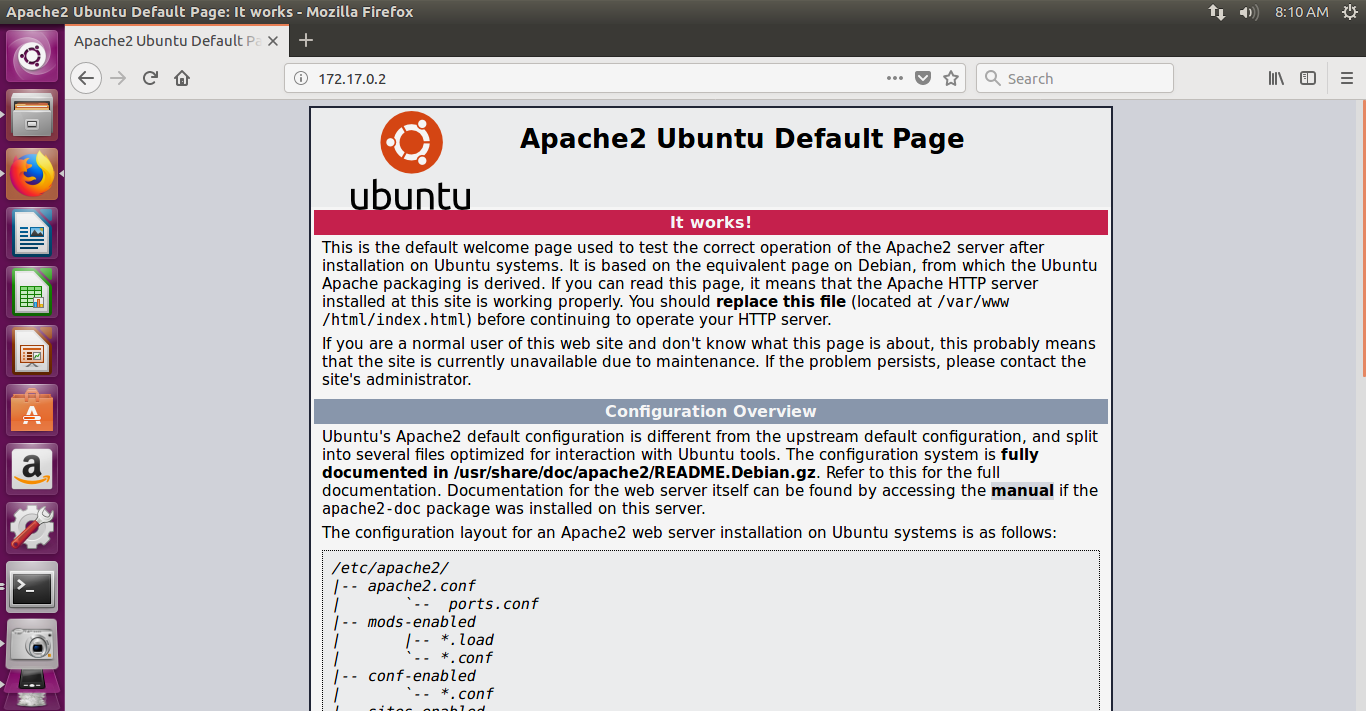
Apache2-container-page1.png

Apache2-container-page2.png

It is a great work we have done! we proved the container networking can be done well with docker containers.

From the ubuntu cloud host machine we have seen the above screenshot from apache2 web page. Please check the web page bottom message ‘Apache running!! ‘. This is the message given through ‘echo’ command in the dockerfile.

If you want to stop the service you can use the below command:

=============== Stopping apache2 sever =====>

root@6df11fd4bbff:/# service apache2 stop

* Stopping Apache httpd web server apache2 *

root@6df11fd4bbff:/# service apache2 status

* apache2 is not running

root@6df11fd4bbff:/#

==============================>

Now, check your browser. You should get the message as “Unable to connect”.

You need to restart as below to run the web page:

root@6df11fd4bbff:/# service apache2 start

* Starting Apache httpd web server apache2 AH00558: apache2: Could not reliably determine the server’s fully qualified domain name, using 172.17.0.2. Set the ‘ServerName’ directive globally to suppress this message

root@6df11fd4bbff:/# service apache2 status

* apache2 is running

root@6df11fd4bbff:/#

=================== Restarted apache2 ============>

At this point, I want to stop this session.

In the next session, we will see some more examples with dockerfile usage to build containers.
Vcard-Shanthi Kumar V-v3

10. DevOps: How to Build images from Docker containers?

Docker-logo

This is in continuation of my last blog “9. DevOps: How to do Containers housekeeping ?”. In this blog I would like to demonstrate on:

How to Build images from docker containers?:

Note: If you want to recollect the docker commands to be used during your current lab practice, visit my blog link:

https://vskumarblogs.wordpress.com/2017/12/13/some-useful-docker-commands-for-handling-images-and-containers/

So far we have built the containers and operated them through the previous exercises. Now, let us see how  can we add  software to our base image on a running container and then convert that container into an image for future usage.

Let’s take ubuntu:16.04 as our base image, install the wget application, and then convert the running container to an image with the below steps:

To make ubuntu:16.04 container is our base image, we need to install the wget application, and then convert it as the running container to a docker image by using the below steps:

  1. Launch an ubuntu:16.04 container using the docker run subcommand, as shown below:
      $ sudo docker run -i -t ubuntu:16.04 /bin/bash
========================>
vskumar@ubuntu:~$ sudo docker ps -aq
155f4b0764b1
vskumar@ubuntu:~$ sudo docker ps -a
CONTAINER ID        IMAGE               COMMAND             CREATED             STATUS              PORTS               NAMES
155f4b0764b1        ubuntu:16.04        "/bin/bash"         2 hours ago         Up 11 minutes                           zen_volhard
vskumar@ubuntu:~$ sudo docker run -i -t ubuntu:16.04 /bin/bash
root@3484664d454a:/# 
=========================>
2. Now, let's  verify is wget  available for this image or not.
============== the display shows there is no wget in this image =========>

root@3484664d454a:/# ls
bin  boot  dev  etc  home  lib  lib64  media  mnt  opt  proc  root  run  sbin  srv  sys  tmp  usr  var
root@3484664d454a:/# which wget
root@3484664d454a:/# 

      root@472c96295678:/# apt-get update
==================>
As we know that it is a brand new ubuntu container we built it, before installing wget we must synchronize it with the Ubuntu package repository, as shown below:
====================>
root@3484664d454a:/# apt-get update
Get:1 http://archive.ubuntu.com/ubuntu xenial InRelease [247 kB]         
Get:2 http://security.ubuntu.com/ubuntu xenial-security InRelease [102 kB]
Get:3 http://archive.ubuntu.com/ubuntu xenial-updates InRelease [102 kB]                                                                      
Get:4 http://archive.ubuntu.com/ubuntu xenial-backports InRelease [102 kB]                                                                    
Get:5 http://archive.ubuntu.com/ubuntu xenial/universe Sources [9802 kB]                                                                      
Get:6 http://security.ubuntu.com/ubuntu xenial-security/universe Sources [53.1 kB]                                                            
Get:7 http://security.ubuntu.com/ubuntu xenial-security/main amd64 Packages [504 kB]                                                          
Get:8 http://security.ubuntu.com/ubuntu xenial-security/restricted amd64 Packages [12.9 kB]                                                   
Get:9 http://security.ubuntu.com/ubuntu xenial-security/universe amd64 Packages [229 kB]                                                      
Get:10 http://security.ubuntu.com/ubuntu xenial-security/multiverse amd64 Packages [3479 B]                                                   
Get:11 http://archive.ubuntu.com/ubuntu xenial/main amd64 Packages [1558 kB]                                                                  
Get:12 http://archive.ubuntu.com/ubuntu xenial/restricted amd64 Packages [14.1 kB]                                                            
Get:13 http://archive.ubuntu.com/ubuntu xenial/universe amd64 Packages [9827 kB]                                                              
Get:14 http://archive.ubuntu.com/ubuntu xenial/multiverse amd64 Packages [176 kB]                                                             
Get:15 http://archive.ubuntu.com/ubuntu xenial-updates/universe Sources [228 kB]                                                              
Get:16 http://archive.ubuntu.com/ubuntu xenial-updates/main amd64 Packages [864 kB]                                                           
Get:17 http://archive.ubuntu.com/ubuntu xenial-updates/restricted amd64 Packages [13.7 kB]                                                    
Get:18 http://archive.ubuntu.com/ubuntu xenial-updates/universe amd64 Packages [711 kB]                                                       
Get:19 http://archive.ubuntu.com/ubuntu xenial-updates/multiverse amd64 Packages [18.5 kB]                                                    
Get:20 http://archive.ubuntu.com/ubuntu xenial-backports/main amd64 Packages [5174 B]                                                         
Get:21 http://archive.ubuntu.com/ubuntu xenial-backports/universe amd64 Packages [7135 B]                                                     
Fetched 24.6 MB in 59s (412 kB/s)                                                                                                             
Reading package lists... Done
root@3484664d454a:/# 
================================>
Now, we can install wget as below:
=========== Output of wget installation on container ===========>

root@3484664d454a:/# 
root@3484664d454a:/# apt-get install -y wget
Reading package lists... Done
Building dependency tree        
Reading state information... Done
The following additional packages will be installed:
  ca-certificates libidn11 libssl1.0.0 openssl
The following NEW packages will be installed:
  ca-certificates libidn11 libssl1.0.0 openssl wget
0 upgraded, 5 newly installed, 0 to remove and 1 not upgraded.
Need to get 2089 kB of archives.
After this operation, 6027 kB of additional disk space will be used.
Get:1 http://archive.ubuntu.com/ubuntu xenial-updates/main amd64 libidn11 amd64 1.32-3ubuntu1.2 [46.5 kB]
Get:2 http://archive.ubuntu.com/ubuntu xenial-updates/main amd64 libssl1.0.0 amd64 1.0.2g-1ubuntu4.9 [1085 kB]
Get:3 http://archive.ubuntu.com/ubuntu xenial-updates/main amd64 openssl amd64 1.0.2g-1ubuntu4.9 [492 kB]
Get:4 http://archive.ubuntu.com/ubuntu xenial-updates/main amd64 ca-certificates all 20170717~16.04.1 [168 kB]
Get:5 http://archive.ubuntu.com/ubuntu xenial-updates/main amd64 wget amd64 1.17.1-1ubuntu1.3 [299 kB]
Fetched 2089 kB in 4s (421 kB/s)
debconf: delaying package configuration, since apt-utils is not installed
Selecting previously unselected package libidn11:amd64.
(Reading database ... 4768 files and directories currently installed.)
Preparing to unpack .../libidn11_1.32-3ubuntu1.2_amd64.deb ...
Unpacking libidn11:amd64 (1.32-3ubuntu1.2) ...
Selecting previously unselected package libssl1.0.0:amd64.
Preparing to unpack .../libssl1.0.0_1.0.2g-1ubuntu4.9_amd64.deb ...
Unpacking libssl1.0.0:amd64 (1.0.2g-1ubuntu4.9) ...
Selecting previously unselected package openssl.
Preparing to unpack .../openssl_1.0.2g-1ubuntu4.9_amd64.deb ...
Unpacking openssl (1.0.2g-1ubuntu4.9) ...
Selecting previously unselected package ca-certificates.
Preparing to unpack .../ca-certificates_20170717~16.04.1_all.deb ...
Unpacking ca-certificates (20170717~16.04.1) ...
Selecting previously unselected package wget.
Preparing to unpack .../wget_1.17.1-1ubuntu1.3_amd64.deb ...
Unpacking wget (1.17.1-1ubuntu1.3) ...
Processing triggers for libc-bin (2.23-0ubuntu9) ...
Setting up libidn11:amd64 (1.32-3ubuntu1.2) ...
Setting up libssl1.0.0:amd64 (1.0.2g-1ubuntu4.9) ...
debconf: unable to initialize frontend: Dialog
debconf: (No usable dialog-like program is installed, so the dialog based frontend cannot be used. at /usr/share/perl5/Debconf/FrontEnd/Dialog.pm line 76.)
debconf: falling back to frontend: Readline
debconf: unable to initialize frontend: Readline
debconf: (Can't locate Term/ReadLine.pm in @INC (you may need to install the Term::ReadLine module) (@INC contains: /etc/perl /usr/local/lib/x86_64-linux-gnu/perl/5.22.1 /usr/local/share/perl/5.22.1 /usr/lib/x86_64-linux-gnu/perl5/5.22 /usr/share/perl5 /usr/lib/x86_64-linux-gnu/perl/5.22 /usr/share/perl/5.22 /usr/local/lib/site_perl /usr/lib/x86_64-linux-gnu/perl-base .) at /usr/share/perl5/Debconf/FrontEnd/Readline.pm line 7.)
debconf: falling back to frontend: Teletype
Setting up openssl (1.0.2g-1ubuntu4.9) ...
Setting up ca-certificates (20170717~16.04.1) ...
debconf: unable to initialize frontend: Dialog
debconf: (No usable dialog-like program is installed, so the dialog based frontend cannot be used. at /usr/share/perl5/Debconf/FrontEnd/Dialog.pm line 76.)
debconf: falling back to frontend: Readline
debconf: unable to initialize frontend: Readline
debconf: (Can't locate Term/ReadLine.pm in @INC (you may need to install the Term::ReadLine module) (@INC contains: /etc/perl /usr/local/lib/x86_64-linux-gnu/perl/5.22.1 /usr/local/share/perl/5.22.1 /usr/lib/x86_64-linux-gnu/perl5/5.22 /usr/share/perl5 /usr/lib/x86_64-linux-gnu/perl/5.22 /usr/share/perl/5.22 /usr/local/lib/site_perl /usr/lib/x86_64-linux-gnu/perl-base .) at /usr/share/perl5/Debconf/FrontEnd/Readline.pm line 7.)
debconf: falling back to frontend: Teletype
Setting up wget (1.17.1-1ubuntu1.3) ...
Processing triggers for libc-bin (2.23-0ubuntu9) ...
Processing triggers for ca-certificates (20170717~16.04.1) ...
Updating certificates in /etc/ssl/certs...
148 added, 0 removed; done.
Running hooks in /etc/ca-certificates/update.d...
done.
root@3484664d454a:/# 
=========================== End of installation ===========>
Now, we can verify with  'which wget ' command
============>
root@3484664d454a:/# which wget
/usr/bin/wget
root@3484664d454a:/# 
============>
Please let us recollect; installation of any software would alter the Dockwer base image composition. In which, we can also trace using the docker diff subcommand as we did in the previous exercises. 
I will open a second Terminal/screen, the docker diff subcommand can be issued from it, as below:
      $ sudo docker diff 472c96295678
===============>
vskumar@ubuntu:~$  
vskumar@ubuntu:~$ sudo docker ps
CONTAINER ID        IMAGE               COMMAND             CREATED             STATUS              PORTS               NAMES
3484664d454a        ubuntu:16.04        "/bin/bash"         15 minutes ago      Up 15 minutes                           jolly_cray
155f4b0764b1        ubuntu:16.04        "/bin/bash"         2 hours ago         Up 40 minutes                           zen_volhard
vskumar@ubuntu:~$ sudo docker diff 155f4b0764b1
C /root
A /root/.bash_history
vskumar@ubuntu:~$ 
============>

How to save this container ?:
The docker commit subcommand can be performed on a running or a stopped container. When a commit is performed on a running container, the Docker Engine pauses the container during the commit operation in order to avoid any data inconsistency. 
Now we can stop our running container.
We can commit a container to an image with the docker commit subcommand, as shown here:
      $ sudo docker commit 

================== Using commit for container ============>

root@3484664d454a:/# 
root@3484664d454a:/# exit
exit
vskumar@ubuntu:~$ sudo docker commit 3484664d454a
[sudo] password for vskumar: 
Sorry, try again.
[sudo] password for vskumar: 
sha256:fc7e4564eb928ccfe068c789f0d650967e8d5dc42d4e8d92409aab6614364075
vskumar@ubuntu:~$ 
=======================>
You can see the container id from the above output.

=========== We can also give a message to the commit command as below ===>
vskumar@ubuntu:~$ sudo docker commit 3484664d454a  Docker-exercise/ubuntu-wgetinstall
invalid reference format: repository name must be lowercase
vskumar@ubuntu:~$ sudo docker commit 3484664d454a  docker-exercise/ubuntu-wgetinstall
sha256:e34304119838d79da60e12776529106c350b1972cd517648e8ab90311fad7b1a
vskumar@ubuntu:~$ sudo docker ps -a
CONTAINER ID        IMAGE               COMMAND             CREATED             STATUS                       PORTS               NAMES
3484664d454a        ubuntu:16.04        "/bin/bash"         24 minutes ago      Exited (130) 6 minutes ago                       jolly_cray
155f4b0764b1        ubuntu:16.04        "/bin/bash"         2 hours ago         Up About an hour                                 zen_volhard
vskumar@ubuntu:~$ 
===================== Note there are two containers created  ====>
Now, I want to remove one container :
==========>

vskumar@ubuntu:~$ sudo docker rm 3484664d454a
3484664d454a
vskumar@ubuntu:~$ sudo docker ps -a
CONTAINER ID        IMAGE               COMMAND             CREATED             STATUS              PORTS               NAMES
155f4b0764b1        ubuntu:16.04        "/bin/bash"         3 hours ago         Up About an hour                        zen_volhard
vskumar@ubuntu:~$ 
========================>

Now let us check the docker images how many we have in our store :
=========== List of images ==========>
vskumar@ubuntu:~$ 
vskumar@ubuntu:~$ sudo docker images
REPOSITORY                           TAG                 IMAGE ID            CREATED             SIZE
docker-exercise/ubuntu-wgetinstall   latest              e34304119838        5 minutes ago       169MB
<none>                               <none>              fc7e4564eb92        7 minutes ago       169MB
hello-world                          latest              f2a91732366c        5 days ago          1.85kB
ubuntu                               16.04               20c44cd7596f        8 days ago          123MB
ubuntu                               latest              20c44cd7596f        8 days ago          123MB
busybox                              latest              6ad733544a63        3 weeks ago         1.13MB
busybox                              1.24                47bcc53f74dc        20 months ago       1.11MB
vskumar@ubuntu:~$ 

==============================>
How to remove images:

by using :

sudo docker rmi image [image id], we can remove the image. For example; if you want to remove the image id:
47bcc53f74dc
you can use: $ sudo docker rmi image 47bcc53f74dc
=================>
vskumar@ubuntu:~$ sudo docker rmi image 47bcc53f74dc
Untagged: busybox:1.24
Untagged: busybox@sha256:8ea3273d79b47a8b6d018be398c17590a4b5ec604515f416c5b797db9dde3ad8
Deleted: sha256:47bcc53f74dc94b1920f0b34f6036096526296767650f223433fe65c35f149eb
Deleted: sha256:f6075681a244e9df4ab126bce921292673c9f37f71b20f6be1dd3bb99b4fdd72
Deleted: sha256:1834950e52ce4d5a88a1bbd131c537f4d0e56d10ff0dd69e66be3b7dfa9df7e6
Error: No such image: image
vskumar@ubuntu:~$ 
=================>
 

So by using :

sudo docker rmi image [image id], we can remove the image.  Just recollect the difference between the image removal and container removal. For containers removal refer to my blog on "Housekeeping containers". Now we have learned how to create an image from containers using a few easy steps by installing the wget application. You can also add some other software applications to the same or different container(s) in the similar way.

You can use this method for testing also.  Let us say, you want to test a set of java programs. Then you need to install jdk and copy your programs. Write a shell script to compile and execute the programs by piping their output into a text file in a Linux background. So this way, you will be using the container as a test environment also.

The most easy and recommended way of creating an image is to use the Dockerfile method.

Within dockerfile we can mention the setup required to build a container through different steps. Then dockerfile creates the required setup for a container, under docker’s building activity.

We will see it in future exercises.

Please leave your feedback!

Vcard-Shanthi Kumar V-v39. DevOps: How to do Containers housekeeping ?

DevOps Practices & FAQs -1

Do you think Agile practices are mandatory to implement DevOps Practices ?

Yes, Agile practices bring Continuous delivery [CD] of business requirements through SPRINT. Then these will be converted into different software code and infrastructure. These will be verified and deployed into the production systems.

Fundamental process of SPRINT is; if user gives a requirement to product owner; it will

be decomposed into small chunks of requirements and they will be considered into different SPRINTs [a set of Small technical requirements, where these can be fixed or enhanced in few hours; ex: include or update a formula] and will be presented for verification.

When the DevOps practices are getting implemented; these SPRINTs can be considered to deploy into different technical environments for validating the build and in turn they will be qualified to move into production. This  is an ongoing process by following Continuous Delivery integration [CDI] of Agile. If many developers are there in a Business unit there can be many builds and the users do not need to wait for all of them to complete. The CD can happen. So whichever is completed first it should be delivered. During the CDI the DevOps engineers role is to package the software code and deploy the builds for verification and later on to production. In their activity journey  many tasks can be repeatable. This repeatable activity can be automated with the So called DevOps tools to save manual efforts. This can reduce the deployment cycle time and at the same time total SPRINT delivery time reduction can happen. So the business benefit can be achieved, by pushing the build of specific user requirement faster.

With all the above, without having Agile practices, you can not jump into DevOps practices right away. The people practices on Agile is also very essential.

So if your organization is not having Agile practices in place there is no point of thinking DevOps practices. This can come under old IT tradition.

Look into the below videos on the importance and advantages of DevOps conversion to an IT Company:


Below image can denote the transition of IT development cycles till DevOps practice with continuous operation [automated]:


DevOps Movement


Visit for next series of DevOps FAQs: https://wordpress.com/post/vskumar.blog/1684

Visit for series of Agile interview questions:

https://vskumar.blog/2017/09/04/sdlc-agile-interview-questions-for-freshers-1/


Also, Look into some more FAQs:

https://vskumar.blog/2018/12/29/devops-practices-faqs-2-devops-practices-faqs/

https://vskumar.blog/2019/02/01/devops-practices-faqs-3-domain-area/

4. DevOps: How to create and work with Docker Containers

Docker-logo

In continuation of my previous blog on 2. DevOps: How to install Docker 17.03.0 community edition and start working with it on Ubuntu 16.x VM [https://vskumar.blog/2017/11/25/2-devops-how-to-install-docker-17-03-0-community-edition-and-start-working-with-it-on-ubuntu-16-x-vm/], in this blog I would like to cover the lab practice on Docker containers.

Assuming you have the same setup as we did in the previous lab session,

using the below subcommand, you can view the current image hello-world

Use the below command:

sudo docker run -it hello-world

$docker history hello-world

You can run this image and see:

======================>

vskumar@ubuntu:~$ sudo docker history hello-world

[sudo]

password for vskumar:
IMAGE CREATED CREATED BY SIZE COMMENT
f2a91732366c 5 days ago /bin/sh -c #(nop) CMD [“/hello”] 0B
<missing> 5 days ago /bin/sh -c #(nop) COPY file:f3dac9d5b1b0307f… 1.85kB
vskumar@ubuntu:~$

======================>

Check the current docker information:

sudo docker info |more

======================================>

vskumar@ubuntu:~$ sudo docker info |more
Containers: 2
Running: 1
Paused: 0
Stopped: 1
Images: 6
Server Version: 17.11.0-ce
Storage Driver: aufs
Root Dir: /var/lib/docker/aufs
Backing Filesystem: extfs
Dirs: 14
Dirperm1 Supported: true
Logging Driver: json-file
Cgroup Driver: cgroupfs
Plugins:
Volume: local
Network: bridge host macvlan null overlay
Log: awslogs fluentd gcplogs gelf journald json-file logentries splunk syslog
Swarm: inactive
Runtimes: runc
Default Runtime: runc
Init Binary: docker-init
containerd version: 992280e8e265f491f7a624ab82f3e238be086e49
runc version: 0351df1c5a66838d0c392b4ac4cf9450de844e2d
–More–WARNING: No swap limit support
init version: 949e6fa
Security Options:
apparmor
seccomp
Profile: default
Kernel Version: 4.10.0-40-generic
Operating System: Ubuntu 16.04.3 LTS
OSType: linux
Architecture: x86_64
CPUs: 1
Total Memory: 1.933GiB
Name: ubuntu
ID: KH7E:PWA2:EJGE:MZCA:3RVJ:LU2W:BA7S:DTIQ:32HP:XXO7:RXBR:4XQI
Docker Root Dir: /var/lib/docker
Debug Mode (client): false
Debug Mode (server): false
Registry: https://index.docker.io/v1/
Experimental: false
Insecure Registries:
127.0.0.0/8
Live Restore Enabled: false

vskumar@ubuntu:~$

=============================>

Now, let us work on the Docker images operations:

In the previous session, we demonstrated the typical Hello World example using the
hello-world image.

you can run an Ubuntu container with:

$ sudo docker run -it ubuntu bash

you can run an Ubuntu container with:

======= We are in Docker container =====>

vskumar@ubuntu:~$ sudo docker run -it ubuntu bash
root@10ffea6140f9:/#

============>

Now, let us apply some Linux commands as below:

==================>

root@10ffea6140f9:/# ls
bin dev home lib64 mnt proc run srv tmp var
boot etc lib media opt root sbin sys usr
root@10ffea6140f9:/# ps -a
PID TTY TIME CMD
11 pts/0 00:00:00 ps
root@10ffea6140f9:/# ps -ef
UID PID PPID C STIME TTY TIME CMD
root 1 0 0 05:36 pts/0 00:00:00 bash
root 12 1 0 05:38 pts/0 00:00:00 ps -ef
root@10ffea6140f9:/# cd lib
root@10ffea6140f9:/lib# ls
init lsb systemd terminfo udev x86_64-linux-gnu
root@10ffea6140f9:/lib# cd ..
root@10ffea6140f9:/# cd var
root@10ffea6140f9:/var# pwd
/var
root@10ffea6140f9:/var# ls
backups cache lib local lock log mail opt run spool tmp
root@10ffea6140f9:/var# cd log
root@10ffea6140f9:/var/log# ls
alternatives.log bootstrap.log dmesg faillog lastlog
apt btmp dpkg.log fsck wtmp

root@10ffea6140f9:/var/log# cat dpkg.log |more
2017-11-14 13:48:30 startup archives install
2017-11-14 13:48:30 install base-passwd:amd64 <none> 3.5.39
2017-11-14 13:48:30 status half-installed base-passwd:amd64 3.5.39
2017-11-14 13:48:30 status unpacked base-passwd:amd64 3.5.39
2017-11-14 13:48:30 configure base-passwd:amd64 3.5.39 3.5.39
2017-11-14 13:48:30 status unpacked base-passwd:amd64 3.5.39
2017-11-14 13:48:30 status half-configured base-passwd:amd64 3.5.39
2017-11-14 13:48:30 status installed base-passwd:amd64 3.5.39
2017-11-14 13:48:30 startup archives install
2017-11-14 13:48:30 install base-files:amd64 <none> 9.4ubuntu4
2017-11-14 13:48:30 status half-installed base-files:amd64 9.4ubuntu4
2017-11-14 13:48:30 status unpacked base-files:amd64 9.4ubuntu4
2017-11-14 13:48:30 configure base-files:amd64 9.4ubuntu4 9.4ubuntu4
2017-11-14 13:48:30 status unpacked base-files:amd64 9.4ubuntu4

root@10ffea6140f9:/var/log#

==================================>

WE have seen this container like a Linux machine only.

Now, to come out into Docker use ‘exit’ command.

====================>

root@10ffea6140f9:/var/log#
root@10ffea6140f9:/var/log# exit
exit
vskumar@ubuntu:~$

vskumar@ubuntu:~$ sudo docker images
REPOSITORY TAG IMAGE ID CREATED SIZE
docker-exercise/ubuntu-wgetinstall latest e34304119838 4 hours ago 169MB
<none> <none> fc7e4564eb92 4 hours ago 169MB
hello-world latest f2a91732366c 5 days ago 1.85kB
ubuntu 16.04 20c44cd7596f 8 days ago 123MB
ubuntu latest 20c44cd7596f 8 days ago 123MB
busybox latest 6ad733544a63 3 weeks ago 1.13MB
busybox 1.24 47bcc53f74dc 20 months ago 1.11MB
vskumar@ubuntu:~$

======================>

It means earlier when we run the command ‘$ sudo docker run -it ubuntu bash’ it went into terminal interactive mode of unbuntu container. When we applied ‘exit’ it came out from that container to ‘docker’ . Now through docker we have seen the list of docker images.

So, we have seen from the above session the container usage and the docker images.

Now, let us check the docker services status as below:

$sudo service docker status

vskumar@ubuntu:/var/tmp$ sudo service docker status

================================>

docker.service – Docker Application Container Engine

Loaded: loaded (/lib/systemd/system/docker.service; enabled; vendor preset: e

Active: active (running) since Sat 2017-11-25 02:07:54 PST; 25min ago

Docs: https://docs.docker.com

Main PID: 1224 (dockerd)

Tasks: 18

Memory: 255.2M

CPU: 35.334s

CGroup: /system.slice/docker.service

├─1224 /usr/bin/dockerd -H fd://

└─1415 docker-containerd –config /var/run/docker/containerd/containe

================================>

Now, we will stop this session at this point in the next block we will learn how to download public docker image and work with images and containers.
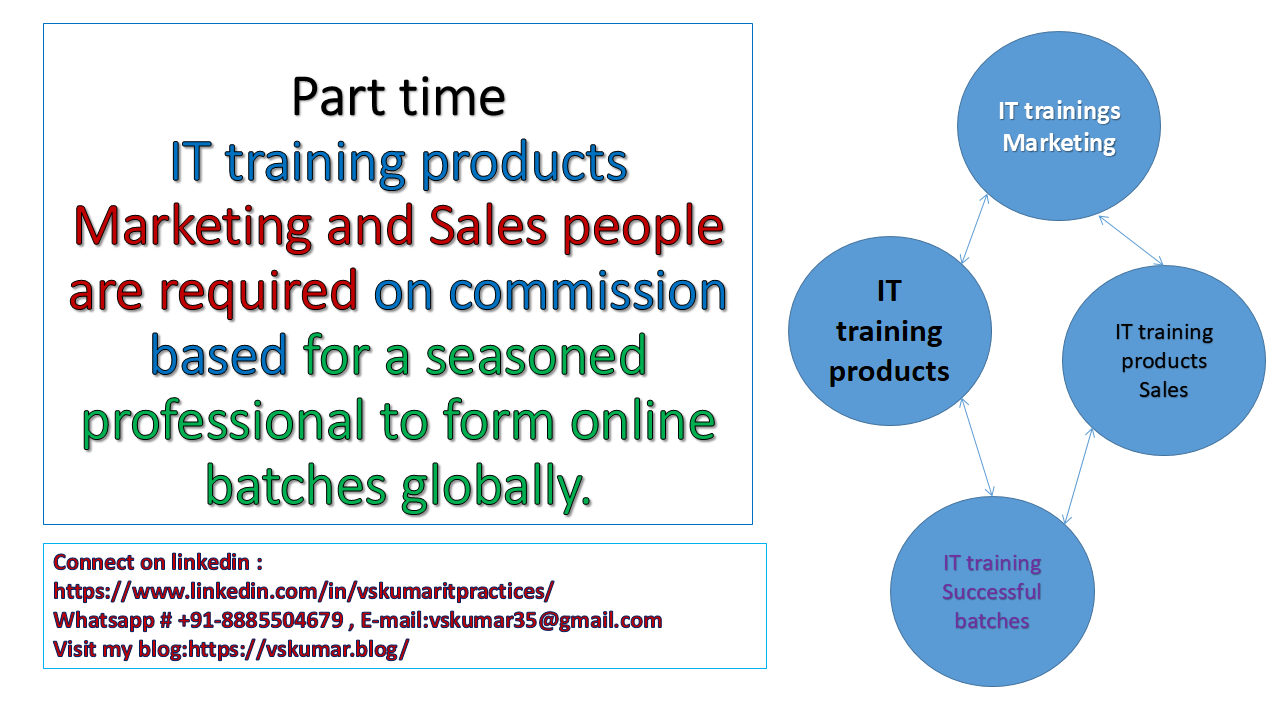
Vcard-Shanthi Kumar V-v3

1. DevOps – Jenkins[2.9] Installation with Java 9 on Windows 10


jenkins

I am publishing  series of blogs on DevOps tools  practice. The interested people can keep watching this site or you can subscribe/follow.

In this blog we will see what are the pre-requisites for Jenkins 2.9 to install and how to install Jenkins.

 =====================================>

Visit my current running facebook groups for IT Professionals with my valuable discussions/videos/blogs posted:

 DevOps Practices Group:

https://www.facebook.com/groups/1911594275816833/about/

Cloud Practices Group:

https://www.facebook.com/groups/585147288612549/about/

Build Cloud Solution Architects [With some videos of the live students classes/feedback]

https://www.facebook.com/vskumarcloud/

 =====================================>


MicroServices and Docker [For learning concepts of Microservices and Docker containers]

https://www.facebook.com/MicroServices-and-Docker-328906801086961/

To setup Jenkins, you need to have Java 9 in your local machine.

Hence in the Step1 to setup Java, you need to follow the below steps:

STEP1: How to download and install JDK SE Development kit 9.0.1 ?:

go to URL:

http://www.oracle.com/technetwork/java/javase/downloads/jdk9-downloads-3848520.html

You will see the below page [as on today’s display]

Java Kit SE 9 download

From this web page, Click on Windows file jdk-9.0.1_windows-x64_bin

It will download.

Double click on the file.

You will see the series of screens, while it is doing installation. I have copied some of them here.Java SE 9 install scrn-2.png

Java SE 9 install scrn-1

Java SE 9 install scrn-3.png


Java SE 9 install scrn-4.png

You can change the directory if you want, in the above screen.


Java SE 9 install scrn-4-Oracle 3 billion.png


Finally you should get the below screen as installed it successfully.

Java SE 9 install scrn-5-complete

Now, you need to set the Java environment and path variable in Windows setting.

Java SE 9 install scrn-7-windows env setup2Java SE 9 install scrn-8-windows env setup3


My Java directory path is:

Java SE 9 install scrn-9-windows env setup4


Java SE 9 install scrn-10-windows env setup5.png

You  need to edit the below path variables also for the latest path:

Java SE 9 install scrn-11-windows env setup6Java SE 9 install scrn-12-windows env setup7.png

After you have done the settings, you can check the java version as below in a command prompt:

Java SE 9 install scrn-13-CMD-1

You should get the same version.

Now, You need a simple java program to run and check your compiler and runtime environment.

Please goto google search and check for “Java Hello wordl program”.

Follow the below URL:
https://en.wikiversity.org/wiki/Java_Tutorial/Hello_World!

Copy the program into a text file named as hellowworld.java

Then compile and run the program as below:

Java SE 9 install scrn-14-CMD-Javacompile&run-1.png

If you are getting the above, then your installed java software is working fine.

You need to remember the below:
To compile this program you need to use the below command in command prompt of that program directory:

D:\JavaSamples\Javatest>javac HellowWorld.java

To run the java program you need to use the below command:

D:\JavaSamples\Javatest>java HellowWorld
Hello World

Now, you can plan for setting up Jenkins.

STEP2: How to setup Jenkins on Windows ?:

Follow the below link to download Jenkins for Windows-x64
https://jenkins.io/download/thank-you-downloading-windows-installer/

It downloads the installer as below:
You can see the downloaded installer file for Jenkins.

Jenkins-installer-file1.png


How to install Jenkins?:
Now you can copy this file into a new directory as Jenkins.

I have copied into the below directory.

Jenkins-installer-file-copy1.png

You need to unzip this file.

Jenkins-installer-file-unzip1.png

You can see the new directory is created with its unzipped files:


Jenkins-installer-file-unziped-new Dir

You can double click on it and can see the below screen:


Jenkins-installer-file-double-click.png

I have changed the path as below:

Jenkins-installer-file-path.png

Click on install and say “Yes” in windows confirmation screen.


Jenkins-installer-file-path-install.png

You can see the below screen:

Jenkins-installer-install-complete1.png

Once you click on finish, it will take you to a browser:

Jenkins-initial browser1.png

Jenkins will have a default user id as “admin” and the password.
The password is available from the given path.

Jenkins-admin-initial-pwd-file

You can open this file in notepad as below:

Jenkins-admin-initial-pwd-file-open-notepad

Now, copy this password as below into windows clipboard.

Now you goto the Jenkins browser and paste this password.

Close your notepad.

Now, on browser press continue.

You can see the Jenkins initial  screen as below for plugins selection:


Jenkins-initial screen for plugins

Jenkins will have 100s of plugins. But there are default plugins those can be used initially to save you disk space and time. Hence now, you click on “Install suggested plugins”.

It will show the below screen as it is working for this activity:

Jenkins-default-plugins-install-screen1.png

You can see in the right side window the tasks what Jenkins is doing:Jenkins-initial screen for plugins-tasks1.png

You can also watch as it is doing one by one the plugins installation and the tasks on right side.
It might take more than 30 mts depends on your internet speed and the RAM.

I am copying some of the screens as it is moving on …


Jenkins-initial screen for plugins-tasks2.png

Once the plugins are installed, you can see the 1st screen to setup your 1st admin user id and password as below:

Jenkins-create-first-UID &amp; PWD

You can enter the details and click on “Save and Finish” button.

Now, it shows the below screen with Jenkins readyness to use:

Jenkins-is-Ready.png

When you click on “Start using Jenkins” button,
You can see the below screen as in the beginning of the Jenkins usage:

Jenkins-welcome-1st time.png

Please observe the right corner and verify your created user id.

Now, let us do some login and logout operations to make sure it is working.

When you logout you can see the below screen:

Jenkins-initial-logout-test

Now let us understand the url of Jenkins server which we are using:

When we install Jenkins in any machine either Windows or Linux.
By default its url should be : http://localhost:8080/
Your local host is your current machine Ip address.
You can see the screen now with the above url:

Jenkins-URL-test

Now, you can try one more option, check your ip address from command prompt as below:

Check-IPs-CMD.png

You can pickup the 1st IP address which displays from the command prompt screen.

And key-inn the below url in your browser:
http://192.168.137.1:8080/login?from=%2F

Your ip need to be used in place of 192.168.137.1

Now, let us see What is 8080?:
Every server software creates a port address to access its web pages from the installed machine. In our case Jenkins has been configured on 8080 port as default. The 8080 is a default port for Jenkins. Similarly other server softwares also will have their specific ports.

Now, I have used a different browser using the above url to access Jenkins web page as below:

Jenkins-using-IP & 8080-Port.png

Using the login screen I am logging into my admin user id: vskumar2017 , which was created earlier.

Login-UID-vskumar2017.png

You can also check in your windows services on Jenkins running status.
Please note on this setup, you have made a standalone Jenkins by using your PC or Laptop.

Now, you can restart your windows machine. You need to start Jenkins as fresh service.

To start Jenkins from command line
  1. Open command prompt.
  2. Go to the directory where your war file is placed and run the following command: java -jar jenkins.war
  3. OR One more  option is; go to your Jenkins directory in CMD window and execute: jenkins.exe start


Restart-Jenkins-CMD

Open browser and Use you can check the Jenkins access. It should be showing the login page.

How to remove Jenkins from your system?:

If you want to remove Jenkins from your system, you can find the  Jenkins Windows installer file from the Jenkins directory and double click on it. You can see the below window to choose your action:

Remove-repair-Jenkins.png

So far we have seen the installation of Java 9 and Jenkins.

Some times, you might need to configure other servers [Ex:Tomcat, etc,]. They might also use 8080 port. Hence there will be conflict. We need to change the port# in that case.

Now, How to change your 8080 port to other port#?:

Please find Jenkins.xml in Jenkins dir:

Ex:

In my system I have the URL:D:\Jenkins\Jenkins 2.9

You need to replace 8080 with the  required port# in the below line:

<arguments>-Xrs -Xmx256m -Dhudson.lifecycle=hudson.lifecycle.WindowsServiceLifecycle -jar “%BASE%\jenkins.war” –httpPort=8080 –webroot=”%BASE%\war”</arguments>

In the next blog we can see some simple exercise with Jenkins by creating and running the project into different builds.

https://vskumar.blog/2017/11/26/2-devops-jenkins2-9-how-to-create-and-build-the-job/


https://vskumar.blog/2018/02/26/15-devops-how-to-setup-jenkins-2-9-on-ubuntu-16-04-with-jdk8/

Note to the reader/user of this blog:

If you are not a student of my class, and looking for it please contact me by mail with your LinkedIn identity. And send a connection request with a message on your need. You can use the below contacts. Please note; I teach globally.

Vcard-Shanthi Kumar V-v3

If you want to learn for Ubuntu installation you can visit:

https://vskumar.blog/2018/02/26/15-devops-how-to-setup-jenkins-2-9-on-ubuntu-16-04-with-jdk8/

On Job training for future Software engineers [freshers] how it saves their career time ?

I wrote this article to motivate the students who wants to build their own IT career faster in their early ages without depending on corporate to earn more perks in a faster way.

Student life

Lot of global IT services companies they conduct campus recruitment to select the top notch percentages acquired students to offer as software engineers.

During this process, each corporate might plan to groom the students on different skills in 6 to 10 months time by paying the agreed salary.

Once they are successful in their training and they can offer these candidates to different business units to hire them for their customer projects either under billable or non-billable. Depends on the projects requirement the candidates will be placed either on the candidate desired skills or non-desired skills.

Each fresher candidate [student] deployment onto the customer project might take typically 6 to 12 months; which includes their grooming/training on different skills. They will be placed onto the cusotmer projects with or without interviews.

SW-Eng interviews

Their productivity starts to corporate after one year of their joining time into the corporate company. Typically most of the corporate companies they recruit the students from the campus on bond for 2 years.
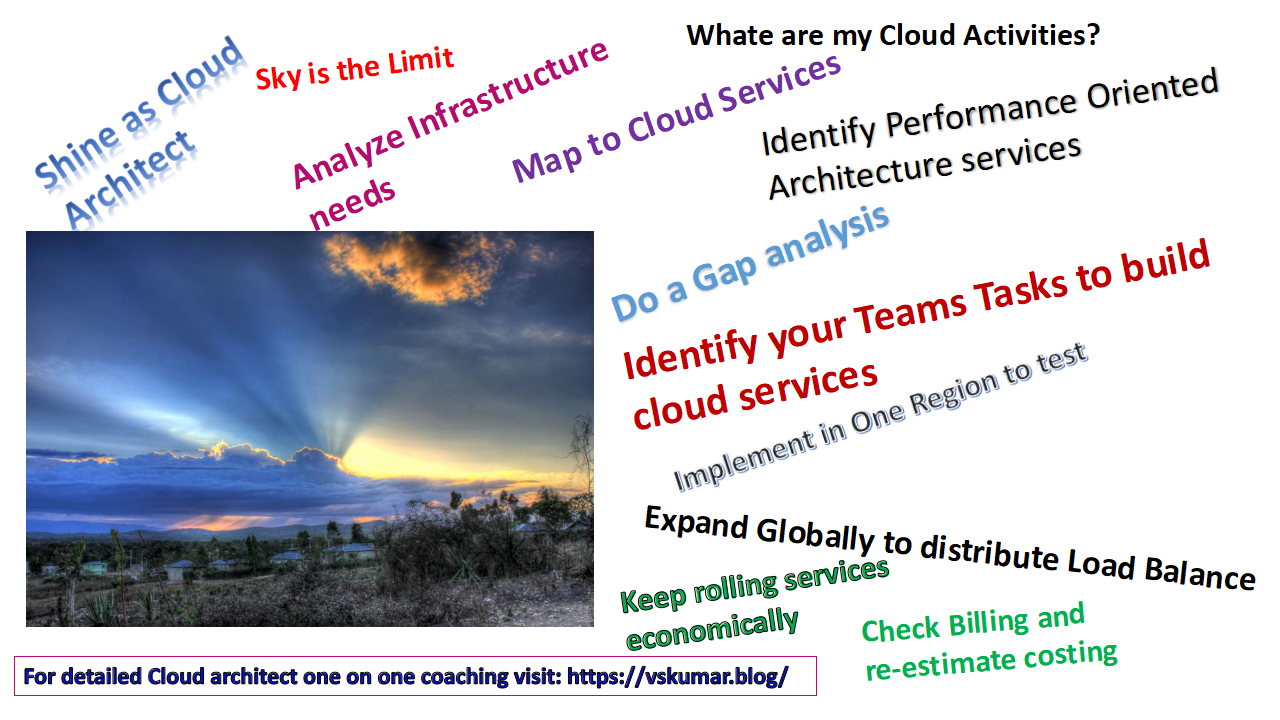
During this two years time each student might lose one year of their career time due to the corporate companies’ delays in their internal planning and adjustment of the selected students in different customer projects.
Sometimes, most of these students cannot be guided perfectly as corporate companies commit to students, due to lack of their internal mentors and all the processes are not synchronized across the company or by all locations. In such case the lucky students only can gain the advantages of the corporate companies’ commitments or professional lavishness.
Otherwise they to need burn themselves to pickup the technology skills to meet to the cusotmer requirements and also to the project role expectations.

Busy-SW Engr

Most of the students waste their time by hanging on to such campus recruitment process as they feel the large companies are their career guiders or ladders. 
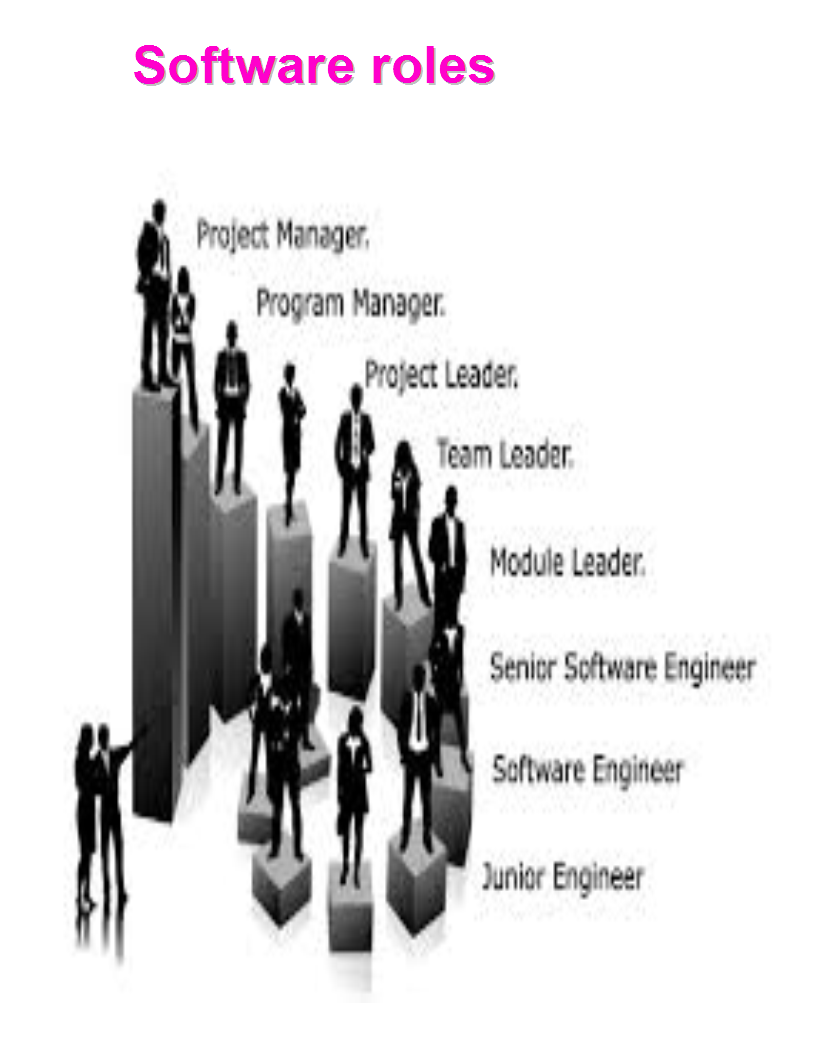
But really the student has to stick on to the corporate to climb their ladder. Some freshers might have been groomed well because of they are placed by luck under good mentors. Most of them may not get this chance also.

What are the alternate ways to save freshers time?

There are few standard companies they consider the bright or non-bright students and groom them as Software engineers. During this process of grooming they will deploy them on to their internal development projects. They offer them as Trainee software engineer with the below models.
  1. Some of the companies they consider them on bond for 1 or 2 years without charge.
  2. Few companies they charge for the initial grooming time.

Top5-SW-Skils

During the above process these companies adhere to the standard skill those are in demand of the market. With those industry demanded skills after completion off their trainee tenure either they can look for direct software engineer jobs or they can negotiate with the groomed companies to get a job with them.

Let us assume , If one candidate has learnt the skills with their live projects/products development activities he/she will be able to get a direct job more than the campus recruitment offer made by large corporate. And this candidate can save their time comparatively with their co-student who has joined in campus joining with the large corporate company. This way it saved his career building time and also he/she may get more offers in a year time.

SW-Roles1

When a fresher[college student] need to enter into a job market, he/she need to answer to the below questions:

Fresher-thinks

What is the decision any young IT professional need to take in this dynamic changing IT environment?

Do I Have the capability to build my strategic career?

Do I need to stick or depend on through a company or need to make my own career plan?

Do I need to learn multiple skills initially to make myself with more returns?

Do I need to accelerate my competency? Or Do I need to have retardation by depending on a company?

Do I need to stick on to a corporate ladder or can I build my career bricks with day one foundation?

Do I need to build skills myself or depend on large corporate ?

Am I looking for a right company for my skills improvement in a faster way ?

Am I looking for any certifications for my long term career building ?

All the above scenarios a fresher need to determine and make a strong decision to accelerate their faster career building in this faster technology changing and competent environments.

slide1


How can you measure and strengthen your customer service ?

Every service provider might feel they are the best in the industry in giving service to their customers. But in reality once they get the feedback from customer they will be either thrilled or hurt by the rating given by their customer. This  blog can help the vendors to analyze or recap the process involved in measuring their services effectively.

Every provider can design and offer the same or similar services in the current competent world. But your business continuity [BCP] needs to be there always with the customer. Your unique selling point [USP] needs to be differentiated for strategic business with the customer.

When customer accepted the service and entered into SLAs how can you measure the Quality of services [QOS]?

In general most of the service providers might follow some of the following steps once the service is started:

Every service provider keeps checking the Customer satisfaction [CSAT] ratings periodically instead of checking the quality of services.

When CSAT is not as expected, as a service provider one might get sudden hurt.

Then the internal burning issues might start. When they recap the reasons or root causes one might find some of the following:

Proper attention was not paid on the customer issues resolution.

Internal issues were not identified when the programme has been initiated or during execution. Those became like strategic burning issues and led to customer dissatisfaction. Even if the CSAT period is beyond 3-6 months, there is a possibility of contract discontinuation for next term.

In such case, how can you apply a remedy for your BCP ?

By consolidating all the steps I wrote an E-Book which is available in the below image location for Kindle:

Cover-page-CS&CSAT

Click on the image.Vcard-Shanthi Kumar V

SDLC & Agile – Interview questions for Freshers -8

In continuation of my previous blog [#7] on this subject following questions and answers are continued:

  1. What are the steps the Product owner follows before adding to the product backlog?

Ans: The Product Owner [PO] follows the below steps before adding to the product backlog :

  • The PO writes the customer-centric items, they are called as User stories.

  • The PO prioritizes them based on their importance and dependencies.
  • once the above steps are completed the PO adds them to product backlog.

  • Sometime these are also called as Product Backlog Items [PBIs].

    2. What is a core responsibility of a product owner [PO] ?

    Ans: The product owner [PO] needs to make sure Communication is his/her core responsibility while following the Scrum process.

    3. What kind of ability the product owner [PO] need to demonstrate to steer product development in the right direction ?

    Ans: The product owner [PO] need to have ability to convey priorities of PBIs. PO need to empathize team members and collaborate with stakeholders while steering the product development in the right direction.

    4. What is the responsibility of development team in a Scrum process ?Ans: The Development Team’s responsibility is to deliver potentially shippable or releasable increments of product at the end of each Sprint (which is the Sprint goal).

     5.  In A Scrum process, what is the typical development team size and what activities will be performed by them ?

    Ans: In Scrum process, the development team is made up of 3–9 individuals. They do the actual work related to the activities; Analyze, Design, Develop, Test, Technical communication, Documentation, etc.

     6. In A Scrum process, how the development team need to be functioned ?

    Ans: Development Teams are cross-functional [across projects/teams], with all of their skills as a team necessary to create a Product Increment. They are also self-organized people.

    7. Who facilitates the Scrum and who is accountable to remove impediments towards delivering the product goals and deliverables ?

    Ans: Scrum is facilitated by a Scrum Master, who is accountable for removing impediments to the ability of the team to deliver the product goals and deliverables.

    8. Is a Scrum Master an IT Manager ?

    Ans: The Scrum Master is ;

  • not a traditional team lead or
  • not a project manager or
  • not an IT Manager. He/she acts as a buffer between the team during scrum meeting. 9. What the Scrum Master need to ensure in view of the team ?Ans: The Scrum Master ensures that the Scrum framework is followed within the team. 10. What kind of help can be seen from a Scrum Master by the teams ?

    Ans: The Scrum Master helps to ensure the team follows the agreed processes in the Scrum framework, often facilitates key sessions, and encourages the team to improve.


  • Visit my blog for Scrum master details:
  • https://vskumar.blog/2017/10/21/some-helpful-tips-for-new-scrum-masters-servant-leadership-role/
  •  

    This video explains on how to invent and design a reusable code during Agile Sprint planning to save the cycle time. Given with an example of E-commerce site design by identifying its repeatable steps from the user operations.

    https://youtu.be/zCR6GP1ji60

  • https://www.youtube.com/watch?v=DiIhkCby0tU
  • https://www.youtube.com/watch?v=EVvIbJWaPoY
  • https://www.youtube.com/watch?v=tXcIWFsT-hU
  • https://www.youtube.com/watch?v=ueBvm-0U5JQ
  • https://www.youtube.com/watch?v=ONl2iE1Ejko
  • https://www.youtube.com/watch?v=qCRGa2G0TmY
  • https://www.youtube.com/watch?v=65S0_eqauwQ
  • https://www.youtube.com/watch?v=xjcCYLNwk2M
  • https://www.youtube.com/watch?v=CKz-cYoaufU
  • Please feel free to contact for any support/guidance.
  • Vcard-Shanthi Kumar V 

If you are looking for appearing for ISTQB exam, you need a coaching from Test management experienced people with corporate ISTQB teaching background.

In the exam there will be scenario based questions. If you map the process steps with  examples explained in this course, you will be able to crack the exam easily.

Please contact for your online classes schedule to gain exam plan tracking mechanism and testing practices mindset.

For my profile visit:  https://in.linkedin.com/in/shanthi-ku…®-v3-expert-c-752201a

istqb-ta-course-contents-for-online

Verify the knowledge  videos from the  YouTube channel.

You can also join to learn the concepts freely: https://www.facebook.com/groups/410279332851728/?source_id=282673739339983https://www.facebook.com/groups/410279332851728/?source_id=282673739339983

You can watch a demo class for Test Analyst test process from URL: 

For A test automation Video please visit:

There is a Part2 also, please watch it in URL: http://youtu.be/An4_EMA9gbE

For test planning lesson, see the below video:

slide1

For the Cloud/DevOps Course details, please visit the below blog:

https://vskumar.blog/2020/01/20/aws-devops-stage1-stage2-course-for-modern-tech-professional/

https://vskumar.blog/2019/04/07/how-easily-a-test-analyst-can-learn-aws-with-pocs/

How to start a project with PRINCE2 methodology

Source: How to start a project with PRINCE2 methodology

SDLC & Agile – Interview questions for Freshers -7

In continuation of my previous blog [#6] on this subject following questions and answers are continued:

1. During test driven development [TDD] what are the main tasks need to be considered ?

Ans: During TDD, the following tasks need to be considered:

  • A test first approach need to be facilitated while iteration requirements are being drafted or during model storming activity.
  • The test approach points need to be converted into software specifications to design and develop the software code.
  • Finally a concrete test case finalization can happen during TDD process.
  • Make a Plan to write the code in a testable approach.

2. What is review activity in a project and where all you can have this activity ?

Ans: The Review need to be done against on any output of the activity. Before starting an activity we need to have the base item to work on that activity to complete. Once it is completed the review need to be performed to identify the potential issues. This need to happen across the Agile project activities. The review can be formal or informal depends on the need or situation.

3. What is a code refactoring ?

Ans: In any software code or program, the future requirements need to be ammended. The written instructions need to be flexible to adopt the new steps to accommodate easily in the existing code. If this facility is not available in the code, the new or old developer need to restructure the code to accommodate these amendments. In every code the reusable component or functions insertion is the best practice to utilize for future requirements.

This method is called code refactoring. Many legacy systems, those were coded on ad-hoc basis need to be under code refactoring activity. The Agile process steps can be implemented if the code refactored or if the software has reusable modules. This way the developers or any technical teams can delivery the SPRINT items faster.

To have some understanding on building reusable code please see my videos which has an e-commerce scenario example: https://www.youtube.com/watch?v=zCR6GP1ji60

4. What is Scrum and how it helps in Agile development cycle?

Ans: Scrum is an incremental and iterative software development process/framework in Agile software development. It makes the development team as integrated team to work on a common goal. The teams are also collaborated and mixed together with this process to work on common goals. This way it helps Agile SDLC to deliver the workable software.

5. How the teams are expected to work in a Scrum process ?

Ans: The teams are expected to work in a self organized way. They are also expected to co-locate to one place or through online collaboration within the teams to work closely and to have daily face to face communication with a disciplined approach to reach the goal.

6. How to handle the Requirements volatility in Scrum Process ?

Ans: In a Scrum process the key principle is to accept the requirements changes during the product development. Hence at any given time before deploying the product into production the users can demand for any change and the technical team need to accept it. Hence there is a facility to handle the Requirements volatility in Scrum Process.

7. During the scrum process how the problem definition and its acceptance can be adopted ?

Ans: In Scrum, with multiple iterations the product development is driven. The details of product final goal or vision is not known in one iteration. Once all the iterations are defined only, these symptoms can be known. In the beginning of the project or during requirements envision phase the iterations need to be defined in high level with requirements segregation. Then the iterations clarity need to be available to accept for construction during the SPRINTs making. Then the acceptance criteria is known to the teams to adopt into delivery process for different SPRINTs.

8. How the Scrum Model works ?

Ans: The Scrum model works in the following approach:

  • By focusing on maximizing the team’s ability to deliver quickly.
  • The response for emerging requirements should be faster.
  • More adoption to evolving technologies.
  • Adopting changes towards the market conditions.

9. Whom all the Product owner represents during Scrum process ?

Ans: Product owner represents the Product stakeholders and the voice of the customer.

10. What for the Product owner is accountable in a Scrum process ?

Ans: The Product owner [PO] is accountable to ensure the teams deliver the value to the business.

Please feel free to contact for any support.

Vcard-Shanthi Kumar V


Why the DevOps Practice is mandatory for an IT Employee

DevOps Patterns
devops-process
  1. DevOps is a terminology used to refer to a set of principles and practices to emphasize the collaboration and communication of Information Technology [IT] professionals in a software project organization, while automating the process of software delivery and infrastructure using Continuous Delivery Integration[CDI] methods.
  2. The DevOps is also connecting the teams of Development and Operations together to work collaboratively to deliver the Software to the customers in an iterative development model by adopting Continuous Delivery Integration [CDI] concepts. The software delivery happens  in small pieces at different delivery intervals. Sometimes these intervals can be accelerated depends on the customer demand.
  3. The DevOps is a new practice globally adopted by many companies and its importance and implementation is accelerating by maintaining constant speed.  So every IT professional need to learn the concepts of DevOps and its Continuous Delivery Integration [CDI] methods. To know the typical DevOps activities by role just watch the video: https://youtu.be/vpgi5zZd6bs, it is pasted below in videos.
  4. Even a college graduate or freshers also need to have this knowledge or practices to work closely with their new project teams in a company. If a fresher attends this course he/she can get into the project shoes faster to cope up with the  experienced teams.
  5. Another way; The DevOps is an extension practice of Agile and continuous delivery. To merge into this career; the IT professionals  need to learn the Agile concepts, Software configuration management, Release management, deployment management and  different DevOps principles and practices to implement the CDI patterns. The relevant tools for these practices integration. There are various tool vendors in the market. Also open source tools are very famous. Using these tools the DevOps practices can be integrated to maintain the speed for CDI.
  6. There  are tools related with version control and CDI automation. One need to learn the process steps related to these areas by attending a course. Then the tools can be understood easily.  If one understands these CDI automation practices and later on learning the tools process is very easy by self also depends on their work environment.
  7. As mentioned in the above; Every IT company or IT services company need to adopt the DevOps practices for their customers competent service delivery in global IT industry. When these companies adopt these practices, their resources also need to be with thorough knowledge of DevOps practices to serve to the customers. The companies can get more benefit by having these knowledged resources. At the same time the new joinees in any company either experienced or fresher professional if they have this knowledge, their CTC in view of perks will be offered more or with competent offer they may be invited to join in that company.
  8. Let us know if you need  DevOps training  from  the IT industry experienced people; which includes the above practice areas to boost you in the IT industry.

Training will be given by 3 decades of Global IT experienced  professional(s):

https://www.linkedin.com/in/shanthi-kumar-v-itil%C2%AE-v3-expert-devops-istqb-752201a/

Watch the below videos on why the IT company need to shift to DevOps work culture and practices and what advantages the company can get and the employees can get :

For DevOps roles and activities watch my video:

Folks, I also run the DevOps Practices Group: https://www.facebook.com/groups/1911594275816833/?ref=bookmarks

There are many Learning units I am creating with basics. If you are not yet a member, please apply to utilize them. Read and follow the rules before you click your mouse.

For contact/course details please visit:

https://vskumarblogs.wordpress.com/2016/12/23/devops-training-on-principles-and-best-practices/

Advertising3
Vcard-Shanthi Kumar V-v3

Management Practice-1: Some helpful tips for new Scrum masters under Servant leadership role

Agile-Scrum image-add1

In continuation of my previous blogs on SDLC/Agile/Scrum, this blog can give some tips to Scrum Masters.

As per the Agile manifesto and Scrum principles, the Scrum Master need to work as a servant leader. The typical servant leader how he/she should have characteristics to bring the team alignment for right delivery with CDI speed, I have drafted in  the below content. This can be useful as TIPS to new Scrum master on Agile projects.

What characteristics a Servant Leader should have in the organization ?

Creating the right leadership roles is very important and challenging to any organization with the current trend of the rapid technology or business transformation.  

They need to look into the person’s characteristics very deeply.  At the end of the day these leaders only drive the key aspects of the organization to achieve the results.

There are different leadership roles taken by coaches. One of them and very famous and with value added is;  Servant leadership.

The servant leadership denotes as ‘a philosophy and practice’ of leadership. This concept has been appearing from the prehistoric.  I would like to give a brief introduction of this role in this article, which can help the professionals who would be pursuing into the leadership roles.

When we move forward on analyzing this role, our mindset might have the following questions:

1. What is servant leadership means?

2. How they can thrive the teams in organizations?

3. How they can improve the corporate culture?

4. What is the significance they can create?

5. How this leader can drive high loyalty of the customers?

6. How this leader can build empowered teams to the organization?

7. How the teams can feel being with this leader?

8. Does the organization get the opportunity to drive long term goals with this role?

9. How the organization work culture can be changed timely with this role?

10. How this leadership role can help the organization with accelerated ROI?


In any organization servant leaders accomplish the results while reaching to the targets. These leaders give preferences to the needs of their contemporaries. By thumb rule, these leaders are being seen as humble stewards in their organizational resources like; human, financial and physical.

Focus on teams: A servant leader focuses on his/her team members needs towards scaling them into higher levels in their organization by helping them to resolve their issues and promotes their personality development also. These leaders feel it’s a management philosophy which can be applied to in the view of quality of people, work and community spirit.

We can see in many organizations there are several leaders’ supports their employees in the above mentioned areas to ascend them further. Every growing organization needs this kind of leaders to achieve their targets. Without these leaders and their characteristics it would have not been possible many companies rapid growth in the relevant industries.

Servant leader’s characteristics: When we think of their characteristics, certainly the following can come into our mind with leadership analysis thought process.

  •  Listening
  •  Empathy
  •  Healing
  •  Awareness
  •  Persuasion
  •  Conceptualization
  •  Foresight
  •  Stewardship
  •  Commitment to the growth of people
  •  Building community

Understanding people closely: A servant leader attempts to understand and empathize with the team. This leader would not consider them as employees. Their individual respect and appreciation on their personal development would be awarded by the leader. As a manager or leader you can consider any team members tasks, look into its complexity, and support the team member to achieve its result. And you can apply your servant leadership compassion.  The team members would not have realized you earlier, when you applied these leadership techniques to achieve their targets.

Effective management of people and their skills: The servant leaders don’t use their power in getting the things done by the people. Instead they manage the tasks and people through effective discussions. This way the team member also can understand on how their manager is giving the importance and respect to their individual concerns. Their hidden or unused skills or power can be utilized to complete any complex tasks with easy ways. For the future tasks, the minimal discussion time can be taken place to convince the team members, while having built the relationship empathetically.

Focus on operating targets and objectives: The servant leadership also plays to focus on long term operating goals also, rather than short term benefits.  In view of this kind of thought process they derive specific goals towards implementing strategies for the benefits of the organization as well as tuning the teams towards working on the strategic plans and their execution.

Serving with Openness and persuasion: These leaders would have dedication to help and serve others. With their openness and persuasion their leadership qualities can be demonstrates in the organization to achieve any complex activities also with simple.

Vcard-Shanthi Kumar V

 How the servant leadership can build the teams for competencies ?

You can see this video :

To know some of the basics of Agile/Scum practices, visit the below video:

1. Agile: What are Agile manifesto Principles & How they can be used ?

https://www.facebook.com/MicroServices-and-Docker-328906801086961/

And learn many like this, you can join in my DevOps Practices Group:

https://www.facebook.com/groups/1911594275816833/

Advt-course3rd page

How the Project SDLC Model conversion can be done – from Traditional [V-Model] to Agile ?


Many teams are being or going to be converted into Agile SDLC from V-model through different IT organizations as per the current IT trends.

When they are on Agile projects, if they do not get any detailed trainings by their organization before this model conversion starts. Their productivity will be slowed down due to lack of understanding on Agile process. They also get confusion on the terminology and Scrum teams process.

Hence one need to understand this conversion process before moving to Agile from V-Model.

I have drafted a comparision between these models and the project phases. This might help if any of you did not get Agile or model conversion training and if you are into Agile project already.  Please remember; you also need to compare with your organization’s SDLC guidelines/needs and follow them also.

At the same time please read all of my blog series for: SDLC & Agile – Interview questions for Freshers,  to know the steps involved in Agile project.

V Model

Question # 1. : During the conversion from V-model  to Agile model; how the User requirements are considered and into which phase of Agile it need to be considered ?

Ans: In Agile model the following phases are considered:

  1. Concept, B) Inception, C) Construction, D) Transition, E) Production, F) Retirement.

In V-model the phases are: A) User requirements [the UAT uses these for product certification], B) Software Requirement Specification-SRS [Being used for System testing], C) High Level Design-HLD [Used for Integration testing], D) Detailed Design Specification-DDS [Used for Integration testing], E) Coding [The code requirements also can be used for coding and during Unit testing these will be used].

  • From the V-Model; the User requirements are considered into the Inception phase.
  • And the Product owner [PO] develops the user stories against to these user requirements with the help of users.
  • The PO divide them into different iterations for SPRINT process as per the Agile model.
  • This will be done under the activities of “Initial Requirements Envisioning” and “Initial Architecture Envisioning”.Question # 2. : How the SRS can be converted from V-Model to Agile model ?

Ans:

  • As per the Agile model the Inception phase should have the activities of “Initial Requirements Envisioning” and “Initial Architecture Envisioning”.
  • The PO should consider the user requirements and map these Software Requirements Specifications [SRS] to them in view of user stories and make a product Backlog [PB].
  • Once this is done the project [Scrum] teams should consider the PB to convert them into the SPRINT to deliver the software into different iterations.
  • On priority the SPRINTs are considered for delivery as per the Scrum process. Question # 3.: How the HLD and DDS are converted into Agile from V-model ?

Ans:

  • As per the Agile model the Construction phase need to have the Current SPRINT.
  • The relevant design specifications need to be pulled into the relevant iterations to work on different SPRINT Cycles.Question # 4.: How the coding activity can be handled in Agile from V-model ?

Ans:

  • Once the HLD and DDS are converted into different SPRINT cycles, the relevant components can be identified to allocate to the developers for coding activity under Construction phase of Agile.
  • The developers consider their delivery of work into different iterations by following Scrum process.
  • The relevant documentation is mandatory as per the Agile process.


Question # 5.: How the Integration Testing [IT] can be executed in Agile mode when you transform from V-Model ?

Ans:

  • Once the SPRINT planning is done the coding and unit testing need to be completed by Scrum process.
  • Then the next activity can be IT.
  • This should be executed during Construction phase of Agile.
  • At this stage an initial System Testing is also possible as per the project need, before moving to Transition phase of Agile.

I hope this might give some level of understanding or confidence to move forward with your current Agile process/project.

Please feel free to contact for any of your project delivery support.

Vcard-Shanthi Kumar V

SDLC & Agile – Interview questions for Freshers -6

In continuation of my previous blog  on this subject following questions and answers are continued:

 1. What is rapid prototype model?

Ans:  During rapid prototype model the team will have complete product and technical knowledge to create the demo or skeleton software. Once the users approved, it can be converted into a full pledged product with different features. And it can be considered for Agile delivery under different iterations.  

Example: If the team has knowledge of E-commerce system design, development and implementation they can consider as a product to develop with a prototype for a customer demo. Once it is approved it can be converted into full  product development project using Agile SDLC model.


2. What is initial funding?

Ans: In Any Agile project the initial vision is mandatory.

During this activity the ROI is calculated for different phases of project. During Project initiation  the required fund for project initiation phase is released. This will be the initial funding. Once the project initiation is done, the balance of the project funding is released incrementally  from the project budget.


3.  What are the work items in Agile project and how can you get them from a story ?

Ans: In Agile projects; the work items are derived from requirements [user story] for developers to construct the code. The requirements from each iteration are transformed into work items by following a decomposition method. [Refer to model storming question in my previous blog]. Example: One user requirement [user story] can be  decomposed into one or more design requirements. One design requirement might need to have a source code to construct. Similarly these process steps are followed for all the iterations.


4. When can you consider highest prioritized work items ?

Ans: As per the Agile project during the project initiation phase, the requirements are prioritized under requirements envisioning activity.  From this activity the highest prioritized requirements are collected and grouped into 1st iteration for delivery. Then the technical team can take forward them to decompose to SPRINT. SPRINT items also will have priority in relation to iteration requirement.  [to understand clearly, watch Agile videos posted on this blog site].


5. What is planning session in Agile project ?

Ans: Once an initial demo is done to the business users, they might bring up with some changes or new requirements. These need to be discussed among the developers under a planning session to segregate them into different future iterations.  Ultimately the SPRINT items can be derived.


6. What is project viability during construction phase ?

Ans: During construction phase the user demo is conducted. At that time the requirements are segregated into different iterations with a consumable solution. If the iteration can fit for the required functional requirements then the technical team can decide as it is viable to proceed. Otherwise, they can consider it is not viable to deliver the heavy sized [in effort] of the project with more requirements and within the given duration along with the  limited resources.


7. What is Replenishment of modeling session during business value identification of agile project ?

Ans: During business value identification of Agile project, the new features or requirements are validated by the stakeholders. During this stage each requirement is validated towards incorporating it as software feature. Both the technical and business teams will assess the technical and business value of each requirement for ROI and finalize the requirements for a project or iteration. This process is done during the inception phase by adopting the activity of Requirements envisioning.


8. During Initial  stage, for  Architectural requirements envisioning  activity what are the major tasks need to be performed ?

Ans:  We need to identify the high level scope of the requirements, identification of initial requirements stack and identification of architectural vision. This can be considered as initial architecture of the product or project planned to execute using Agile SDLC. Note this will be in very high level product architecture. Sometimes; you may not find the details of the architecture components also. When we move forward on the project the more clarity can be achieved.


9. What are the tasks will be performed during iteration modeling ?

Ans: During the iteration modeling;  planning for good estimates identification and planning the work items for the iteration can happen. With these tasks the team can identify the work items for an iteration to start. We can call this activity [iteration modeling] as iteration planning session also within the teams.  


10. What are the critical activities need to be performed during model storming ?

Ans: During the model storming following critical activities are performed:

A) Working through specific issues on a JIT [Just In Time] manner.

B) Active participation of stakeholders

C) Making sure the requirements are evolving throughout the project.

D) Consider to model the current needed requirements only and make provision to come back later.  


Keep watching this site for further updates.
Contact for any guidance/coaching.

Vcard-Shanthi Kumar V


Management practice-2: Onsite & Offshore co-ordination with Virtual [vendor] team management.

Many customers might have outsourced the IT Projects to different countries through different IT vendors. This blogs can give some thoughts on their current practices changes [if needed] towards “Onsite & Offshore co-ordination with Virtual team management. ”

  1. When the IT activities are outsourced to other countries, the customers might need to evaluate their internal review process for offshore team management and delivery.
  2. Let us assume the customer handles more than 500 outsourced resources globally in different countries.
  3. All these teams need to have their local delivery managers. And atleast one onsite manager for onsite/offshore co-ordination.
  4. When the work packets are segregated to each vendor by country, the customer needs to identify the deliverable activities month by month.
  5. During these activities segregation, the required inputs for offshore teams need to be identified and make sure to deliver as their entry criteria to start the work.
  6. During the activities planning, execution and review phases, the relevant onsite manager need to be involved and the customer approval need to be acquired to make sure customer manager is aware of the activities and the delivery output is honored for billing purpose. [Which is very important for an IT services vendor].
  7. The customer managers also need to make sure the teams are attending the required calls periodically and they are getting into the shoes of the required activities.
  8. The time difference of different countries needs to be followed and fix the feasible timings for onsite and offshore team calls.
  9. Each teams weekly reports by resource need to be supplied to the customer managers through the e-mails or to save the cycle time online tools can be used.
  10. The online tools should have features to port the project plans and the activities tracking mechanism.
  11. The projects issues register features also need to be available online for the virtual teams.
  12. The customer approval process need to be there for any new activity or extension of the current activity.
  13. The resources replacement or termination process should be available.
  14. Each resources project activity and training process need to be automated and it should be linked to the activity and also to the performance evaluation tools.
  15. Once the team function starts, their performance management need to be available online.
  16. It can be integrated to the activities tracking system. Against to each activity the mapped resources work need to be reviewed and evaluate by activity wise.
  17. For every quarter the resources need to be evaluated against to the performance by customer and also by the manager. The team manager need to educate the resource to upgrade his/her skills as per the project/customer needs.
  18. Infact, it helps the resource also plan their learning activity in this speedy IT learning culture.
  19. It helps to the vendor and the customer to evaluate the resource stage by stage. And later on CSAT rating will be easy for the managers of customer and teams.
  20. All the above process steps are required to follow just to manage the virtual teams, which is apart from the other operational or enterprise architecture tools integration and their implementation.

I hope with this process/methods no resource will have bad feedback from customer and also from their managers. Their retention policies can be implemented well by the vendor and customer easily. And the resources also feels happy on this healthy work environment/culture.

Please feel free to contact for any consulting support.

Vcard-Shanthi Kumar V


Advertising3